
REVIEW – A cramped home office makes every cable and inch of desk space matter. My desk has room for one large monitor, but my work often involves more than one computer, so a KVM switch is the kind of gadget that can turn a messy setup into something much easier to live with.
The VisionTek VT2900 USB-C Dual System KVM Docking Station is built for that exact problem. It lets two computers share one keyboard, mouse, network connection, peripherals, and up to two displays through a single dock. It also adds power delivery, front charging ports, and a remote wired switch. The catch is that this is not a universal fix for every USB-C laptop. It is a strong option when your machines meet its requirements, and a frustrating one when they do not. The original post listed the price as $264.77 in one place and $264.87 in the final price line, so it sits in the mid two hundred dollar range.
What the VT2900 does
A KVM switch, short for Keyboard, Video, Mouse, lets multiple computers use the same input devices and display setup. The VT2900 expands that idea into a USB-C docking station for two systems. With the included equipment, it can provide up to 100W of power to one connected computer. A second computer can also receive up to 100W, but that requires an optional separate USB-C power adapter for passthrough charging.

The packaging is simple and colorful, with product photos and callouts for the main ports and features.

In the box
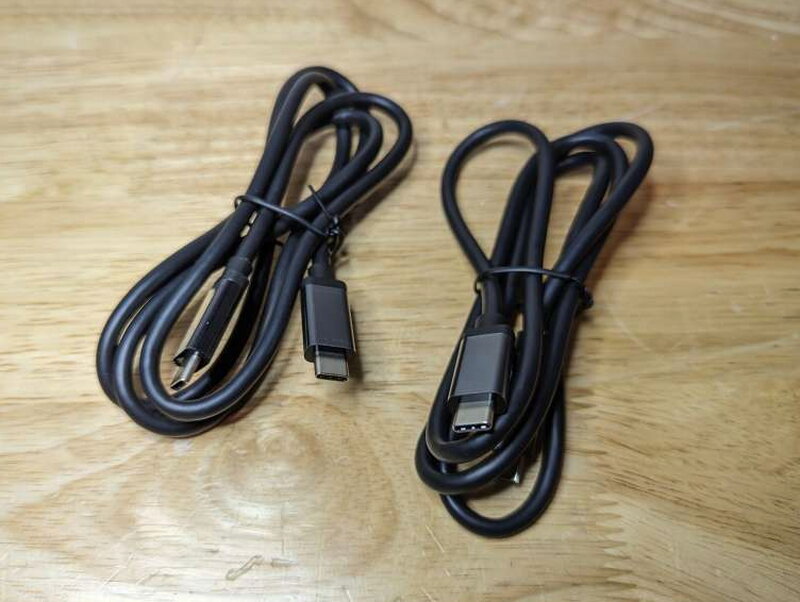
VisionTek includes the VT2900 USB-C KVM Dock, a power adapter, two USB-C to USB-C cables, a 3.5mm wired switch, and a user manual.

Ports and specifications
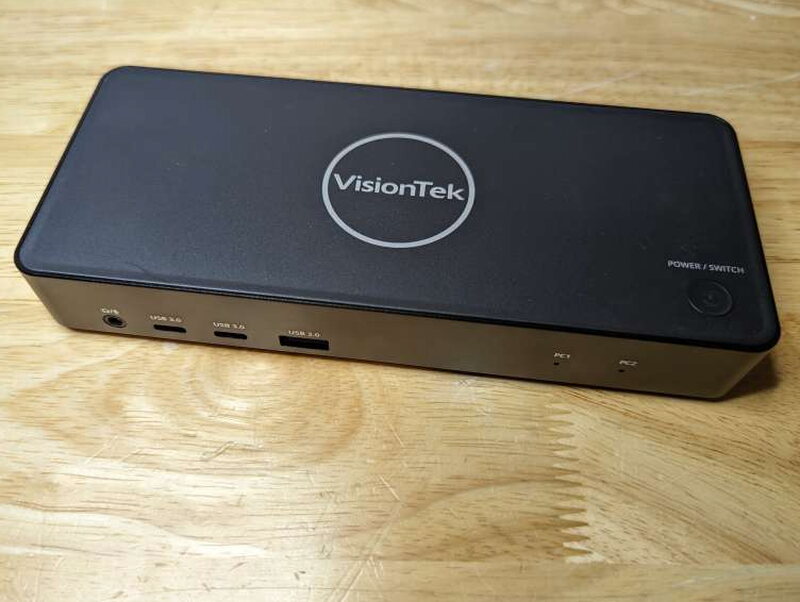
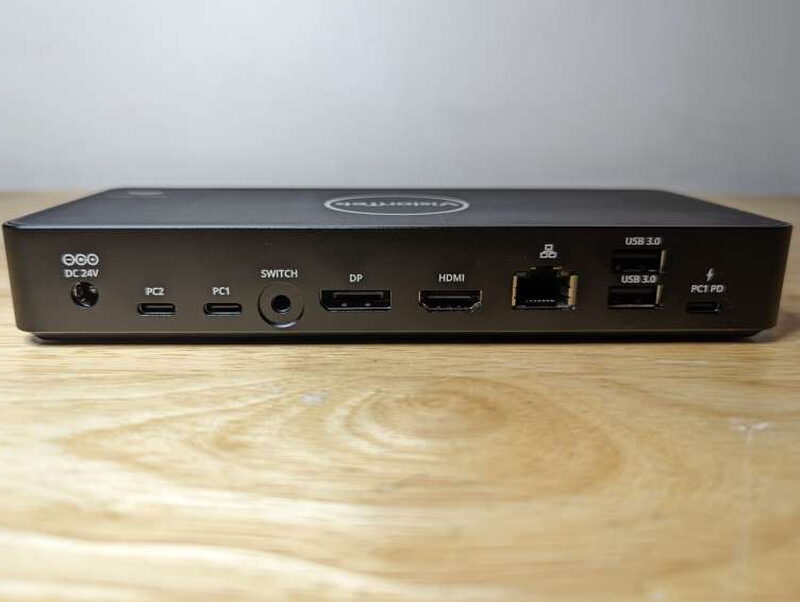
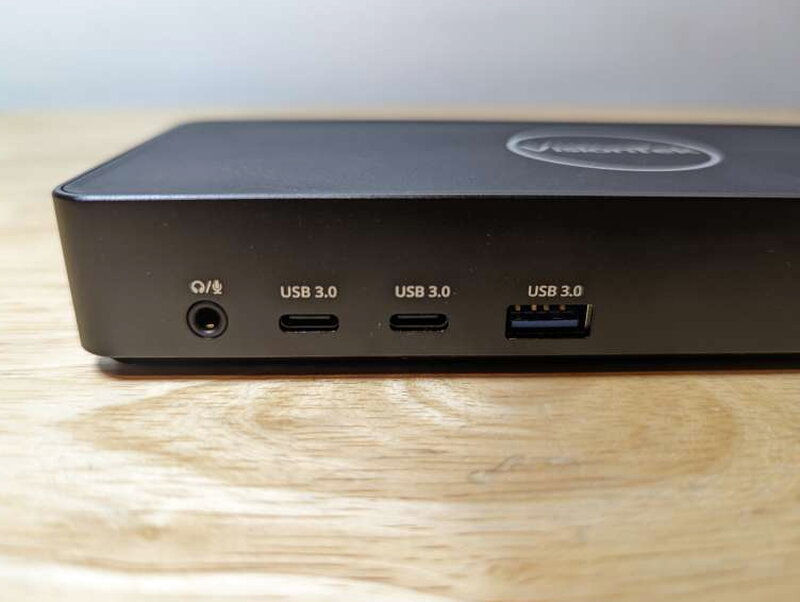
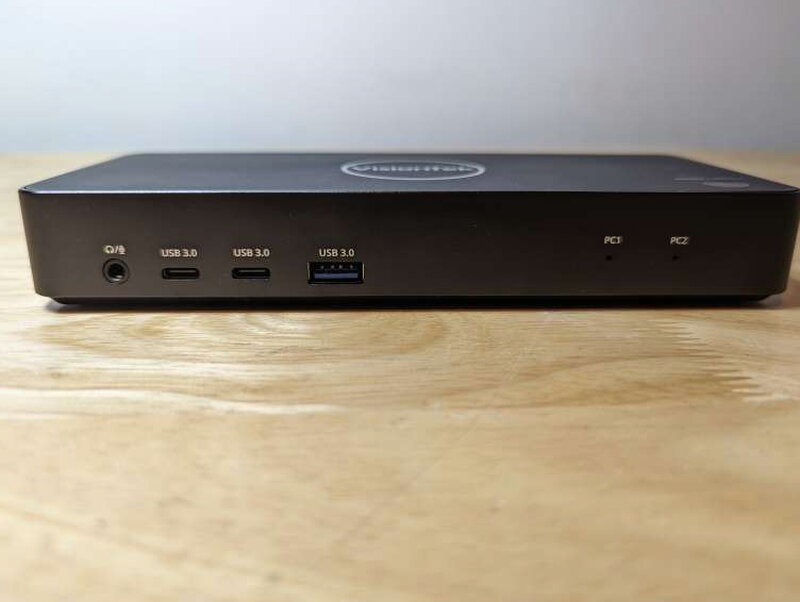
The front edge has a 3.5mm mic and audio combo jack, two USB-C 5Gbps BC 1.2 ports, one USB-A 5Gbps BC 1.2 port, PC1 and PC2 indicator LEDs, and the power and switch button. Around back are the DC power input, the PC2 USB-C upstream port with power passthrough charging up to 100W, the PC1 USB-C upstream port, the 3.5mm switching port, DisplayPort 1.4, HDMI 2.0, Gigabit Ethernet, two USB-A 5Gbps ports, and a USB-C PD port for PC1 passthrough power.
For displays, a single DisplayPort connection supports up to 3840 x 2160 at 60Hz, and a single HDMI connection also supports up to 3840 x 2160 at 60Hz. When using DisplayPort and HDMI together, dual display support tops out at 3840 x 2160 at 30Hz. The dock supports Windows 11, Windows 10, and macOS 10.12 or later. System connections can use USB-C, Thunderbolt 3, or Thunderbolt 4, provided the computer supports the needed video and power features.
The dock measures 7.28 inches long by 3.11 inches deep by 1.14 inches tall, or 185mm by 79mm by 29mm, and weighs 8.8oz, or 250g. Compatible systems need USB-C with DisplayPort over USB-C support. Windows systems need DP Alt Mode MST for video, while a MacBook needs USB-C with DP Alt Mode SST for video. USB-C charging requires USB-C Power Delivery 3.0 support. The optional extra power adapter for PC1 passthrough is listed as 5V/1A to 5V/20A.
Design and controls
The VT2900 feels solid and looks professional enough for a work desk. The labeling is clear, the ports are easy to understand, and the body is small enough to tuck near a monitor or laptop stand.
The top button handles both power and system switching, which keeps the device uncluttered.

The included wired switch is one of the more practical accessories. If the dock sits behind a monitor or under a shelf, the small remote button lets you change computers without reaching for the main unit.

On the front, the audio jack, two USB-C ports, and USB-A port are positioned for quick access to accessories or charging cables.

The PC1 and PC2 LEDs make it easy to see which source computer is active.

The back panel is where most of the permanent connections live. It includes the dock power input, two USB-C computer connections, the wired switch input, DisplayPort, HDMI, Gigabit Ethernet, two USB-A device ports, and the USB-C power passthrough input for PC1.
A Kensington Lock slot on the right side adds a basic physical security option.

Rubberized feet on the underside help keep the dock from sliding around on a desk.

Power and cables
The included 130W DC 24V/5.41A power adapter powers the VT2900 and provides power for PC2.

VisionTek also includes two USB-C to USB-C cables for connecting the two source computers.
The front USB-A and USB-C ports can fast charge Apple devices at up to 12W. Non-Apple devices can charge at up to 7W.
Setup and daily use
Setup is refreshingly simple because there are no drivers to install. The work is mostly physical setup: connect the dock to the two computers, displays, keyboard, mouse, Ethernet, and any other peripherals you want to share.
With compatible computers, the VT2900 performed very well. It switched cleanly between a work Surface Book 2 and a personal 2022 Razer Blade 15, both of which could take full advantage of their USB-C or Thunderbolt ports. In that setup, the keyboard, mouse, display, and other connections moved between computers with very little signal delay.
The weaker part of the experience showed up with an older 2017 Razer Blade Pro. When paired with the Surface Book 2, the keyboard and mouse became erratic and then stopped working entirely, even though the 2017 Razer Blade Thunderbolt specifications appeared to match what the VT2900 required. That experience is why compatibility matters so much with this dock.
When everything lines up, the wired switch is excellent. It lets you keep the main unit wherever the cables make sense and still switch systems from an easy to reach spot on the desk.
What works well
- Easy to set up
- No software drivers required
- The wired switch is convenient for tight workspaces
What to watch for
- A separate power passthrough adapter is needed to supply a second connected computer with 100W power delivery over USB-C
- It might not work with some older USB-C or Thunderbolt enabled computers
- Two display output options might not be enough for some users
Quick Questions
Q: Does the second connected computer get full 100W charging automatically?
A: No, that requires an optional separate USB-C power adapter for passthrough charging on the second computer.
Q: Does it need drivers installed?
A: No, setup is driver-free – just physical connections.
Q: What’s the max resolution using both DisplayPort and HDMI at once?
A: 3840×2160 at 30Hz when both outputs are used together for dual displays, versus 60Hz when only one is used.
Q: Does it work with any USB-C or Thunderbolt laptop?
A: Not reliably – in this review’s testing an older 2017 Razer Blade Pro had erratic keyboard/mouse behavior despite appearing to meet the spec requirements.
Bottom line
The VisionTek VT2900 USB-C Dual System KVM Docking Station is a good choice for a very specific kind of workspace. If you have two compatible computers, want to share one keyboard and mouse, need DisplayPort and HDMI output, and can use USB-C power delivery, it can make a dual computer desk much cleaner. If your hardware is older or only partly supports the needed USB-C, Thunderbolt, DP Alt Mode, MST, SST, or Power Delivery features, check carefully before buying. At $264.87, it is priced in line with similar KVM docking devices, but it only earns its keep when your system matches its narrow hardware profile.
Price: $264.87
Product Link: VisionTek
Source: The sample of this product was provided by VisionTek.
RATING: 3 stars


