
REVIEW – Working from both home and the company campus has slowly turned my daily setup into two complete workstations. That means two monitors, two pointing devices, two sets of cables, and most importantly for me, two keyboards. After years of using mechanical keyboards, I have become picky about feel, sound, layout, and build quality. The Keychron V1 Max Wireless Keyboard arrived as a brand I did not know well, so I went into the review curious but not convinced.
After using it for real work, that skepticism is gone. The V1 Max hits almost everything I want in a desk keyboard. It feels good, sounds controlled, connects several ways, works across Windows, macOS, and Linux, and sells for $94.00. For my campus workstation in particular, it has become the keyboard I want to keep using.
What the Keychron V1 Max is
The Keychron V1 Max is a customizable 75% wireless mechanical keyboard with hot-swappable Gateron Jupiter switches, south-facing RGB lighting, a gasket mount design, and internal sound dampening. It can connect by USB-C cable, 2.4GHz wireless, or Bluetooth, and it supports QMK and VIA for remapping keys, changing shortcuts, adjusting lighting, and customizing the knob.
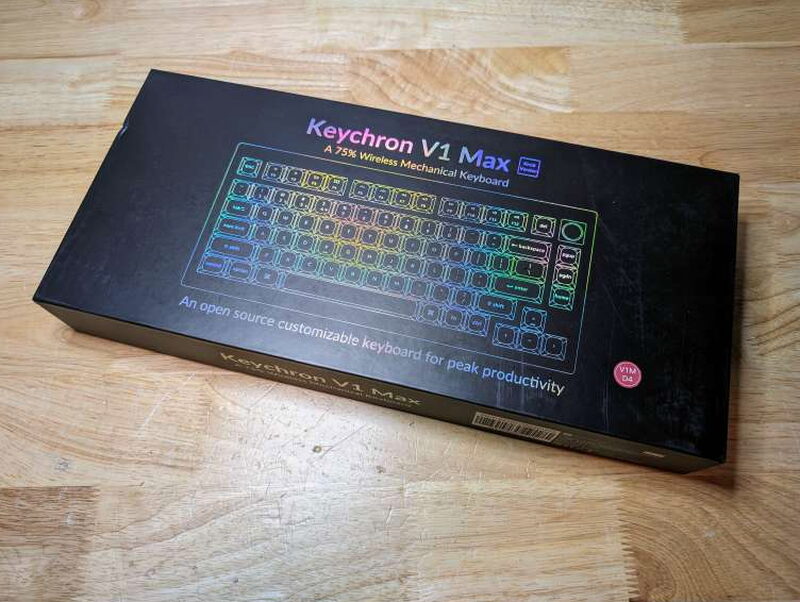
The packaging gives a good first impression. The box feels solid, the printing looks sharp, and the keyboard arrives protected rather than loosely packed.
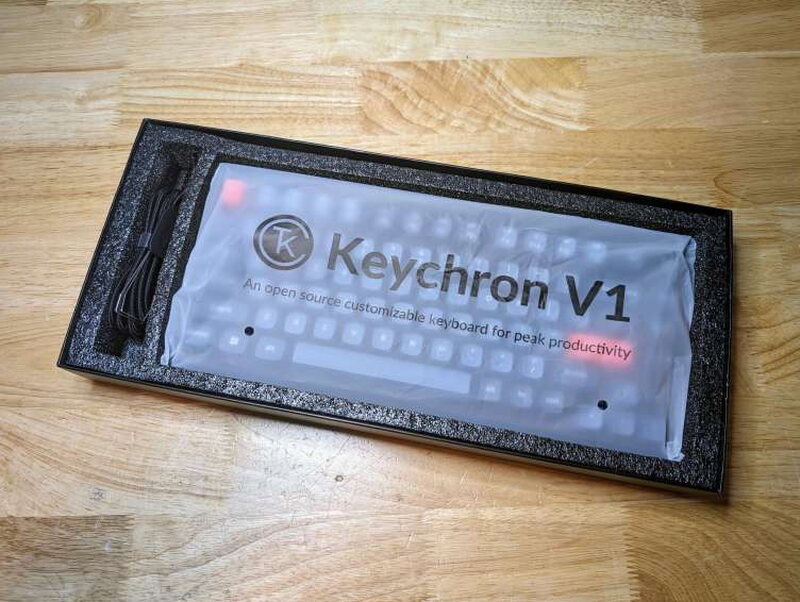
That careful packaging carries over to the accessories. Keychron includes more than the bare minimum, which matters if you plan to move between computers or swap keys and switches.
In the box
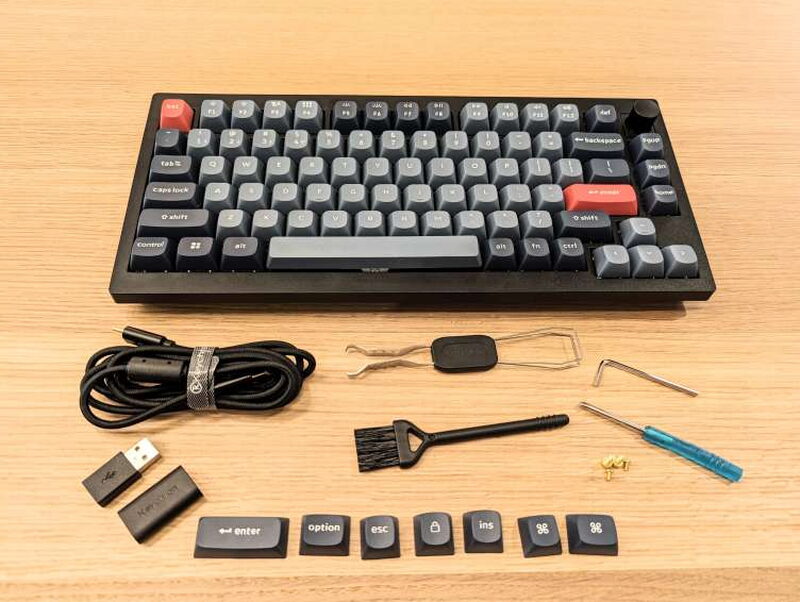
- V1 Max Wireless Keyboard
- Windows and Alt key replacements
- USB-C to USB-C cable
- USB-A to USB-C adapter
- 2.4GHz receiver extension adapter
- USB-A 2.4GHz receiver
- USB-C 2.4GHz receiver
- Keycap puller and switch puller
- Keyboard brush
- Screwdriver
- Hex key
- Replacement case screws
Specs that matter
- Keyboard model: V1 Max Wireless Keyboard
- Width: 148.7mm (5.86in)
- Length: 328.5mm (12.93in)
- Front height: 21.5mm (0.85in) without keycaps
- Back height: 29.4mm (1.16in) without keycaps
- Feet height: 2mm (0.08in)
- Feet angles: 3.5° / 7.1° / 9.5°
- Weight: 770g ± 10g (1.7lb ± 0.02lb)
- Body material: ABS plastic
- Plate material: PC (polycarbonate)
- Polling rate: 1000 Hz in 2.4GHz and wired modes / 90Hz in Bluetooth mode
- Mount style: Gasket mount design
- Bluetooth device name: Keychron V1 Max
- Battery: 4000mAh rechargeable li-polymer battery
- Wireless working time with backlight off: up to 225 hours
- Wireless working time with RGB on lowest brightness: up to 100 hours
- Charging time: around 5 hours
- Bluetooth version: 5.1
- Compatible systems: Windows/macOS/Linux
- N-Key Rollover (NKRO): yes for both wireless and wired modes
- Hot-swappable: yes, compatible with most 3-pin and 5-pin MX mechanical switches
- Keycaps: double-shot PBT keycaps, not shine-through, OSA profile (OEM height, SA shape)
- MCU: ARM Cortex-M4 32-bit STM32F402 with 256KB flash
- Switches: Gateron Jupiter
- Backlight: south-facing RGB LED
- Stabilizer: screw-in PCB stabs
- Charging port: USB-C
- Cable: USB-C with USB-A to USB-C adapter
- Operating environment: -10℃ to 50℃ (-14°F to 122°F)
Design and build

The V1 Max feels intentionally designed rather than assembled from generic parts. The gasket mount, plate, case foam, keycaps, and switches all work together to give the board a softer, more controlled typing feel than a basic mechanical keyboard.
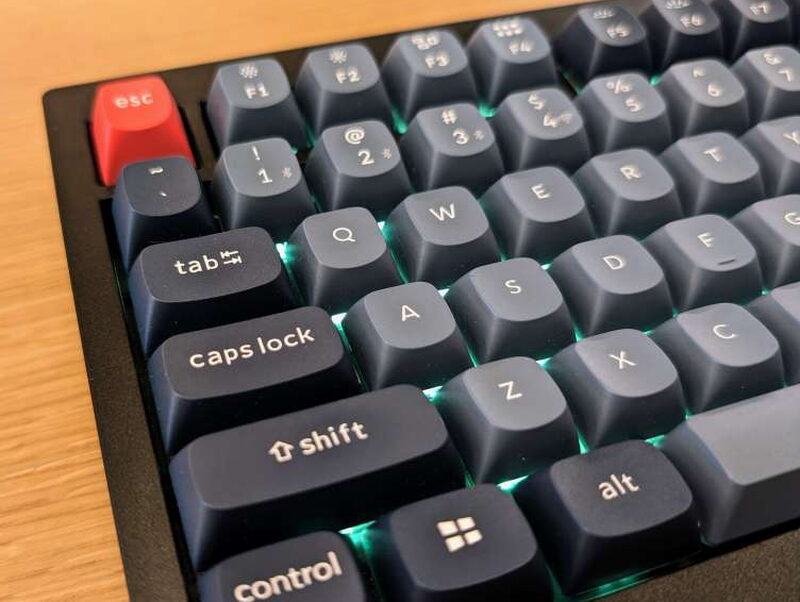
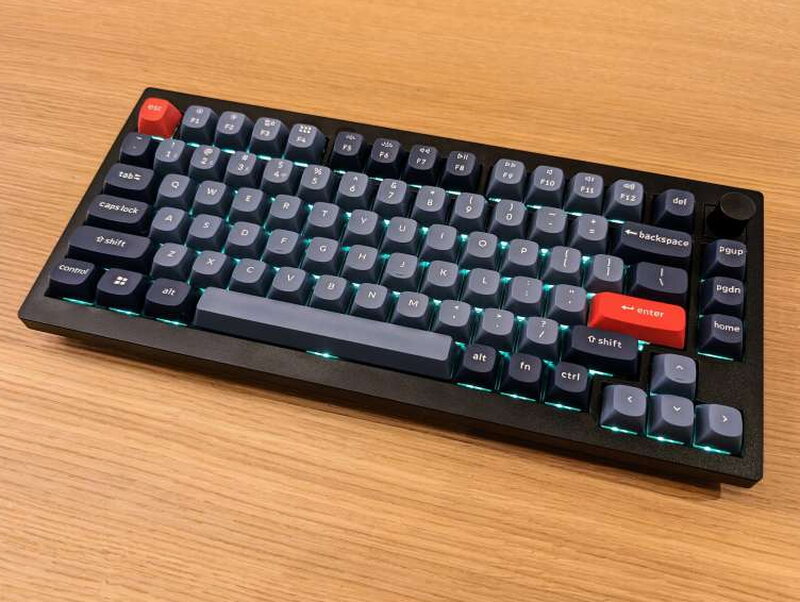
I like the look of the V1 Max a lot. The gray and black keycap set is understated, the red accents add just enough personality, and the rounded OSA profile is comfortable under my fingers.
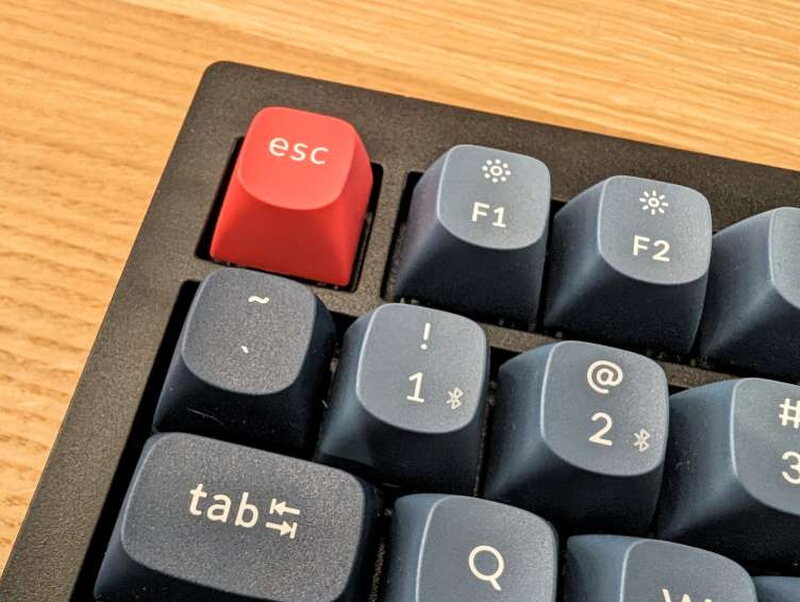
The case and plate are plastic, which is the first place I would improve the keyboard. The textured plastic feels fine, and it helps keep weight reasonable, but a metal plate or metal case would make the board feel sturdier and more durable.
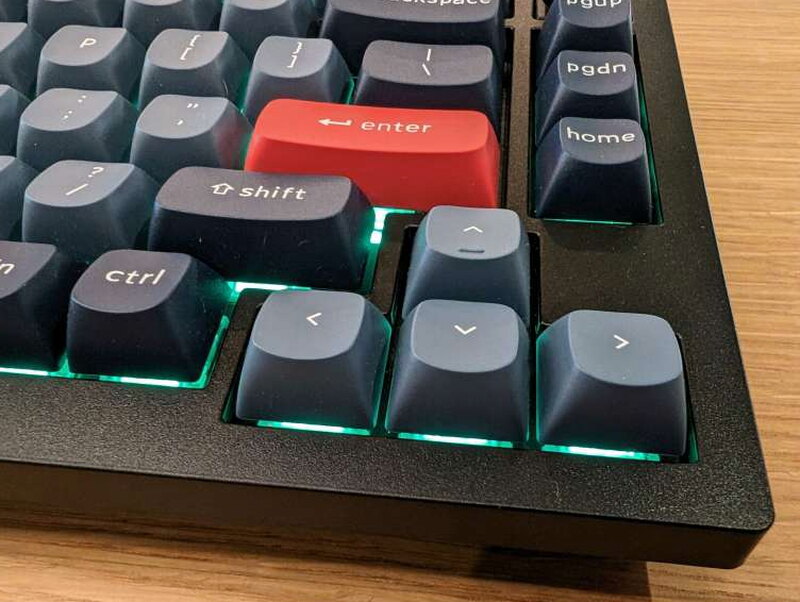
The layout is one of the reasons the V1 Max works so well for me. It saves space compared with a full-size keyboard but still keeps the keys I reach for during normal office work.
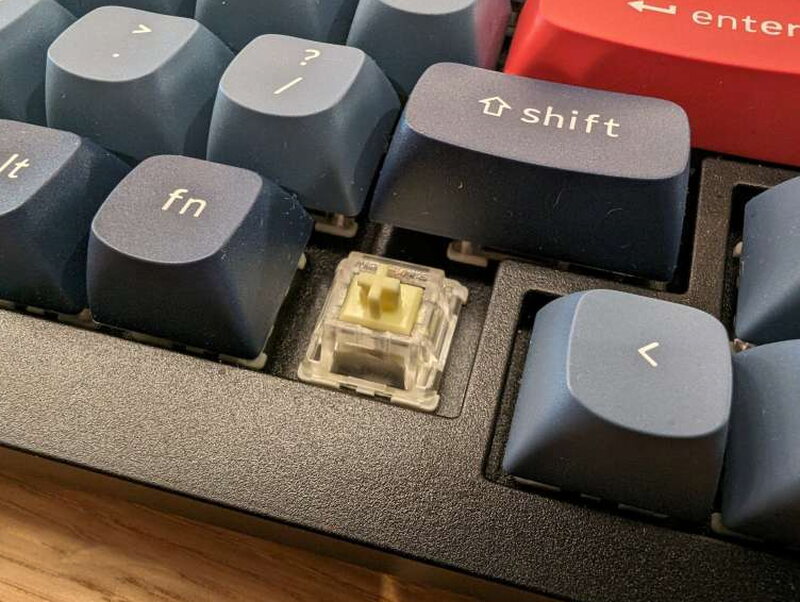
Because the board is hot-swappable, it accepts both 3-pin and 5-pin MX mechanical switches. You can use the included Gateron Jupiter switches or swap in compatible switches from brands such as Cherry, Kailh, or Zealios without soldering.
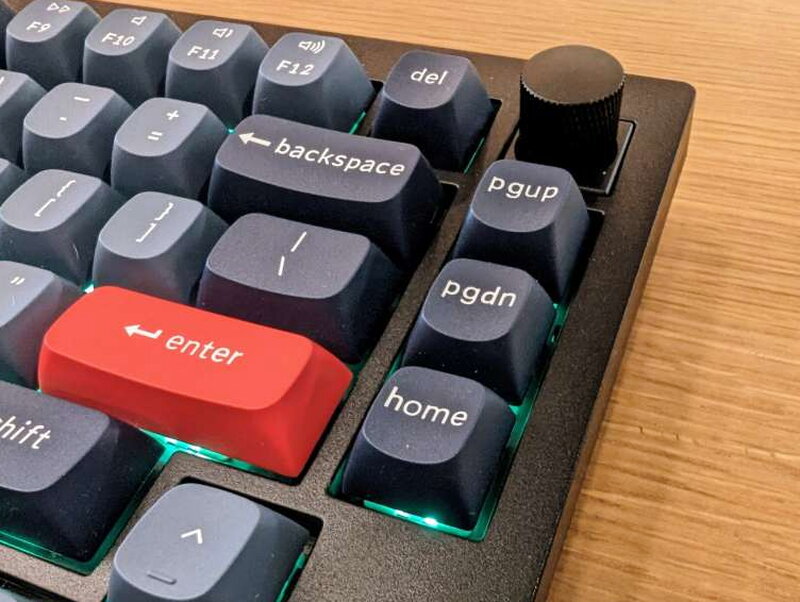
The Gateron Jupiter switches feel smooth and responsive, and the south-facing RGB lighting adds useful visibility as well as style. Even though the keycaps are not shine-through, the legends remained easy for me to read.
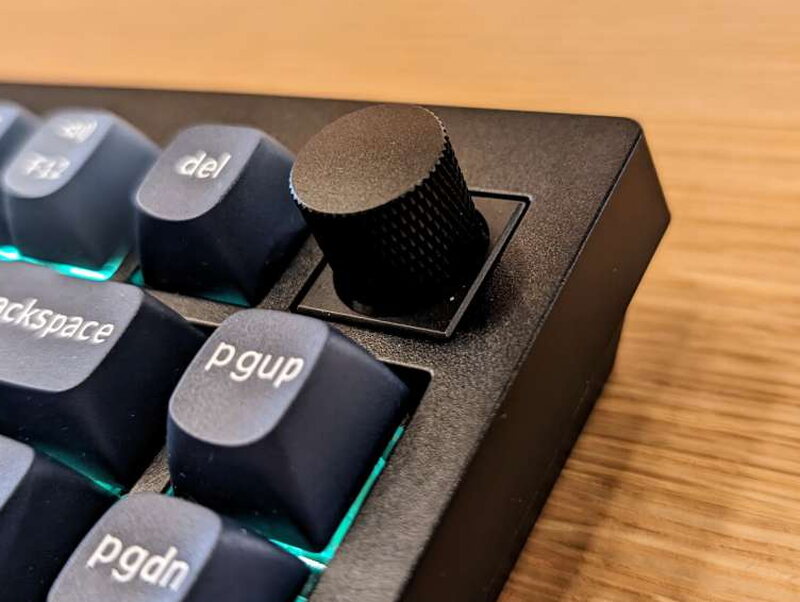
The knob is my favorite physical feature. It sits in the upper right corner, has a grippy texture, and gives a satisfying click. By default it is great for volume, but VIA lets you assign other functions too.
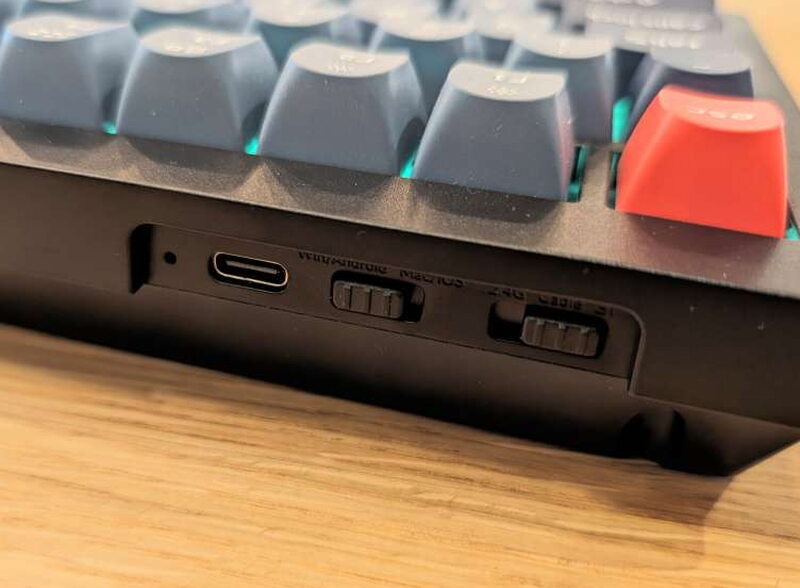
The rear controls are useful but not perfect. One switch selects Windows or Mac mode, and the other chooses 2.4GHz, Bluetooth, or USB-C. My second gripe is that the labels on those switches are hard to read.
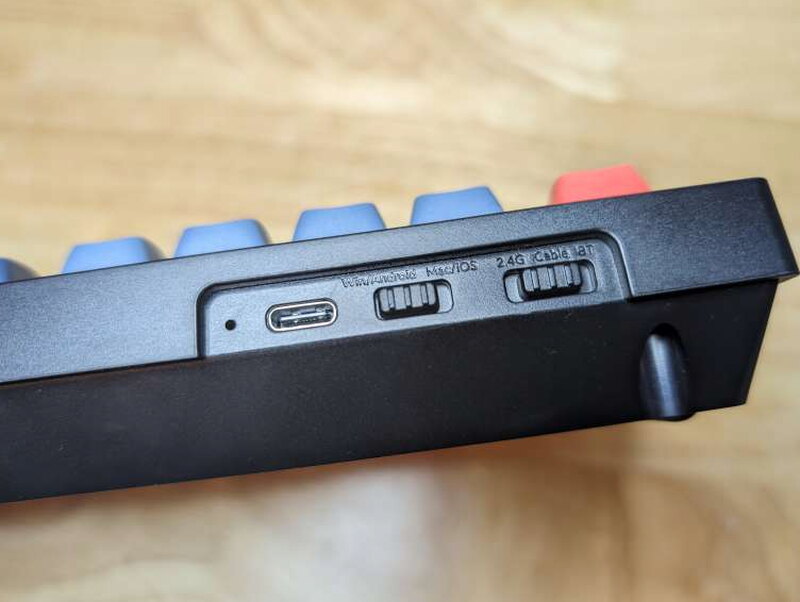
Once you know where each switch sits, the system works well. Having wired, 2.4GHz, and Bluetooth connections makes the keyboard flexible enough for multiple computers and work setups.
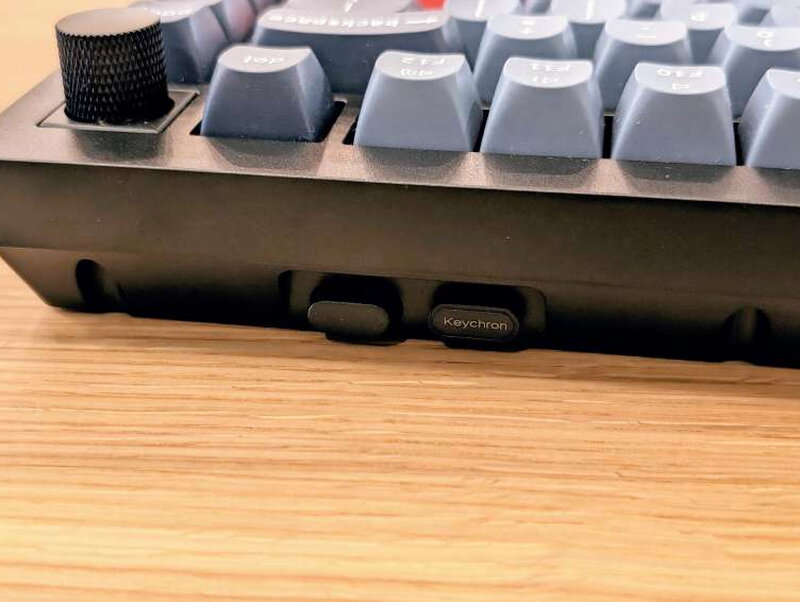
Keychron includes both USB-C and USB-A 2.4GHz receivers, and the keyboard has storage slots for them. That small detail is convenient if you move the board between machines.
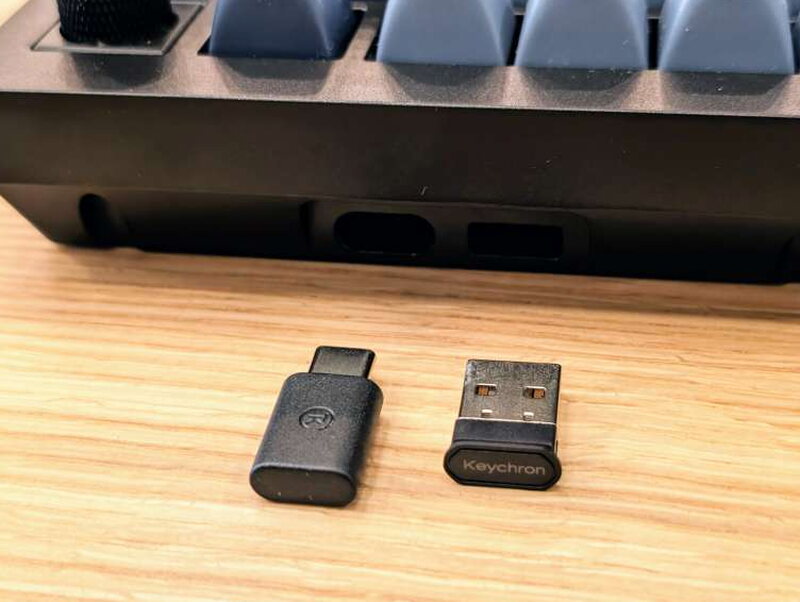
The dual receivers are also practical for mixed environments. I can use the USB-C receiver on newer hardware and the USB-A receiver where legacy ports are still available.
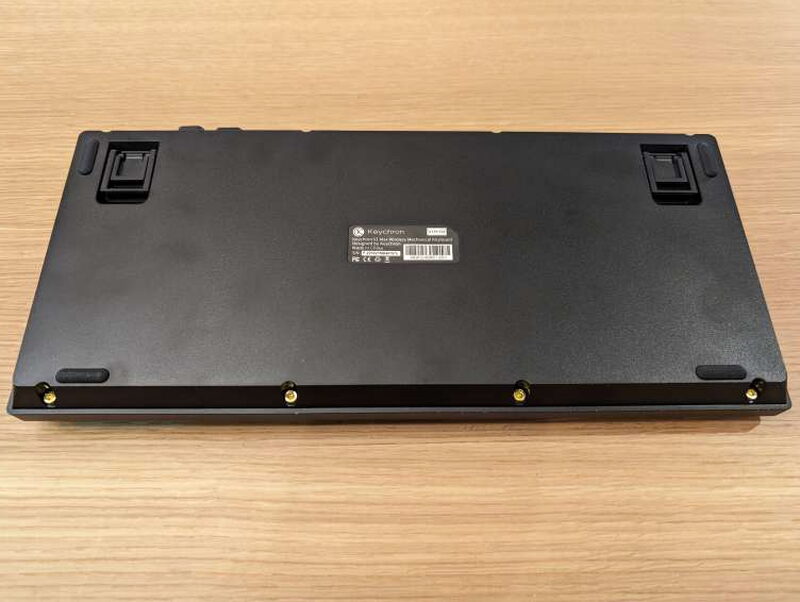
On the bottom, the V1 Max has four wide rubber feet, two-position flip-up back legs, and access to the case screws. The feet keep it planted on the desk during normal typing.

For my typing position, extending the rear legs all the way gives the best angle. The listed feet angles are 3.5°, 7.1°, and 9.5°.
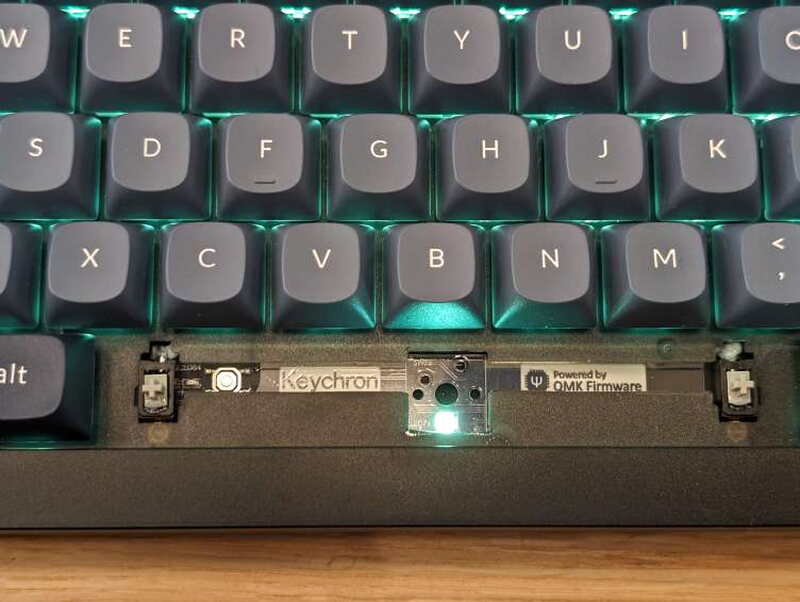
The reset button is hidden under the spacebar. You can use it to restore factory settings or update the firmware, which keeps the exterior clean while still making the control accessible.
Accessories and setup
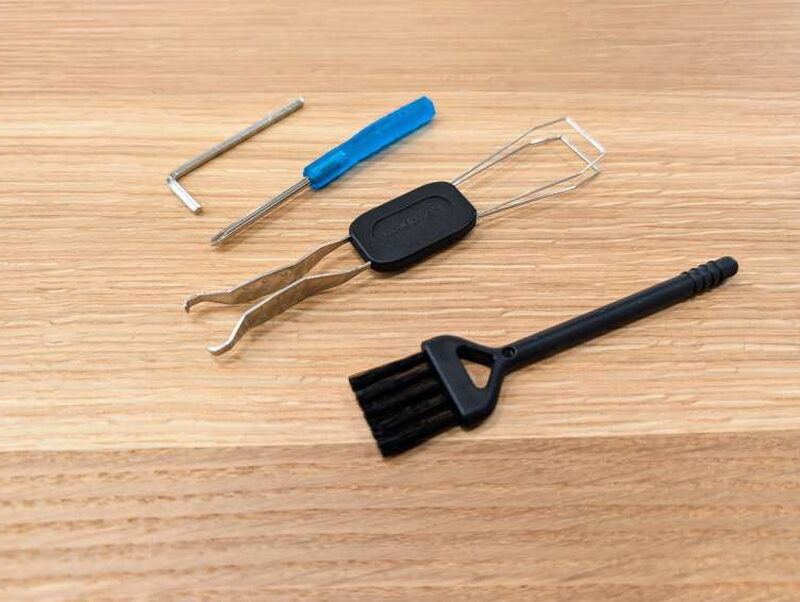
The included tools make the V1 Max feel like a keyboard meant to be adjusted and maintained. You do not need to buy a separate puller before changing keycaps or switches.
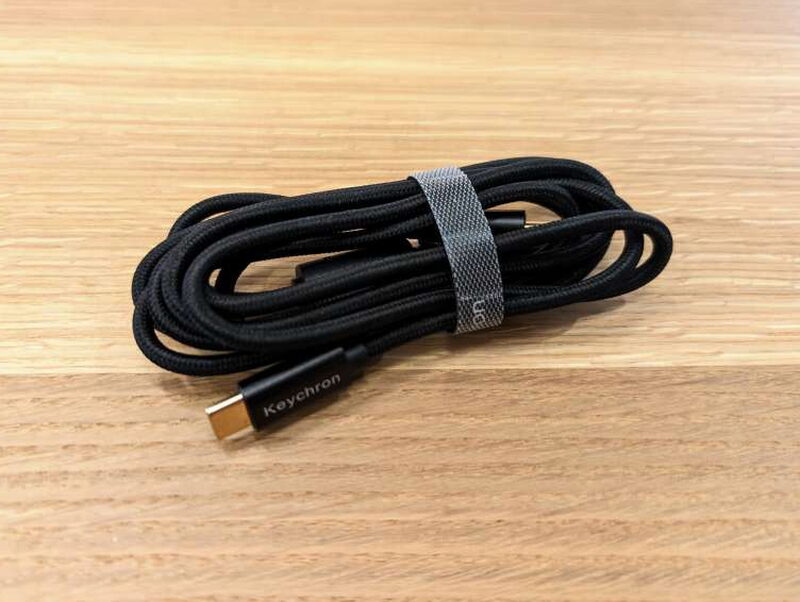
The USB-C cable is braided and feels nicer than the thin cable many products include. It handles charging and wired use.
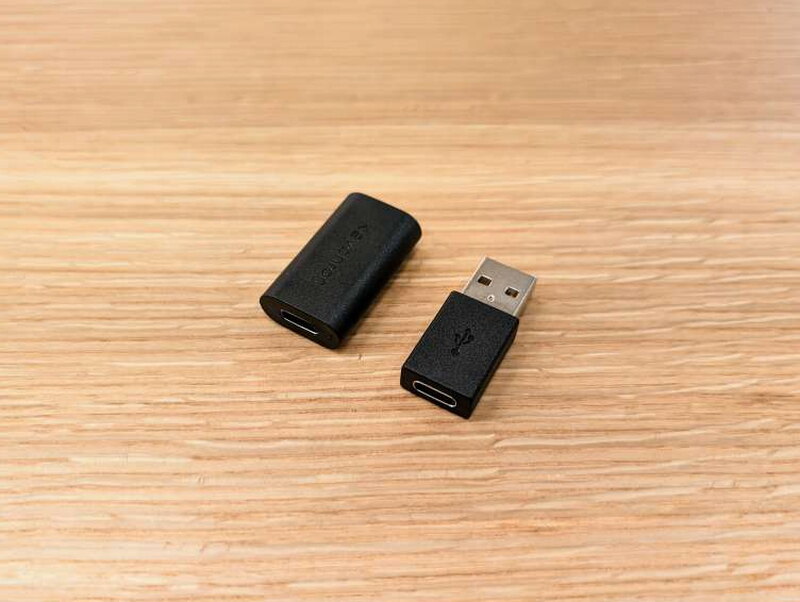
The adapter set is another reason the keyboard is easy to integrate. Between the cable, receivers, and adapters, I had a connection option for every computer I tried.
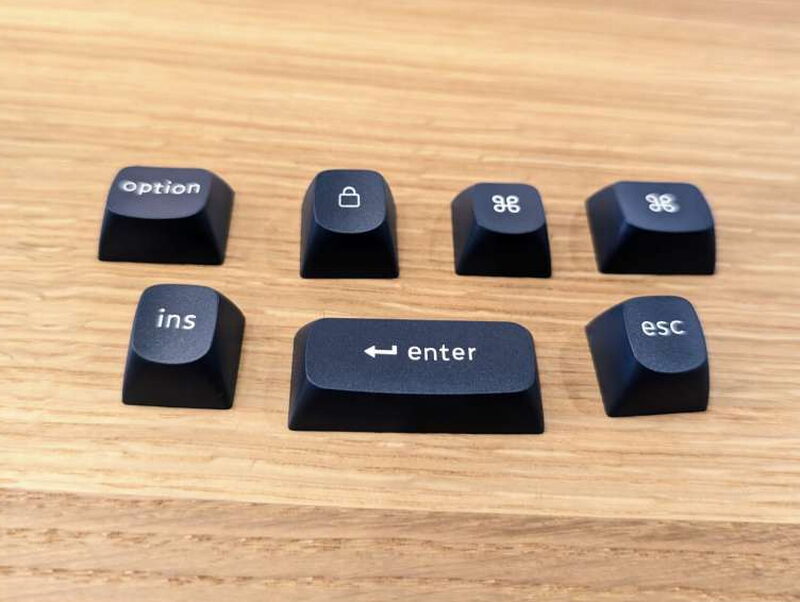
Keychron also includes Mac and Windows specific keys, along with black Enter and Option keys if you prefer a less colorful look than the installed red accents.
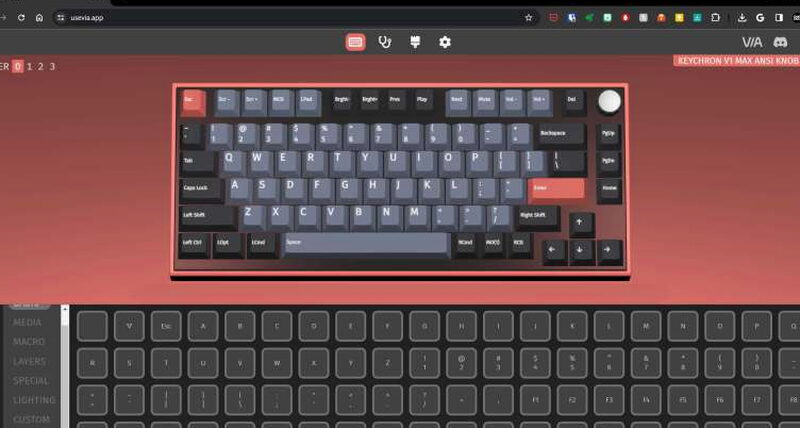
Initial setup is straightforward. Charge the 4000mAh battery, decide whether you want USB-C, 2.4GHz, or Bluetooth, set the rear connection switch, and then choose Windows or Mac mode. The keyboard can hold separate layouts for the different systems.

The V1 Max supports QMK and VIA, which is a major feature if you like to personalize your keyboard. VIA is an app for configuring keys on keyboards running open-source QMK firmware. I had not used VIA before, but I found it easy to get started with the V1 Max.

Through VIA and the keyboard shortcuts, you can adjust layouts, shortcuts, backlight effects, and knob behavior. That makes the board useful beyond simple typing.
Typing and daily use
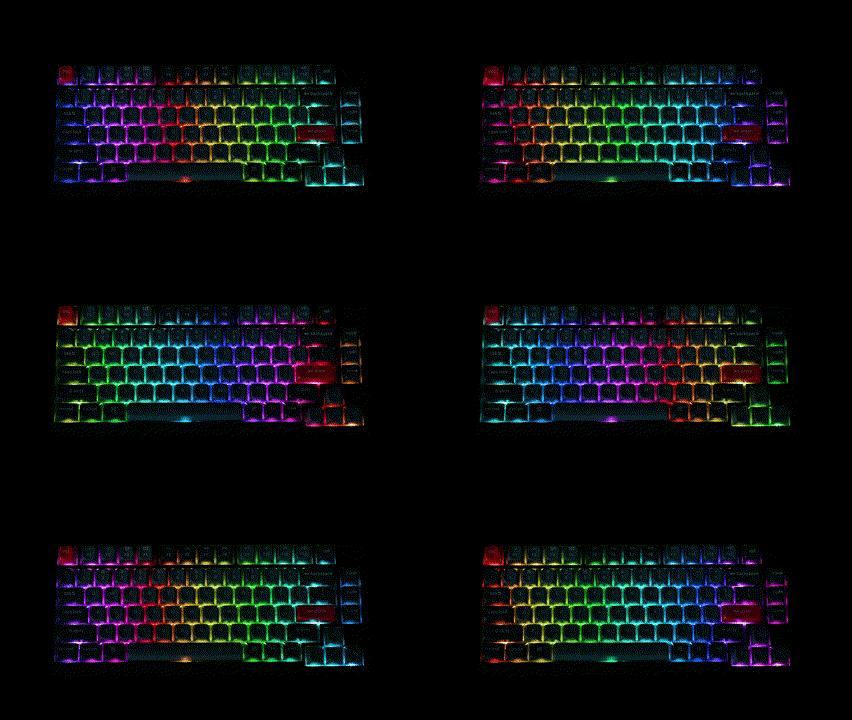
Living with the V1 Max has been the best part of the review. The Function key shortcuts quickly became second nature, and I like being able to change settings such as pairing, connection behavior, and lighting without digging through software.
The RGB effects are plentiful, including modes such as breathing, reactive, and rainbow. The lighting can be adjusted through multiple brightness levels. Because the LEDs are south-facing and bright, the board still looks good even though the keycaps themselves are not shine-through.
Typing feel is the reason I keep reaching for this keyboard. The gasket mount helps absorb vibration, the internal dampening foam reduces noise, and the Gateron Jupiter switches are smooth and responsive. That quieter sound matters at my on-campus desk, where I do not want a loud keyboard distracting people nearby.
The V1 Max also feels flexible enough to grow with the user. If I want a different switch feel later, I can swap switches. If I want the knob to control media, volume, or another function, I can change it. If I move between operating systems, the Windows and Mac modes are already built in.
What I like
- Great aesthetic and design
- Keys have an excellent feel and sound
- Works out of the box with useful adapters and connection options
- QMK and VIA support make it highly configurable
- Strong value at $94.00
What I don’t
- The rear switch labels are difficult to read
- The plastic body is not as sturdy as a metal one would be
Quick Questions
Q: How does the Keychron V1 Max connect to a computer?
A: Three ways: USB-C cable, 2.4GHz wireless receiver, or Bluetooth.
Q: Are the switches replaceable?
A: Yes, it’s hot-swappable and compatible with most 3-pin and 5-pin MX mechanical switches, not just the included Gateron Jupiter switches.
Q: How long does the battery last?
A: Up to 225 hours with the backlight off, or about 100 hours with RGB on at its lowest brightness.
Q: What’s the biggest build-quality complaint?
A: The case and plate are plastic rather than metal, which the review says would make the board feel sturdier if upgraded.
Verdict
The Keychron V1 Max Wireless Keyboard did not take long to become my favorite keyboard, wireless or otherwise. The combination of typing feel, controlled sound, battery life, connection options, hot-swappable switches, customizable keycaps, and VIA support makes it a natural fit for my on-campus workstation. I would still prefer clearer rear labels and a sturdier metal build, but those complaints do not outweigh how good the keyboard is to use. At $94.00, the V1 Max is a bargain compared with similarly equipped mechanical keyboards and is easily worth the money.
For a wider look at what else is out there, I rounded up more of these in The Best Mechanical Keyboards I’ve Tested.
Price: $94.00
Product Link: Keychron
Source: The sample of this product was provided by Keychron.
RATING: 4 stars


