
REVIEW – Apple computers beat PCs in a lot of ways, but connectivity is not one of them. I was a die-hard Apple user for literally decades, which means I got burned every time Apple decided to kill off another connection standard. I still stumble across Firewire cables and adapters tucked into random corners of my apartment. Still, I kept at it, upgrading to the latest Mac every few years, and each new machine seemed to strip away yet another way to hook up my peripherals.
All that misery came to an end the day I found the Revodok Max 213 Thunderbolt 4 Dock from UGREEN. With a hefty 13 ports, 90W power delivery, and a rugged aluminum shell, it beefs up connectivity for Macs and PCs alike. At $319.99 it’s hardly the budget choice, but it would be hard to find a cheaper dock that does everything this one pulls off.
The Basics
At its heart, the Revodok Max 213 is a docking station loaded with 13 ports, spanning Thunderbolt 4, DisplayPort, USB-A, and USB-C, wrapped in an all-aluminum body that also handles charging duty. On certain computers you can even drive dual 4K or 8K displays through it.
In the Box


- Revodok Max 213 Thunderbolt 4 Dock
- 180W GaN Power supply and cable
- Thunderbolt 4 Cable 2.6ft (0.8m)
- User manual

By the Numbers

- Series: Revodok Max
- Color: Dark Gray Aluminum
- Data Ports:
- microSDHC
- USB 3.1 Type A
- DisplayPort
- USB 3.1 Type C
- 2.5Gb Ethernet
- SDHC
- 3.5mm Audio
- Thunderbolt
- Compatible Systems:
- macOS 11.4 (Big Sur) or above
- Windows 10 (20H2) or above
- Thunderbolt 4 Computer
- Thunderbolt 3 Computer
- USB-C (USB4) Computer
- USB-C Computer
- Chromebook (Thunderbolt or USB-C)
- iPad Pro/iPad Air/iPad mini (Thunderbolt or USB-C)
- Windows Tablet (Thunderbolt or USB-C)
- Size and Weight:
- LxWxH: 148.5 x 96.2 x 52mm (5.85 x 3.79 x 2.05in)
- Weight: 805g (1.77lbs)
- Number of Ports: 13
- Wattage: 180 watts
- Power Delivery: 90W
- Max Resolution: 8K@30Hz
Design and Build
Style meets practicality in the sleek, modern look of the Revodok Max 213. The all-aluminum case wears a matte finish, and its sturdy, compact form factor lets it sit neatly on any desk.


Figuring out exactly what kinds of connections the Revodok Max handles can get a bit murky depending on your setup, so here are a few charts from UGREEN spelling out what it supports across different systems.


Worth double-checking that the Revodok Max supports the number of monitors you’re after on your particular computer and OS before you buy.
Getting Started
Getting the Revodok Max 213 up and running is refreshingly easy since there’s no driver or software to install. It’s plug-and-play, just hook the dock up to a computer with the bundled Thunderbolt cable.

As much as I love the MacBook Air for its size and power, its shortage of ports drives me up the wall.


Pairing the Revodok with the MacBook Air lets me run it as my primary desktop rig, hooked up to a bigger monitor and all my other peripherals.
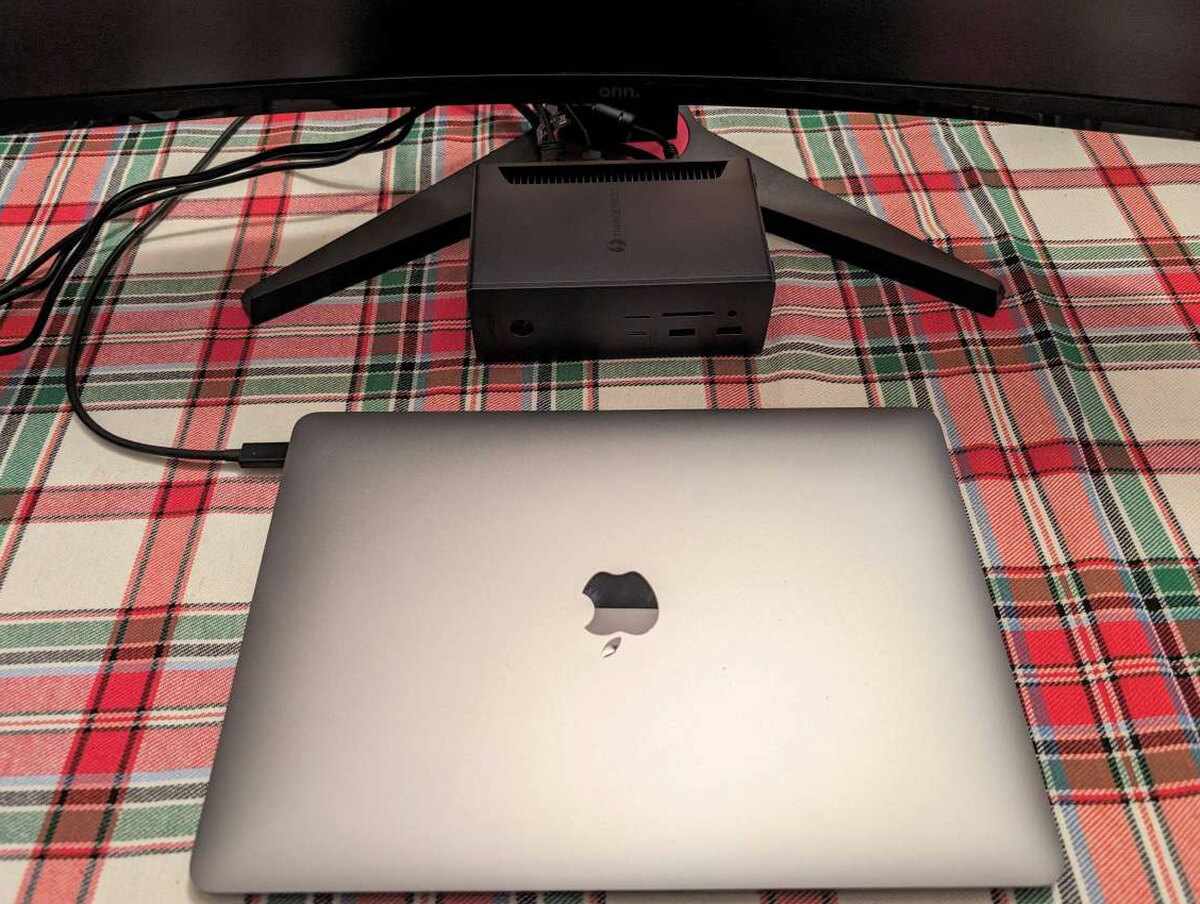
Because the dock delivers up to 90W of Power Delivery, it charges my MacBook while juggling every other peripheral connection at the same time. That’s one less cord cluttering the desk, and I appreciate it every time I sit down.

Living With It
When it comes to performance, the Revodok Max 213 is steady and dependable. It serves up quick data transfer and rock-solid support for my monitor.

What I like most about the Revodok is how it just fades into the background while I work, so I never give it a second thought. I know the second I plug in my MacBook, everything simply works.
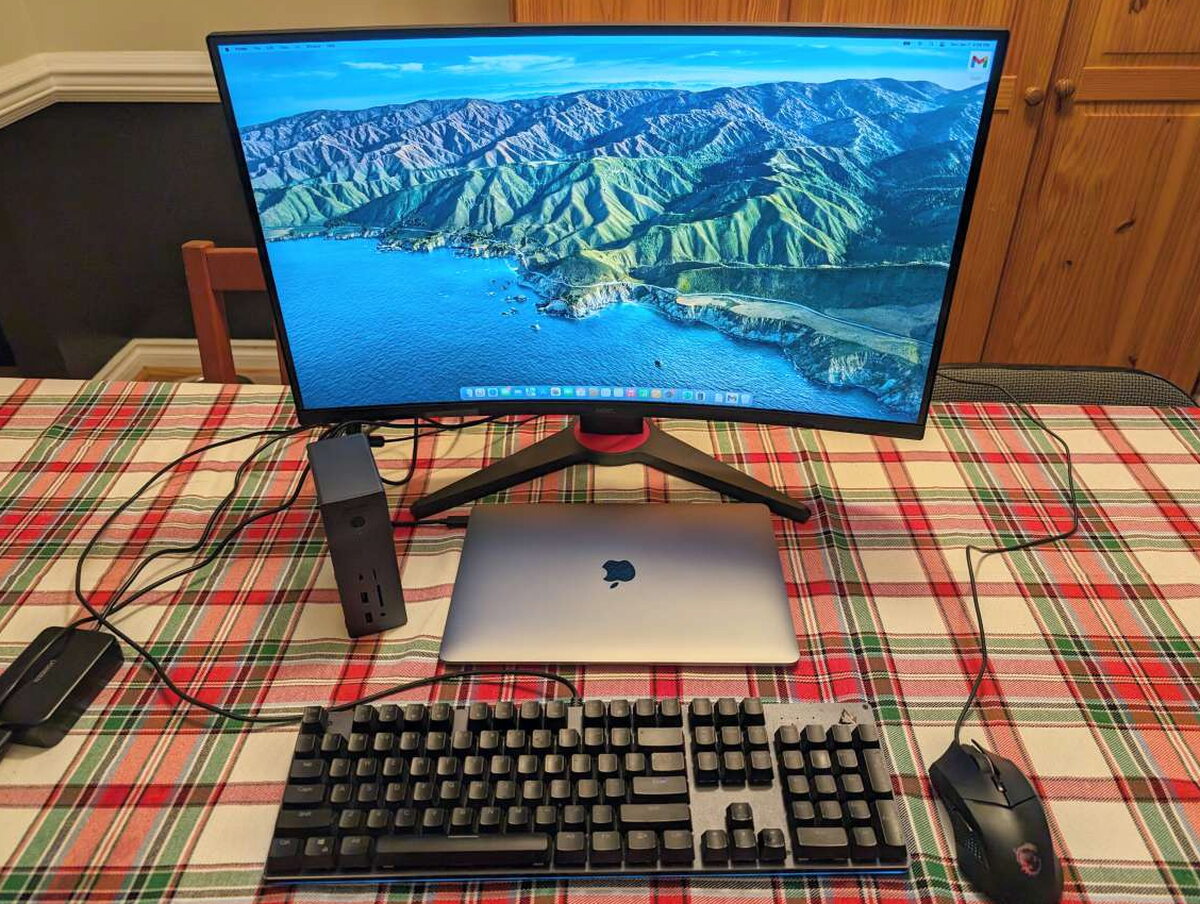
My MacBook and Revodok setup may be simple, but it’s reassuring to know I can grow it as much as I want down the road without ever worrying about running out of ports.

The Good
- Very solid design and build
- Plenty of easily accessible ports
- Works out of the box without the need for additional drivers
The Not So Good
- Expensive
- Doesn’t support 8k or dual displays on all devices
- No HDMI ports
Quick Questions
Q: Does the Revodok Max 213 require driver software?
A: No, it’s plug-and-play with no drivers or software needed to install.
Q: How many ports does it have?
A: 13 total, spanning Thunderbolt 4, DisplayPort, USB-A, and USB-C.
Q: Can it power a laptop while docked?
A: Yes, it delivers up to 90W of Power Delivery, charging a connected laptop while handling every other peripheral at once.
Q: Does it support dual 4K or 8K monitors on every computer?
A: Not universally. Display support varies by computer and OS, so it’s worth checking UGREEN’s compatibility charts for your specific setup before buying.
The Verdict
The UGREEN Revodok Max 213 Thunderbolt 4 Dock strikes a great balance between form and function. Between its clean, durable design, hassle-free setup, and rock-steady performance, it hands professionals, gamers, and creatives alike plenty of connectivity and flexibility. Yes, the $319.99 price is on the high side, but the rich feature set and strong performance make it money well spent. If you’re into gear that’s built like a tank, want to wrangle the cable chaos on your desk, or simply wish your Mac got along better with peripherals, the UGREEN Revodok Max 213 Thunderbolt 4 Dock might be exactly what you’re looking for.
Price: $319.99
Product Link: UGREEN
Source: The sample of this product was provided by UGREEN.
RATING: 4 stars


