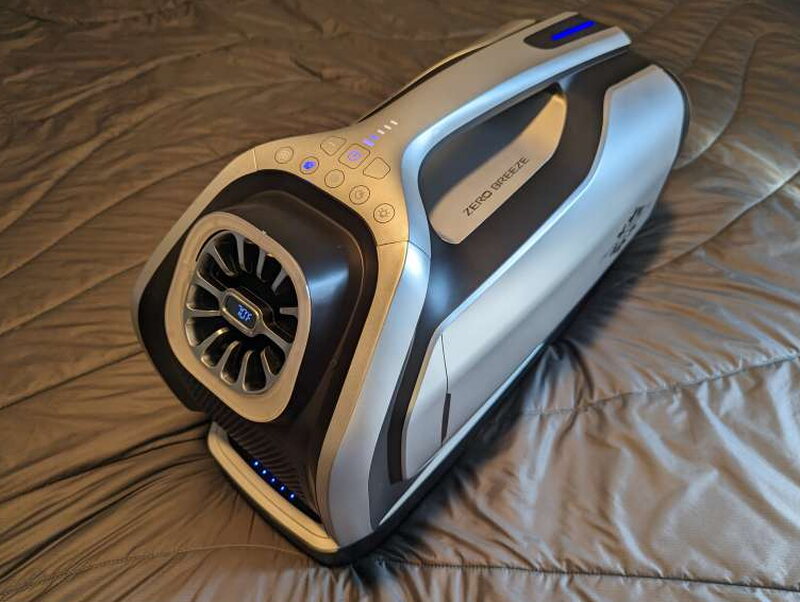
REVIEW – Portable cooling is no longer just a nice camping luxury when summer heat keeps getting more intense. A normal window or room air conditioner can cool a space well, but it needs wall power, takes up a lot of room, and is not something you want to carry into a tent, van, boat, trailer, or truck bed. The Zero Breeze Mark 2 Plus takes a different approach by pairing a 2300 BTU portable AC unit with an 840Wh smart battery so you can bring real compressor-based cooling to small spaces.
The package I tested is the Zero Breeze Mark 2 Plus. It includes the Mark 2 Portable AC and one Mark 2 Smart Battery for $1,499. That price is high, but after using it in hot weather, I came away impressed by how well it cooled a small tent and how useful it was for keeping both me and my dog comfortable. For people who camp, travel in an RV, sleep in a van, or need portable cooling for a small enclosed area, this bundle makes a lot of sense if the cost fits the budget.
Portable cooling in a small space
The Mark 2 is built around a 24V Micro Inverter Compressor and is rated for 2300 BTU of cooling power. Zero Breeze says it is intended for spaces between 25 and 40 square feet, which lines up with the kind of use I had in mind. The Plus bundle adds the Mark 2 Smart Battery, an 18650 Lithium-Ion Polymer pack rated at 24V 35Ah, or 840Wh. Depending on the operating mode, that battery can run the AC for about three to eight hours, and fan mode can stretch much longer.
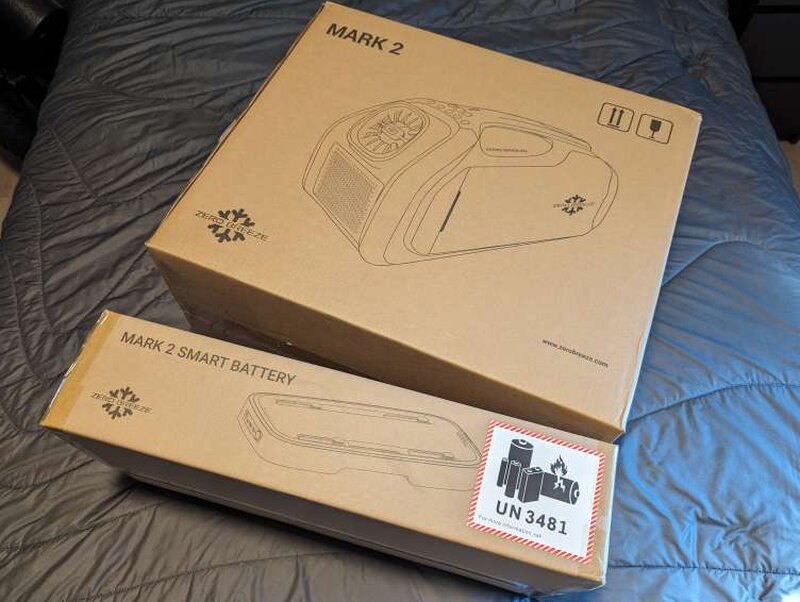
Both parts of the Plus kit ship in separate, well marked boxes. The packaging makes it obvious which box contains the AC unit and which one contains the battery.
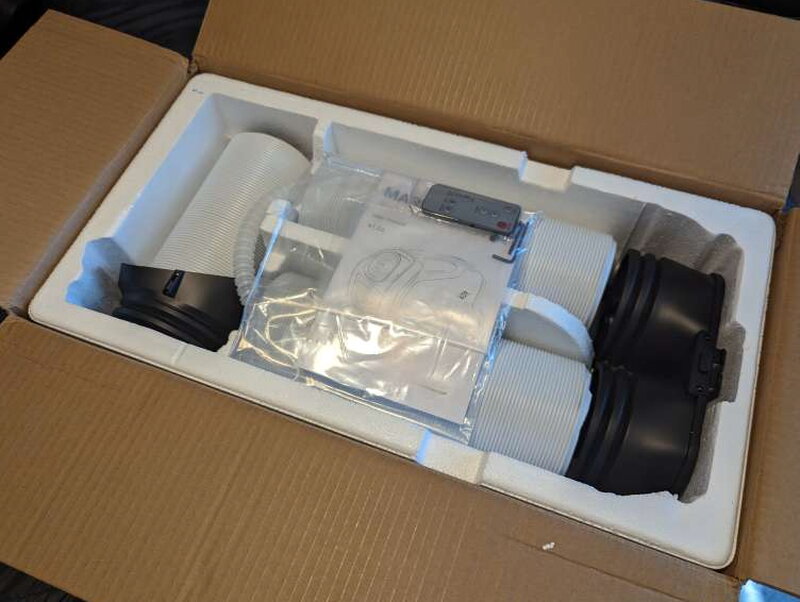
The AC unit is held securely in shaped foam and cardboard. The accessories are packed around the unit so they do not rattle around during shipping.

The battery gets similar protection. Better yet, the foam from the battery box is not just trash. Zero Breeze shaped it so it can be used as a handy vent template, which turned out to be one of my favorite little design decisions.
What is included
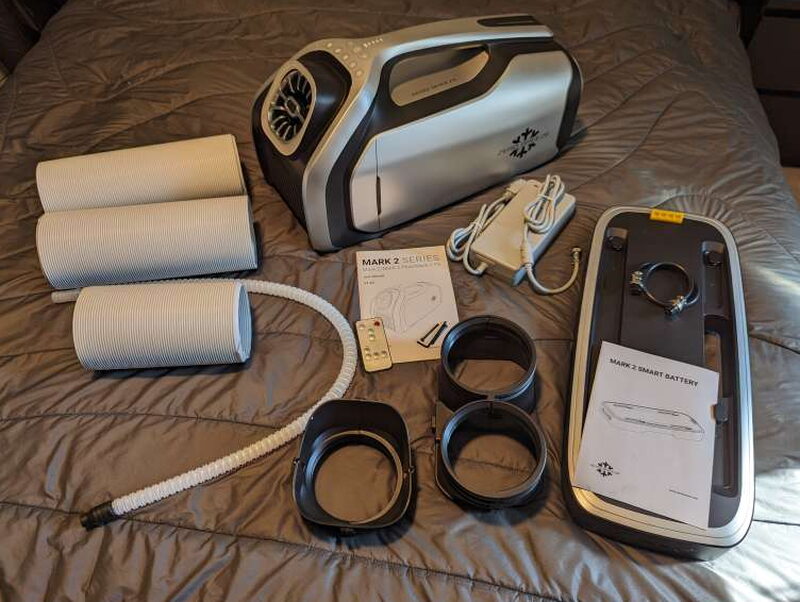
The Mark 2 Portable AC box includes the AC unit, power adapter, front air outlet duct, rear air outlet duct, remote control, venting hose, drainage tube, and user guide. The Mark 2 Smart Battery box includes the battery, user guide, and the Mark 2 AC connector cable.
Key specifications

The Mark 2 Portable AC has 2300 BTU of cooling power, 240W cooling rated input, 24V DC rated voltage, four operating modes, four wind speed levels, a 52dB(A) sound rating, IPX4 moisture protection, R134A refrigerant, and a dual hose exhaust configuration. The unit measures 20 inches long by 10 inches wide by 11 inches high and weighs 16.5 pounds.
The Mark 2 Smart Battery uses 18650 Lithium-Ion Polymer cells and has a capacity of 24V 35Ah, or 840Wh. It accepts 18V to 36V DC charging input, with 21V to 27V recommended, and takes about 6 hours to fully charge with the official power adapter. Zero Breeze lists battery runtime as 3.5 hours in ultra-fast cooling mode at 240W, 5.6 hours in cooling mode at 150W, 8.4 hours in sleep mode at 100W, and 42 hours in fan mode at 20W. The battery also has a 12V/5A max DC jack output, USB-C PD at 5V, 9V, 12V, or 20V up to 45W, and USB-A at 5V/2A max. It weighs 12 pounds and measures 20 inches long by 8.6 inches wide by 2.3 inches high. Its operating temperature range is 0℃ to 40℃, or 32°F to 104℉.
Design and controls
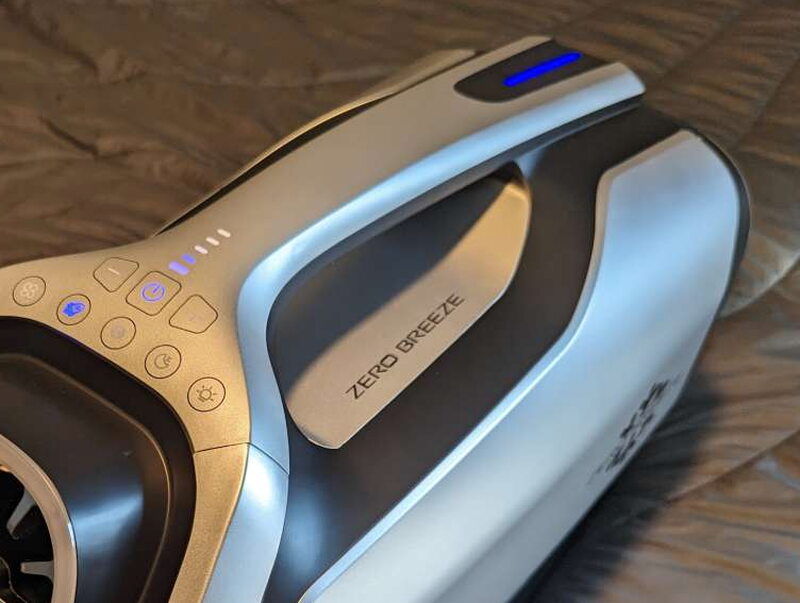
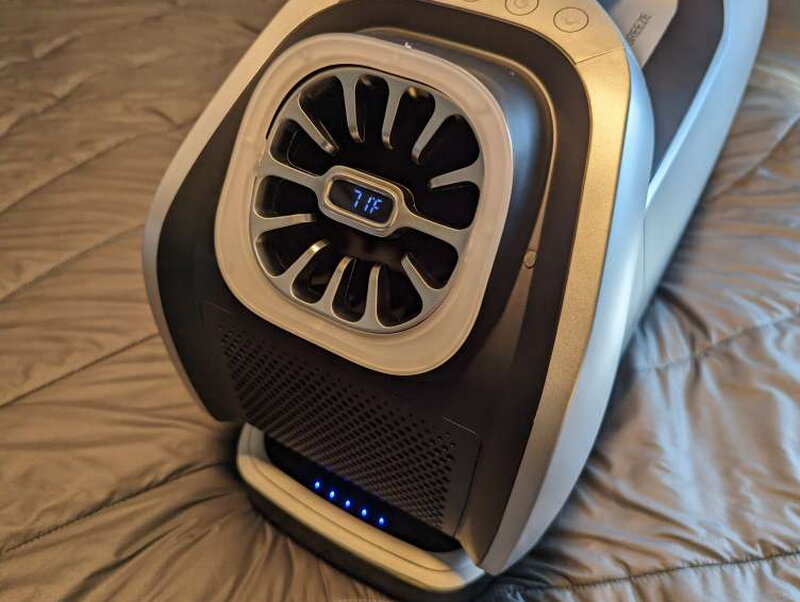
The Mark 2 looks sharp. Its plastic body feels sturdy, and the rounded shape, silver panels, black accents, and molded handle give it a racecar or spaceship vibe rather than the boxy appliance look most air conditioners have.
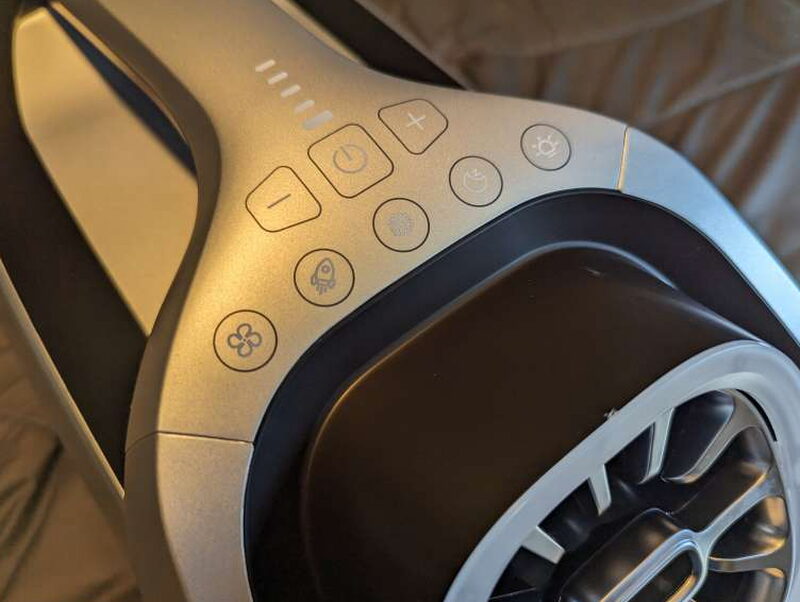
The top panel has eight membrane buttons. They cover fan mode, strong mode, cool mode, sleep mode, light activation, power, and fan speed up and down.
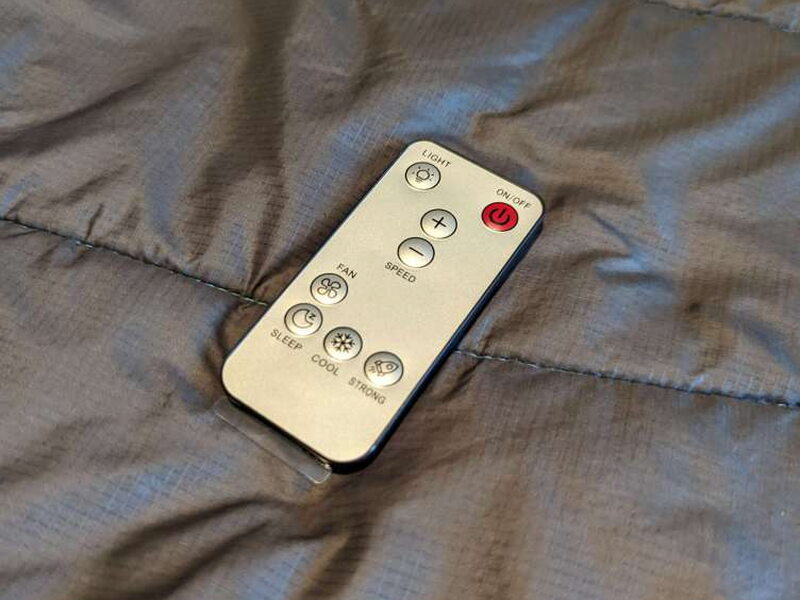
The included remote mirrors those same controls, so you do not need to crawl over gear in a tent just to adjust the AC.
Fan speed indicators sit above the power button. They are integrated neatly into the area around the carry handle and glow blue while the unit is running.

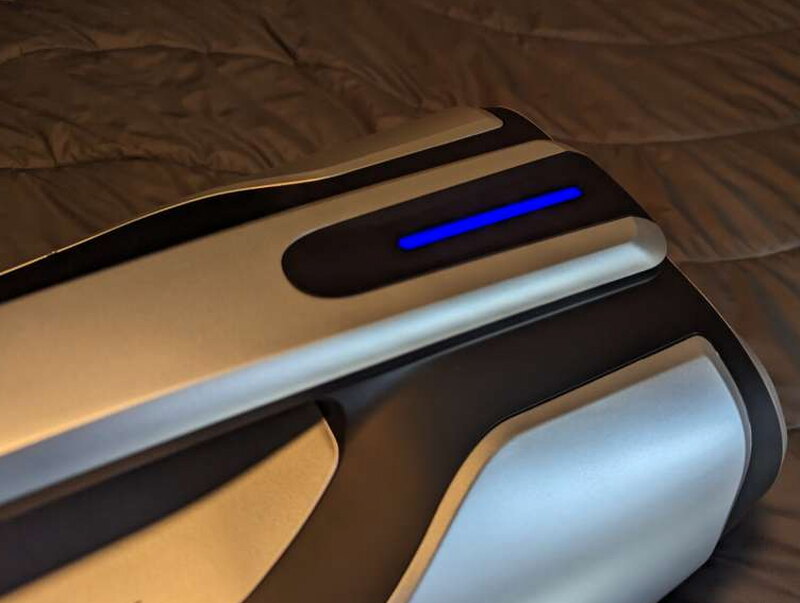
A longer LED status strip is built into the rear edge of the handle. It changes between red and blue to indicate what the unit is doing.
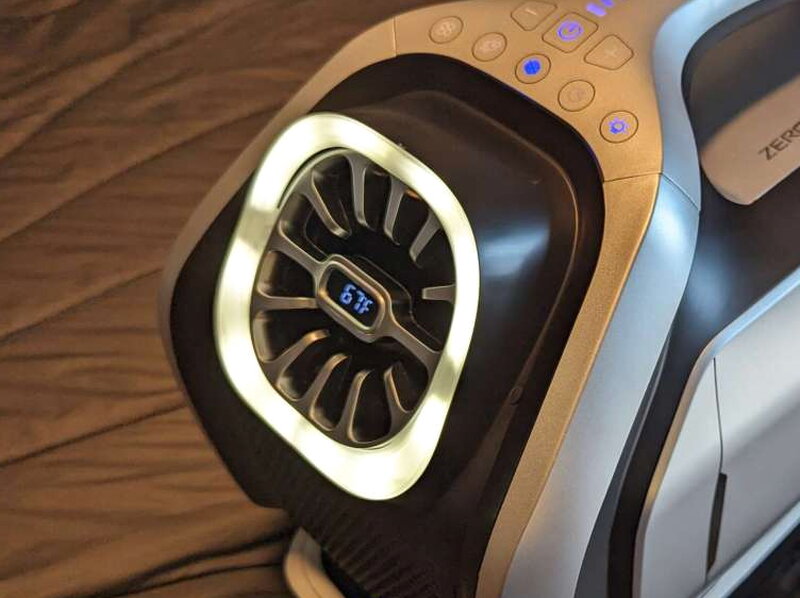
The front vent is the part you notice first. A small screen sits in the center and reports the outlet air temperature, along with any error codes if the unit has a problem.
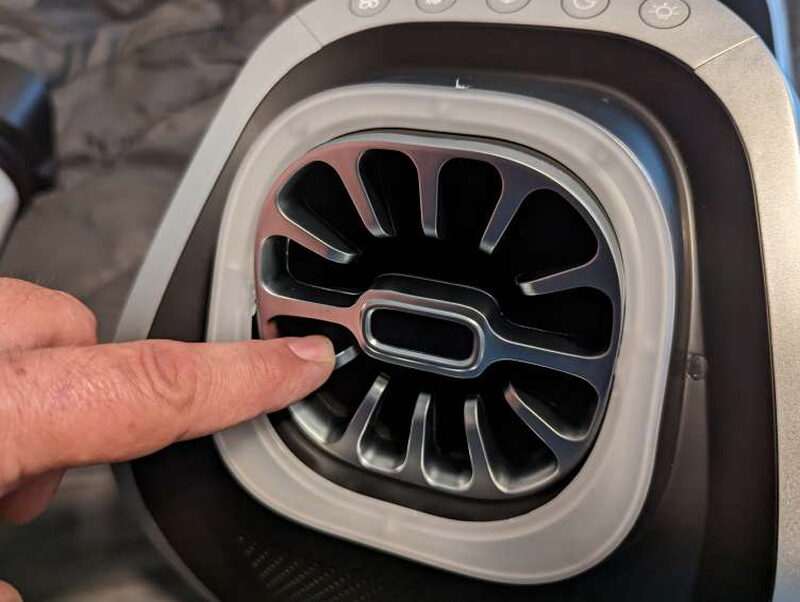
A ring light around the front outlet can be turned on from either the top controls or the remote. It is bright enough to be useful in a dark tent without needing another light immediately nearby.

The front vent also tilts a bit, which helps aim the cold air toward a sleeping area, pet bed, or seating spot.
Airflow, power, and drainage
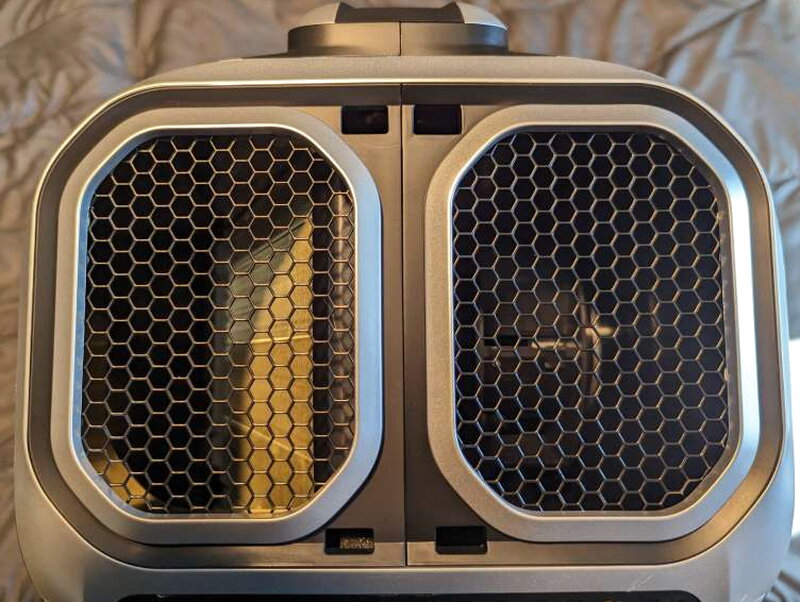
The back of the Mark 2 is where the serious airflow happens. Two large rear vents handle the intake and exhaust paths that make the dual hose setup possible.
Facing the back, the left vent is the cool air intake and the right vent pushes hot air out. Keeping those air paths separated is important for performance.

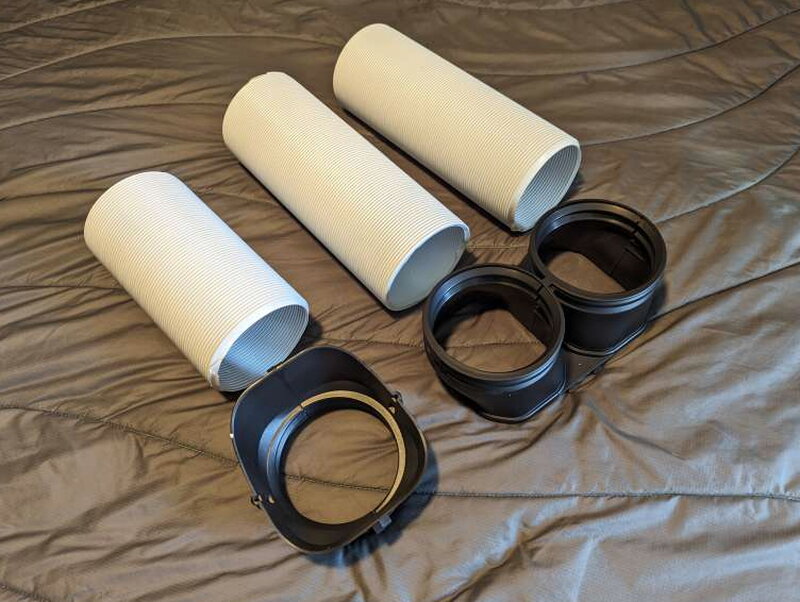
The included adapters let you attach hoses to the vents. Using the hoses makes the unit much more effective because the hot exhaust air can be routed away from the cooled space.
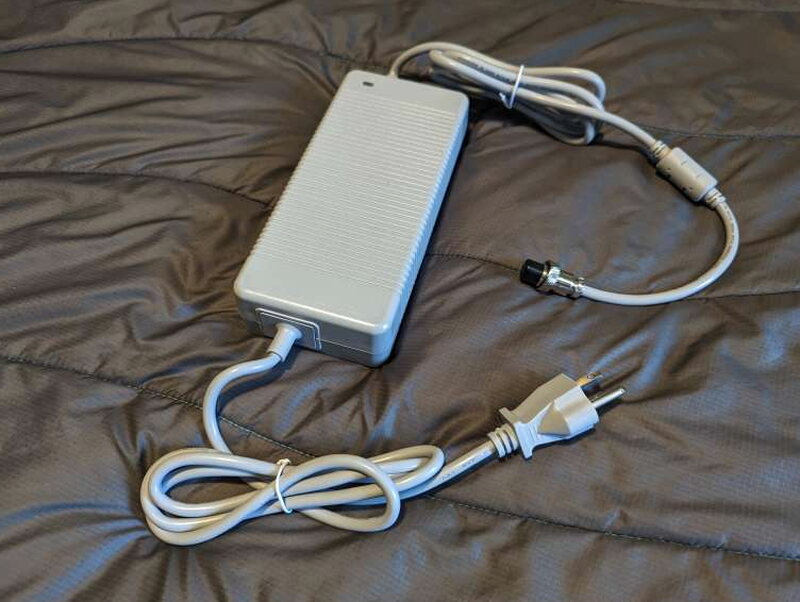
The standard power adapter is included, so the Mark 2 can run from wired power when an outlet or compatible power station is available.
The Mark 2 can also run from the Mark 2 Smart Battery. With separately sold converters, it can be powered from solar panels, a car cigarette lighter socket, or portable power banks.
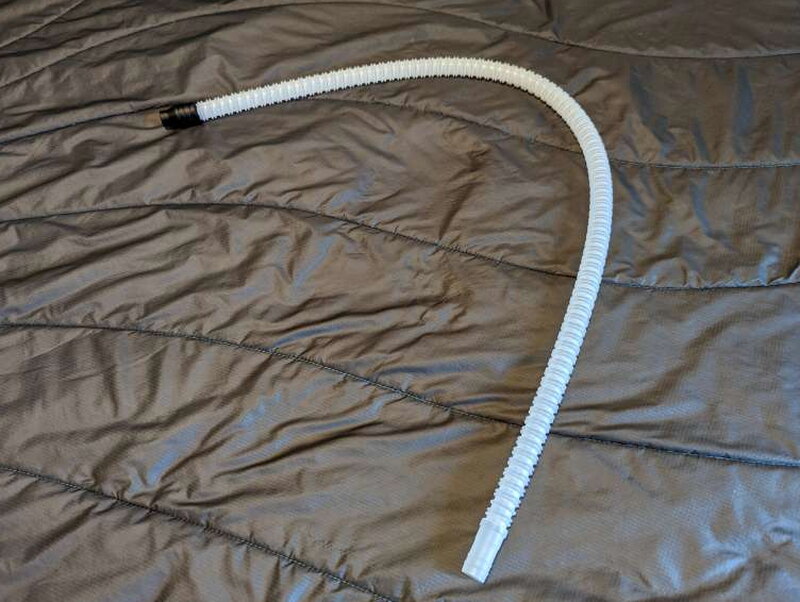
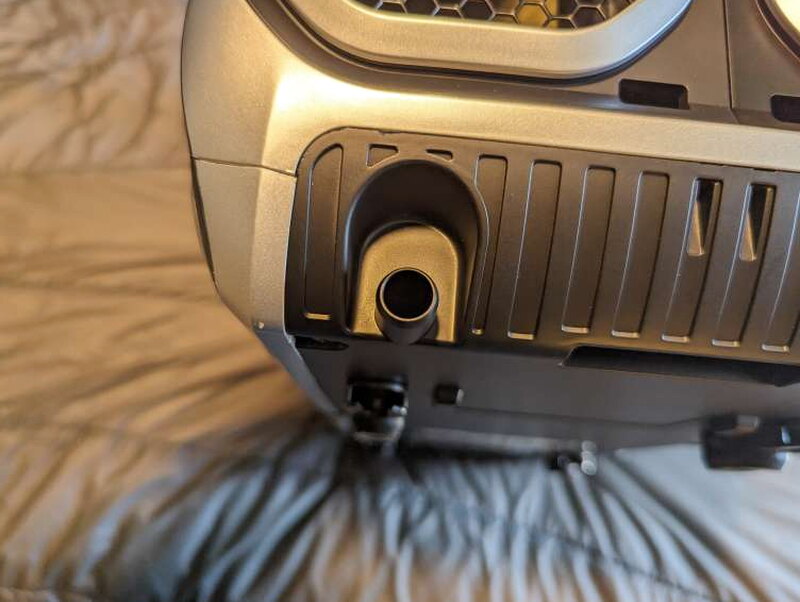
Because the AC also pulls moisture out of the air, drainage matters. The drain port is located under the cool air intake, and the included tube fits over it to move condensation away from the unit.
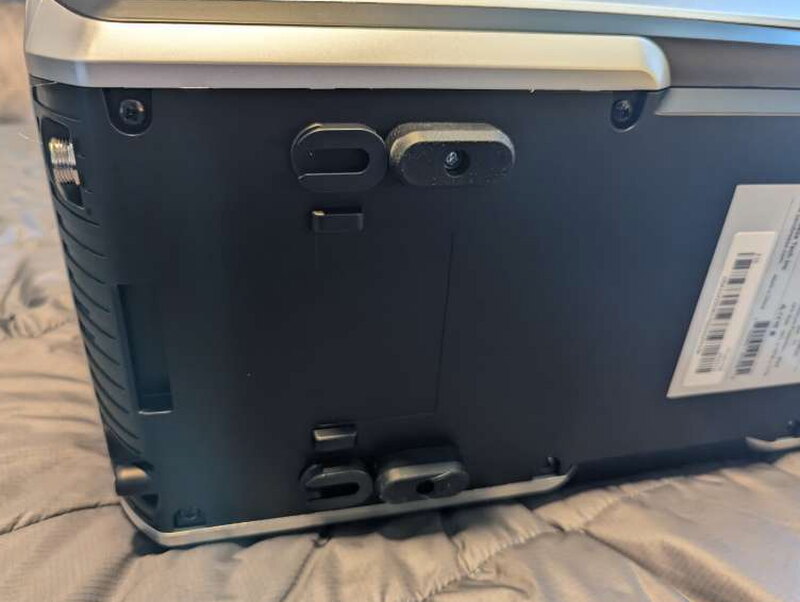
On the bottom of the AC are four rubber feet that keep it level and steady. Small slots near the feet allow the AC unit to lock onto the Smart Battery.
The Smart Battery
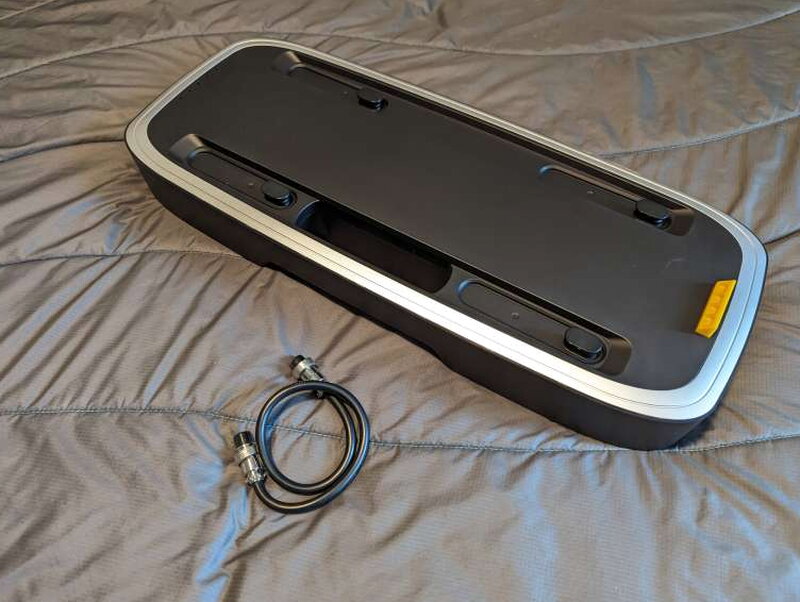
The Smart Battery looks like it belongs with the AC because it uses the same finish and design language. It matches the Mark 2 base in length and width, and four raised tabs line up with the slots under the AC.
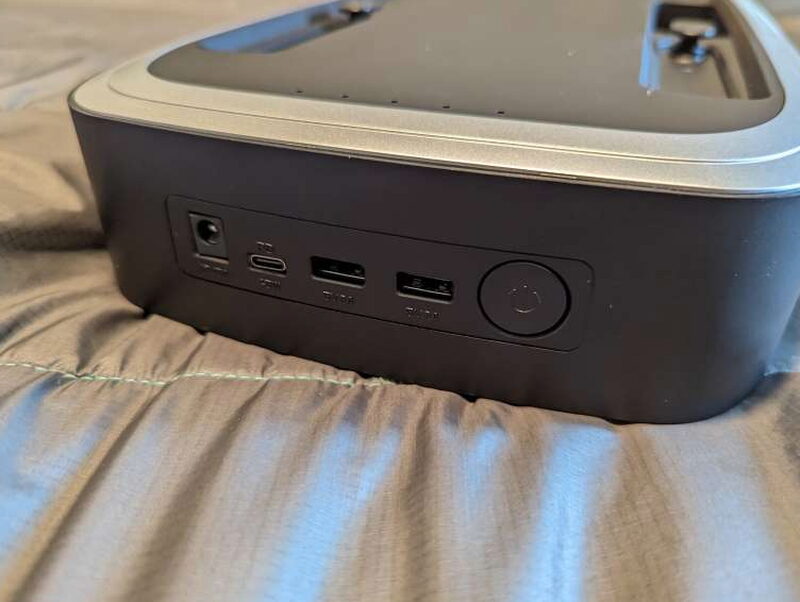
Along the back of the battery are the power button, 12V DC port, USB-C port, and two USB-A ports. That makes the battery useful for more than just the air conditioner.
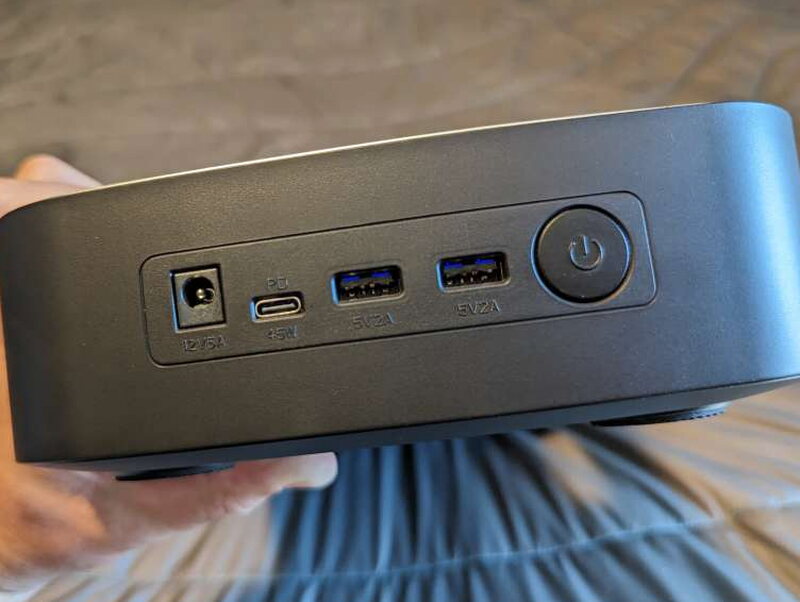
The USB ports are a welcome bonus for charging smaller gear around camp or in a vehicle.
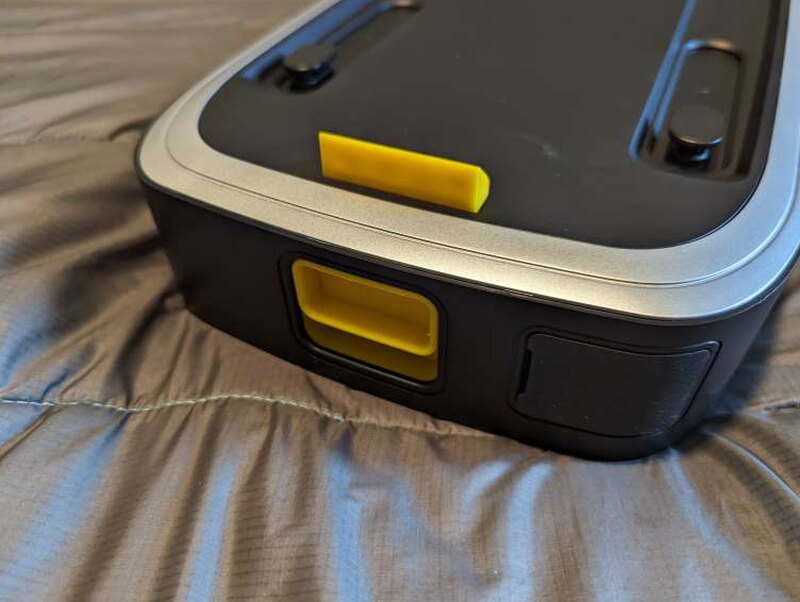
A bright yellow latch on the back is the lock that holds the battery to the AC unit. Once engaged, the two pieces feel firmly connected.
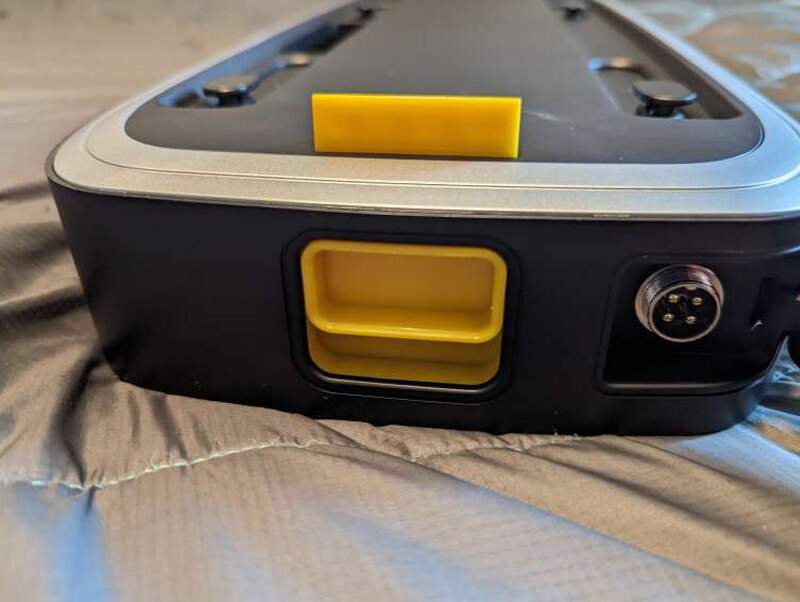
Next to the latch is a rubber covered power port. That port is used to charge the Smart Battery, connect it to the Mark 2 AC, or connect it to a second Mark 2 battery.
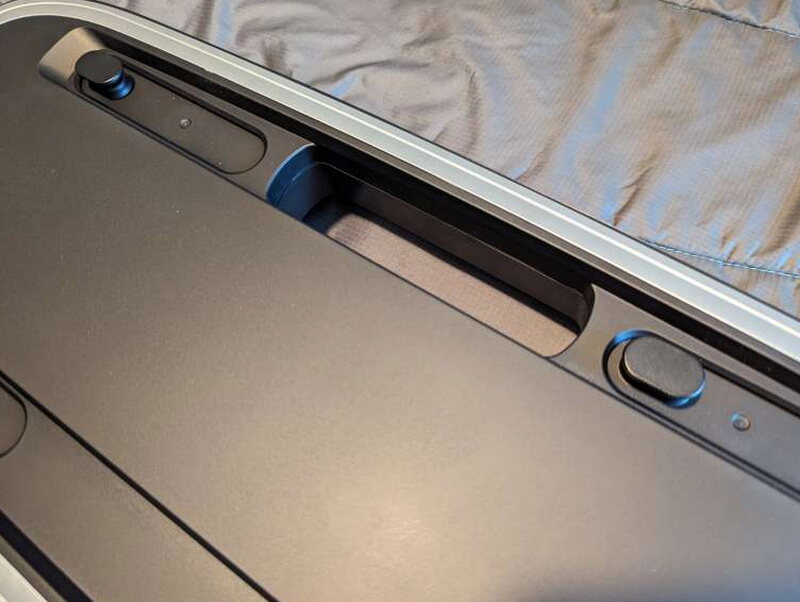
The side handle is useful because the battery weighs 12 pounds. It is not huge, but it is dense enough that a good grip matters.
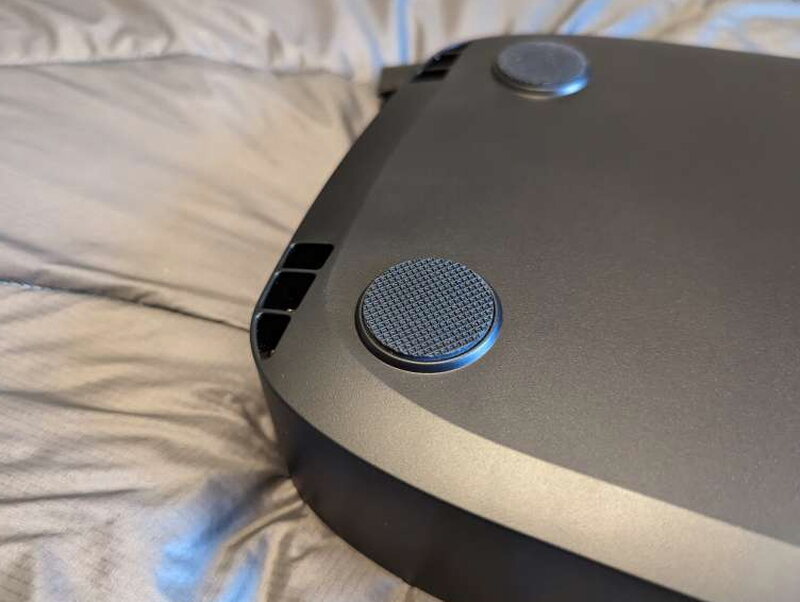
The bottom of the battery has four rubber feet. They help keep the battery stable whether it is being used alone or underneath the AC.
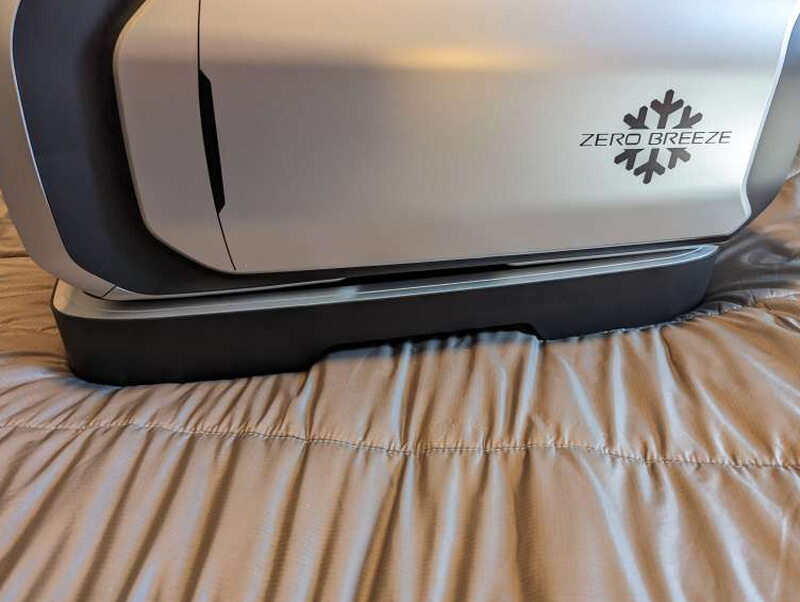
Once the Mark 2 is mounted to the battery, the latch keeps the two pieces from shifting. To separate them, you rotate the yellow tab at the back.
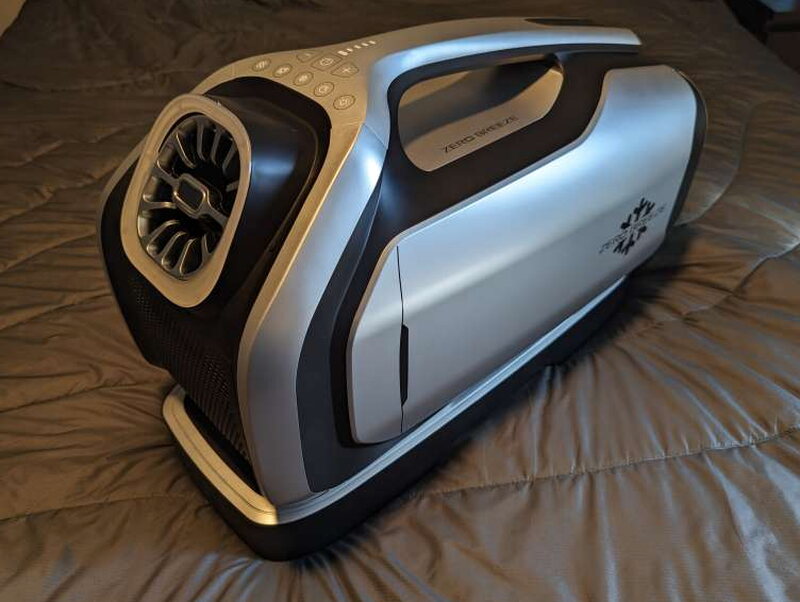
Together, the AC and battery weigh about 28.5 pounds. That is manageable for short moves, but it is still heavy when you are trying to position it in a tight tent.
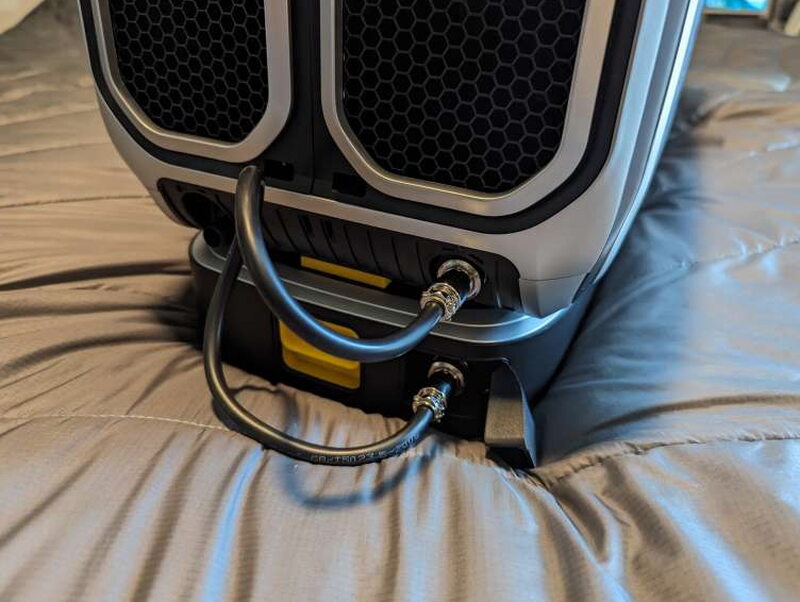
The battery box includes a short cable that connects the Smart Battery to the AC unit. It keeps the setup tidy, although the cables and hoses behind the unit can still get busy.
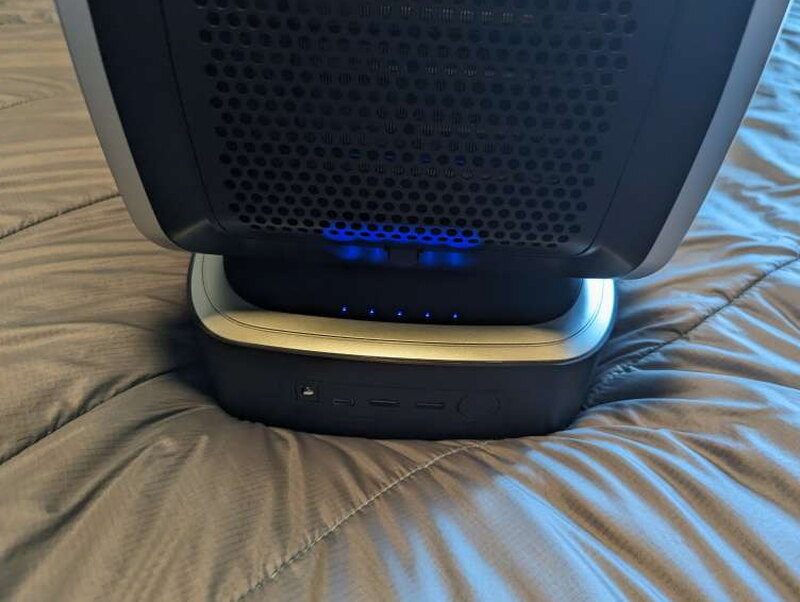
A full charge is shown by five steady blue LEDs. The lights turn off one at a time as the battery runs down. With the official power adapter, a full recharge takes about six hours.
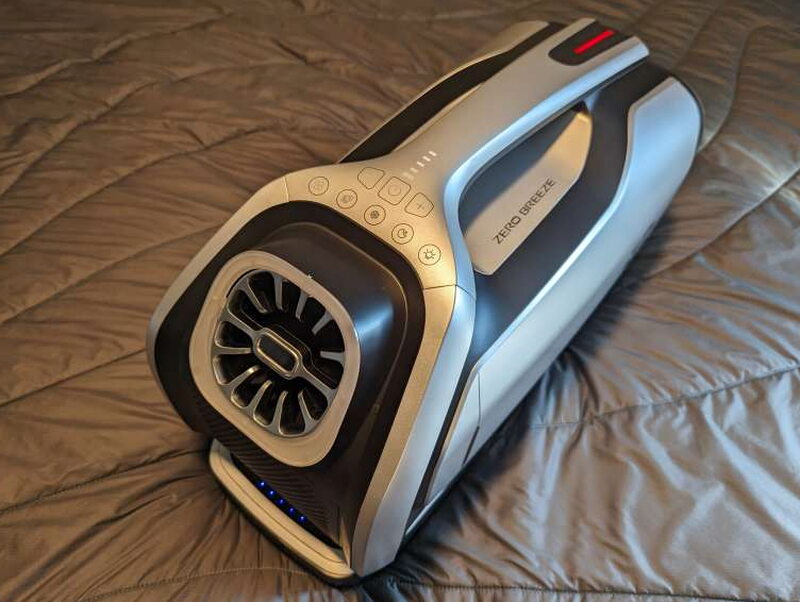
Mounted on the battery, the Mark 2 becomes a self contained cooler for small spaces. It is not light, but it no longer needs a nearby wall outlet.
Setup details that matter
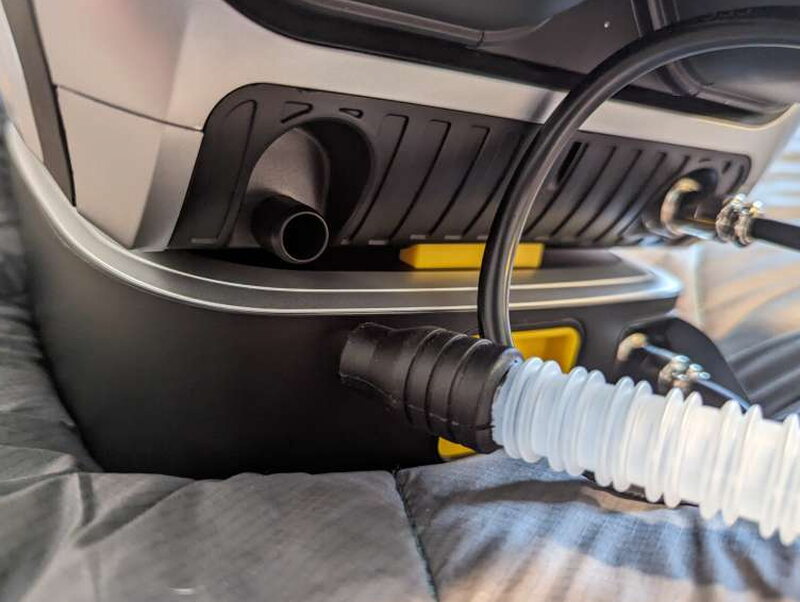
How you set up the Mark 2 depends on the place you are cooling. For my tent use, the best approach was to connect the drain tube and use the full venting setup so heat and moisture were moved away from the sleeping area.
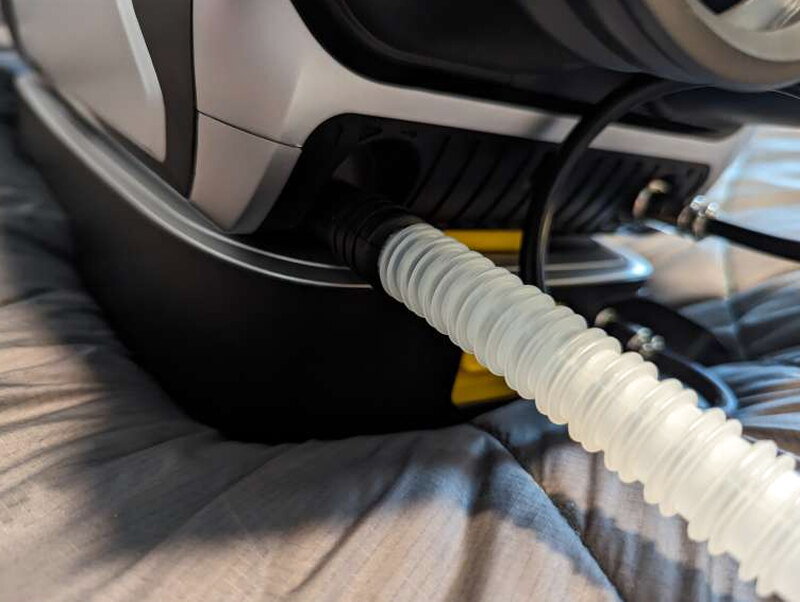
The drain tube takes a little effort to seat, but it fits tightly once attached.
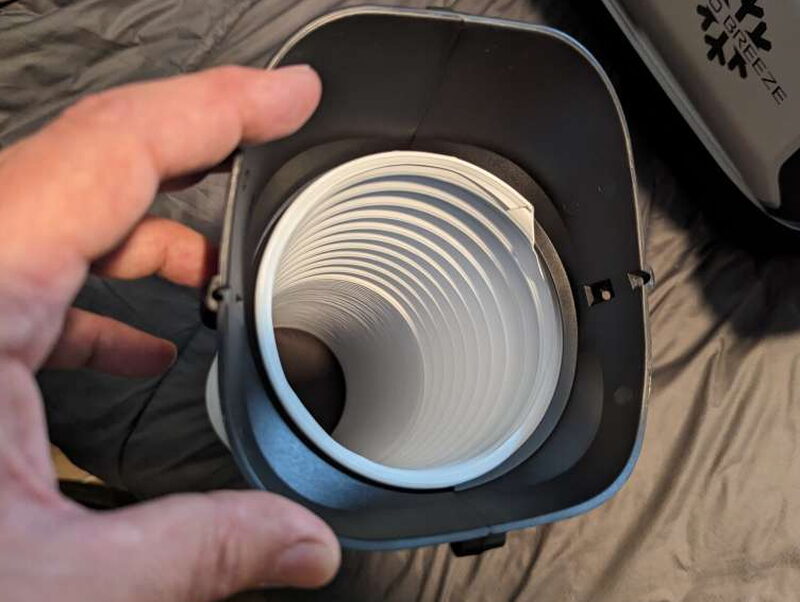
The flexible hoses thread into the adapters. You twist each tube into place before attaching the adapters to the AC.
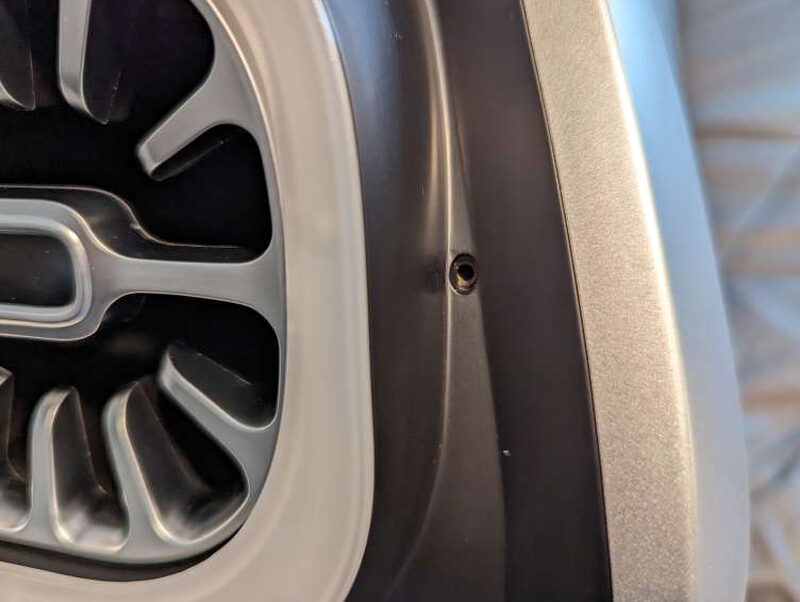
The front tube adapter can be secured with a screw. The screw hole is hidden by a small rubber plug when the adapter is not installed.
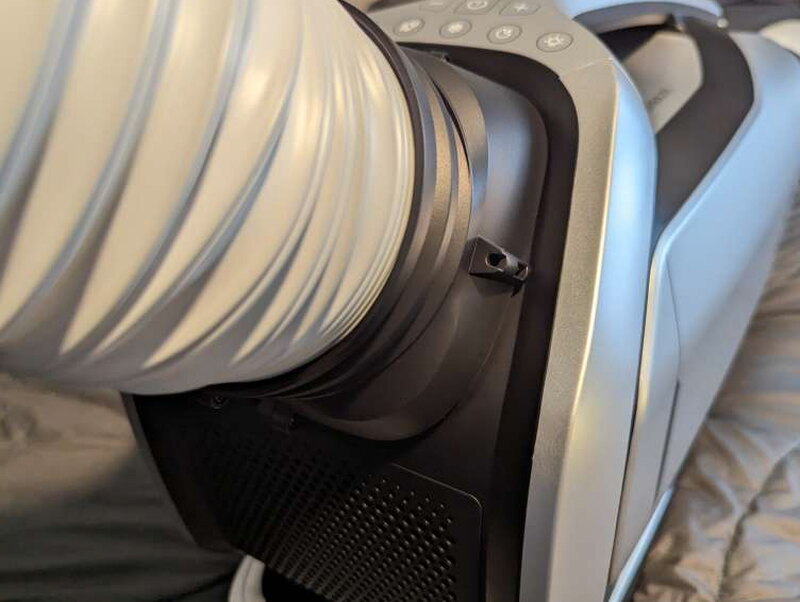
With that screw in place, the front adapter feels solid and does not wobble loose.
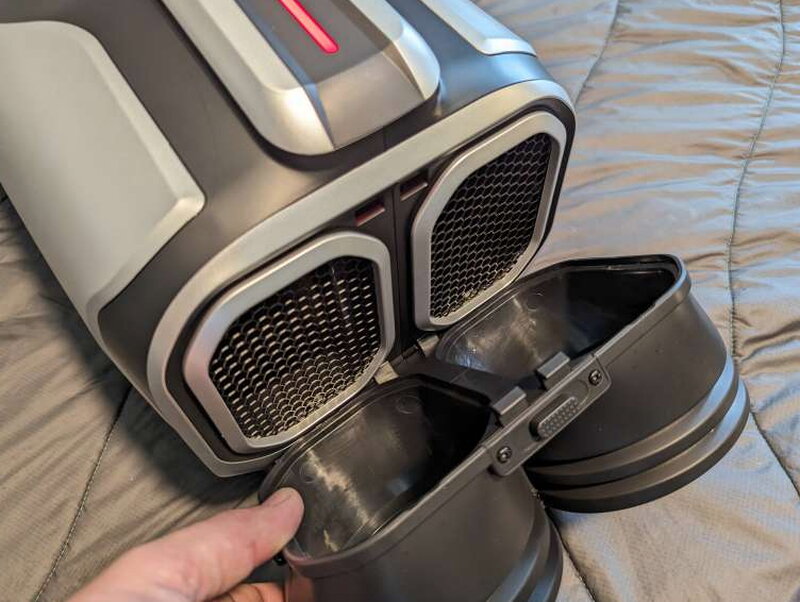
The rear adapter snaps onto the back using a small push button tab at the top. It is faster to attach than the front adapter.
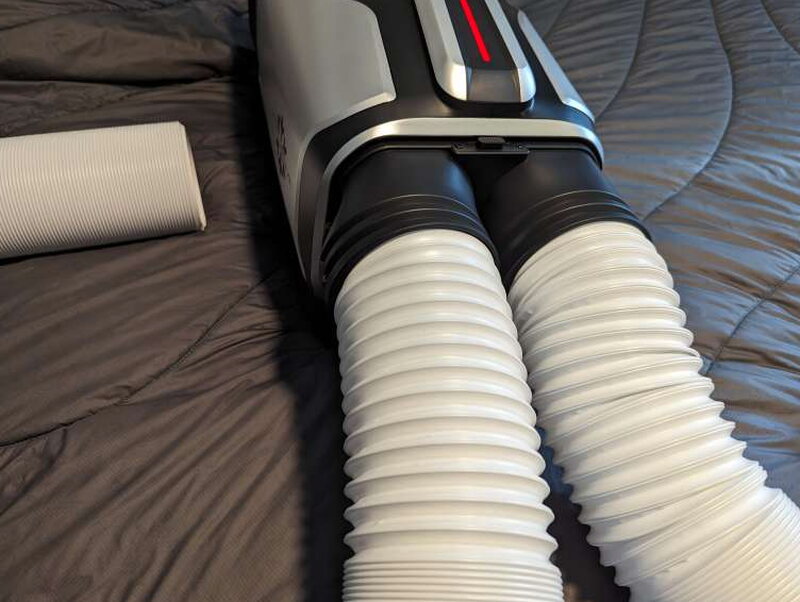
Once the hoses are installed, you need to decide where the intake and exhaust will go. That planning makes a big difference in how well the unit cools.
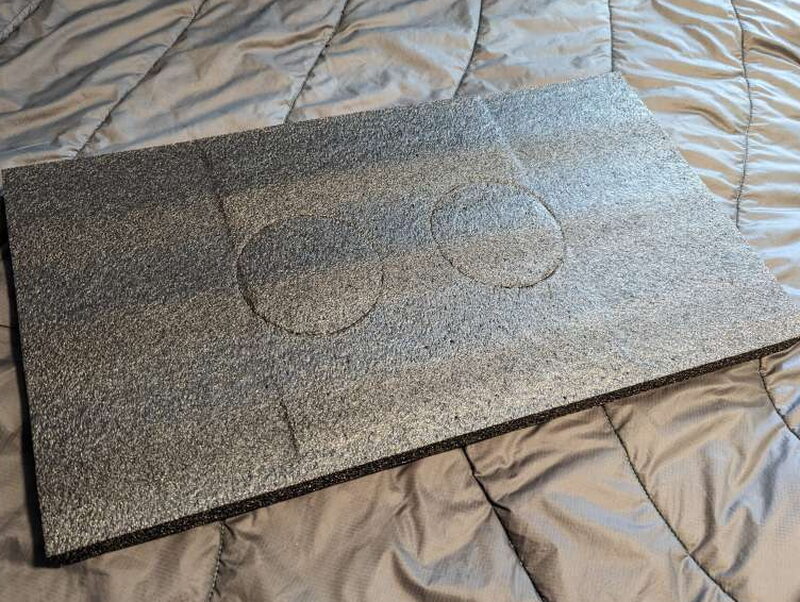
The foam from the Smart Battery box is surprisingly clever. Zero Breeze cut the hose openings into it, so you can prop it in a window as a temporary vent panel or trace it onto a stronger material for a more permanent setup.

In a small tent, space management matters. Between the AC, the battery, hoses, drain tube, bedding, and a dog, you quickly learn where every piece should sit.
Performance in real use
The Mark 2 won me over in testing. In my small REI tent, it cooled the space quickly and kept my dog and me comfortable at about 70°F while the outside temperature moved between 85°F and 90°F. With the right setup, Zero Breeze says the Mark 2 can lower the surrounding air temperature by as much as 30°F in about ten minutes, and my experience matched the general idea that it can cool a small enclosed area fast.
I powered the Mark 2 two different ways. One setup used the included wired power pack connected to the Geneverse Solar Generator HomePower ONE PRO that I reviewed in September 2022. The other used the Mark 2 Smart Battery. The Smart Battery felt a little more efficient and was much easier to manage inside the tent because the Geneverse generator is bulky and weighs 38 pounds by itself. I still like having both options because it means I can run the AC in a tent, in my truck bed, or anywhere else I can supply power.
The biggest lesson was to keep the Mark 2 level. If perfectly level is not possible, Zero Breeze recommends tilting it back 5 to 10 degrees rather than forward or sideways. Even in fairly dry conditions, the unit pulled enough water out of the air that leaning it the wrong way caused a little moisture trouble and dampened my sleeping bag.
Overall, the cooling performance, battery runtime, and charging times I observed stayed within the ranges Zero Breeze claims. My main complaint is the price. The unit works, and it works well, but $1,499 is a serious purchase.
What I liked
- Cools small spaces quickly and efficiently
- Battery life is strong for a portable compressor AC
- The packing foam vent template is genuinely useful
- Multiple power options make it flexible for camping and travel
What I would change
- The Plus bundle is very expensive
- The unit needs to stay level to avoid drainage problems
- The AC and battery together are fairly heavy
Quick Questions
Q: How long does the Zero Breeze battery last on a full charge?
A: It depends on the mode: about 3.5 hours in ultra-fast cooling, 5.6 hours in cooling mode, 8.4 hours in sleep mode, and up to 42 hours in fan-only mode.
Q: Does the AC unit need to stay level?
A: Yes, that matters a lot. Tilting it the wrong way caused moisture drainage problems in testing, including dampening a sleeping bag.
Q: How much can it lower the temperature?
A: Zero Breeze claims up to a 30F drop in about ten minutes, and testing lined up with that, keeping a small tent around 70F while it was 85-90F outside.
Q: Can it run without the Smart Battery?
A: Yes, it includes a standard AC power adapter, so it can run from wall power or a compatible power station instead.
Final verdict
The Zero Breeze Mark 2 Plus is expensive, but it delivers real portable cooling instead of just moving warm air around. At $1,499 for the bundle with one Smart Battery, it is not an impulse buy, but the comfort it provides in a tent, van, RV, trailer, boat, or truck bed can be worth it if heat is making those spaces hard to use. I especially appreciated the ability to run it from its own battery, from a power station, or through other optional power setups. The weight and price are the tradeoffs, but the cooling performance made a strong impression. For small spaces and for keeping an older pet comfortable in hot weather, it is a very capable portable AC system.
Price: $1,499 for the Plus bundle with one Zero Breeze Mark 2 Smart Battery
Product Link: Zero Breeze
Source: The sample of this product was provided by Zero Breeze.
RATING: 4 stars


