
REVIEW – The weBoost Drive 4G-X mobile cellphone signal booster is made for the annoying parts of driving where your phone still sees a network, but barely. It is not cheap at $479.99, so I would not call it an impulse buy, but in my testing it gave weak existing signals a meaningful lift and the installation was straightforward.
Quick Take
If your commute, work route, or road trips regularly pass through marginal coverage areas, the Drive 4G-X is worth considering. The important limitation is that it needs something to amplify. It can improve a weak signal, but it cannot create service where there is no signal at all.

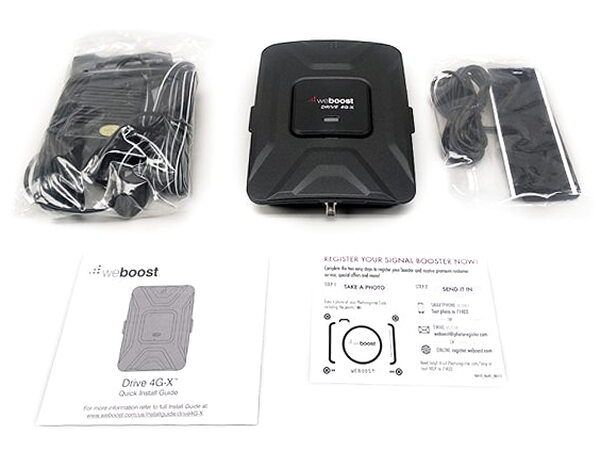
The booster arrives in a sturdy box, with the main unit sitting in a tray above the rest of the accessories.

In the Box
The package includes the parts needed for a vehicle setup:
- weBoost Drive 4G-X
- Mounting Cradle
- Vehicle Power Supply
- Velcro-mount SMA Interior Antenna
- 4" Magnetic-mount SMA Exterior Antenna
- Quick Start Guide
Booster Hardware
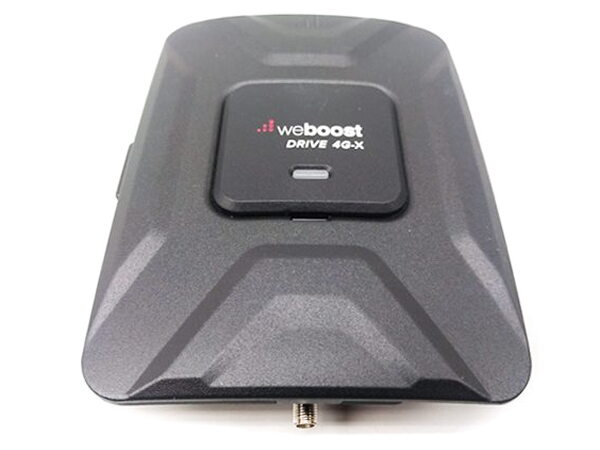
The Drive 4G-X looks clean and stealthy, with a textured black aluminum surface and the kind of weight that makes it feel like expensive tech. Out of the box, the booster is already clipped into its vehicle mounting cradle.
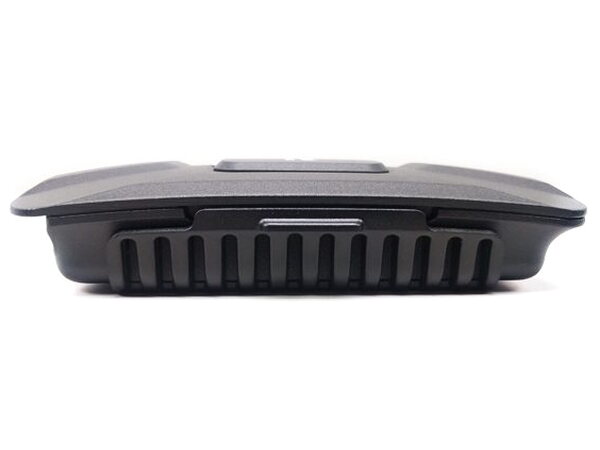
The unit pops in and out of the cradle easily. The cradle includes several screw holes, which gives you flexibility when deciding where and how to secure it in a vehicle.
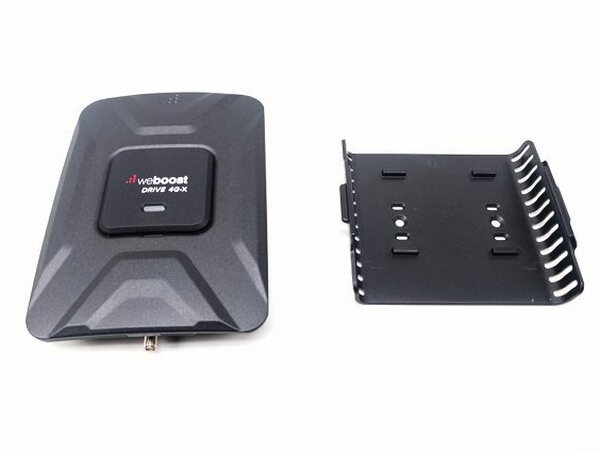
The cradle itself is made from strong, flexible black plastic.

On top of the weBoost Drive, just below the product name, there is a single indicator light.
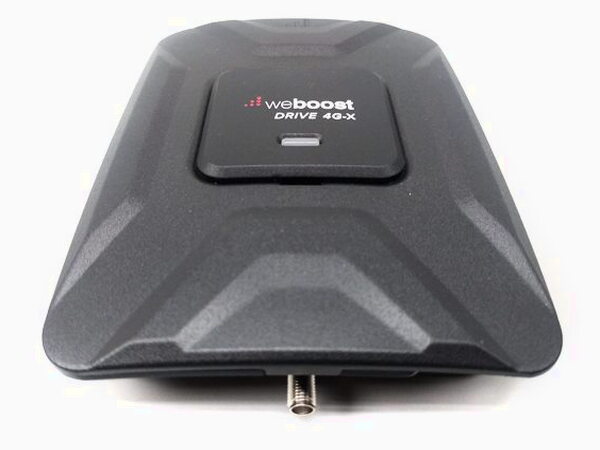
When the booster is powered and operating normally, the light stays solid green. A blinking red light followed by solid green means the Drive has shut down some frequencies to prevent feedback. The manual describes that as a safety measure intended to avoid harmful interference with nearby cell towers. A solid red light means all frequencies have been shut down to stop feedback. During my time with the unit, I only saw a solid green light.
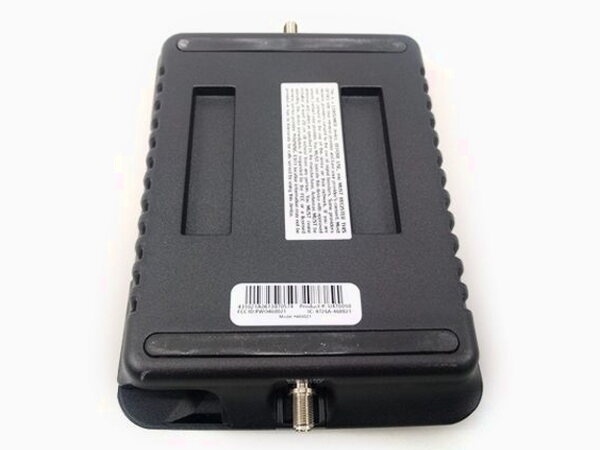
The underside of the Drive includes a warning that tells you to register the booster with your cellphone provider. I found the registration links in the online manual:
- Sprint: http://www.sprint.com/legal/fcc_boosters.html
- T-Mobile/MetroPCS: https://support.t-mobile.com/docs/DOC-9827
- Verizon Wireless: http://www.verizonwireless.com/wcms/consumer/register-signal-booster.html
- AT&T: https://securec45.securewebsession.com/attsignalbooster.com/
- U.S. Cellular: http://www.uscellular.com/uscellular/support/fcc-booster-registration.jsp
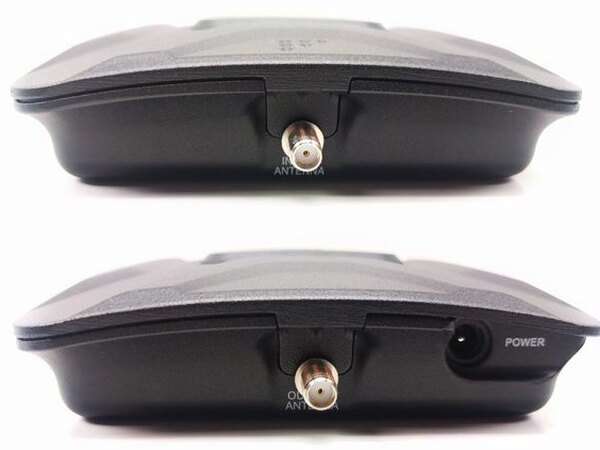
The weBoost Drive has antenna inputs on both sides. The interior velcro-mounted SMA antenna connects at the top, and the exterior magnet-mounted SMA antenna connects at the bottom. The power jack is next to the exterior antenna connector.

Power comes from a cigarette lighter socket or 12V DC power port. The weBoost power connector adds a convenient on and off switch, with a red light that shows when the unit is turned on.

Antenna Setup
The exterior 4" magnetic-mount antenna feels very sturdy and holds firmly when it is properly placed near the middle of the car roof. My testing made one thing obvious: exterior antenna placement matters a lot if you want the system to work well.
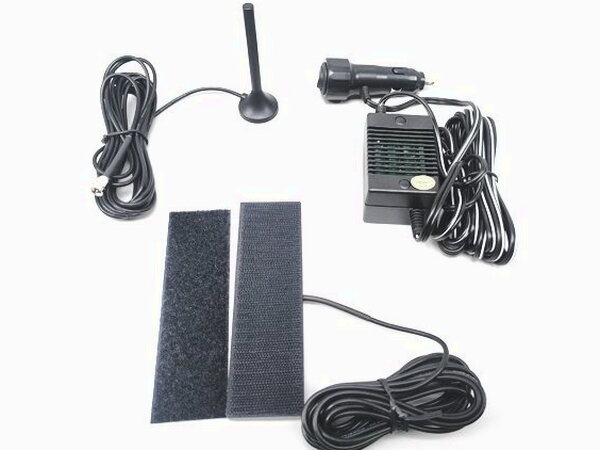
The instructions say to mount the exterior antenna near the center of the roof. It should be at least 12 inches from other antennas, clear of obstructions, at least six inches from any windows including sunroofs, and at least eight inches from people.

Both antennas include 12.5 feet of cable, which gives you room to hide the runs instead of leaving wires hanging around the cabin.
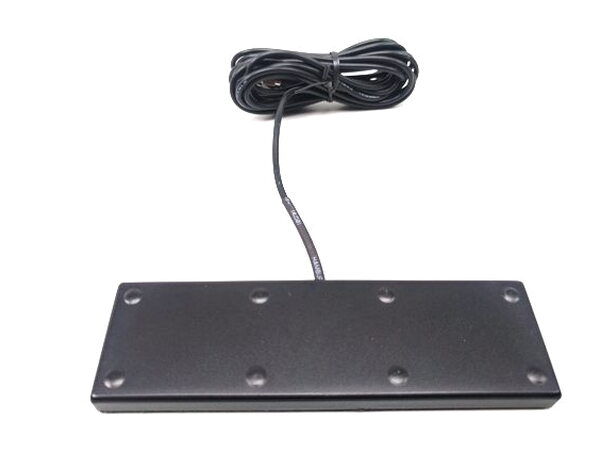
Finding the right interior antenna location took some trial and error. I eventually placed it along the side of the dashboard, just to the right of my cellphone holder. It attaches with double-sided tape on a velcro strip. weBoost recommends putting the interior antenna at least 18 inches but no more than 36 inches from where the cellular device will be used. They also suggest mounting it at the same angle you would normally hold the phone to maximize signal strength.

The Drive is small enough to tuck under a dashboard or seat. The 12.5 feet of antenna cable is enough to install both antennas neatly. I would like a built-in option to hardwire the booster to the car battery, although a few third-party parts and some ingenuity should make that possible.
Road Test Results
The basic idea is simple: the Drive 4G-X receives a cellphone signal, amplifies it, and works as a relay between your phone and the nearest cell tower. I tested it with a Nexus 5X on Google’s Project Fi 4G LTE network.

Over the course of my testing, the Drive delivered an impressive average improvement of 20-30dBm to existing signals. That result is the reason the product makes sense for people who regularly deal with weak coverage. The tradeoff is that a true dead zone is still a dead zone, because there is no signal for the booster to amplify.
The weBoost Drive 4G-X performed exceptionally well in my tests. If weak cellphone signals are part of your commute or you spend long stretches on the road, this is a very worthwhile investment.
Quick Questions
Q: Can the weBoost Drive 4G-X create signal in a true dead zone?
A: No. It can only amplify an existing weak signal; it cannot create service where there’s no signal at all.
Q: How much did it actually improve signal strength in testing?
A: An average improvement of 20-30dBm, with one reading going from -115 dBm off to -84 dBm on.
Q: Do you need to register the booster with your carrier?
A: Yes. The underside includes a warning to register it with your cellphone provider, with links provided for Sprint, T-Mobile/MetroPCS, Verizon, AT&T, and U.S. Cellular.
Q: How long are the antenna cables?
A: Both the interior and exterior antennas include 12.5 feet of cable.
By the Numbers
- Frequencies:
Band 12/17 700 MHz
Band 13 700 MHz
Band 5 850 MHz
Band 4 1700/2100 MHz
Band 2 1900 MHz - Max Gain: 50 dB
- Power: 6V DC vehicle power supply
- Antenna Connectors: SMA-Female
- Dimensions: 4.375 x 6.375 x 1.375 in
- Weight: 1.16 lbs
Source: The sample for this review was provided by RepeaterStore. Please visit their website for more info.


