
REVIEW – Thinkware’s F200 Dash Cam makes a strong case for putting a dedicated camera in your car without spending a fortune. The $139.99 front camera handles the core job well, records crisp 1080p video, and pairs with a companion app that is worth having. The best extras require optional gear and, for parking mode, hardwiring, but the base package still feels dependable and reasonably priced.
Why a Dash Cam Matters
A dash cam is a small camera that rides on your windshield or dashboard and records the road as you drive. Depending on the setup, it can also keep an eye on the car while it is parked. As the hardware has become smaller and less expensive, the reasons to own one have become easier to understand: accident documentation for insurance, proof when a traffic ticket is not deserved, and video of anything that happens to the vehicle when you are not around.

Core Specs
- Camera: Sony CMOS 2.12M
- Camera Resolution:
- Front: 1080p Full HD (1920 x 1080)
- Rear: 720p HD (1280 x 720)
- Frame Rate: up to 30 fps
- Viewing Angle: 140° (Diagonal)
- Capacity: Micro SD Card 16GB/32GB/64GB/128GB (UHS-I)
- Recording Modes: Continuous Recording, Incident Recording, Manual Recording, Parking Recording
- Sensor: Triaxial acceleration sensor (3D, ±3G)
- GPS External GPS receiver (Optional)
- Dimensions(WxDxH): 3.9 x 0.9 x 1.3 inch
- Weight: 55g (0.121 lb)
- Storage Temperature: -4°~ 158°F / -20°~ 70°C
- Operating Temperature: 14°~ 140°F / -10°~ 60°C
- Capacity: MicroSD card 8/16/32/64/128GB (UHS-I)
- Input Power: DC 12/24V, Built-in Super Capacitor
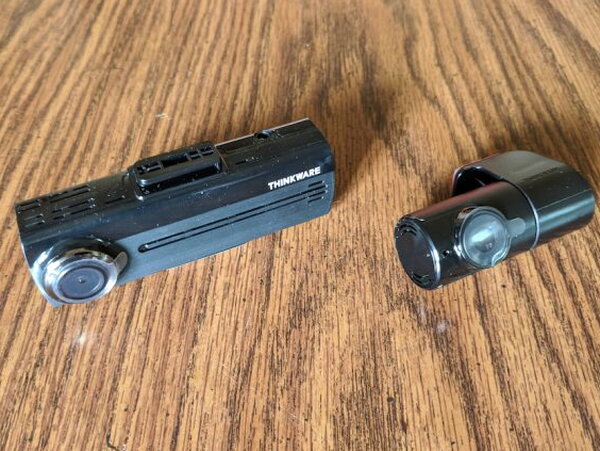
Thinkware sells about eight dash cams with different feature sets, and the F200 lands in the middle of that range. That puts it in a practical mid-range spot: not the most stripped down model, but also not a premium-priced flagship. The front unit records 1080p Full HD at 30fps, while the optional rear camera records 720p HD.
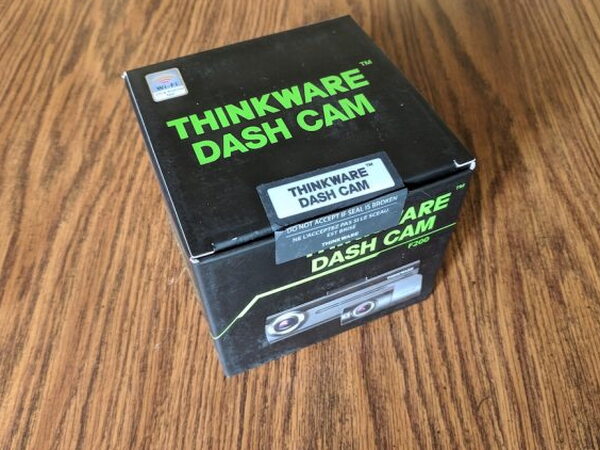
The dash cam arrives in a compact box with a tamperproof seal, which is a nice bit of reassurance before opening it.

Inside, the camera is held neatly in place so it is protected in transit and easy to see as soon as the box is opened.
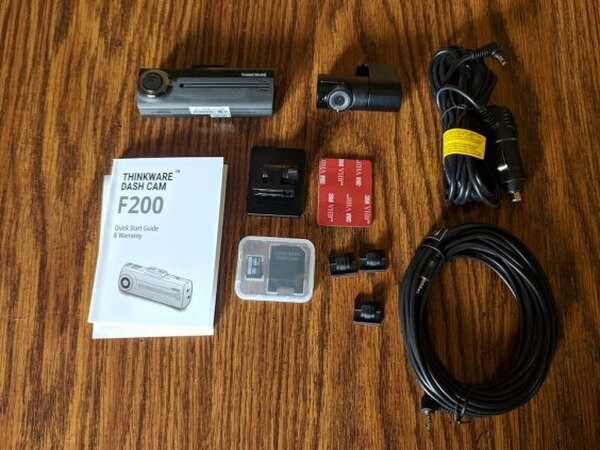
Included Gear
- Thinkware F200 Dash Cam
- Thinkware Rear-view Camera (optional, but included with my review unit)
- Rear-view Camera Cable (optional, but included with my review unit)
- 12v Socket Power cable
- Cable mounting clips
- Dash cam mounting plates
- 16gb Micro SD Card with Reader
- Instruction manual
Setup and Accessories
The F200 package includes the essentials needed to get the camera mounted and recording quickly. My test setup also used three optional add-ons: the rear-view camera, an external GPS module, and the hardwiring kit. None of those are required for basic operation, but they add useful features such as dual camera recording, speed camera detection, GPS data, and parking monitoring.

One welcome surprise is the included preformatted SD card and card adapter. I had not seen that bundled with similar gear before, and it removes one of the usual first setup chores.
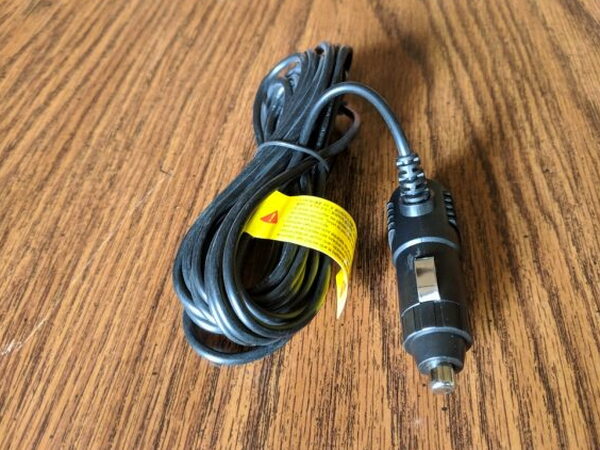
For a basic installation, the F200, the SD card, the 12v socket power cable, and the mounting pieces are the main parts you need.

After choosing a mounting spot, preferably high and near the center of the windshield, peel the backing from the mount and press it firmly onto the glass. The camera then slides into the bracket by seating the notch on top of the F200 into the mount.

The included SD card goes into the slot on the underside of the camera before recording can begin.

Once the camera is mounted and the card is installed, the body is ready for power and accessory connections.
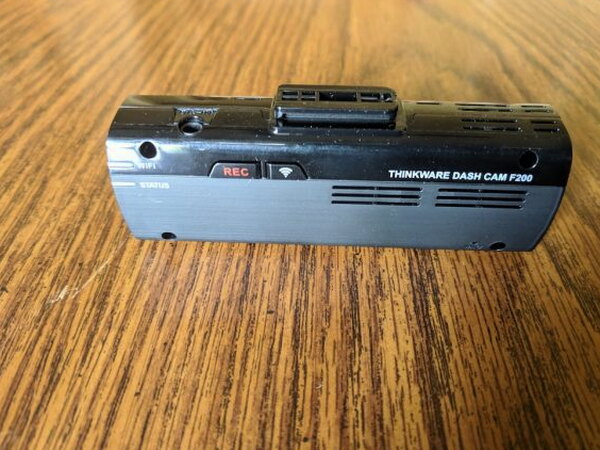
Plug the power cable into the open port on top of the F200, beside the REC button. With power connected, the next step is the Thinkware Dash Cam MobileViewer app, available for Android and IoS. The camera’s WiFi button starts a hotspot that your phone joins during setup.


This is where the F200 became more frustrating. The physical mounting was easy, but the printed instructions were vague and did not offer enough specific guidance. Getting the camera connected, synced, and operating correctly took several attempts and plenty of internet searching. Once I got through that rough setup stretch, the system ran flawlessly for about a month.

The optional rear-view camera is compact and has a single connection for the video cable running back to the main F200 unit. Routing that cable through the car is not a small job, and I would leave that part to a professional.
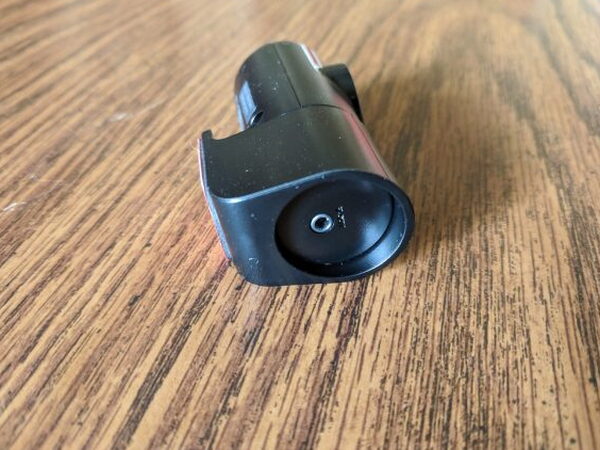
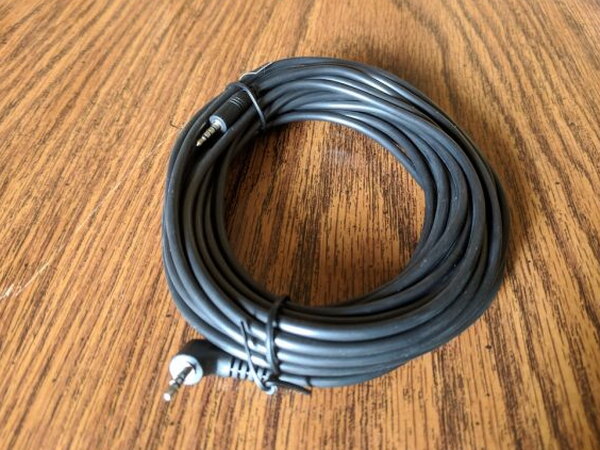
Thinkware includes about 19.6 feet (6 meters) of cable, giving you enough length to reach a sensible rear-window location. The rear camera also comes with mounting tape already attached.
Among the optional accessories, the GPS module is the easiest to deal with.

Because the GPS puck has only a short lead, it needs to be mounted on the windshield near the front camera.

The GPS receiver and rear-view camera both connect to ports on the left side of the F200.

The hardwiring kit was the final optional part I installed. It is a bundle of wires and inline fuses that lets the F200 receive continuous power. Once installed correctly, the camera turns on and off with the car, and it also enables parking monitoring. In parking mode, the F200 watches for incidents after the car is turned off and starts recording if it detects movement. It also monitors the vehicle battery and shuts itself down if the battery drops to a set voltage.
On the Road
After the camera was mounted, connected, and configured to my liking, it behaved exactly the way good in-car tech should. It powered up when I started the car, recorded each drive, and shut off when I got out.

The first videos I pulled from the camera were impressive. With the GPS module connected, the F200 records the car’s location and speed, then shows a tracking dot on Google Maps during playback. The built-in accelerometer also records the X, Y, Z axes for each trip.

Retrieving video is straightforward once the phone is connected to the F200, the same way it is during setup. The camera stores footage in one-minute blocks and overwrites the oldest files when the SD card fills. You can also remove the SD card, put it in a Mac or PC, and use Thinkware’s desktop app. A sample clip from my F200 shows the forward-facing camera at work, with the microphone picking up a lot of wind noise from open windows along with sounds inside the car.
Highlights
- Excellent build quality
- Easy Initial Setup
- Reliable performance
- Great, stable companion app
- 16GB Micro SD Card included
Tradeoffs
- Documentation confusing and lacking in specifics
- Some extra features like parking monitor only available if hard-wired
- Rear-view Camera, GPS, and Hardwiring Kit cost extra
Quick Questions
Q: Does parking mode work out of the box?
A: No. Parking mode requires the optional hardwiring kit installed; without it, the F200 only records while the car is running.
Q: What’s included for a basic setup?
A: The F200 camera, a 12V socket power cable, mounting plates, and a preformatted 16GB microSD card with reader.
Q: Is the rear-view camera included by default?
A: No, it’s an optional $49.99 add-on (included with the review unit but not standard).
Q: What resolution does the front camera record?
A: 1080p Full HD (1920×1080) at up to 30fps; the optional rear camera records 720p.
Final Verdict
I came away liking the Thinkware F200 Dash Cam a lot, especially with the optional accessories installed. Even without those add-ons, the $139.99 front camera has enough built-in capability to justify itself. The expandable design is one of its best qualities, since you can start with the main camera and add the rear-view camera, external GPS, or hardwiring kit later. For anyone buying a first dash cam as dash cams become more common and more affordable, the F200 is an easy model to recommend.
I’ve tested a handful of these by now. See The Best Dashcams I’ve Tested (So Far) for the full rundown.
Price: $139.99 for the F200 Dash Cam only, $39.99 for External GPS, $49.99 for Rear-view Camera, $29.99 for Hardwiring Kit
Product Link: Thinkware
Source: The sample of this product was provided by Thinkware.


