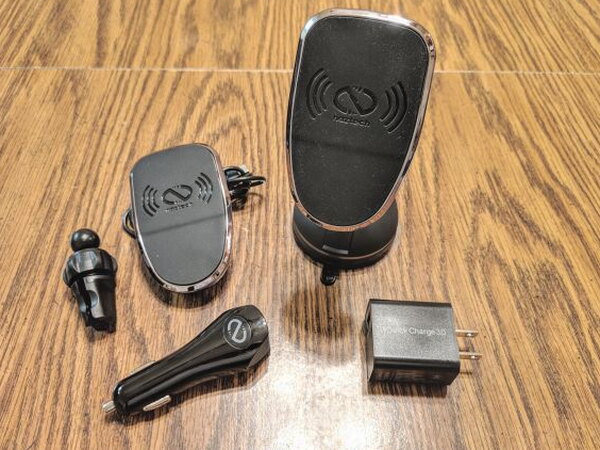
REVIEW – Wireless charging had moved from novelty to expected feature by the time Google’s Pixel line joined the party. That shift created a crowded accessory field, and Naztech’s MagBuddy Wireless Chargers try to stand out by combining Qi charging with a magnetic phone mount. I tested the $59.99 MagBuddy Wireless Vent and MagBuddy Wireless Desktop versions. Both charged reliably, but only one of the two mounts felt like a product I would want to keep using.
The idea is simple: attach a metal plate to your phone or place it inside a thin case, then let the charger’s magnets hold the handset against the charging head. In a car, that means you can get in, place the phone on the vent mount, and avoid plugging in a cable. On a desk, the benefit is less dramatic, although the Desktop version adds a holder for an Apple Watch. That holder is only a place to park the watch. It does not charge it.

Wireless Charging With Magnets
The MagBuddy Wireless line works with Qi-enabled phones and with devices that use a Qi receiver. Naztech says compatible iPhones and Samsung Galaxy phones can receive fast wireless charging at 10W. Other phones, including my Google Pixel 3, charge at the standard 5W rate.

The engineering problem is balancing a charging coil, magnets, case thickness, and the location of a metal plate. Naztech solves that with four magnets in the head and an adhesive metal plate that either sticks to the phone or sits inside a case up to 3mm thick. The coil sits above the magnets so the phone can charge while it is held in position.

The packaging is consistent across the MagBuddy Wireless range. The outside shows the version you are buying and lists that model’s specifications.

I liked that the box opens at the front to reveal the actual charging head and the included metal plates. The magnetic charging head is the same across the wireless line. What changes from model to model are the mounts, brackets, and power supplies that come with it.
Box Contents
The MagBuddy Wireless Vent kit includes:
- 1 Magnetic Head
- 1 Vent Mount
- 2 Adhesive MagBuddy Plates
- 2 Clear Protective Stickers
- Car Charger
- USB-C Cable
- User Manual

The MagBuddy Wireless Desktop kit includes:
- 1 Magnetic Head
- 1 Desk Mount
- 2 Adhesive MagBuddy Plates
- 2 Clear Protective Stickers
- 1 Surface Adapter
- Wall Charger
- USB-C Cable
- Optional Apple Watch Mount
- User Manual

Hardware Tour
The common piece in both products is the magnetic head, a compact black puck that contains the magnets and charging hardware.

A USB C port sits on the rear of that head. Naztech includes a USB C to USB A cable with each MagBuddy Wireless charger.

The cable runs from the charging head to the power source supplied with the specific kit.

For the Vent model, power comes from a two port car charger.

The Desktop model uses a standard USB wall charger instead.

Assembly And Plate Placement
Putting either version together is not difficult. The Vent and Desktop mounts both use a ball and socket joint.
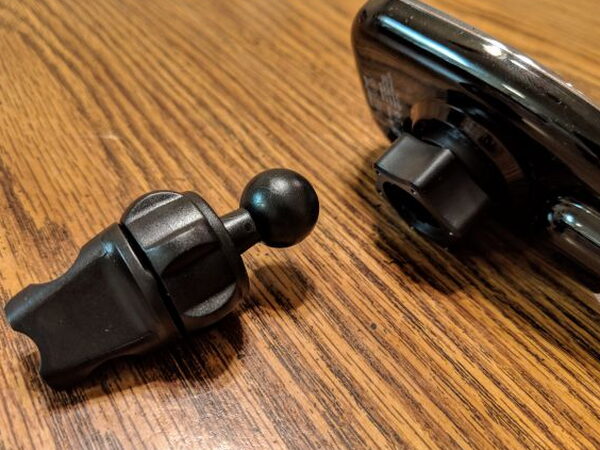

You loosen the socket nut on the charging head, insert the mount’s ball joint, and tighten the nut. Since the joint parts are plastic, it is worth backing the nut off fully before snapping the ball into place instead of forcing it.

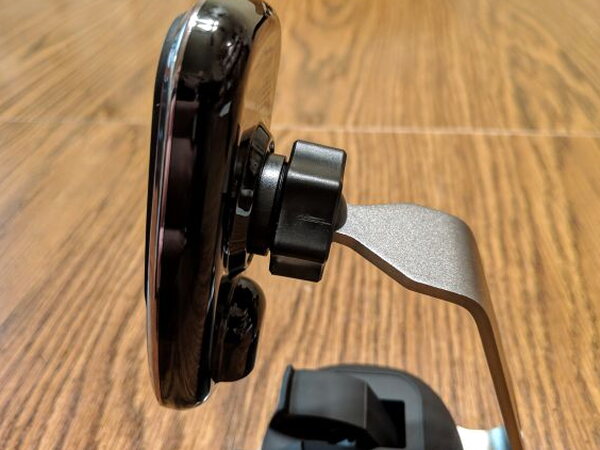
The Vent mount has a small clamp and a separate socket nut that secure it to an air vent.

Naztech includes instructions that explain where to place the metal plate so the phone can attach to the magnets without blocking wireless charging.
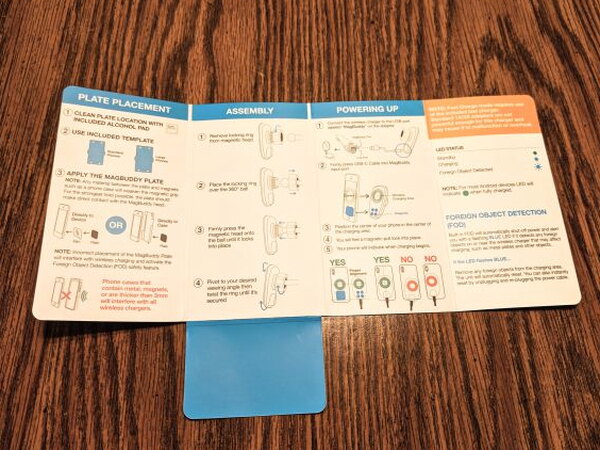
The metal plates already have adhesive applied, so installation is a peel and stick process.
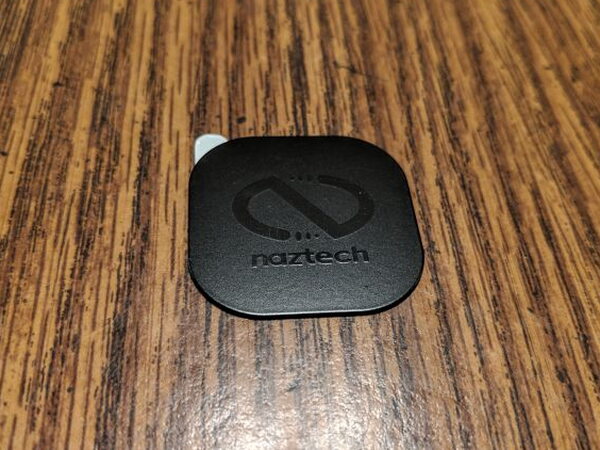
The kits also include placement cards that help identify the best plate location for different phones. Once the plate is in place, the phone is ready to mount.

The Desktop Stand Problem
The Desktop version has one extra installation step: it must be attached to the desk using the sticky suction cup base.

To lock it down, you lift the clamp on the base, press the stand down firmly, and then close the clamp.

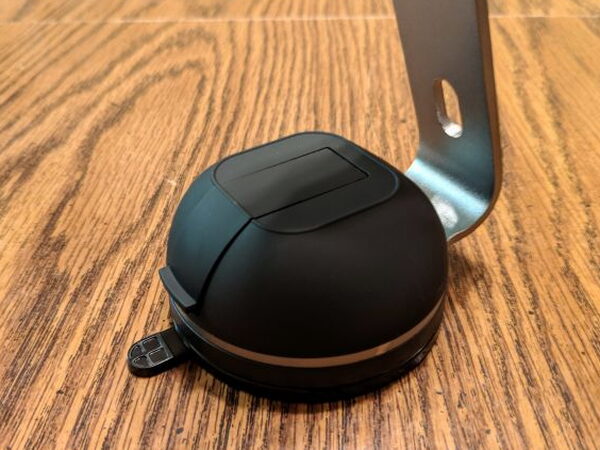
That sounds fine, but my sample did not stay put. The suction cup repeatedly let go of my table, and the stand tipped over with the phone attached. I tried several surfaces and got the same result.
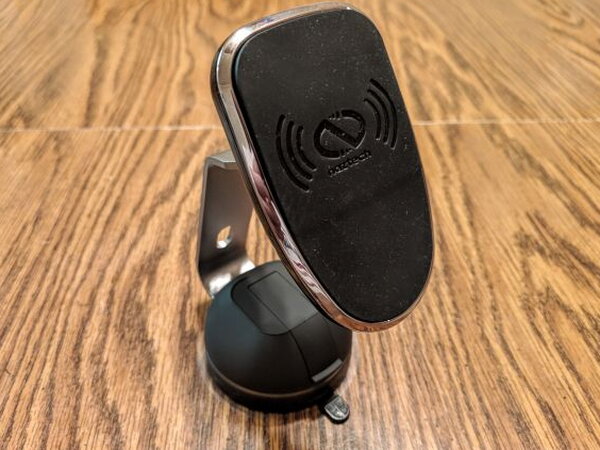
The issue seems to come from the stand’s shape. The arm rises high from a small base at a steep angle, so the suction cup has to fight the design instead of simply providing extra stability. Naztech includes a small round plastic sticker that can be applied to the tabletop before mounting the suction cup. At $59.99, that feels like a clumsy workaround rather than a satisfying fix.

If you have an Apple Watch, the Desktop package includes a plastic arm that can hold it beside the phone.

The holder uses a longer screw and sits between the charging head and the socket nut.

It is only a holder. You still need to route your Apple Watch charging cable separately.

Daily Use
The MagBuddy Wireless Vent Charger was the better experience. It attached to my car vent without much fuss and felt secure once installed.

When I placed my phone on the magnetic head, the magnets held it firmly. I did, however, often have to adjust the phone a little before charging began. That was annoying because my case was within the recommended less than 3mm thickness.

The included car charger was a highlight. It has two ports, and its illuminated design made it easy to find in the dark.

Charging speed with my Pixel 3 was not impressive, but that is because the Pixel 3 only fast charges with Google-approved hardware. The MagBuddy still charged the phone and kept it powered. Other phones may see faster results.

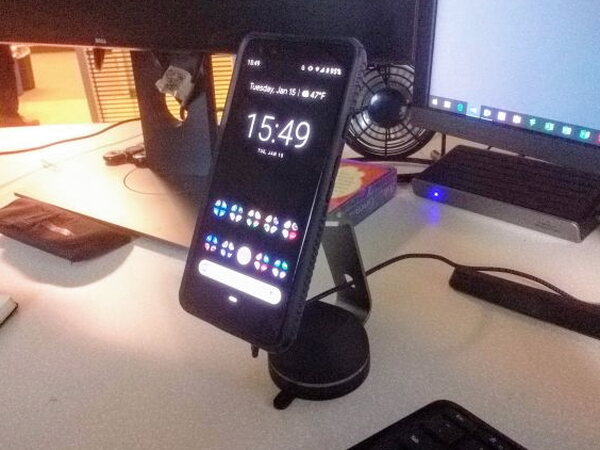
The Desktop charger performed similarly as a charger because it uses the same charging head. It was convenient to grab the phone quickly, but the unstable suction cup base ruined the appeal for me.
Pros
- Magnets hold device firmly in place
- Charge is consistent
- Well-built and engineered
- Easy setup
Cons
- Desktop stand unstable
- Sweet spot for charger could be larger
Quick Questions
Q: Does the Apple Watch holder on the Desktop kit charge the watch?
A: No, it’s only a place to park the watch; you still need to route a separate charging cable.
Q: Did the Desktop stand’s suction base stay attached reliably?
A: No, it repeatedly let go of the table and tipped over with the phone attached, even after trying several surfaces.
Q: What’s the maximum case thickness for wireless charging to still work?
A: Up to 3mm, per Naztech’s spec for the adhesive metal plate placement.
Q: Does it charge at full 10W speed on any phone?
A: No, only certain iPhones and Samsung Galaxy phones get the 10W fast-charge rate; other phones (like the Pixel 3 tested) charge at the standard 5W rate.
Bottom Line
The MagBuddy Wireless Vent Charger worked well for me. It held my phone securely while driving, and even though my Pixel 3 could not use the full 10W charging capability, the charger kept it topped up. The MagBuddy Wireless Desktop Charger had the same dependable charging head, but its suction cup stand would not stay attached reliably. At $59.99, that flaw is hard to overlook.
For a wider look at what else is out there, I rounded up more of these in The Best Portable Chargers and Power Banks I’ve Tested.
Price: $59.99
Product Link: Naztech.
Source: The sample of this product was provided by Naztech.


