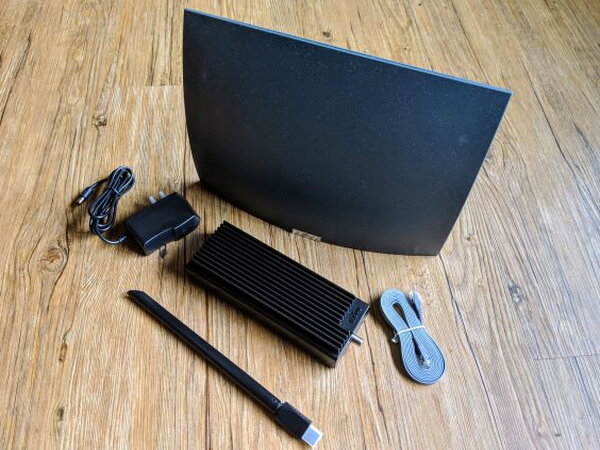
REVIEW – Mohu built its reputation with the Leaf line of indoor HDTV antennas, so the AirWave feels like a natural next step for people cutting the cord. Instead of sending an antenna signal straight to one television, the AirWave takes live over the air HDTV from a Mohu antenna and streams it across your home network to supported devices. I tested the Mohu AirWave Premium OTA Antenna package, which pairs the AirWave network box with a 70-mile Mohu Sail antenna.
The idea is appealing: put an antenna where reception is strongest, connect it to the AirWave Power Bridge, open the Mohu app, and watch local HDTV on a Roku, Apple TV, Amazon Fire TV, iOS device, Android phone, or Android tablet. The reality is more complicated. The AirWave can do what Mohu promises, but the setup is picky, the device has only one tuner, and several limitations make the price hard to ignore.
What the AirWave Does
The AirWave is best understood as a small network tuner for antenna TV. The bundled antenna receives local HDTV broadcasts, the Power Bridge puts those channels on your home network, and the Mohu app gives you live viewing plus a basic program guide. A wired ethernet connection to your router is the preferred path, though Mohu also offers a wireless setup option for homes where the antenna and router are not close together.
App support is broad but not complete. Roku, Apple TV, Amazon Fire TV, Apple iOS, and Android are covered, but Android TV is not. There is also no app for Apple computers or Windows computers. That missing desktop and laptop support cuts out a use case that would have made the AirWave much more useful.
The pricing puts the AirWave in premium territory. The Basic 30-mile range model was $199.99, while the Premium 70-mile range version I reviewed was $219.99. Mohu also lists an AirWave Plus with a 40-mile antenna at $209.99 in the product details below. For that kind of money, I expected a smoother experience than I got.
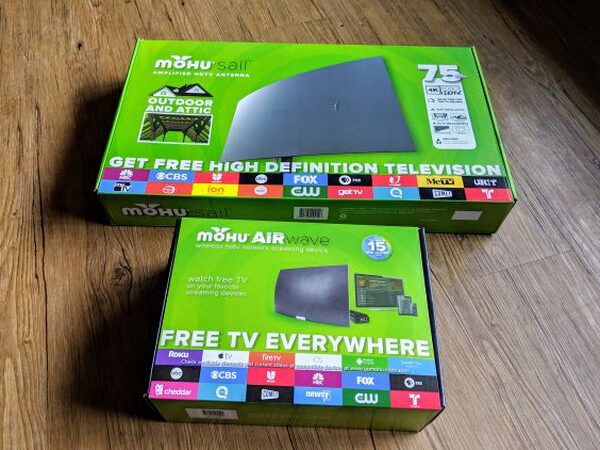
The AirWave Basic package comes in its own box. With the Premium package I tested, the 70-mile antenna arrived in a separate Mohu Sail box, so the antenna and AirWave hardware are packaged apart from each other.
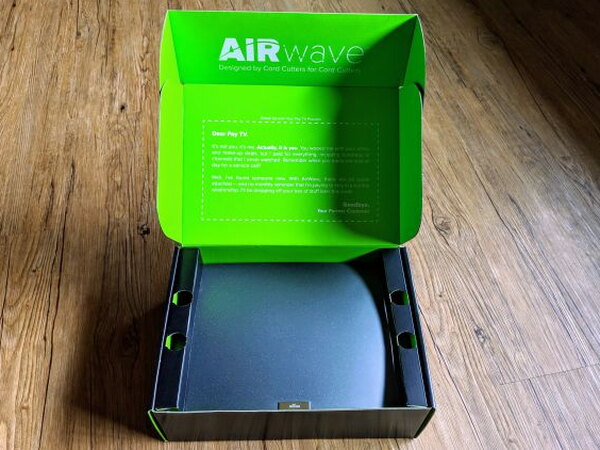
Opening the AirWave box reveals the antenna first, with the rest of the parts packed behind it. The presentation is neat, but it also hints at how many pieces have to work together before you can watch anything.
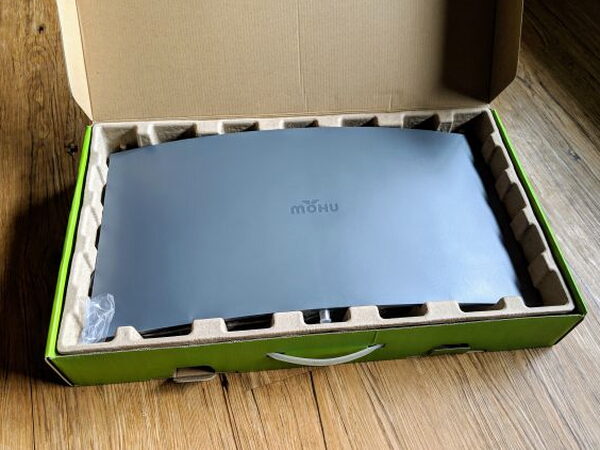
The Premium antenna is essentially a Mohu Sail HD antenna. It includes the antenna body, mounting bracket, power booster parts, and 30 feet of coaxial cable.
Included Hardware
- AirWave Basic Contents
- Basic 30-mile indoor antenna
- Power Bridge unit
- WiFi antenna dongle
- Power Supply
- Coaxial Cable (arrives attached to antenna)
- Ethernet Cable
- AirWave Premium Contents
- Mohu Sail 70-mile HDTV Antenna
- Coaxial Cable (30 ft.)
- USB Antenna Power Injector
- USB Power Adapter
- Coaxial Adapter
- Antenna Mounting Hardware
Setup Reality
Getting the AirWave running takes patience. In the easiest version of the installation, your antenna is mounted near the home router, the coaxial cable reaches the Power Bridge, and the Power Bridge connects to an open router port with ethernet. That is the setup that eventually worked for me.
The harder version is when the best antenna location is nowhere near the router. Mohu allows the Power Bridge to join your wireless network in a process that feels similar to setting up a smart home gadget. In my testing, that wireless configuration never successfully completed, even after repeated resets and careful trips through the instructions. A wired router connection worked, but only because my router happened to be close enough to the antenna location.
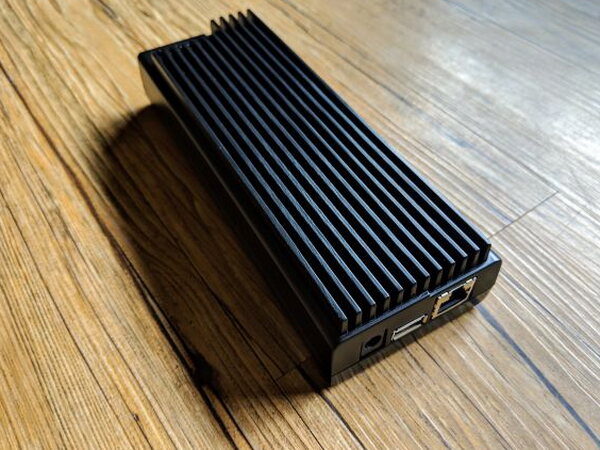
The Power Bridge resembles an oversized power brick, but it is much more than that. It is metal, surprisingly heavy, and covered with large cooling fins.
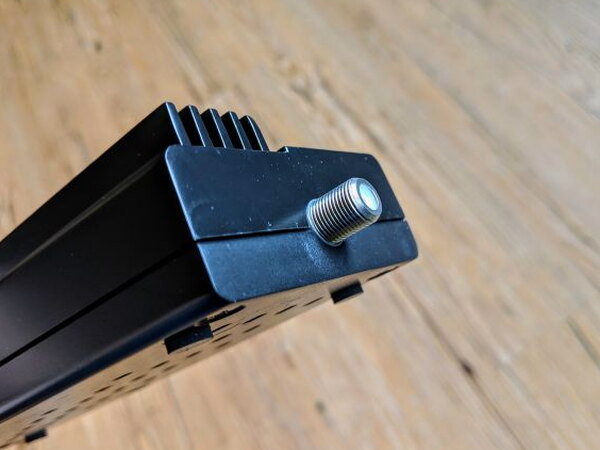
One end accepts the coaxial line from the HDTV antenna. That cable path is one of the biggest practical constraints of the whole system.
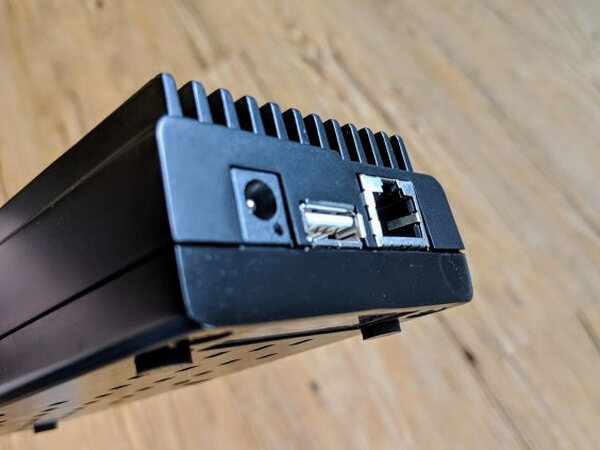
The other end holds the power input, USB port for the Wi-Fi antenna, and ethernet jack for the router connection. Having ports on both ends is understandable given the compact design, but a single connection side would have been easier to manage.
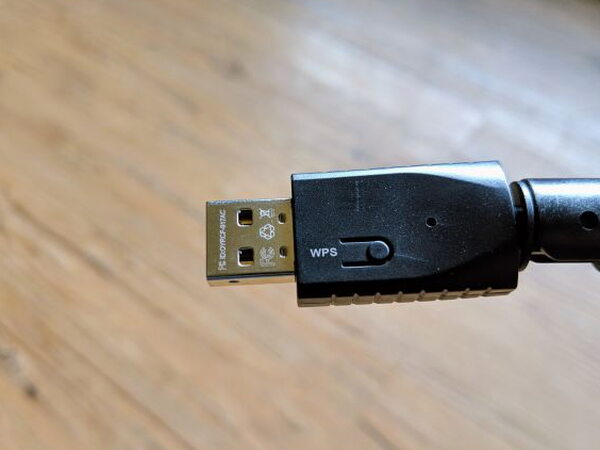
The Wi-Fi antenna dongle can swivel from flat to upright, at least in theory. Mine would not stay vertical for long. The WPS button on the USB head also did not seem to do anything useful.
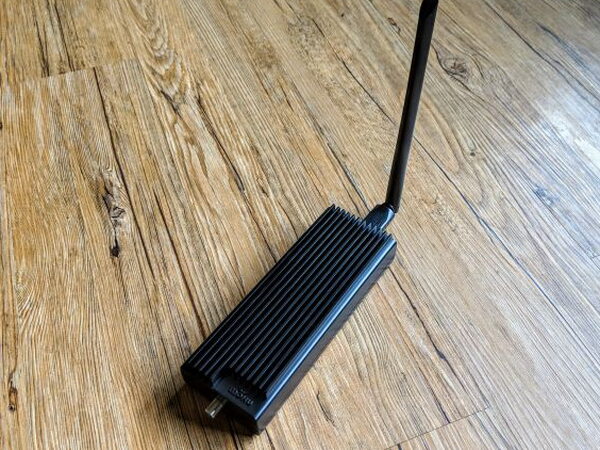
Wireless placement would make the AirWave far more flexible, since antennas often need to sit high or near a window. Unfortunately, that was exactly the mode I could not get working.
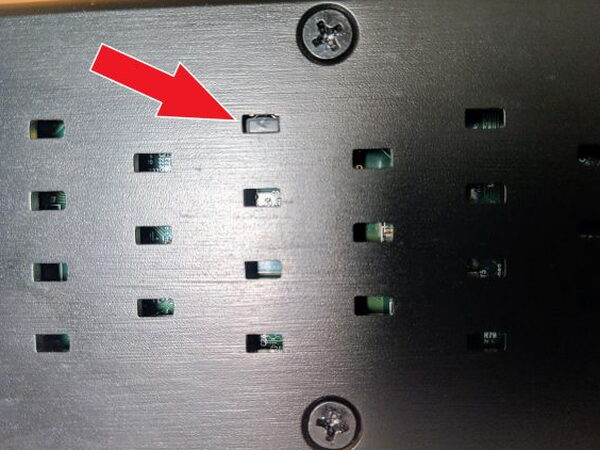
The reset button is tucked inside one of the bottom air vents. I only found it after digging through support documents, where it gets a brief mention but no useful picture. Pressing it barely feels like pressing a real button, which made troubleshooting more frustrating than it needed to be.
The Basic Antenna
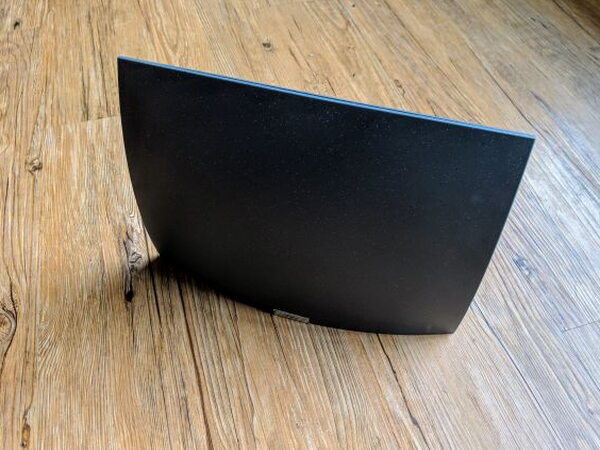
The Basic antenna looks a lot like other Mohu indoor antennas, with a flat square shape that recalls the original Leaf design. This version adds a base so it can stand upright.
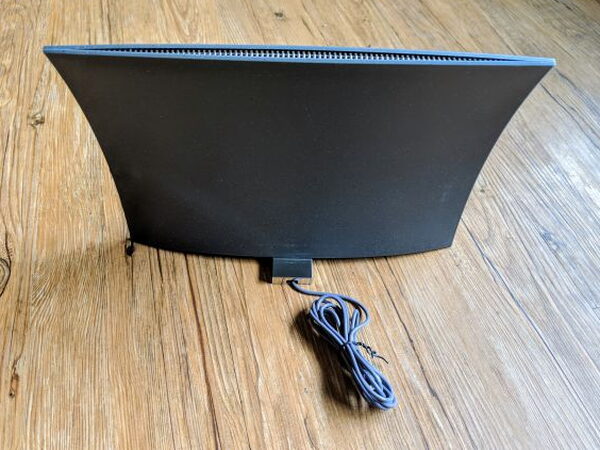
A short fixed coaxial cable comes out of the back of the Basic antenna and connects to the Power Bridge to pass along the HDTV signals.
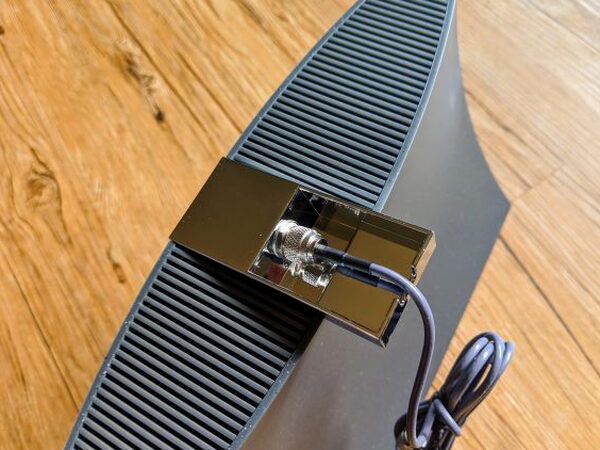
For viewers in a city or close to broadcast towers, the Basic 30-mile antenna may be enough.
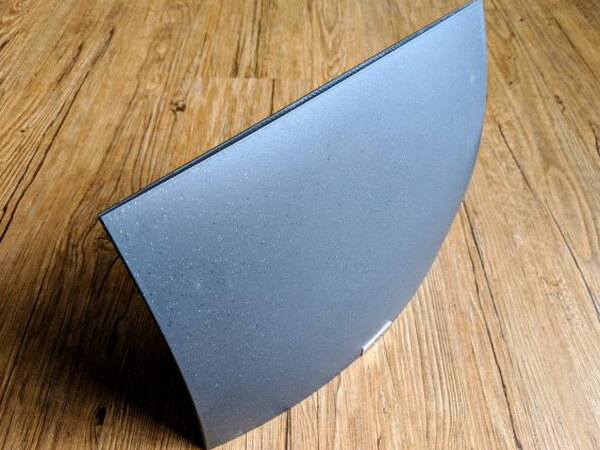
As with any antenna, placement matters. Mount it as high as possible and keep it away from large metal obstructions. Mohu offers a tool on its website to help choose the right package, and other sites can show local HDTV station locations and signal strength after you enter your address.
Building the Premium Sail Antenna
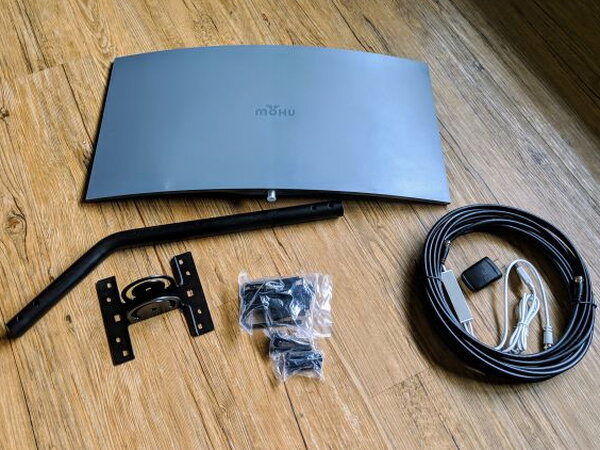
The 70-mile Mohu Sail antenna is not difficult to assemble. The bigger question is whether the included 30-foot coaxial cable is long enough to place the antenna where reception is strongest and still reach the Power Bridge. If not, you may be forced back toward the wireless setup that failed for me.
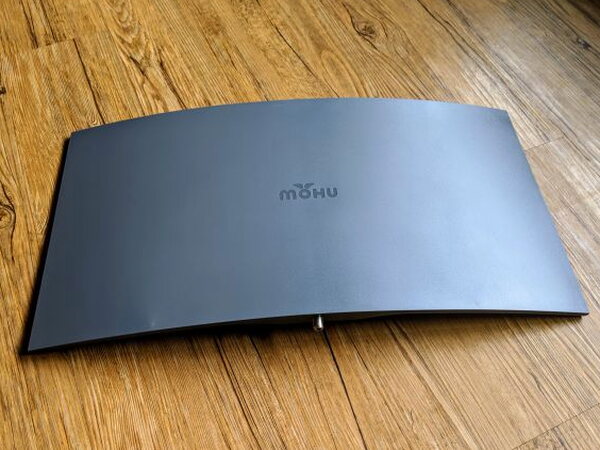
The Sail antenna body is made from hard plastic and has a single male connector for the coaxial cable.
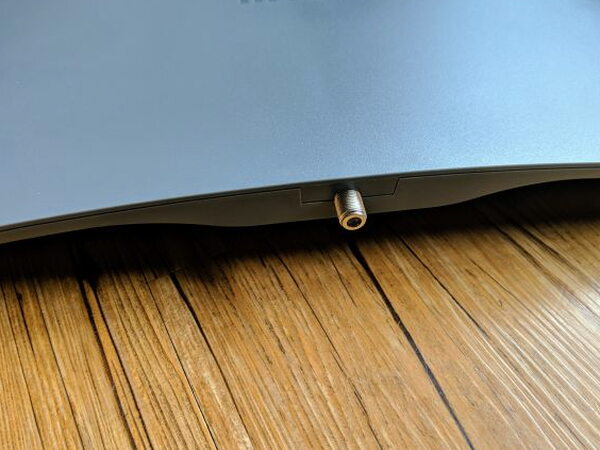
That connector feeds the antenna signal back to the AirWave Power Bridge.
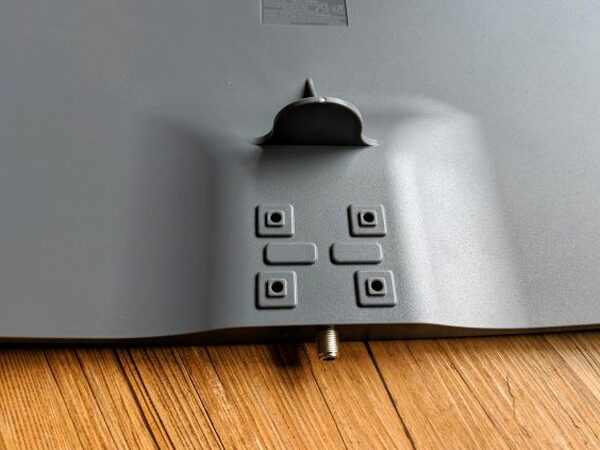
The back of the Sail includes molded holes for the bracket and a stop plate for the mounting bar. Because the screws bite into plastic, it is important not to overtighten them.
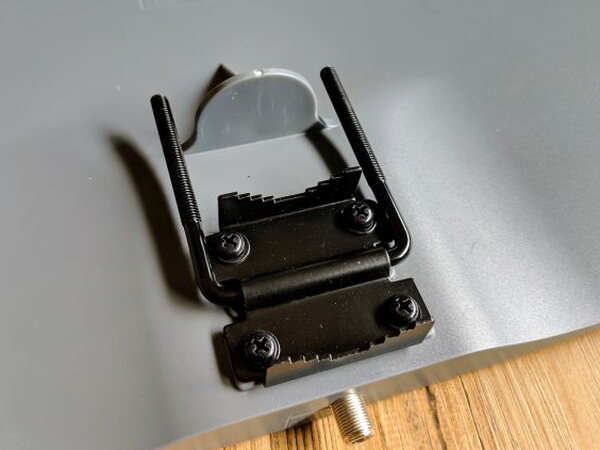
Gentle pressure is enough here. Stripping the holes or cracking the plastic would be easy if you used too much force.
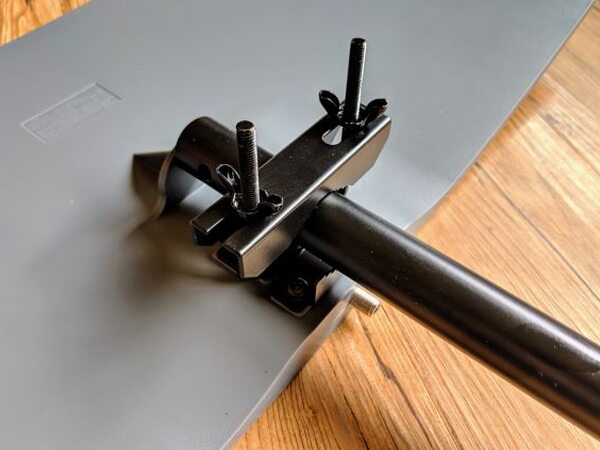
The adjustable bracket is held in place by wingnuts. Tighten them only until the mounting bar is steady.
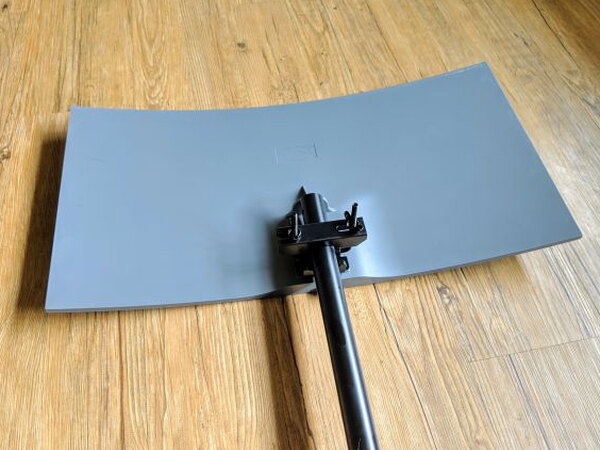
Once the bar is attached, the antenna can be prepared for mounting outside the house or inside an attic.
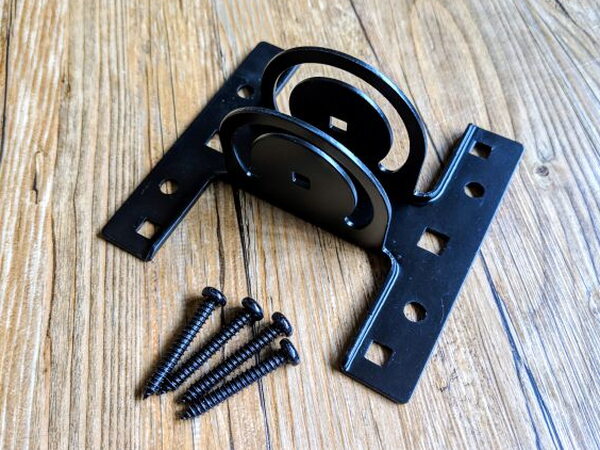
The lower mounting plate and included screws finish the mounting setup.
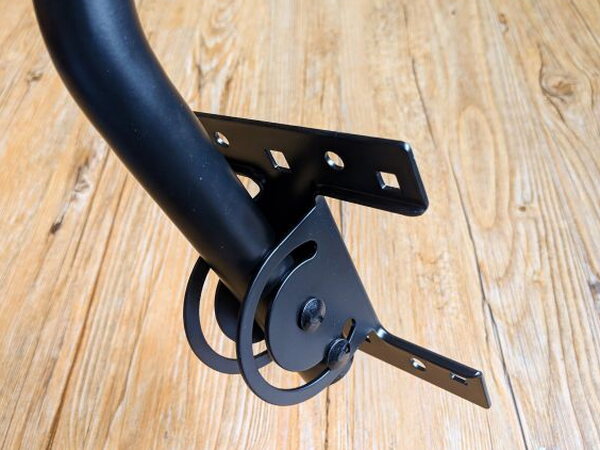
Two screws attach the bottom plate to the mounting bar. One keeps the bracket centered, and the other lets you set the angle before locking it down.

That swivel gives you a way to aim the antenna for the strongest signal. Once the antenna is assembled and the Power Bridge is connected to the network, the rest of the work happens in the app.
Using the Mohu App

After installing the Mohu app on a supported phone, tablet, or streaming box, the app walks through finding the AirWave, entering the correct zip code, downloading guide information, and scanning for available HDTV channels. Mohu says browser support never worked well enough, which is why Mac and PC streaming are absent.
With the Power Bridge wired to my router, the app setup completed smoothly. When I tried to switch to the wireless path, the app could not find the AirWave at all.


No matter what I tried, the wireless setup failed and the app never located the device.
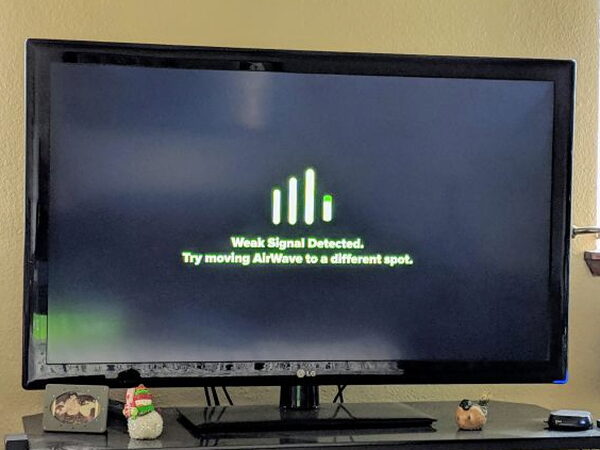
After several attempts, I did get the Roku app working with the wired setup. The AirWave updated, the channels downloaded, and the guide refreshed. Then the next problem appeared: every few channels produced a Weak Signal Detected message.

The same warning appeared on my phone. I moved the AirWave and HDTV antenna to several different spots before finding a placement that gave me more working channels than failed ones.

Watching TV With AirWave
The guide is useful, but the AirWave is not a good match for channel surfing. Changing channels takes a noticeable pause while the device switches signals and buffers video. The guide also does not show which channels have a strong enough signal, so the most practical approach is to test channels one at a time and save the reliable ones to My Channels.
When the signal was strong and my Wi-Fi was solid, HD programming looked like normal cable or direct antenna viewing. The frustrating part is that you cannot decide which channels arrive clearly. A show can be visible in the guide and still be unavailable in practice because the signal is too weak.
Home network quality matters because AirWave streams video across your network. In wireless mode, the signal path is even more demanding because video has to travel from the Power Bridge to the network over Wi-Fi and then from the network to the viewing device over Wi-Fi again.
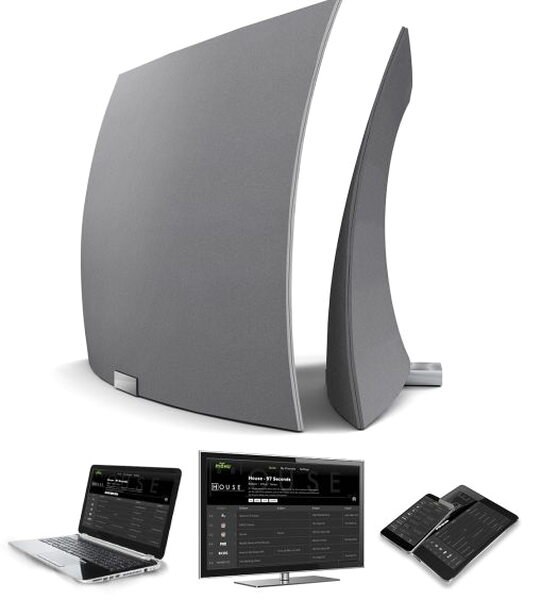
The single tuner is another major limitation. Every device using the AirWave app has to watch the same channel at the same time. That may be fine for one viewer or for a home where everyone wants the same local channel, but it is not a fit for a family expecting different live channels on different screens. AirWave also cannot stream outside the home network. The lack of Mac and PC viewing is especially annoying because Mohu promoted that capability when the AirWave launched and still showed it in their media kit.
What Worked
- Lets you watch some over the air content through a supported streaming device
- The antenna performs well when it is placed correctly
- The built-in channel guide is effective
What Did Not Work
- Reception depends heavily on location and Wi-Fi strength
- Needing a wired connection to both router and antenna can be awkward
- The single tuner forces every connected device to watch the same channel
- Wireless setup was ineffective, poorly documented, and extremely frustrating
- There is no desktop or laptop streaming app
- There is no streaming outside the home network
Quick Questions
Q: Does the wireless setup work reliably?
A: No. In testing, the wireless configuration never successfully completed, even after repeated resets; only the wired router connection worked.
Q: Can multiple devices watch different channels at once?
A: No. The AirWave has a single tuner, so every connected device has to watch the same channel at the same time.
Q: Is there a desktop app for Mac or PC?
A: No, despite being promoted in Mohu’s own marketing, there’s no Mac or PC streaming app.
Q: Can you stream outside the home network?
A: No, AirWave only works on your home network and cannot stream remotely.
Final Thoughts
The Mohu AirWave does capture HDTV antenna signals and stream them to supported devices on a home network, so the basic promise is real. The problem is everything around that promise. Antenna placement, router location, Wi-Fi strength, the unreliable wireless configuration, channel buffering, weak signal errors, single tuner viewing, and missing computer support all narrow the audience. When it works, it can work well, but it feels a couple of revisions away from being a dependable cable replacement. If your home layout is ideal and you are willing to pay a premium, it might fit your needs. For many cord cutters, the compromises will be too much.
Price: $219.99 for AirWave Premium with 70-mile antenna, $209.99 for AirWave Plus with 40-mile antenna, $199 for AirWave Basic with 30-mile antenna
Product Link: Mohu (Basic version only)
Source: The sample of this product was provided by Mohu.


