
REVIEW – When a summer trip takes a group beyond dependable cell coverage, radios stop being a hobby item and start being part of the plan. Midland’s MXT500 MicroMobile is built for that job. It is a 50 watt GMRS mobile radio that costs $399.99, needs a real power connection, and requires an FCC GMRS license. It is also simple enough that a newer GMRS user can get useful range without digging through a maze of radio settings.
The MXT500 is not the most feature packed radio in its class. That is both a limitation and part of the appeal. Midland focused on power, a rugged body, clear controls, and easy day to day use. For someone who wants a strong GMRS base or vehicle radio without feeling like they bought a complicated ham rig, that tradeoff makes sense.
What the MXT500 is
The MXT500 transmits on 15 GMRS channels and 8 repeater channels, with narrow and wide band support. GMRS sits around the 462 MHz and 467 MHz ranges and is intended for short distance two-way communication. At 50 watts, this radio reaches the legal GMRS power limit, so it is not something you plug in casually and use without a license.
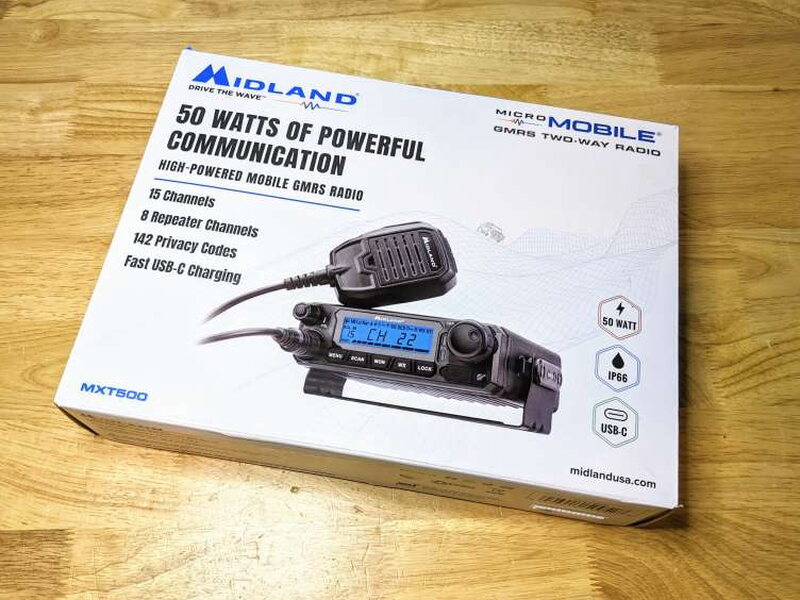
The box is plain but informative, with the main feature set printed right on the front. Inside, Midland packs the radio well and includes the parts needed for a basic vehicle or base station installation.

In the box
- MXT500 MicroMobile Two-Way Radio
- Microphone
- Microphone Mount
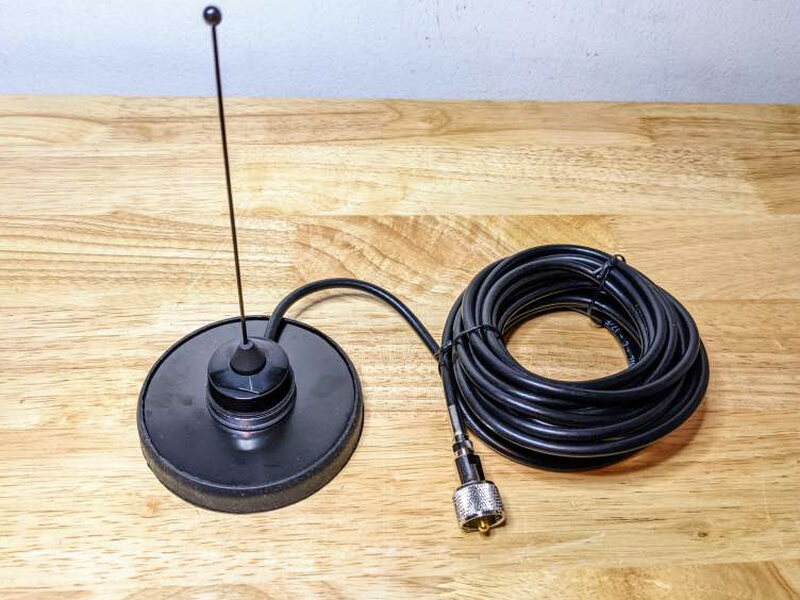
- Antenna Magnet Mount and cable
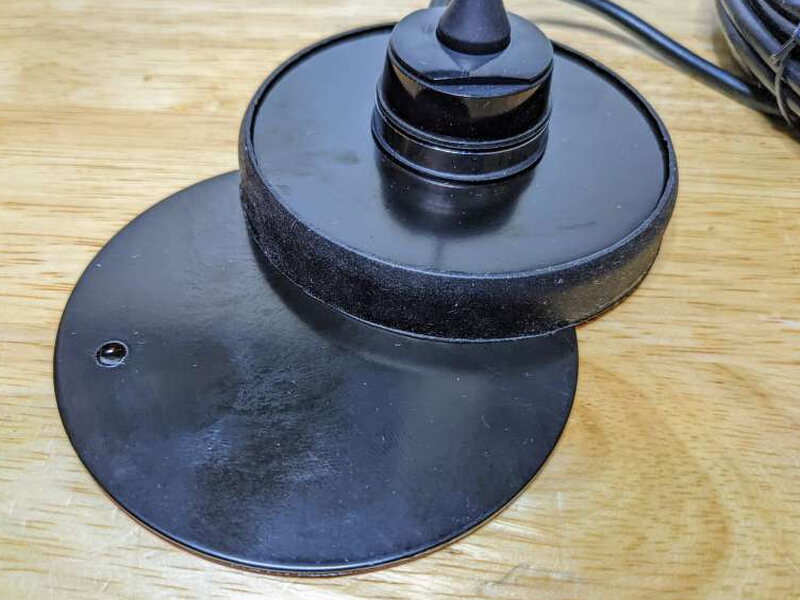
- Plate for Magnetic Mount
- 2.1dB Unity Gain Antenna
- Power Cord with inline fuse
- Mounting Bracket with hardware
- Owner’s Manual and Quickstart Guide

Key specifications
- Channels: 15 GMRS Channels and 8 Repeater Channels
- Receive Frequency: UHF 462.550 – 462.550 MHz
- Transmit Frequency: UHF 462.550 – 467.725 MHz
- Channel Spacing Narrow: 6.25 kHz Analog
- Antenna Impedance: 50 Ohms
- Weather Channels: 1 NOAA
- Privacy Codes: 38 CTCSS codes and 104 DCS codes
- Power Source: 13.8 V DC
- USB: USB-C data and fast charging port
- IP Rating: IP66, water resistant against powerful jets
- Dimensions: 1.8 in x 5.5 in x 7 in, or 4.6 cm x 14 cm x 17.8 cm
- Weight: 3 lb., or 1.4 kg

Build and controls
The radio feels like a Midland product should. Midland was founded in 1959 and was the first CB radio manufacturer in the United States, and the MXT500 has the solid, purpose built feel that history suggests. The main body is aluminum, while the front face and knobs are plastic.

The front panel keeps the controls direct. Five rubberized buttons sit below the display, with a power and volume knob on the left and a larger channel and menu knob on the right.

The left knob turns the radio on with a press and shuts it down with a longer press. It also controls volume. Just below it is the microphone cable input.

The larger right knob changes channels and selects menu items. Two nearby LEDs show status: the top LED is a blue power indicator, while the lower LED turns red while transmitting and green while receiving.
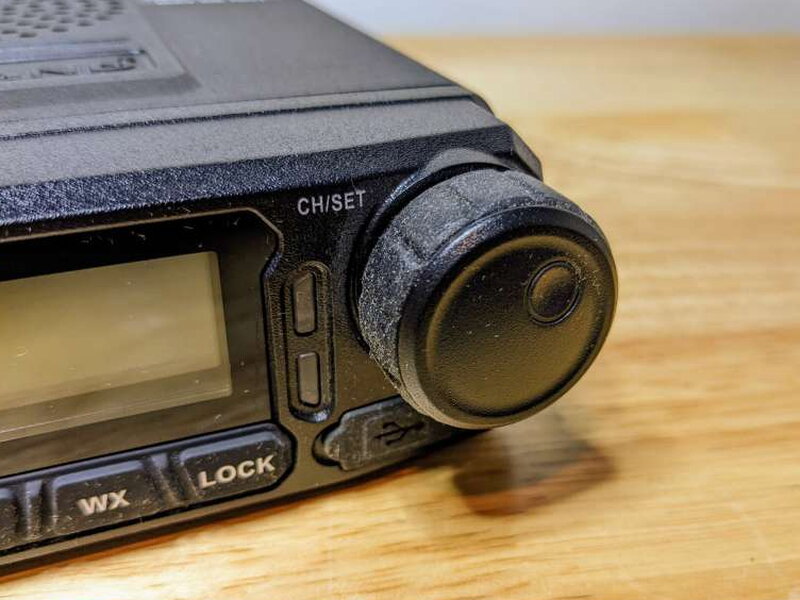
Below that knob is one of the MXT500’s most convenient features: a powered USB-C port. It can fast charge a device, and it also connects the radio to a PC for programming with Midland’s free software.

The button row covers the everyday controls. MENU opens settings, SCAN searches channels, MON monitors the current channel, WX scans NOAA Weather Radio, and LOCK helps prevent accidental changes.

The top of the MXT500 includes the internal speaker grille and the serial number plate. It looks utilitarian, which fits the rest of the radio.

The back of the radio is dominated by cooling fins, plus the antenna connector and power connection. For a 50 watt unit, all of that heat management is expected.

Beside the fins is a mini XLR jack for connecting an intercom or headset. That adds some flexibility for installations where the built in speaker and hand mic are not the best fit.
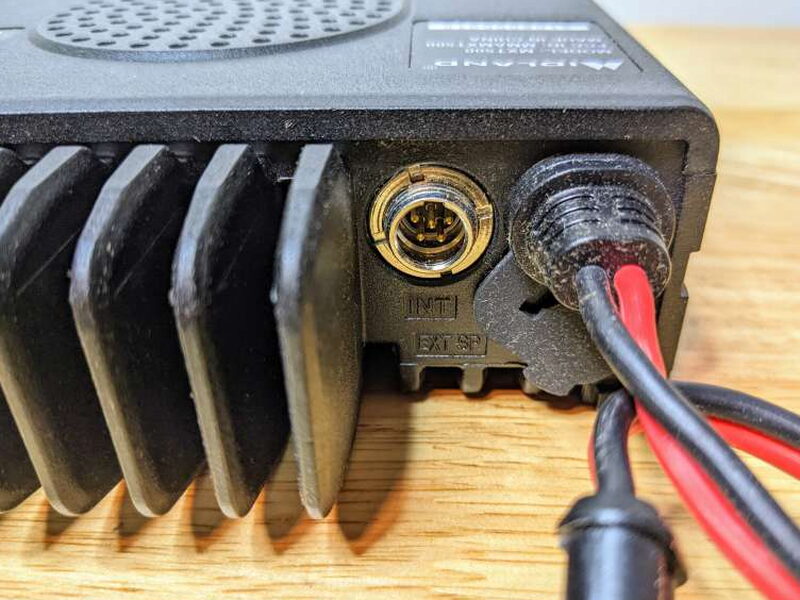
The included power cord plugs into the back corner of the radio. This is not a cigarette lighter plug radio. It needs to be wired directly to a vehicle battery or connected to a suitable power converter.

The power cord is about 6.5 ft. long, includes an inline fuse, and ends in bare wires. That makes installation more serious than a plug and play handheld, but it is also the right approach for a radio this powerful.

A covered 3.5 mm jack beneath the power connection supports an external speaker. When an external speaker is connected, the internal speaker shuts off automatically.

The underside is also finned for cooling. The whole radio is clearly designed to shed heat while working for long periods.

Microphone, antenna, and mounting hardware
The hand microphone is traditional and comfortable, with a 4.5 ft. coiled cable. It is simple, which matches the rest of the MXT500 experience.
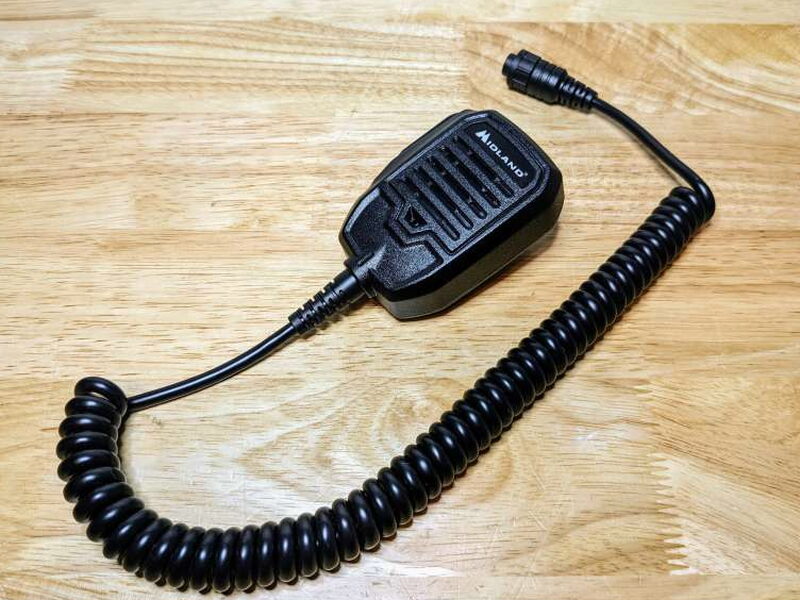
The Push-To-Talk button is on the left side of the microphone. It is exactly where most radio users expect it to be.

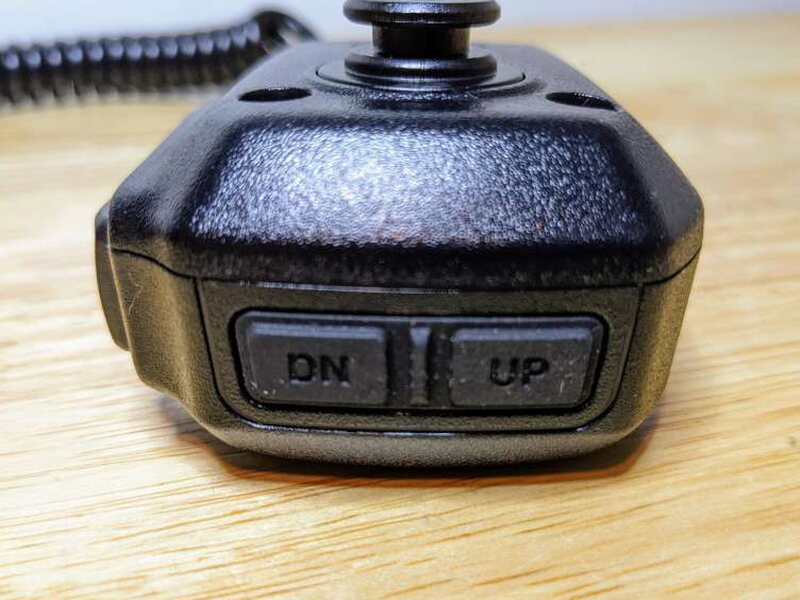
Channel up and down buttons on the top of the microphone let you change channels without reaching for the main radio face.
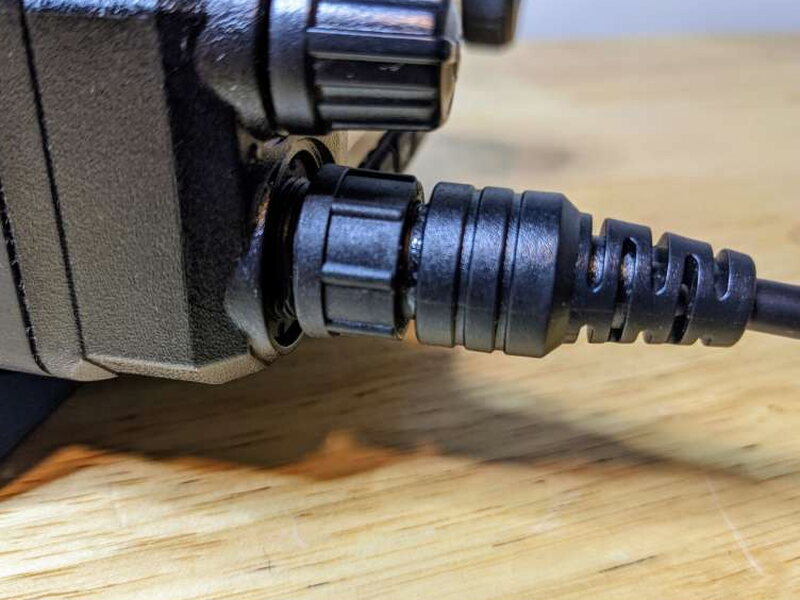
The microphone locks into the front connector with a screw on plug, so the connection feels secure once tightened.
Midland includes a small microphone holder. It can be installed with screws or with the adhesive pad, depending on the surface and how permanent the setup needs to be.

The bundled antenna is compact and snaps onto the magnetic mount. It is enough to get started, although people chasing maximum range will likely want to upgrade the antenna later.
For vehicles with fiberglass roofs, Midland includes a small adhesive metal plate so the magnetic antenna mount has something to grab.
The metal mounting bracket is sturdy and practical. It is shaped to hold the radio securely while still giving some choice in installation angle.
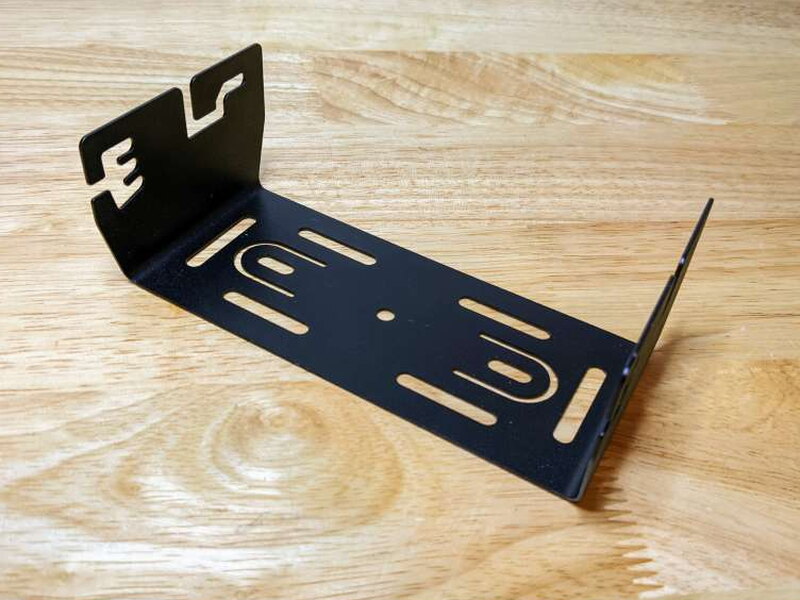
The bracket screws to the sides of the MXT500 and offers three angled mounting slots, so the radio can be positioned where the display and controls are easy to reach.

Features without overload
The MXT500 has privacy code support with CTCSS and DCS. Continuous Tone Coded Squelch System and Digitally Coded Squelch let several groups share a channel while keeping each radio muted unless the correct tone is present. That can make a busy channel more manageable, but it does not make a conversation private. Other listeners can still hear the transmission.
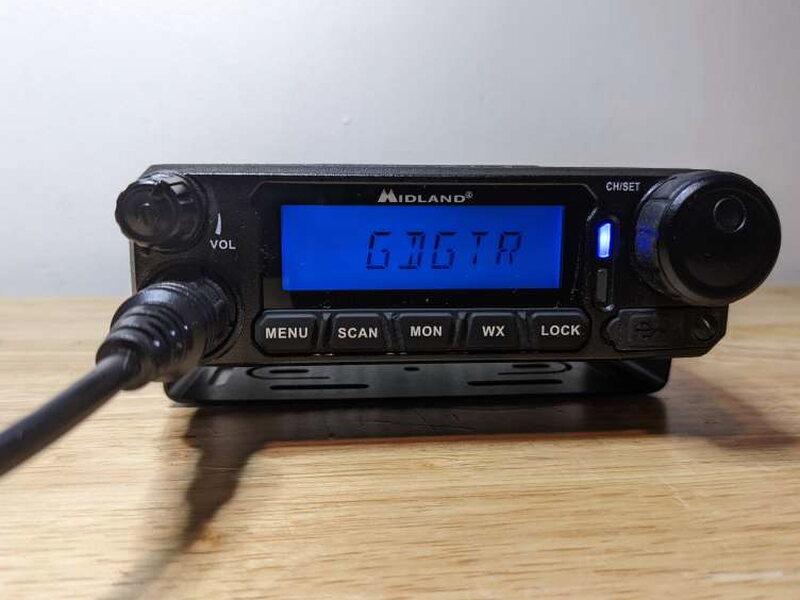
Other useful options include automatic power off, three transmit power levels, narrow and wide band modes, and Silent Operation mode to disable beeps and tones. The feature list is not endless, but the essentials are present.

Powering and programming
The first real setup step is not technical. Since GMRS operation requires an FCC license, you need to register before using the MXT500 on the air. An FCC GMRS license costs $35, lasts ten years, and covers family members using the radio. Applications are handled through the FCC website.
For my base station setup, I used a Goal Zero Yeti 1000 Core Portable Power Station that I reviewed in September 2021. I wired the bare ends of the MXT500 power cable to an Anderson Powerpole so the radio could pull what it needed from the Yeti 1000.

The radio powered up immediately from the Yeti 1000 and worked properly. A dedicated power converter should also work as long as it meets the radio’s power requirements.

Even though the radio could have been used right away, I wanted to personalize the configuration through Midland’s software.

After downloading the free PC software from Midland, I connected the MXT500 to my laptop and followed the process for letting the software talk to the radio.

The USB-C connection handles the computer link, but the radio’s USB menu option has to be enabled before opening the software.

The software is basic in a good way. Once the PC recognized the MXT500, I could adjust the startup display message, channel display mode, and default weather channel. I could also add repeater channels and other frequencies for the radio to monitor.

With the license handled, the power setup working, and the settings customized, the MXT500 was ready to use as a higher powered base station radio.

Using it with handheld GMRS radios
I liked the portability of the Yeti powered base setup, but the real test was whether the MXT500 would work well with my handheld GMRS radios in the field.
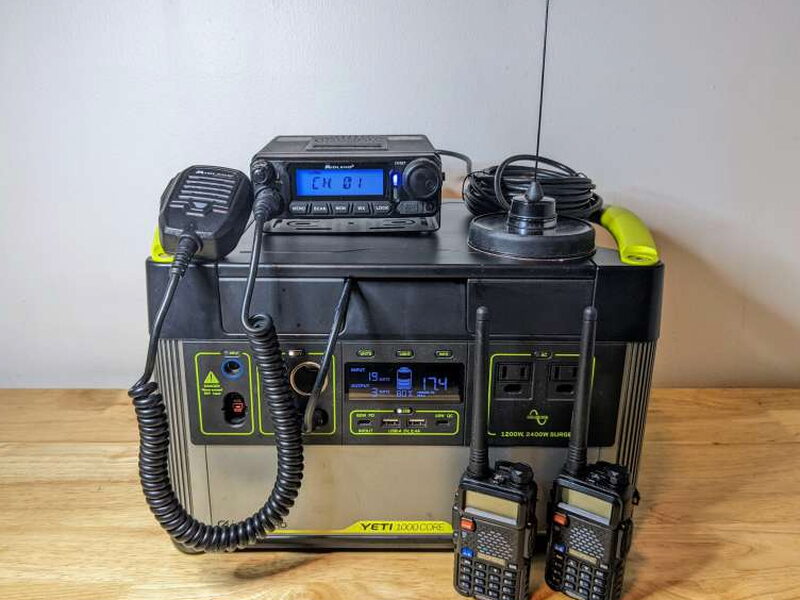
I used two Baofeng UV-5R handheld radios as test units. They are among the most popular and versatile portable GMRS handhelds, and they made good companions for checking basic communication with the MXT500.

After making sure all radios were on the same channel, communication worked immediately. Range was impressive in both obstructed and open conditions. The included small antenna did its job, although an upgraded antenna would probably improve distance and consistency.

The Yeti 1000 also made it easy to watch power usage. In scanning mode, the MXT500 pulled only about 3 watts.

When transmitting, the draw jumped to around 27 watts. I am not sure exactly how long the Yeti 1000 would power the MXT500 if the power station itself were not plugged in, but for this setup it worked well.

As someone still fairly new to GMRS radios with this much power, I found the MXT500 to be a comfortable match. It has enough capability to be useful, but not so many settings that it becomes intimidating. I may outgrow it eventually, but right now it pairs nicely with my handheld radios and power unit.

The good
- Easy to set up and use
- Well designed with great build quality
- Works well with handheld GMRS radios
The not so good
- Cannot use cigarette lighter ports for auto or base station use, so it must be wired directly to a car battery or to a power converter
- Programming options are not as versatile as similarly featured two-way radios
- Requires an FCC GMRS license to operate
- Expensive for the limited features
Quick Questions
Q: Does it need an FCC license to operate?
A: Yes, GMRS operation requires an FCC GMRS license, which costs $35 and lasts ten years, covering family members using the radio.
Q: Can it plug into a cigarette lighter port?
A: No, it must be wired directly to a vehicle battery or a suitable power converter, not a cigarette lighter socket.
Q: Does it include a USB-C port?
A: Yes, for both fast-charging a device and connecting to a PC for programming with Midland’s free software.
Q: How much power does it draw while transmitting?
A: About 27 watts when transmitting, versus roughly 3 watts while just scanning, measured off a Goal Zero Yeti 1000 Core in testing.
Final thoughts
The Midland MXT500 MicroMobile is powerful, sturdy, easy to understand, and expensive. It does not have the broad programming flexibility of some GMRS radios in the same general class, but its simplicity is a real benefit for anyone who wants the Midland name and a straightforward radio experience. It worked great out of the box with my handheld GMRS radios, and while turning it into a base station takes more planning because of the power requirements, the extra output is worth it. At $399.99, budget minded radio fans may want to compare options, but the MXT500 is a strong fit for users who value ease of use and build quality.
Price: $399.99
Product Link: Midland
Source: The sample of this product was provided by Midland.


