
REVIEW – I have a keyboard problem. Not a small one either, my shelf has turned into a graveyard of boards I swore I’d sell once the next one showed up, and somehow the next one always shows up. The Keychron K10 HE Wireless Magnetic Switch Keyboard, Special Edition, is the newest arrival, and it’s already pushed my old favorite (a Keychron V1 Max I picked up back in March 2024) down a rung.
What sold me isn’t flash. There’s RGB in here, more than 22 backlight modes if you want to dig through them, but the K10 HE spends its energy on things that actually change how a keyboard feels: per-key actuation you can tune in 0.1mm steps, rapid trigger response borrowed from the gaming-switch world, and a frame that pairs aluminum with real rosewood trim instead of pretending plastic is wood grain. It handles work, gaming, and bouncing across three paired devices without missing a beat, all for $144.99.
What’s in the Box
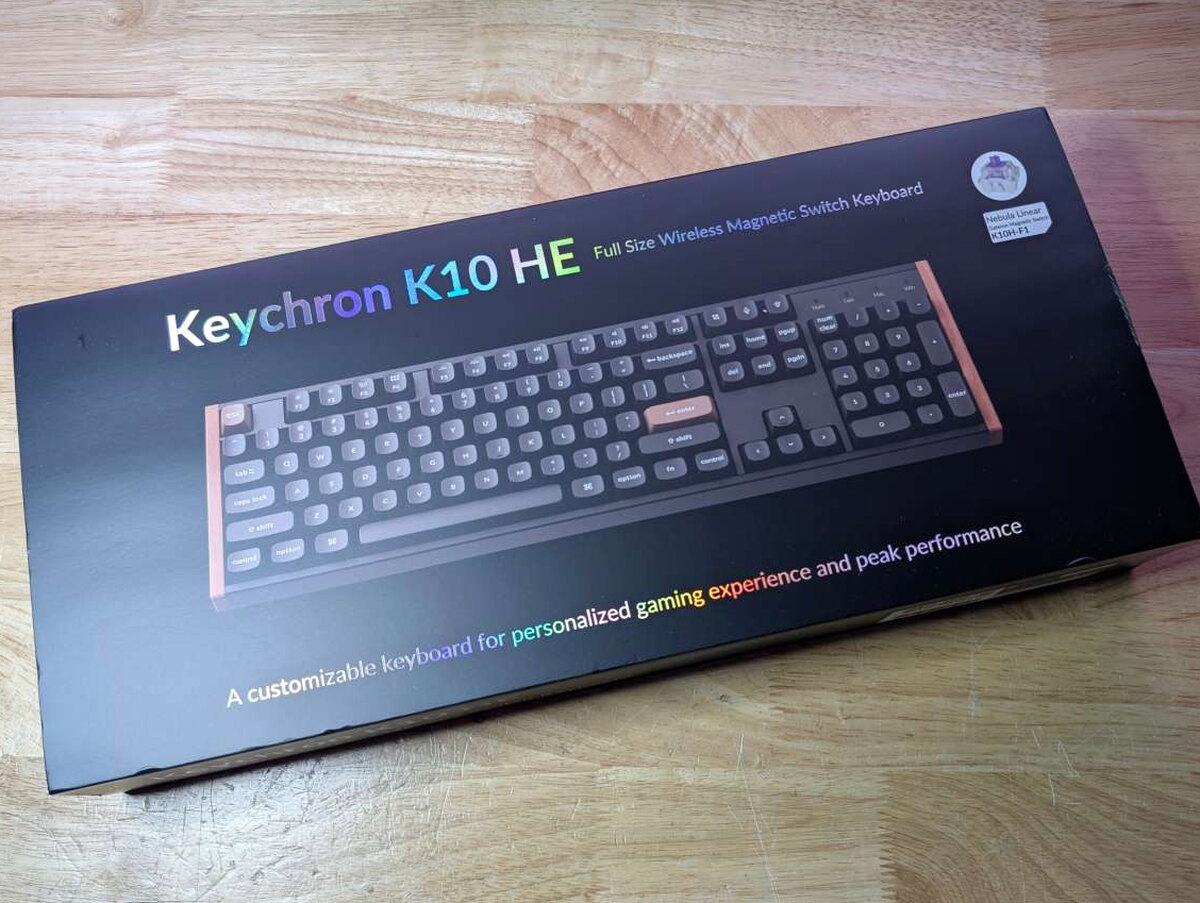
The box itself is a good first impression, glossy black with holographic type and a big photo of the board front and center.

Open it up and the board sits in a molded foam tray rather than a plastic shell, which is a small touch but a welcome one.
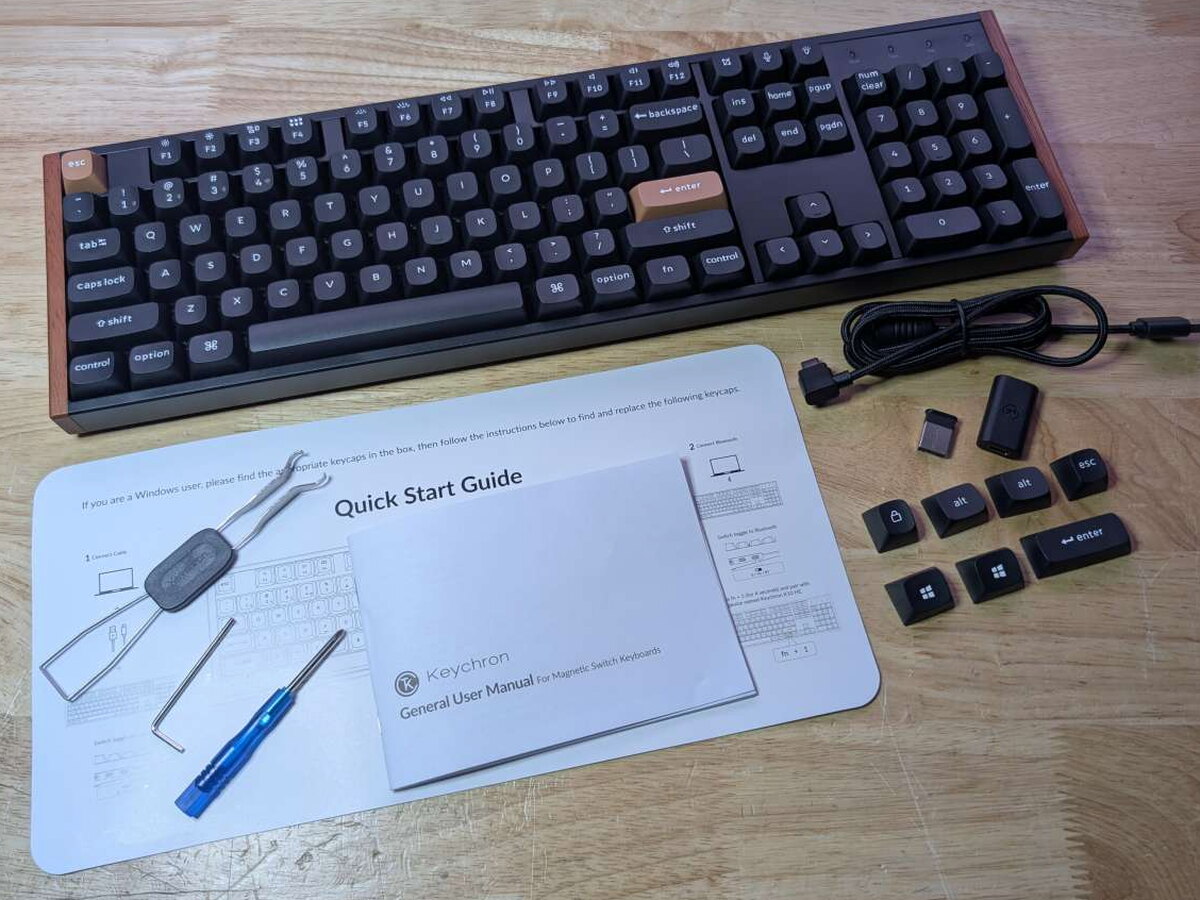
- Keychron K10 HE Wireless Magnetic Switch Keyboard – Special Edition
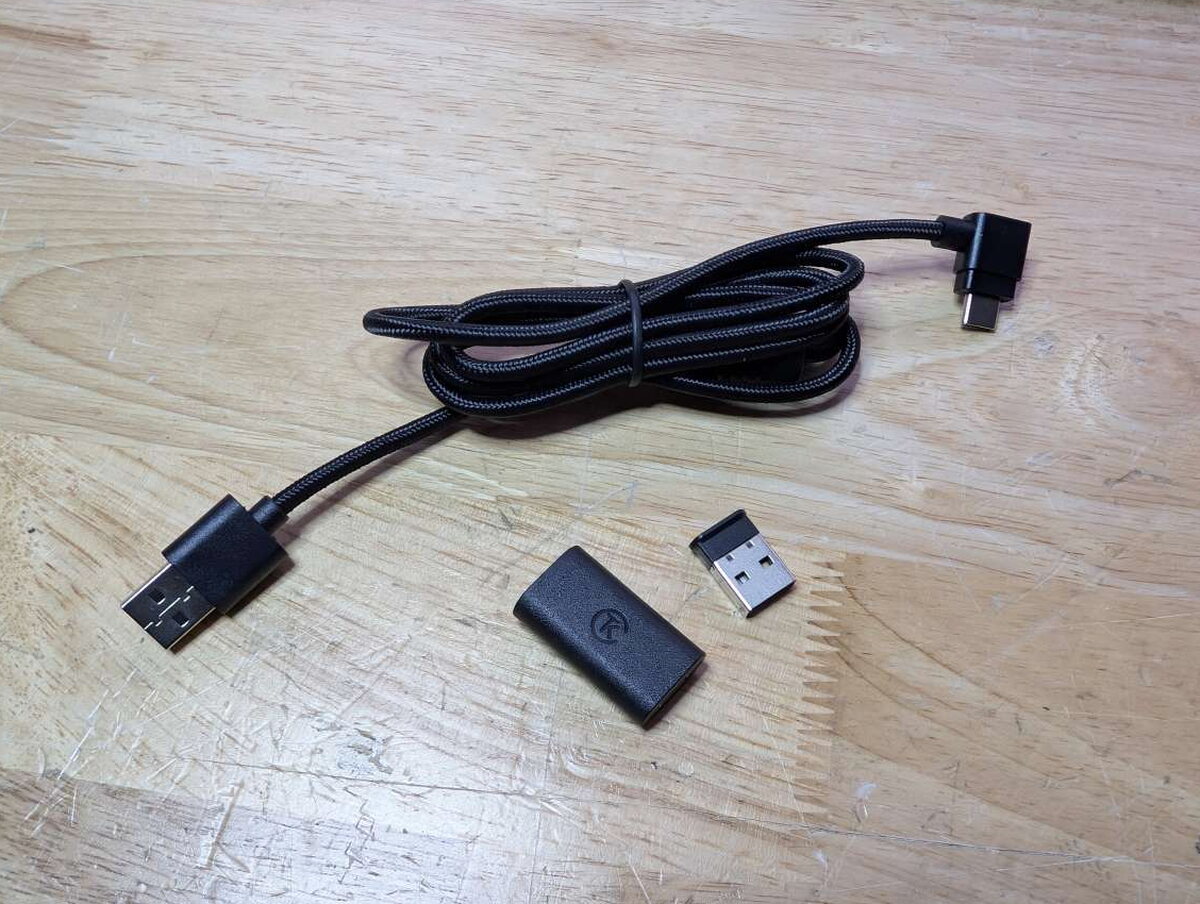
- USB-C to USB-A braided cable
- 2.4 GHz wireless dongle
- Keycap puller
- Switch puller
- Extra Windows and macOS keycaps
- Allen wrench for wood accent removal
- Quick start guide
By the Numbers
- Switch type: Gateron double-rail Hall Effect magnetic switches (hot-swappable)
- Actuation range: 0.2 to 3.8 mm, adjustable in 0.1 mm increments
- Rapid trigger: Supported
- Dynamic Keystrokes (4-in-1 actions): Supported
- Analog mode: Supported
- Polling rate: 1000Hz (wired and 2.4GHz), 125Hz (Bluetooth)
- Connectivity: USB-C wired, 2.4GHz wireless, Bluetooth 5.2
- Layout: Full-size (104 keys)
- Keycaps: OSA profile double-shot PBT, non-shine-through
- Backlight: North-facing RGB with 22+ modes
- Frame: Aluminum top with real rosewood accents; ABS plastic bottom
- Battery: 4000mAh rechargeable lithium polymer (up to 120 hours with backlight off)
- Dimensions: 17.5 x 5.1 x 1.55 in (444.6 x 129.2 x 39.5 mm)
- Weight: Approx. 2.9 lbs (1310 g)
- MCU: ARM Cortex-M4 32-bit STM32F402 with 256KB flash
- Stabilizers: Upgraded plate-mounted stabilizers
- Hot-swappable support: Only compatible with Gateron double-rail magnetic switches
- Software: Keychron Launcher (web-based)
- OS support: Windows, macOS, Linux (Chrome/Edge/Opera browser required for Launcher)
Build and Design
The Special Edition is the one to get if looks matter to you at all. Mine came in black, dark rosewood running along both edges against a matte black aluminum top. There’s a white version too, lighter wood, same layout, same materials underneath.
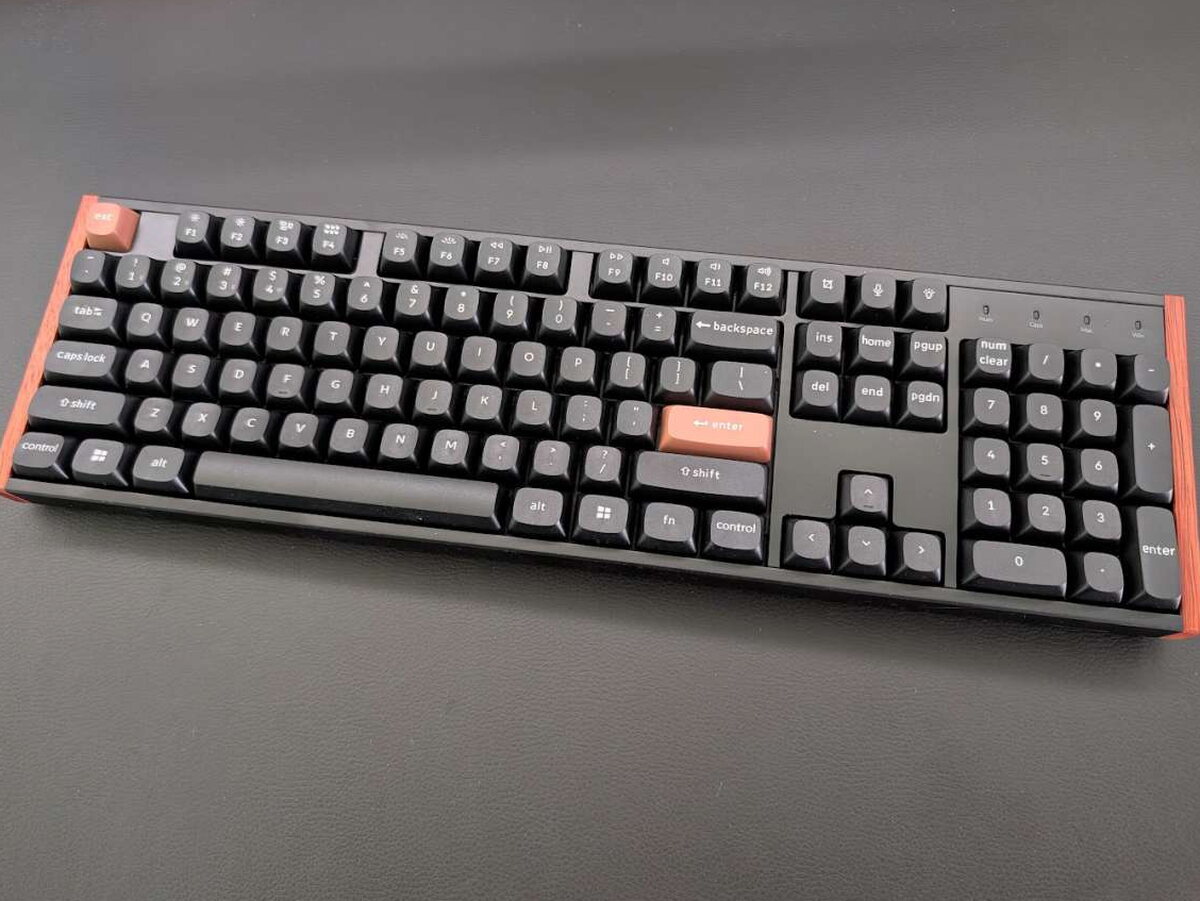

The keycaps are OSA-profile double-shot PBT, textured enough to grip under your fingers, matte enough to shrug off shine after months of use. The typing angle stays comfortable without tipping into aggressive curvature.
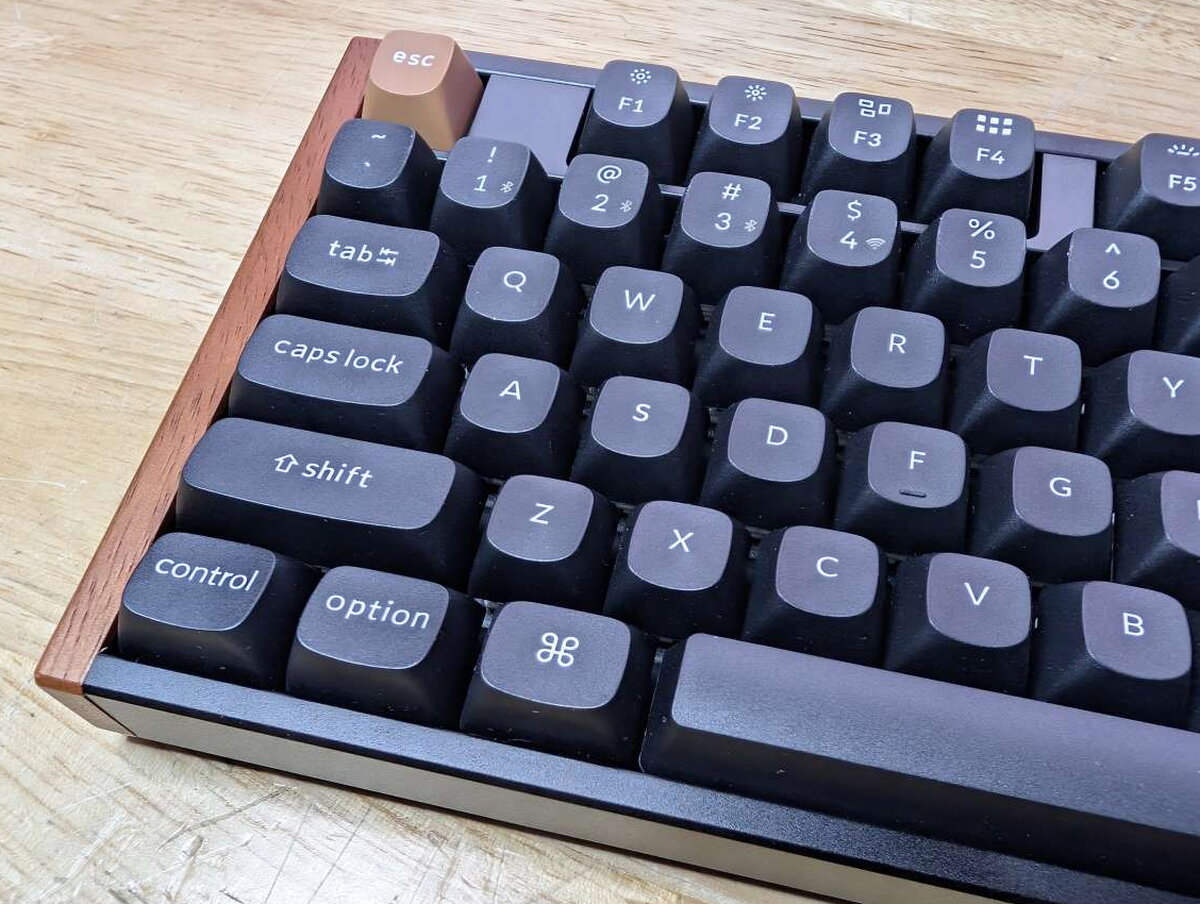
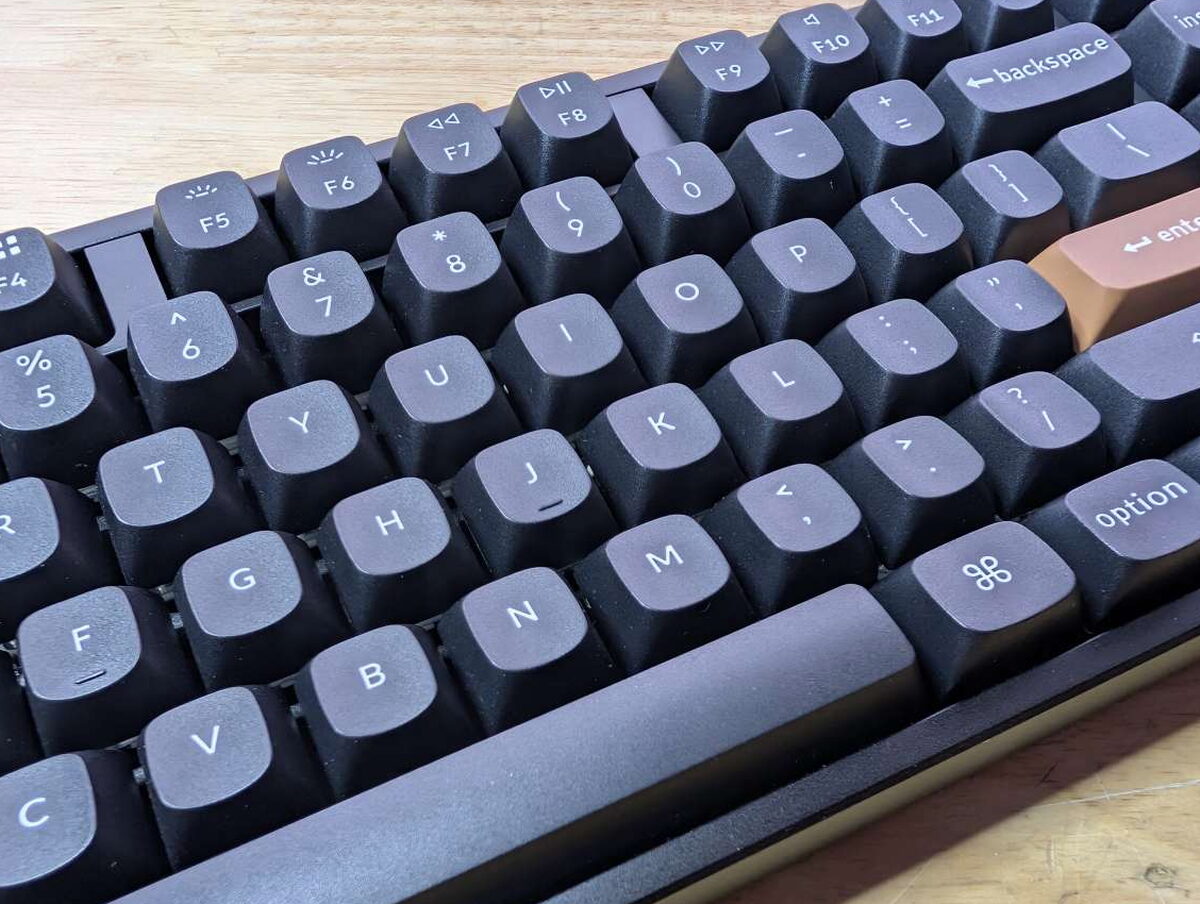
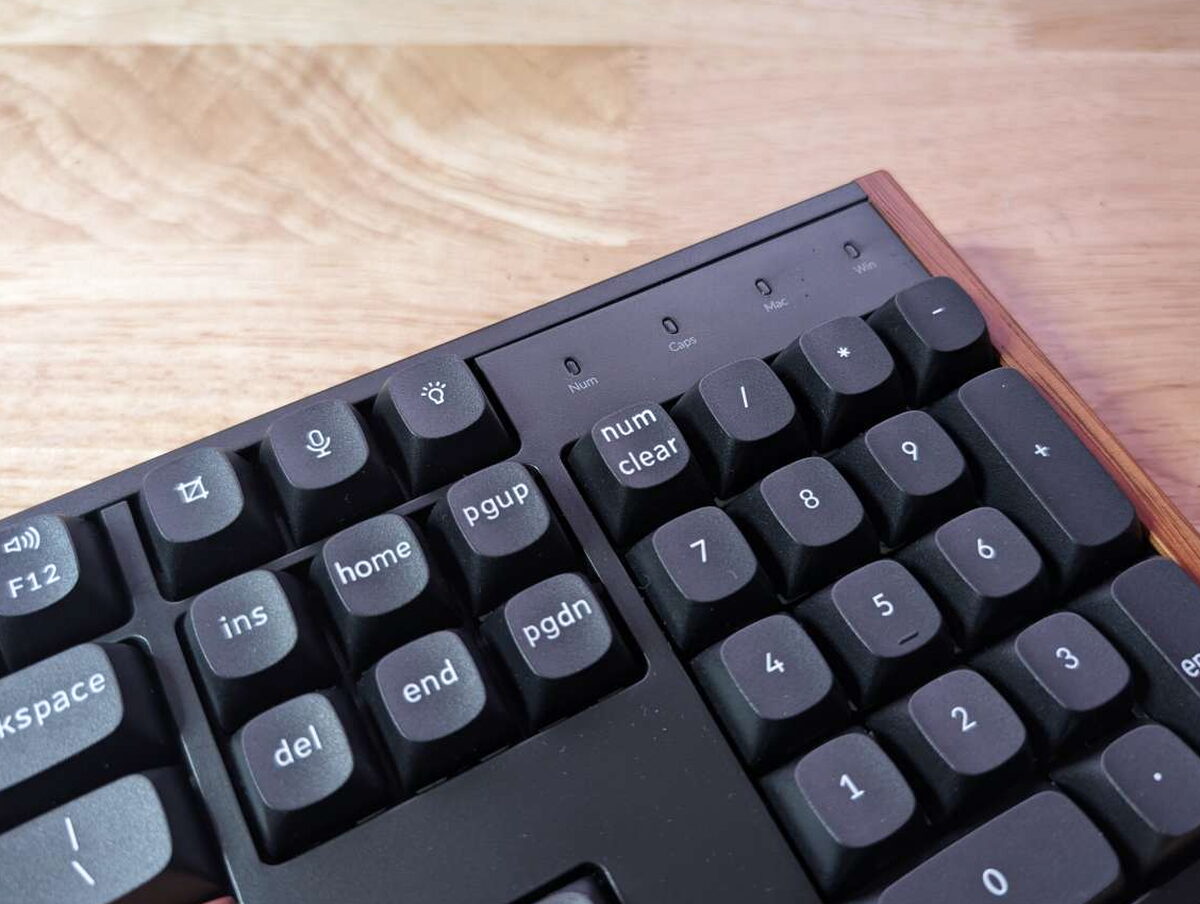
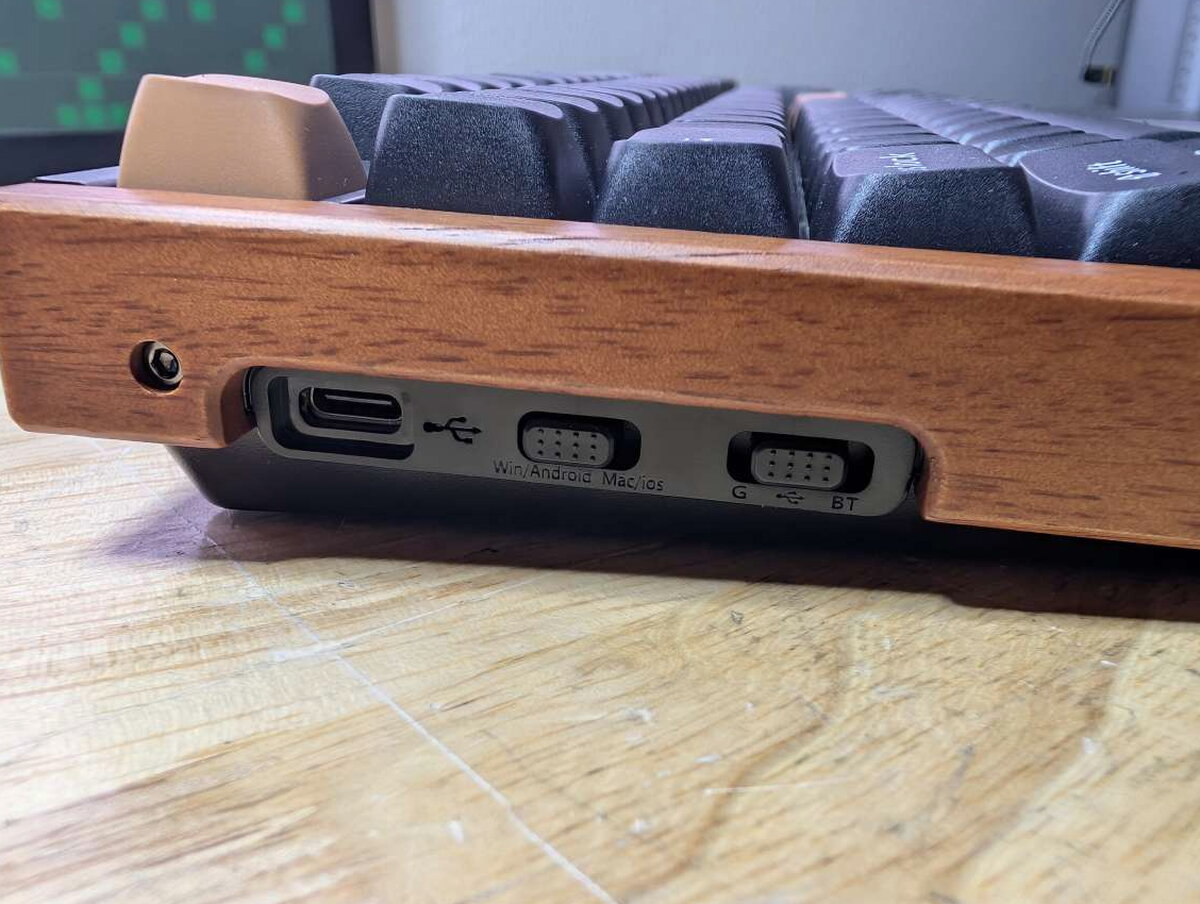
Along the left edge sits a USB-C port and the switch for Windows/Android versus Mac/iOS. The G/USB/BT switch next to it handles the connection mode: 2.4GHz dongle, wired, or Bluetooth.
Flip it over and there are two-level feet that tuck flush into the body when you don’t need them, plus rubber pads at the corners and along the front edge for extra grip on a desk.
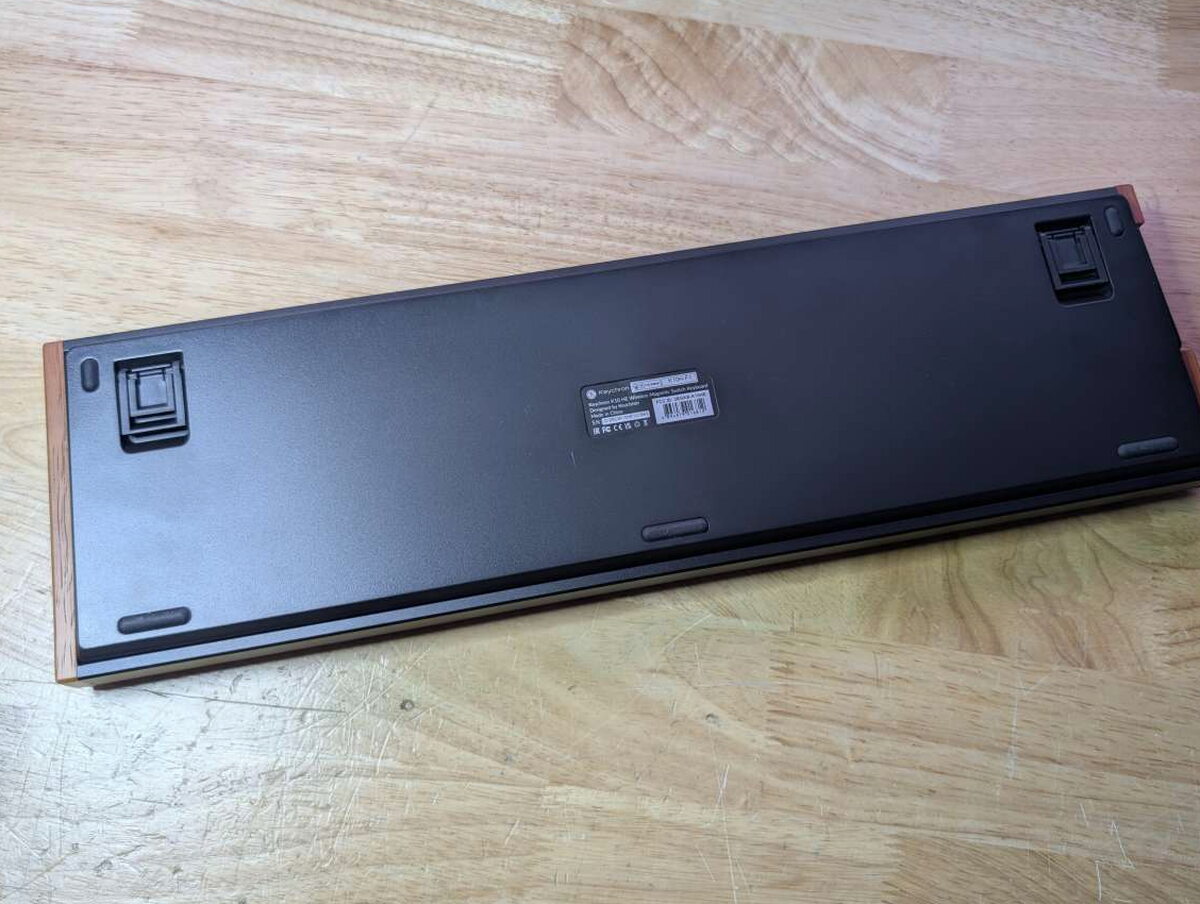

Layered acoustic damping inside, EVA foam, EPDM, and silicone pads, gives the board a soft, “thocky” sound signature. The upgraded stabilizers reinforce the sidewalls around Space, Shift, and Enter, which keeps the big keys from rattling.
Hall Effect Switches Under the Hood
The K10 HE runs Gateron double-rail magnetic switches, which read your keypress through a Hall Effect sensor instead of a physical contact point. That’s what lets you dial in the actuation point per key, anywhere from 0.2mm to 3.8mm, through the Keychron Launcher web app. The same app handles remapping, macros, and RGB, no local software required.
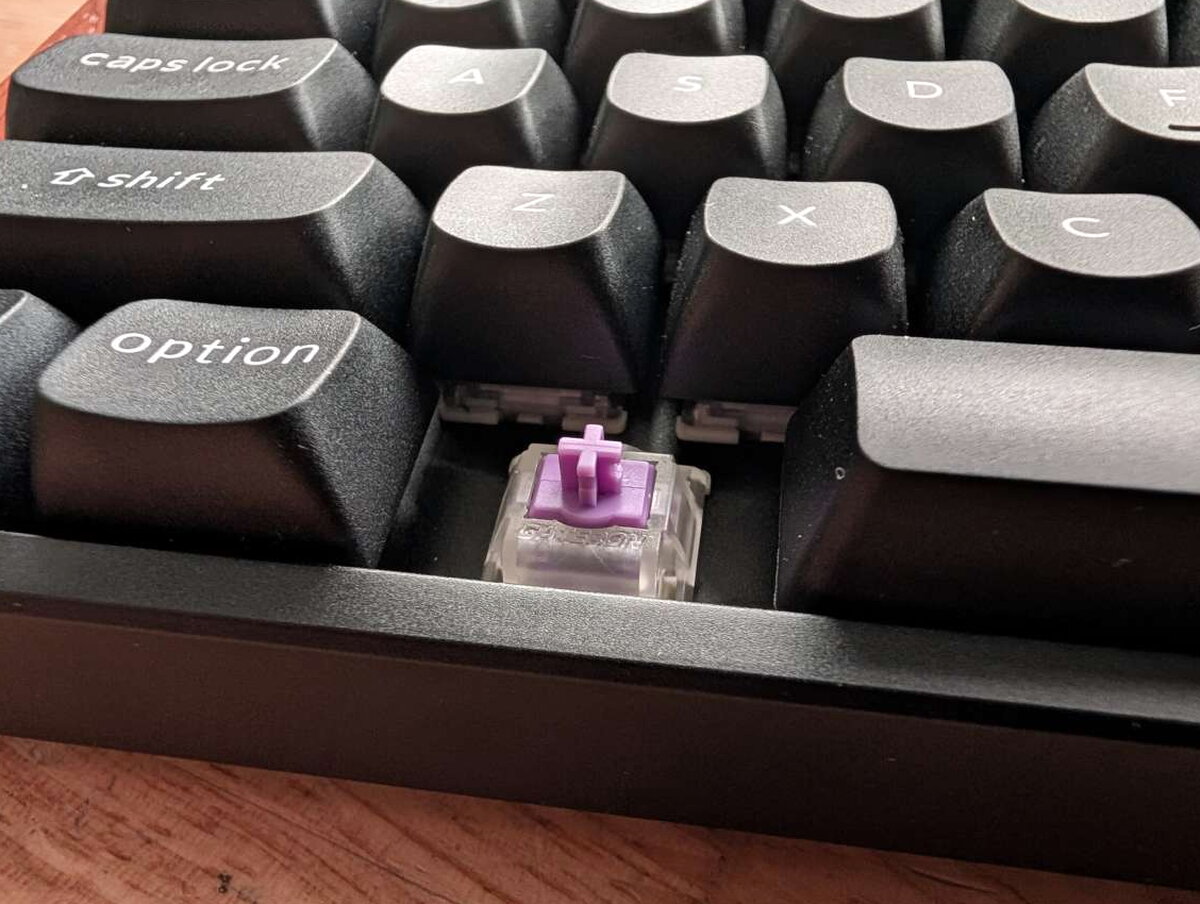
Hot-swapping is limited to compatible Gateron double-rail magnetic switches, but within that constraint it’s painless, the sockets hold tight and switches pop in and out cleanly.
Swapping the Wood Panels
If the rosewood isn’t your thing, or you just want a cleaner silhouette, the included Allen wrench backs out a hidden screw on each side and the panels lift off.

I put mine right back on. It’s a small detail, but it beats the all-black aluminum case look on most of my other boards.
Extra Keycaps and Customization
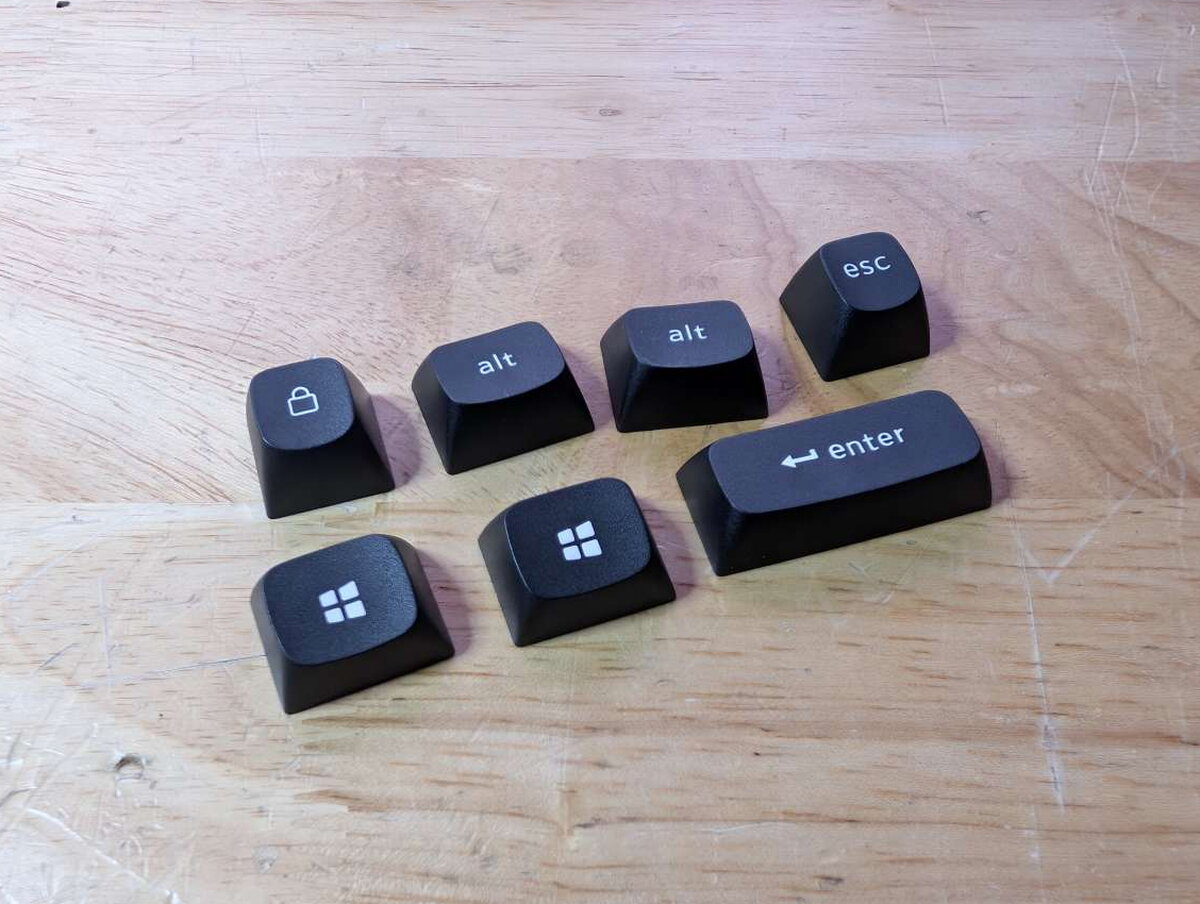
Keychron ships spare keycaps for both platforms, Mac or Windows, plus an extra lock key, so switching operating systems doesn’t mean living with the wrong labels.
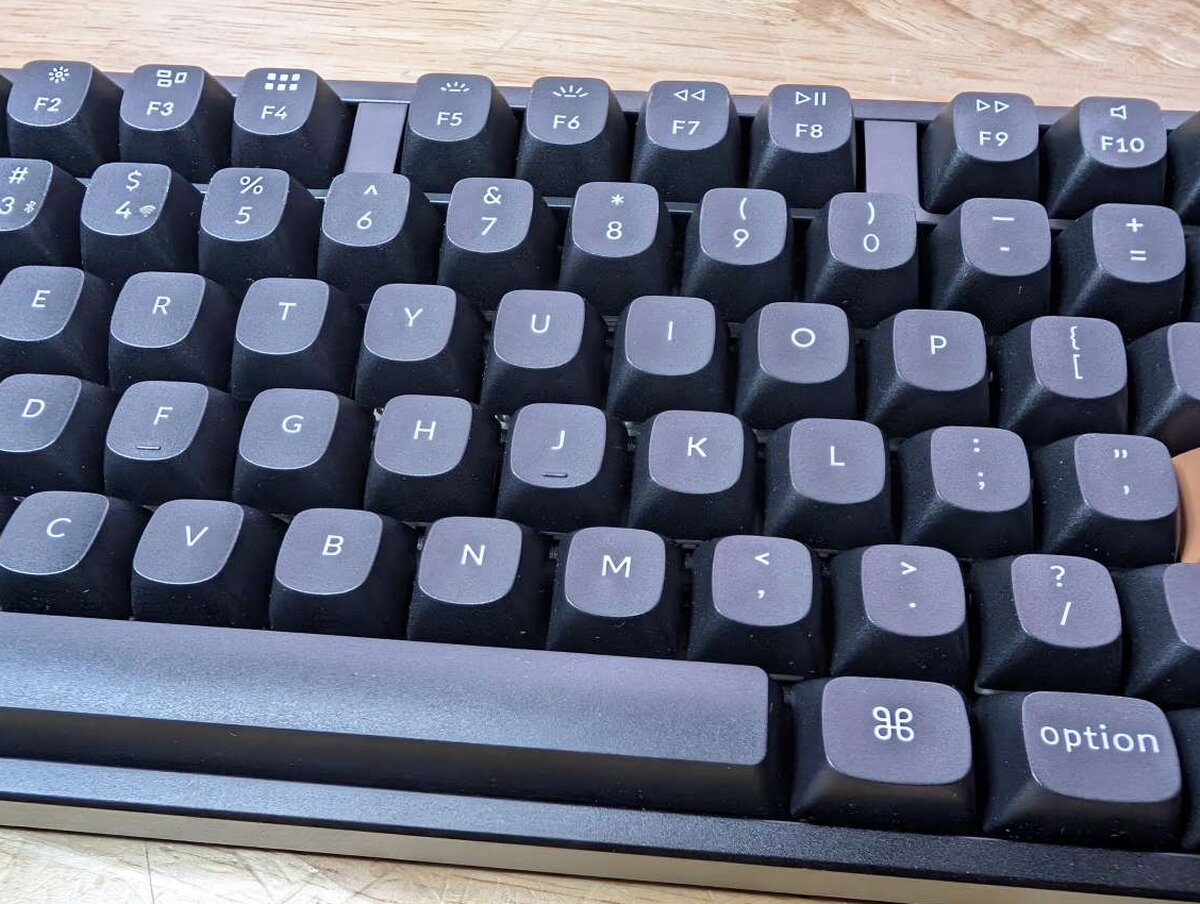
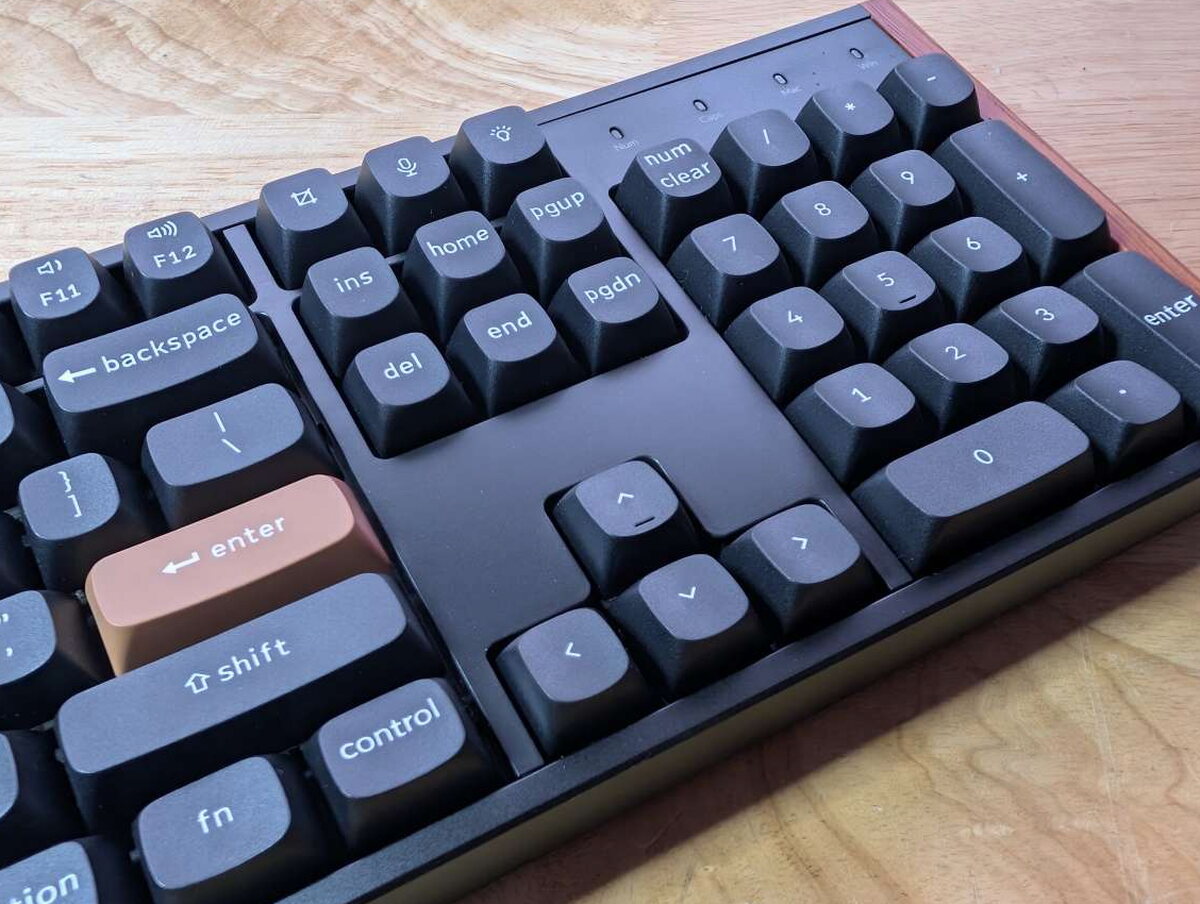
The full-size layout keeps everything you’d expect, and the three keys above the Insert/Home/Page Up cluster are yours to remap to whatever shortcuts you actually use.

Getting Set Up
The K10 HE arrives fully assembled, plug it in over USB-C and start typing, or go wireless with the bundled 2.4GHz dongle or Bluetooth. Switching between wireless modes or paired devices is just a flick of the side switches, and the board holds two layouts onboard so multi-platform use feels less like a chore.

Keychron Launcher Software
The real customization lives in the Keychron Launcher, a browser-based app (Chrome, Edge, or Opera) where you set per-key actuation, flip on Rapid Trigger, Analog Mode, DKS, and Snap Click, remap keys, build macros, and tune the RGB, all without installing anything locally.
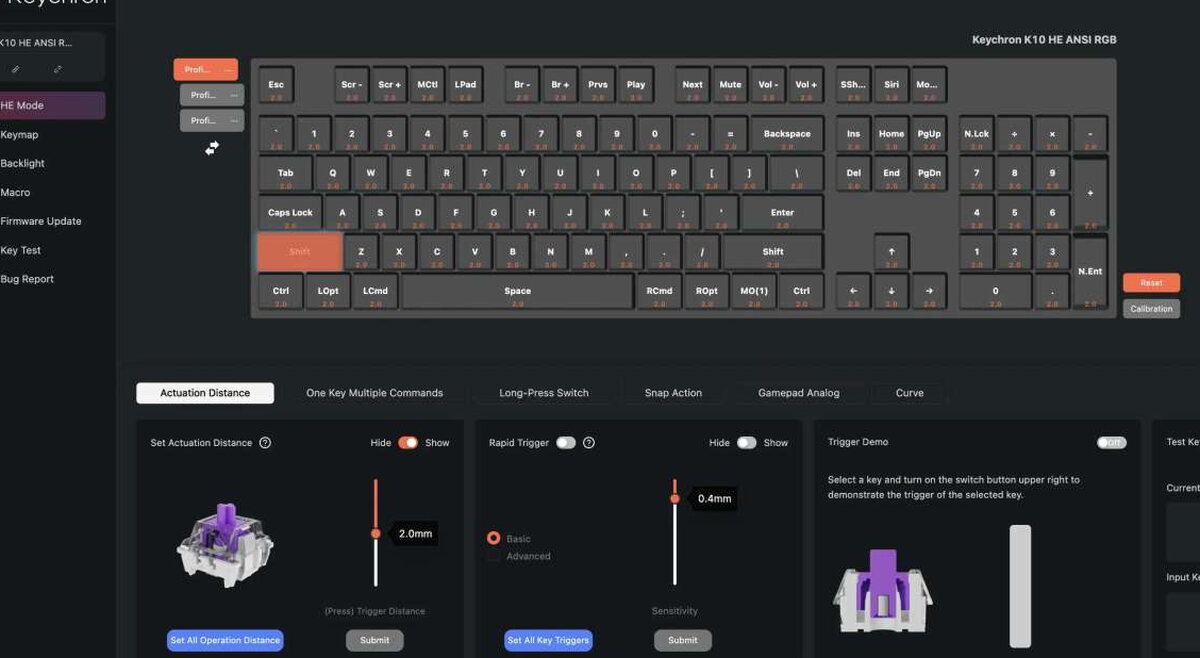
My first stop in any new keyboard’s software is always the most ridiculous RGB profile on offer, and the K10 HE did not disappoint. The tradeoff is battery life, which drops noticeably once you’re running the lights at full tilt.

Living With It
Day to day typing on the K10 HE is smooth and quick. The magnetic switches feel linear and consistent, and the actuation adjustment lets you shape the feel to taste, light and twitchy or firm and deliberate. The sound is the real hook for me, a soft thock that I catch myself enjoying more than I probably should (my officemates have opinions about this too).

Keychron rates the battery at up to 120 hours with the lights off. Running RGB at full brightness the way I do, I was recharging every few days, but charging is fast and you can keep typing through it without any performance hit.
The features that actually separate this from a standard mechanical board show up under load. Rapid Trigger resets a key’s input the moment it starts rising, which means faster repeated inputs for gaming or anything else that rewards quick response. Dynamic Keystrokes (DKS) let a single key fire up to four different actions depending on how far down you press it.
I’m no keyboard-focused PC gamer, but I ran the K10 HE through Call of Duty 6 and came away impressed. Last Key Priority and Snap Click sharpened my strafing by favoring whichever key press was deeper or most recent. Analog Mode, which mimics a controller’s variable input based on press depth, felt better suited to racing or sim titles where throttle control matters more than twitch reflexes.
The Verdict
The Keychron K10 HE Special Edition pulls off something harder than it looks: it feels genuinely thought out, both in how it performs and how it presents itself. The understated rosewood, the advanced Hall Effect switches, the freedom to tune each and every key exactly how you like, none of it feels tacked on after the fact. Setup goes fast, and digging through the customization in the Keychron app is every bit as effortless. Between the build, the feel, and that sound profile I keep coming back to, this is a keeper for me, even as I genuinely run out of shelf space for keyboards. For everything you get in customization, construction, and performance, $144.99 reads like a bargain instead of a splurge.
The Good
- Sleek aluminum design with real rosewood accents
- Easy-to-use Keychron Launcher for deep customization
- Solid 2.4GHz wireless and Bluetooth performance out of the box
Quick Questions
Q: Can the actuation point be adjusted per key on the K10 HE?
A: Yes, from 0.2mm to 3.8mm in 0.1mm increments, through the Keychron Launcher web app.
Q: Does hot-swapping work with any mechanical switch?
A: No, it’s limited to compatible Gateron double-rail magnetic switches only.
Q: How long does the battery last?
A: Up to 120 hours with the backlight off; running RGB at full brightness drains it noticeably faster.
Q: Can the wood side panels be removed?
A: Yes, an included Allen wrench backs out a hidden screw on each side to remove them.
The Not So Good
- Battery life takes a hit with full RGB brightness
- Aluminum body and rosewood accents make it a bit heavy for travel use
- Only supports Gateron double-rail magnetic switches from Keychron
This isn’t the only one I’ve put through its paces. Check The Best Mechanical Keyboards I’ve Tested for the full lineup.
Price: $144.99
Product Link: Keychron
Source: The sample of this product was provided for free by Keychron. Keychron did not have a final say on the review and did not preview the review before it was published.


