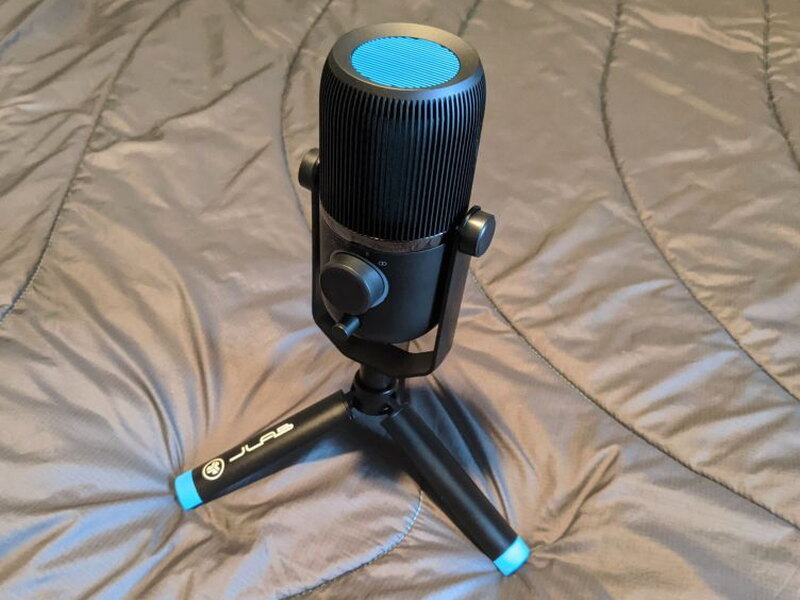
REVIEW – With so much of the country’s workforce shifting to a work-from-home setup, tools that make that easier have been in great demand. My own work-from-home rig was seriously lacking on the audio side. Having to strap on a headset for all of the never-ending video and audio chats was a huge pain, and so was keeping my Bluetooth headset charged. On top of that, the audio quality going in and out was never particularly good. Picking up a solid, high quality USB microphone felt like a no-brainer. The JLAB Audio Talk USB Microphone covers all of my work-from-home needs, and at $99 it is quite affordable. The build quality is great for video and audio chats, but some issues with the gain will keep me from using it for any high end audio tasks like music recording.
The Talk is a desktop-style microphone packing three condensers and a 96kHz sample rate, sitting at the intermediate level of JLab Audio’s Talk Series.
What’s in the Box
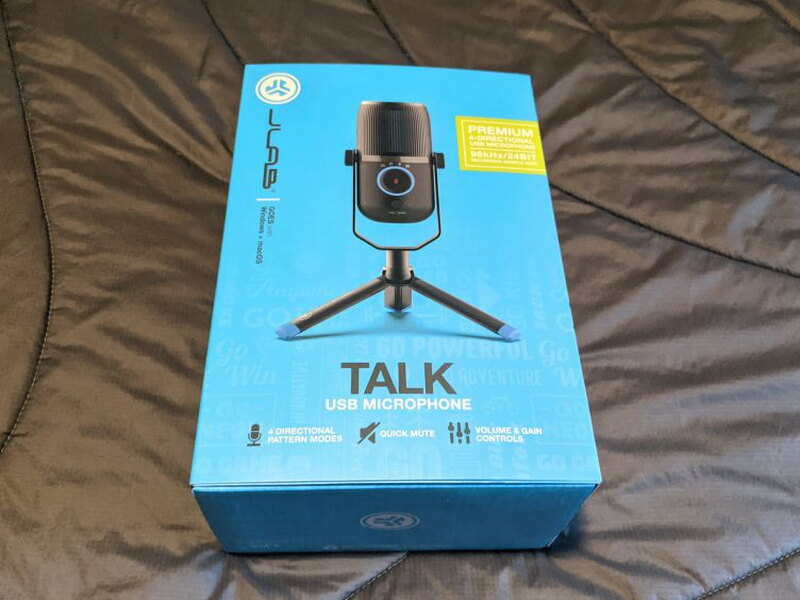
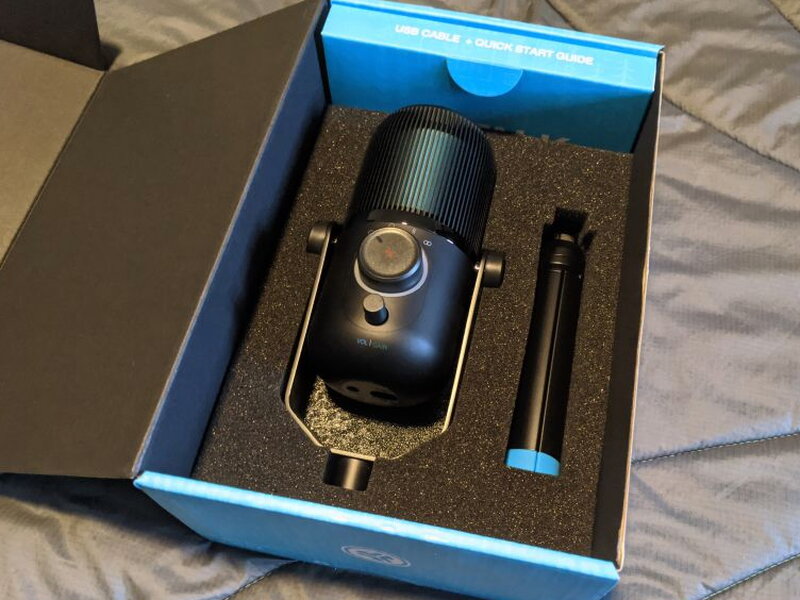
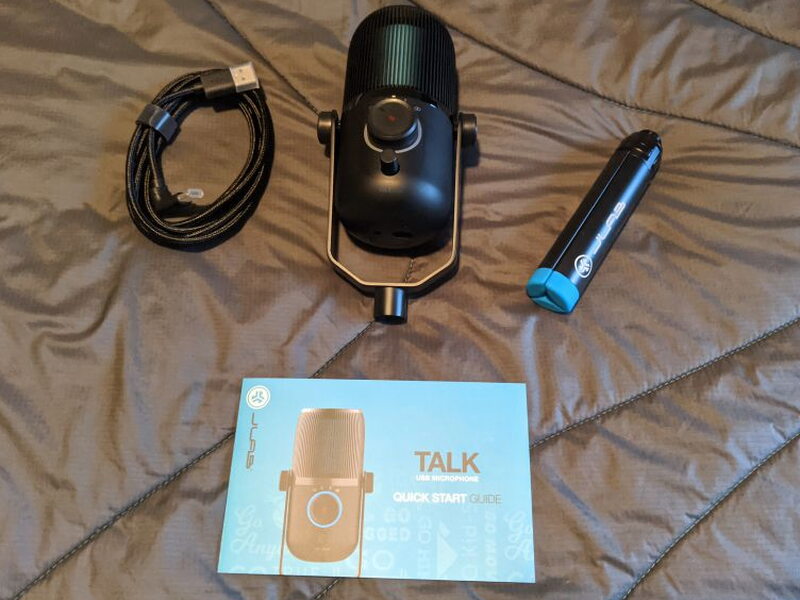
- Talk Microphone
- 6.5ft USB / USB-C braided cable
- Folding Tripod
- Quick-start Guide
By the Numbers
- Microphone Type: Desktop USB
- Condensers: 3 x 14mm condenser capsules
- Directional Patterns: Cardioid, Omnidirectional, Stereo, and Bidirectional
- Controls: Volume Control, Gain Control, and Quick Mute
- Cable: 6.5ft USB / USB- C braided cable
- Transducer Type: Condenser, Pressure Gradient with USB digital output
- Frequency Response: 20Hz – 20kHz
- Max SPL: 120DB
- Sample Rate: 96k
- Bit Depth: 24
- Weight (Microphone Body):.47 lbs
- Weight (Microphone with stand):.91 lbs
- Dimensions: 135 x 70 x 63mm
- Dimensions with tripod position: 235 x 195 x 195mm
- Compatibility: Windows: 7,8,10 and Mac: 10.10 or higher
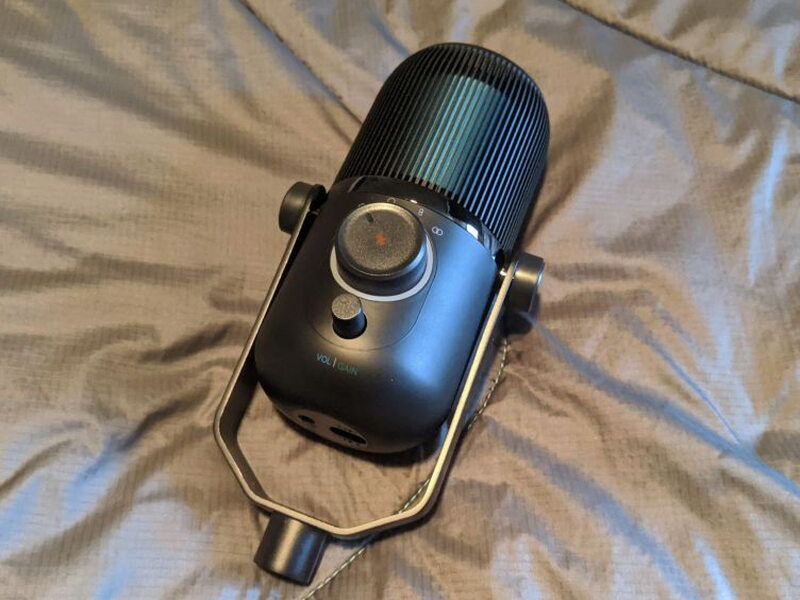
Design and Build
Straight out of the box, the Talk looks and feels like a high-quality piece of audio gear. The styling and color are very sleek and attractive, a muted grey body with bright blue highlights. I love having it on my desk.
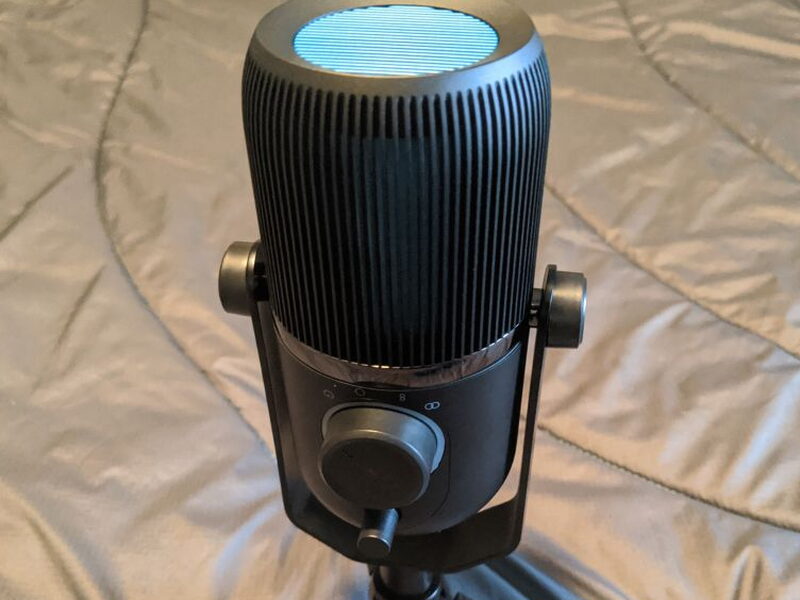
The mic fins feel like standard aluminum, while the body seems to be molded plastic.
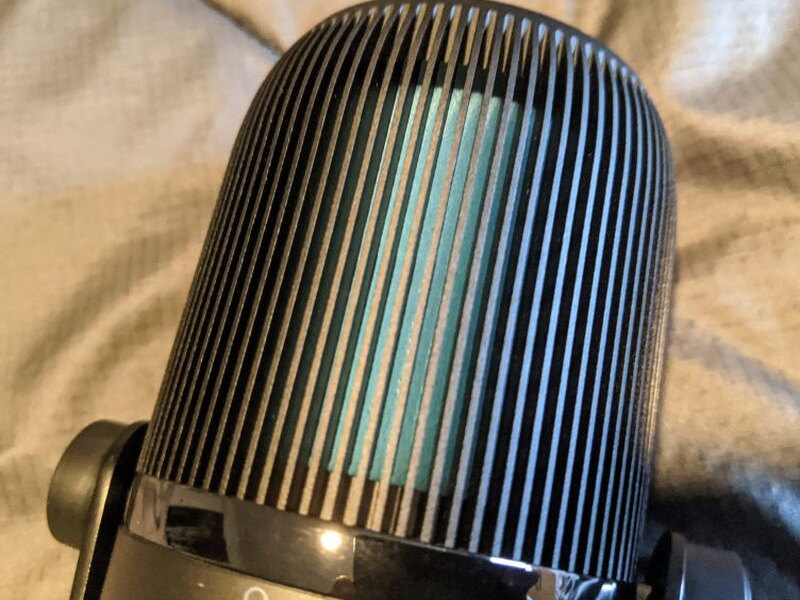
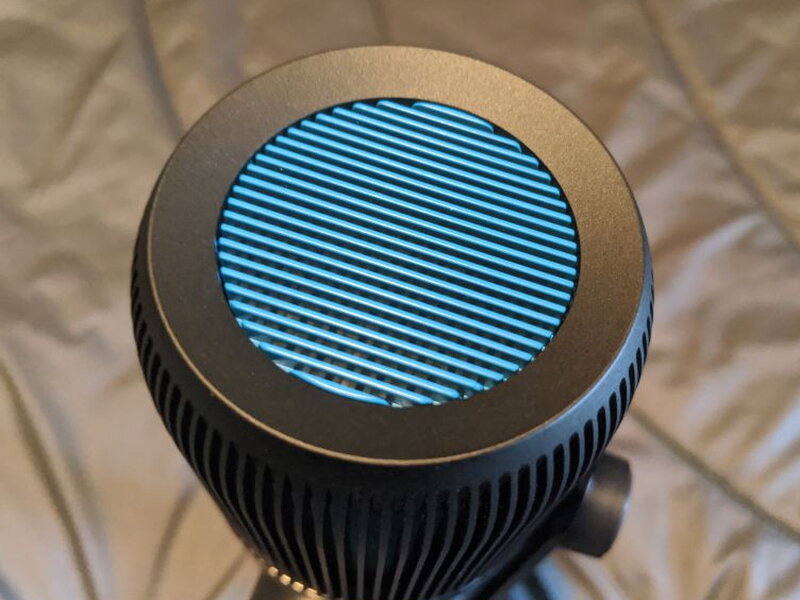
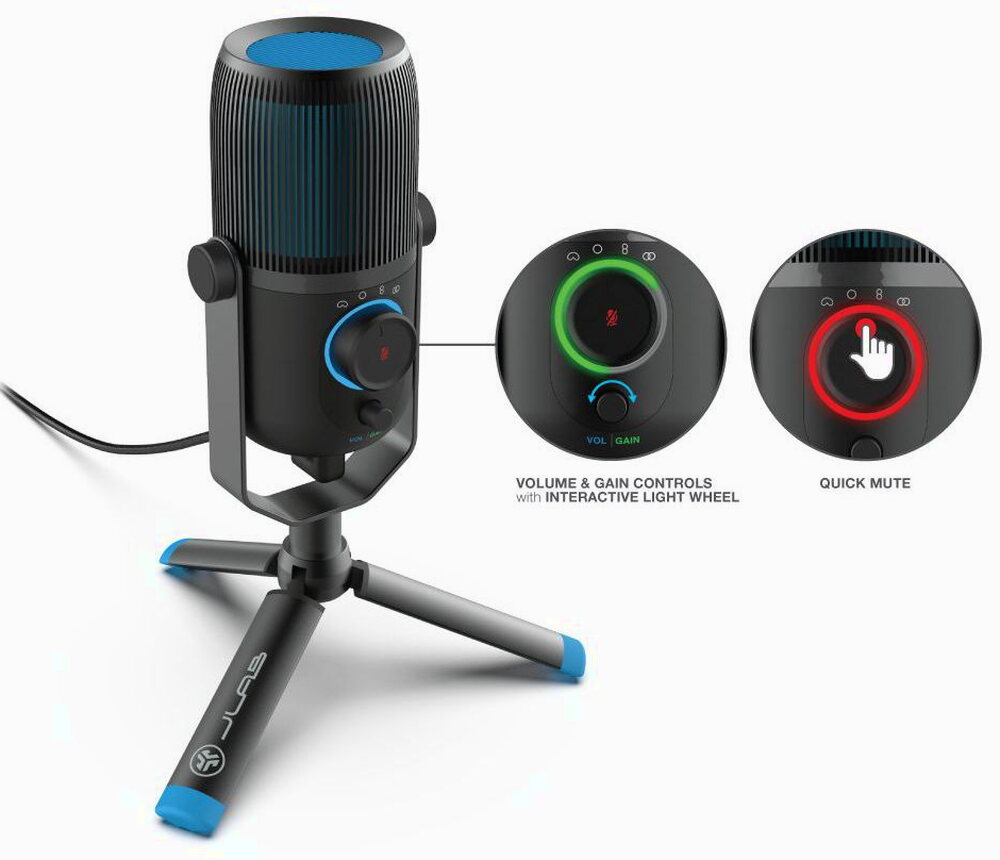
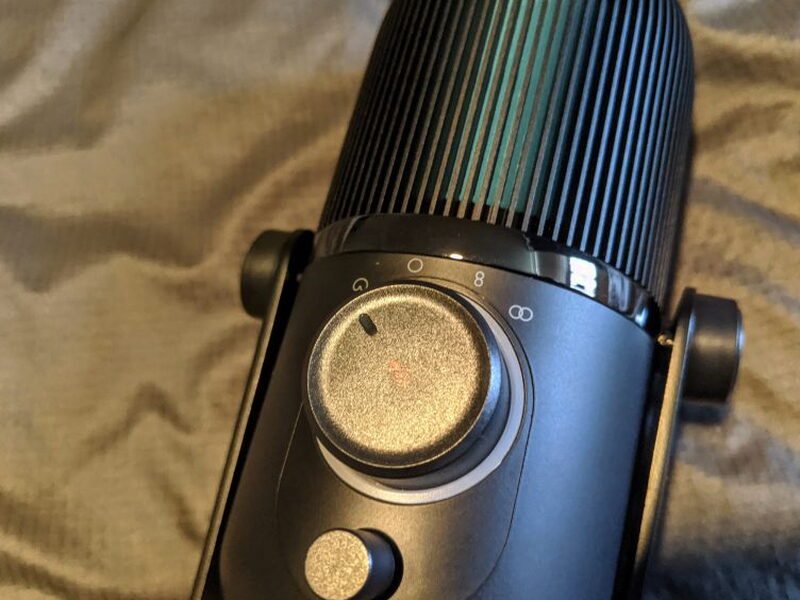
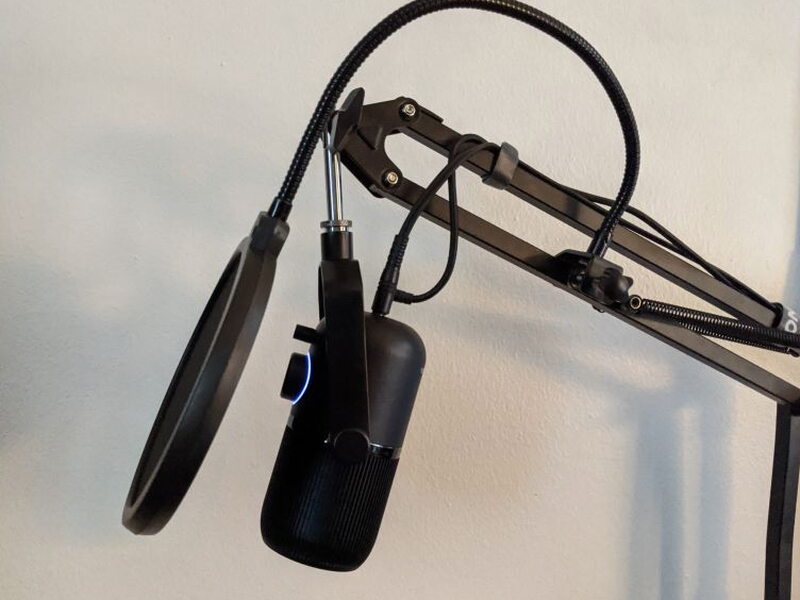
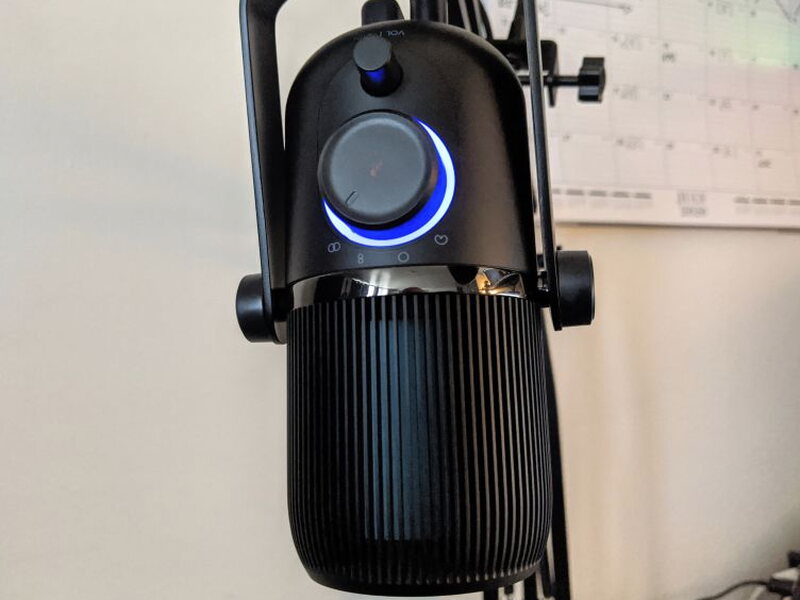
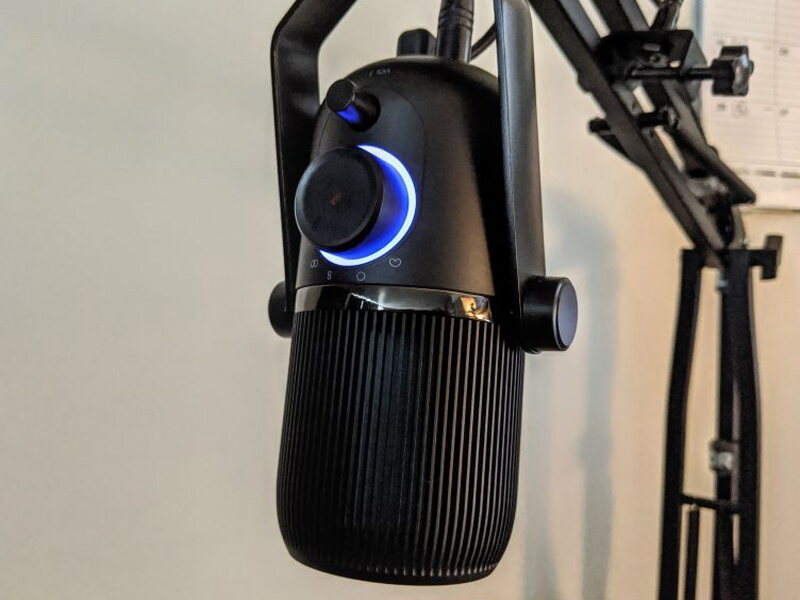
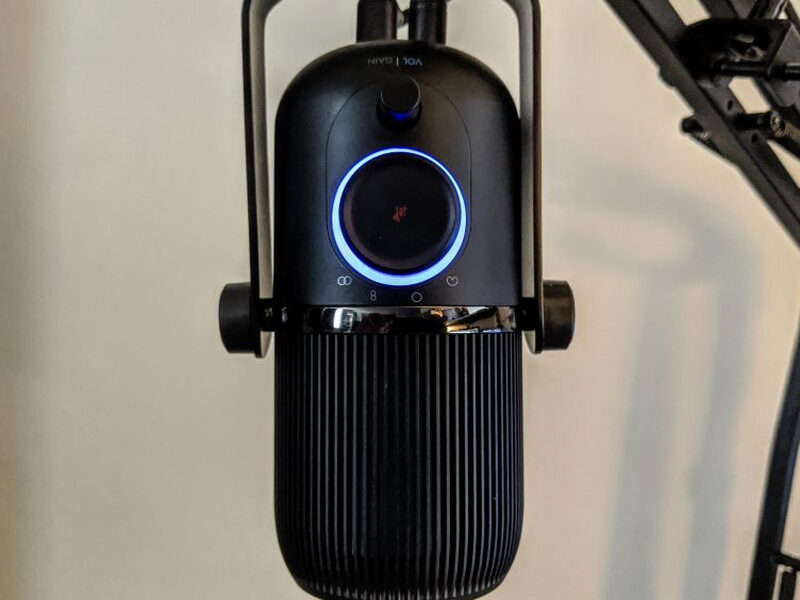
There are two dials on the front of the Talk. The large dial picks the mic’s directional pattern and doubles as a quick mute button, while the smaller dial handles both volume and gain, flipping between the two when you click it in.
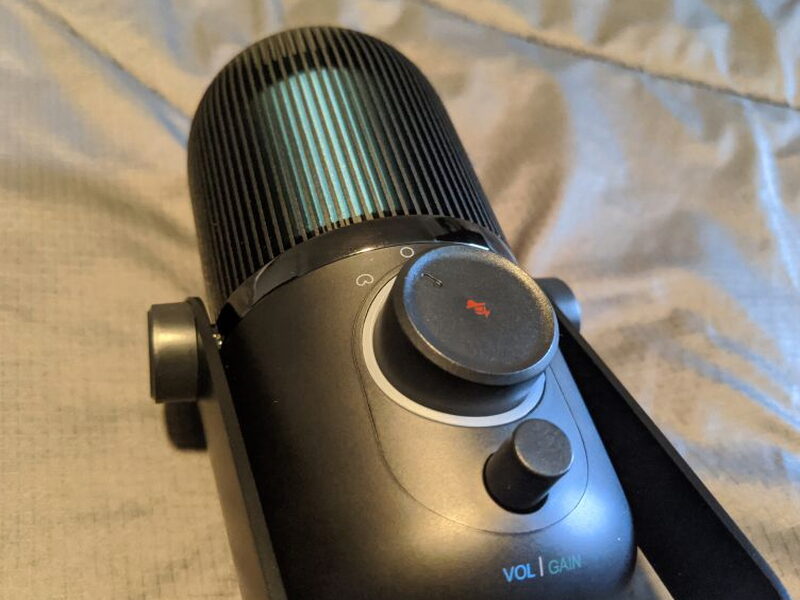
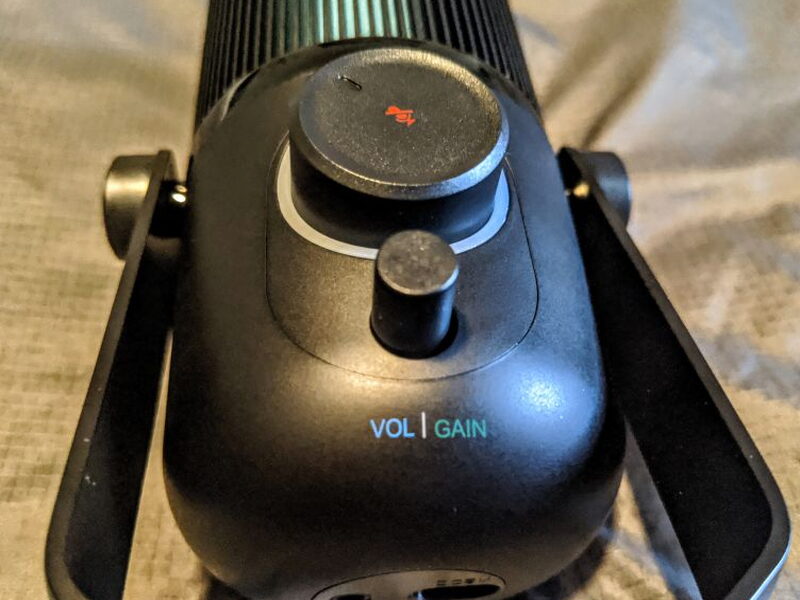
Circling the large dial is an LED ring that glows blue for volume, green for gain, and red for mute, showing the level currently set. It would be nice if the directional pattern options printed over the ring lit up too, since they’re very hard to see in low light.
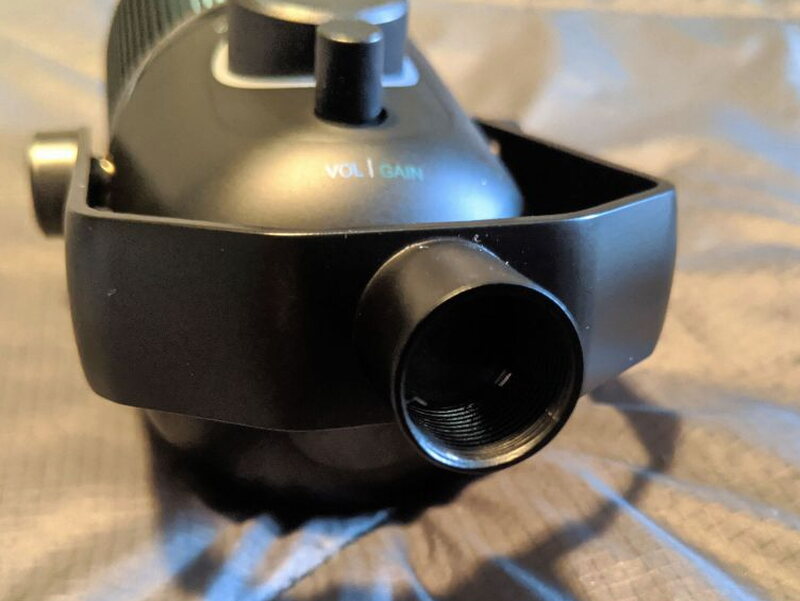
Both of the Talk’s inputs sit on the bottom of the microphone, a USB-C connector and a 3.5mm headphone jack. I found having the inputs under the mic to be a hassle. With the Talk in its stand, there’s barely any clearance for the cables.
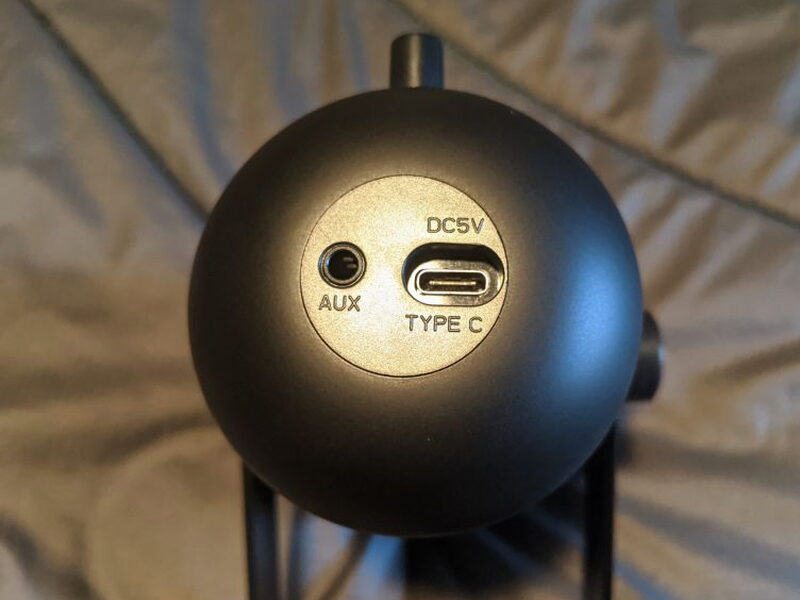
The included braided USB to USB-C cable conveniently has a 90-degree head to work around the clearance problem, but not all headphones offer that.
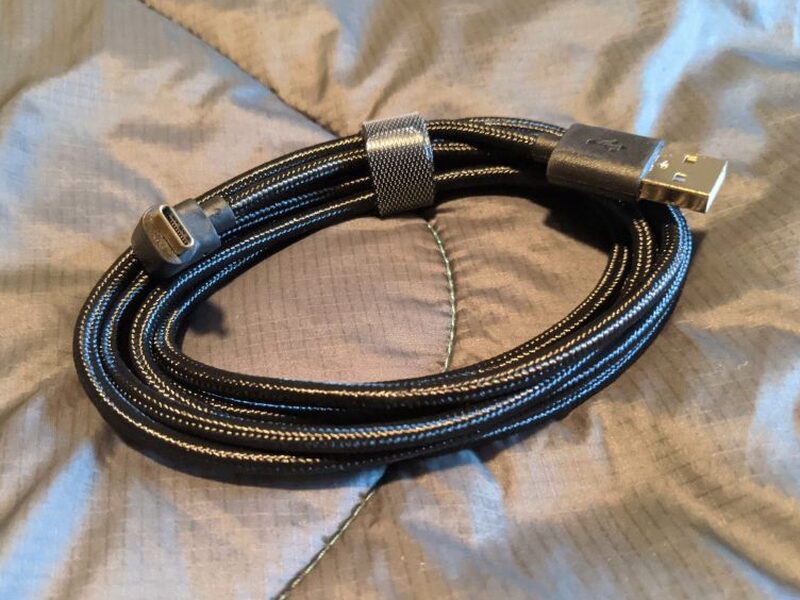
The Tripod and Stand
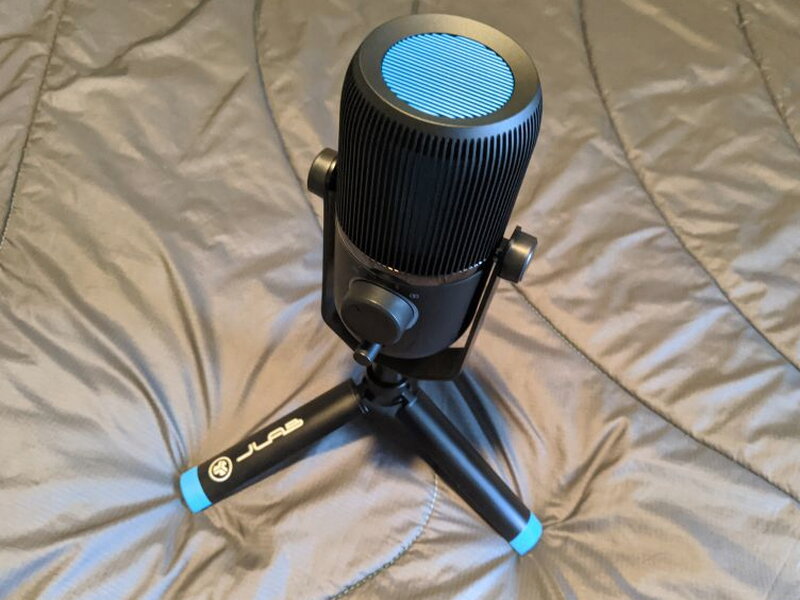
The Talk also comes with a very cool little folding tripod. I really like it for how portable it is, and before I moved my Talk to a telescoping mount, I used it a lot.
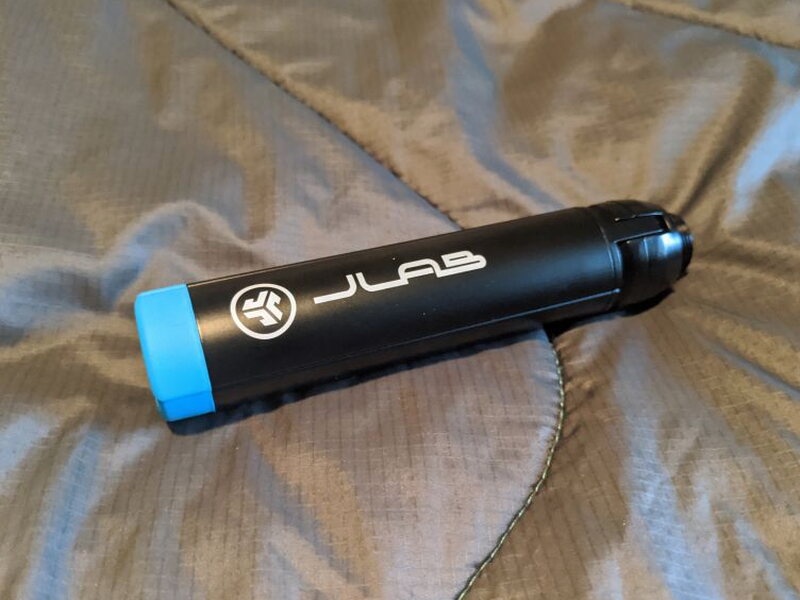
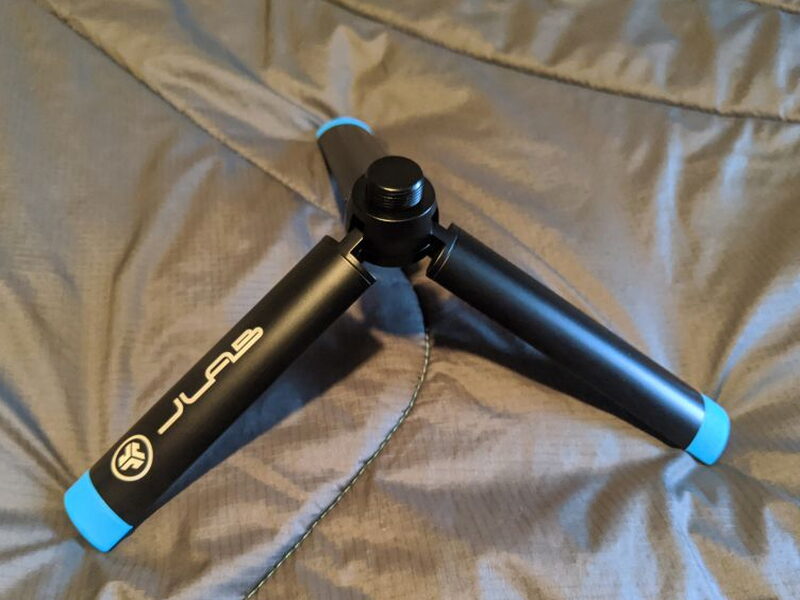
It uses a standard 5/8″ thread that mates perfectly with the included swivel stand.
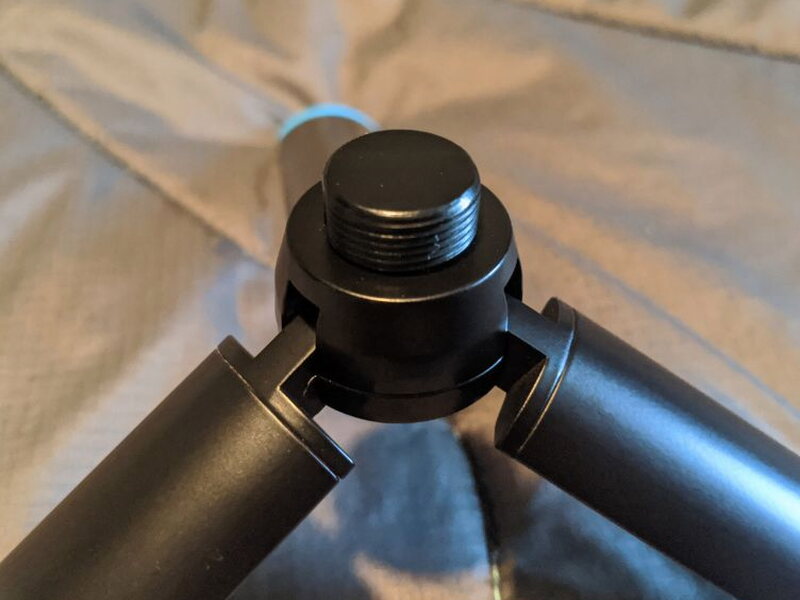
The swivel stand works fine, apart from the cable clearance issue, and you can lock it down with the knobs on either side.
Setting It Up
Setting up the Talk was fairly easy. My setup is for a PC, but the Mac process is very similar. Once the Talk was on the swivel stand and tripod, I connected the USB to USB-C cable to the Talk and to my PC. On the PC, the manual tells you to go into Control Panels, pick Sound, and then choose the Talk for both Recording and Playback. Once I plugged my headphones into the Talk too, I could hear my own voice coming through the mic.
The only other setup step is choosing the mic’s directional pattern: Cardioid, which is most sensitive at the front and least at the back; Omnidirectional, with equal sensitivity from every angle; Stereo, which records across both the left and right channels; and Bidirectional, which grabs sound from the front and back but not the sides.
Living With It
Once the Talk was set up right, I started testing it and using it regularly in my video and audio chats for work. To make things easier, I moved it to a telescopic mic stand clamped to my desk. The universal 5/8″ mount on the end of the swivel made connecting it a breeze.
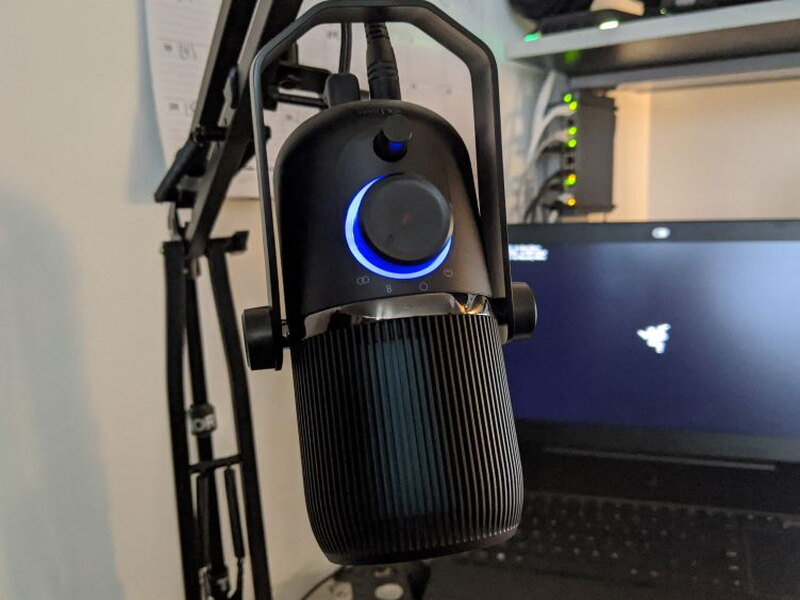
I still ran into some issues with how little clearance there was under the swivel stand for my headphone plug, but keeping the Talk at an angle mostly fixed it.
Across all my testing, the Stereo directional pattern gave the best sound quality, though I do have to keep the gain cranked almost all the way up to get consistently good sound.
The quick mute button comes in handy now and then, but I don’t find myself touching the dials very often. Even with the gain maxed out, the Talk’s quality still beats my laptop’s internal mic or the mic on my work headset.
I’ve included three sample recordings from the Talk: one in Stereo at 50% gain, one in Stereo at 75% gain, and one in Stereo at 100% gain.
I played around a bit with using the Talk to record some basic audio music tracks, but found the quality quite poor because of the gain issue. For video and audio chat, plus podcasting, the quality is pretty good, especially for an intermediate mic at this price.
The Good
- Easy to set up
- Great build quality
- Affordable
The Not So Good
- Have to keep gain set very high
- Inputs under mic difficult to use
- Dial options hard to see in low light
Quick Questions
Q: Does the gain need to be turned up high for good sound?
A: Yes, the gain has to be kept almost all the way up to get consistently good sound.
Q: Is it good enough for music recording?
A: No, the gain issue makes it a poor choice for music recording, though it’s solid for video/audio chats and podcasting.
Q: How many directional pickup patterns does it offer?
A: Four: Cardioid, Omnidirectional, Stereo, and Bidirectional.
Q: Is there enough cable clearance under the mic on its stand?
A: Not much. The USB-C and 3.5mm ports sit on the bottom, and the included cable’s 90-degree connector helps but headphone cables can still be a tight fit.
The Verdict
The JLab Audio Talk USB Microphone is a really solid addition to any work-from-home or podcasting setup. For the mic quality, the included tripod, and the braided cable, the price is very affordable. I was a little let down by the low gain, which I have to keep cranked way up to use effectively. That lower audio quality will steer me away from using the Talk for any music work, but despite its flaws, the $99 Talk does its job perfectly, replacing my laptop’s mic for video chats and podcasting.
Price: $99.00
Product Link: JLab Audio
You can also pick it up at Dell for $49.99, Newegg for $62.55, and Walmart for $69.99.
Source: The sample of this product was provided by JLab Audio


