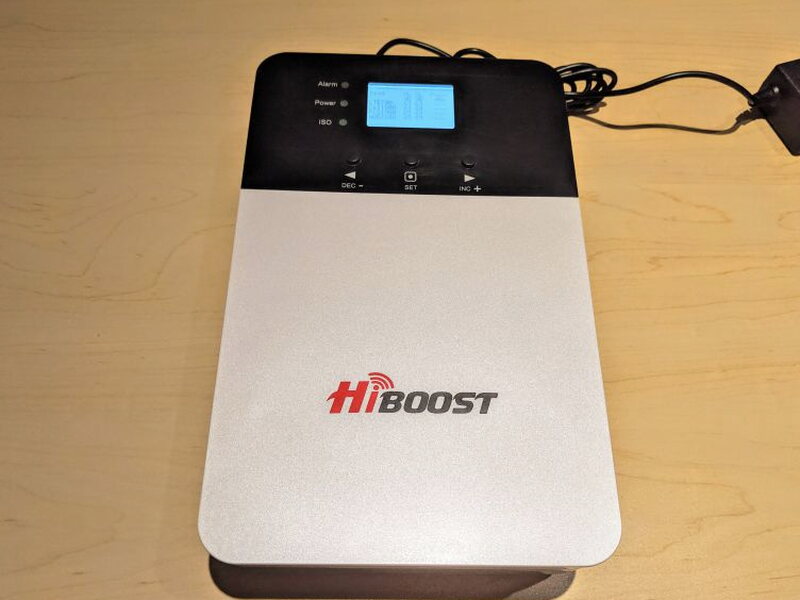
REVIEW – The HiBoost 4K Plus Signal Booster is meant for the frustrating kind of place where your phone technically has service, but not enough to be useful. It will not create reception out of nothing, so you still need at least a weak outdoor signal. If that is what you have, this $429.99 booster can make a dramatic difference. In my test location, a 600 sq ft apartment known for awful cellular reception, it took a barely usable signal and turned it into something much stronger.
What the HiBoost 4K Plus is designed to do
This is a heavy-duty cell phone signal booster for homes or businesses with weak reception. HiBoost says it works with every carrier in the US and Canada, and it supports 4G LTE, 3G and 2G signals. The idea is simple: mount an antenna where the signal is better, run that signal through the booster, and rebroadcast the improved signal indoors.
The important limitation is worth repeating because it matters. A booster cannot help if there is zero cell signal available at the installation site. It can strengthen a small signal, but it cannot invent one.

The kit arrived well protected, with the parts held in molded packing material rather than loose in the box.

Box contents
Inside the package, HiBoost includes the main components needed for installation:
- HiBoost 4K Plus Signal Booster
- Outdoor Antenna
- 50ft Low-loss Outdoor Antenna Coaxial Cable
- Power Supply
- Antenna Mounting Hardware
- Signal Booster Mounting Hardware
- Instruction Manual

Specifications
- Working Bands: 69-716 / 776-787 / 824-849 / 1850-1915 / 1710-1755
- UL Frequency Range: 728-746 / 746-757 / 869-894 / 1930-1995 / 110-2155
- DL Frequency Range: Band 12 / Band 13 / Band 5 / Band 25-2 / Band 4
- Supported Standards: CDMA, WCDMA, GSM, EDGE, HSPA+ EVDO, LTE
- Yagi Antenna Gain: 11 dB
- Built-in Antenna Gain: 6 dB
- Maximum Gain: 65 dB
- Maximum Coverage: 1,000-4,000 Sq Ft
- Maximum Output Power: DL 10 dBm
- MGC (Steo Attenuation): > 25 dB / 1 dB step
- I/O Port: N-Female
- Impedance: 50 ohm
- Environment Condition: IP40
- Dimensions: 6 in x 9.7 in x 1.4 in / 152 mm x 246 mm x 36 mm
- Weight: 5 lb / 2 kg
- Power Supply:
- Input: AC 100-240 V, 50 / 60 Hz
- Output: DC 12 V / 3 A
Main unit design
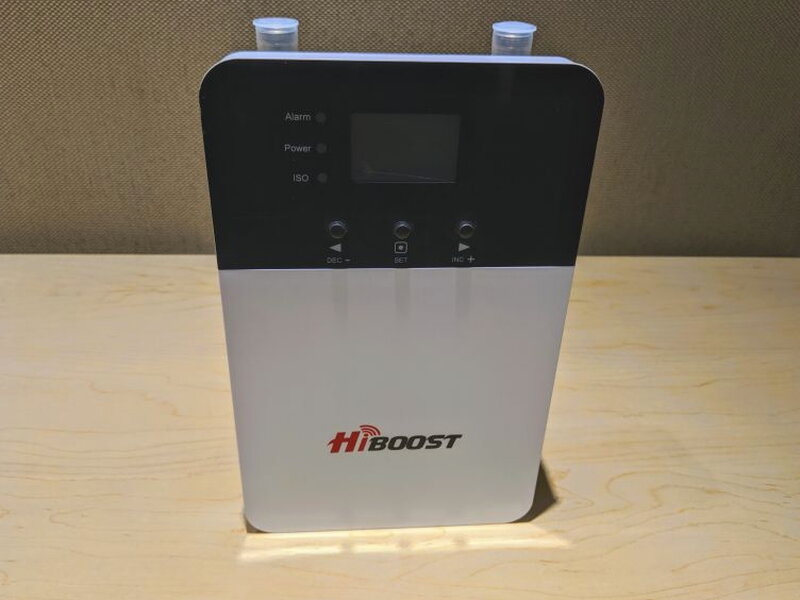
The booster has more heft than the photos suggest. The back chassis is aluminum, which also acts as a heat sink, while the front uses glossy plastic around the backlit LCD screen. The built-in indoor antenna is part of the unit, and HiBoost rates the coverage at 1,000-4,000 sq ft depending on the available outdoor signal.

Three buttons below the screen let you move through status pages and adjust antenna gain. The LCD gives real time signal information and troubleshooting details, so you do not have to rely only on a phone app during setup.

The display groups the important information into columns. Band shows which frequency bands are active. UL and DL show real time uplink and downlink gain. Power shows the real time downlink power being sent to the indoor antenna port.

On the left side of the display are three quick status LEDs. Alarm indicates whether the unit is operating correctly. Power confirms that the power supply is connected and working. ISO warns about feedback or oscillation, which can happen when the indoor and outdoor antenna signals interfere with each other.

Two more LEDs near the bottom light up when the booster is connected to WiFi and/or a Bluetooth device.

The ports along the top include the outdoor antenna connection, the DC power input, and two optional indoor antenna ports. There is also a USB port, though the instructions did not explain what it is for.

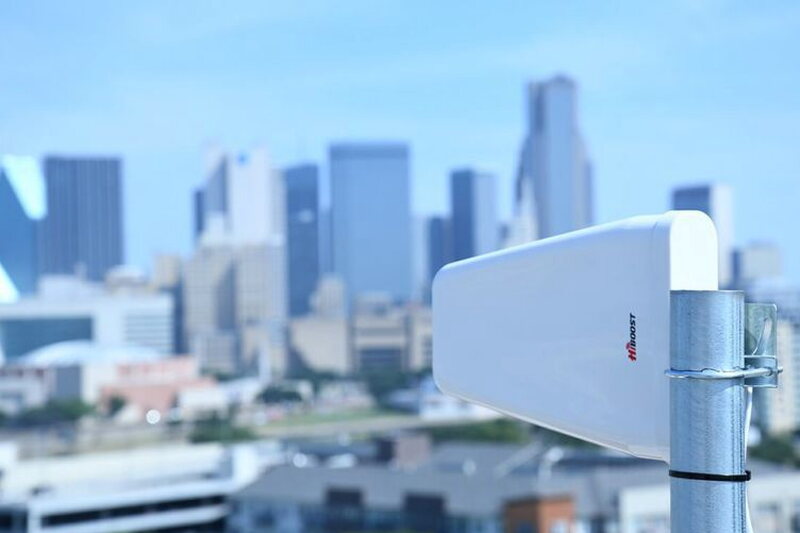
The outdoor antenna is lightweight plastic and connects to the included 50ft Low-loss Coaxial Cable.

Once the antenna cable is routed indoors, the other end attaches to the Outdoor port on the booster.

Installation and aiming
Getting the HiBoost 4K Plus running is not a one step process. The most time-consuming part is choosing and mounting the Outdoor Antenna. For best results, that antenna should be installed on the roof of the home or building where the booster will be used.

The antenna has exterior bolts that attach to the included mounting hardware.
HiBoost offers two practical ways to aim it. The first is the HiBoost Signal Supervisor app, which can help locate the strongest signal while you move the antenna. The same Signal Supervisor App can connect the main unit to WiFi for remote signal monitoring, and it can pair your phone to the booster over Bluetooth to assist setup.
In my case, the app helped, but it was a little hit or miss. I ended up using the app first, then confirmed the direction by having one person watch the main unit’s LCD while another adjusted the antenna on the roof and listened for the signal readings.
Performance in use
HiBoost rates the 4K Plus for 1,000-4,000 sq ft, with the real result depending on outdoor signal strength. My apartment is only 600 sq ft, so the coverage area was not a challenge for this unit. The challenge was the building itself, which is known for terrible reception. Once the booster was installed and powered on, the improvement was immediate and substantial.

According to the HiBoost Signal Supervisor app, each of the different cell bands improved into the “super” range.

I also checked with a third party cell signal measurement app. Before installing the booster, my signal hovered in the low -108dBm range.

After the HiBoost 4K Plus was installed and turned on, the reading improved to -71 dBm. That is a huge jump, and it matched what I saw in everyday use.
What worked well
- Bluetooth and WiFi connectivity made setup easier
- Works very well once setup is completed properly
- LCD display helpful for status
What could be better
- Companion app could be better
- Finding correct orientation for antenna can be difficult
- Needs more detailed instructions

Quick Questions
Q: Can it create cell signal where there’s none at all?
A: No, it can only amplify an existing weak signal; it cannot invent signal where there isn’t any outdoors to begin with.
Q: How much did signal strength improve in testing?
A: From about -108 dBm before installation to -71 dBm after, measured with a third-party signal app.
Q: What’s the maximum coverage area?
A: 1,000 to 4,000 square feet, depending on the strength of the available outdoor signal.
Q: Does it require professional installation?
A: Not necessarily, but aiming the outdoor antenna correctly took real trial and error, using both the companion app and a second person watching the unit’s LCD for signal readings.
Final verdict
The HiBoost 4K Plus Signal Booster does exactly what I hoped it would do: it takes a weak but present cell signal and makes it far more usable indoors. Setup takes patience, especially when you are trying to find the best direction for the outdoor antenna, and the instructions could be more detailed. Once dialed in, though, it worked without trouble. The $429.99 price is not small, but if bad reception keeps you from using your phone at home or work, the performance can make that cost feel justified.
Price: $429.99
Product Link: HiBoost
You can also grab it at Walmart for $449.99.
Source: The sample of this product was provided by HiBoost.


