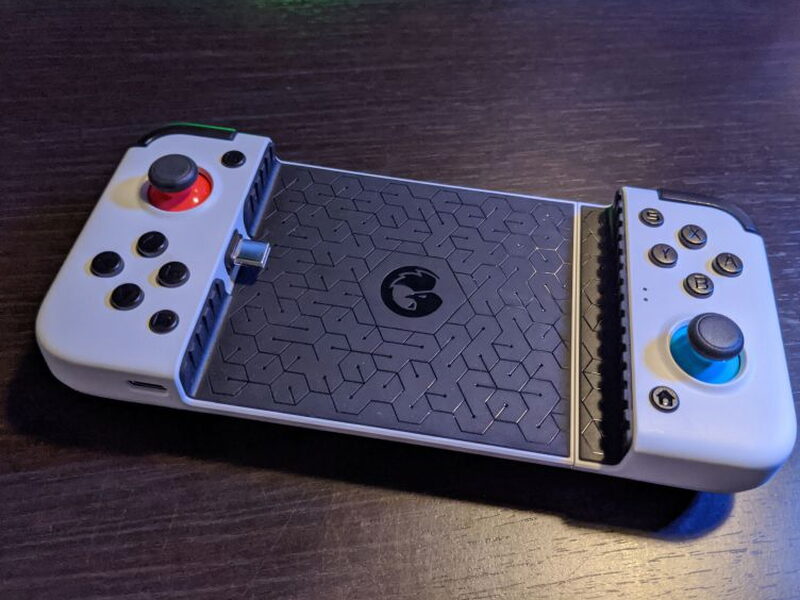
REVIEW – Gaming became a much needed escape while everyone worked through the global pandemic, and the extra attention has pushed both games and gaming hardware forward. Subscriptions and purchases climbed compared with the same pre-pandemic period, cloud gaming finally started to feel real, and phones suddenly had to do a much better impression of a console or PC.
That is the opening the GameSir X2 Type-C Mobile Gaming Controller is trying to fill. Microsoft had just rolled out Cloud Gaming through Xbox Game Pass Ultimate, Google had Stadia, and Amazon was stepping in with Luna. Those services put hundreds of demanding games on compatible phones and tablets, but they do not solve the problem of playing serious games on a slab of glass. At $69.99, the wired GameSir X2 gives Android phones a Switch-like controller shell with USB-C, pass through charging, and a few clever ideas. It is a good budget option with some real strengths, but its button layout and ergonomics make it a tough recommendation for certain hardcore players.
WSJ: ChatGPT’s Parent Company Reportedly in Investor Talks at a $29 Billion Valuation
What It Is
The GameSir X2 Type-C Mobile Gaming Controller is a wired all-in-one controller for Android phones with a USB Type-C connector. Instead of pairing over Bluetooth, the phone plugs directly into the controller, which keeps setup simple and power use low.
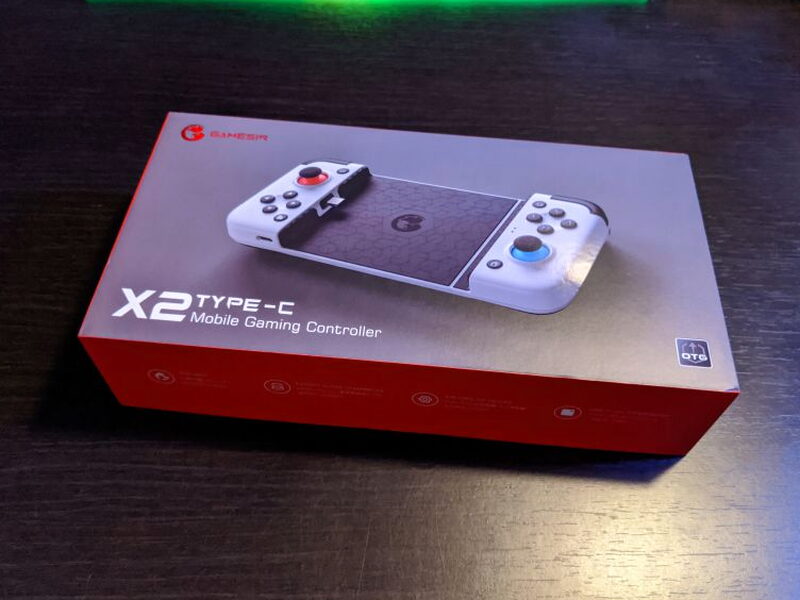
The packaging is bright, sharp, and covered with the sort of feature callouts you want before buying a mobile controller.
Specs
- Platform: Android, Cloud Gaming
- Connection: Wired USB Type-C
- Maximum Device Length: 6.57 in / 167 mm
- Power Consumption: 2mAh
- Material: PC+ABS

Hardware Tour
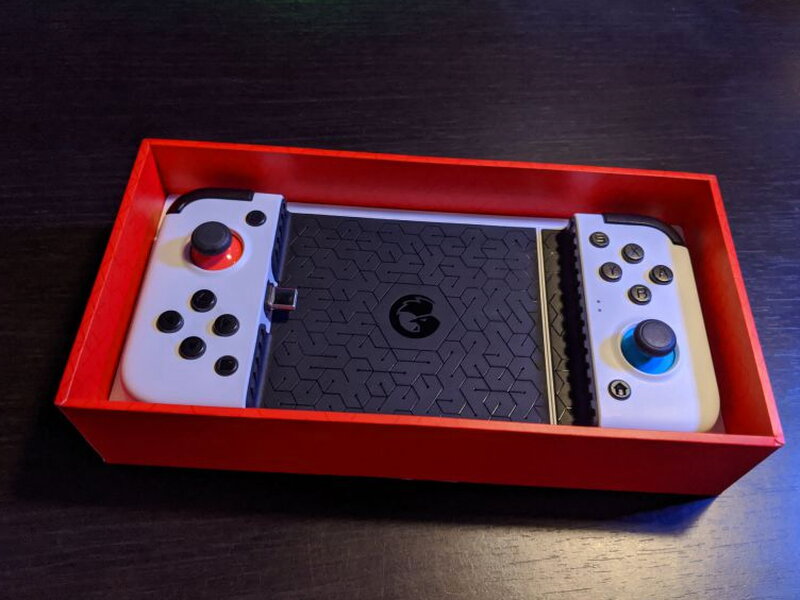
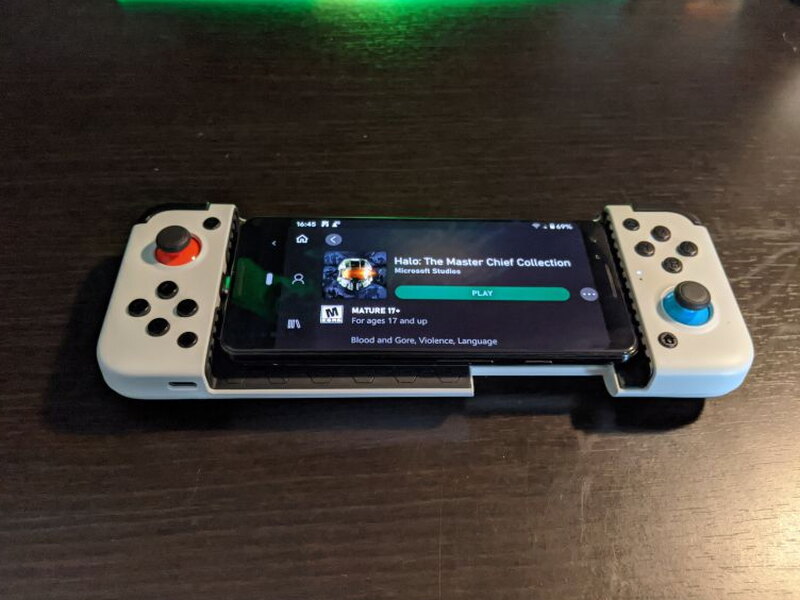
The X2 feels sturdier than its mostly ABS plastic construction might suggest. It has some weight to it, and the matte white shell helps it stand apart from the glossy black plastic used on so many controllers.
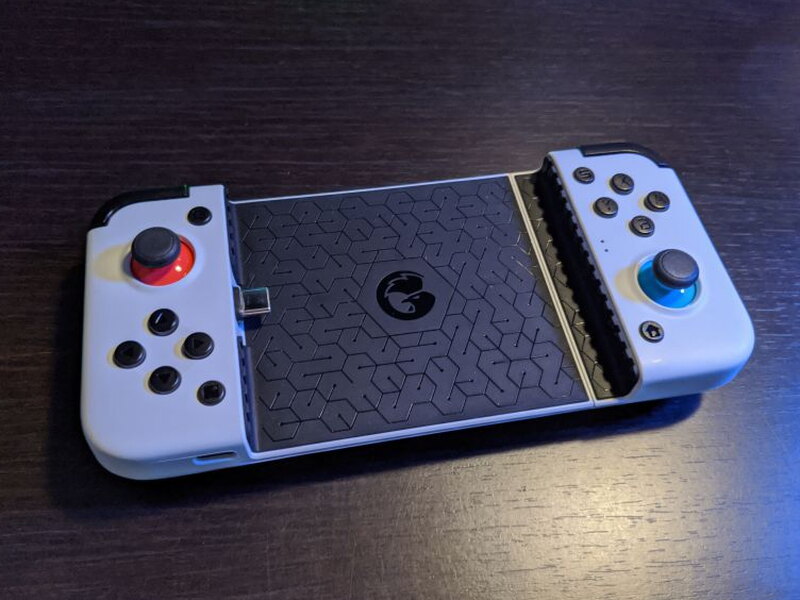
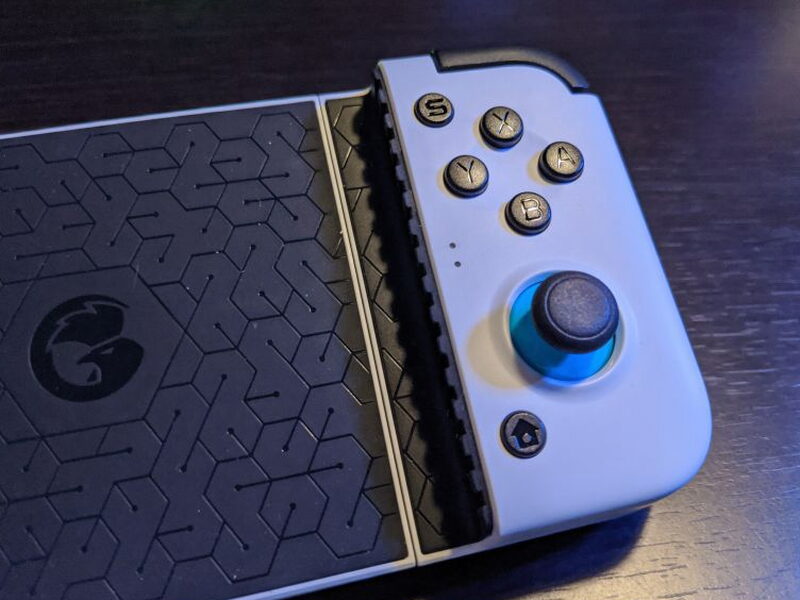
The red and blue joystick accents immediately call Nintendo’s Switch to mind. That influence is not subtle, and it shows up again in a more frustrating place later.
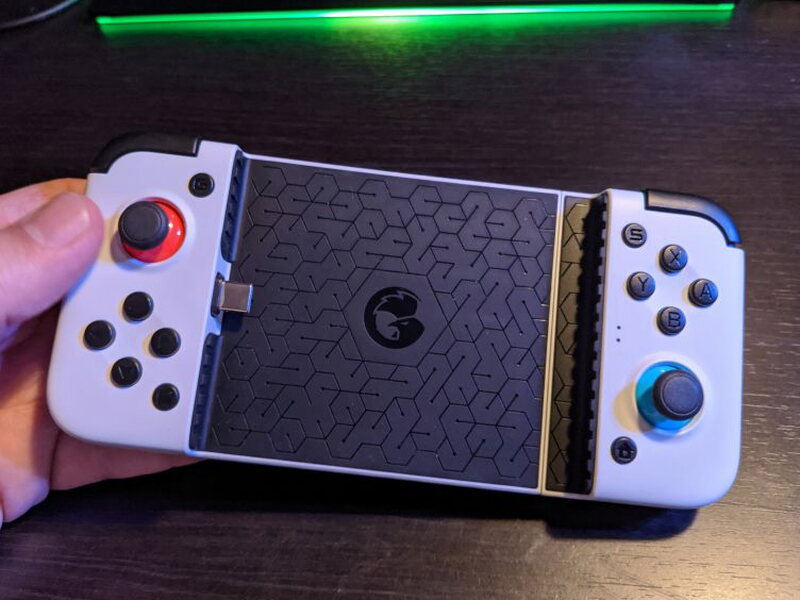
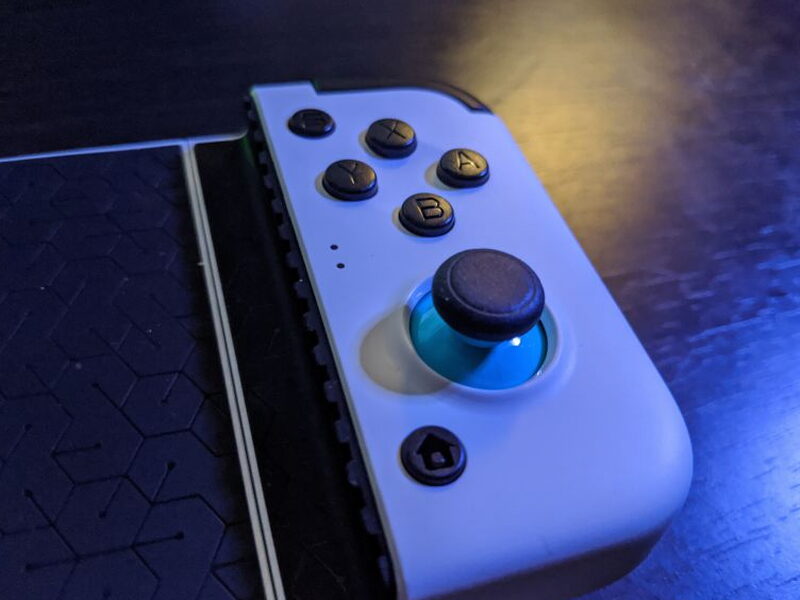
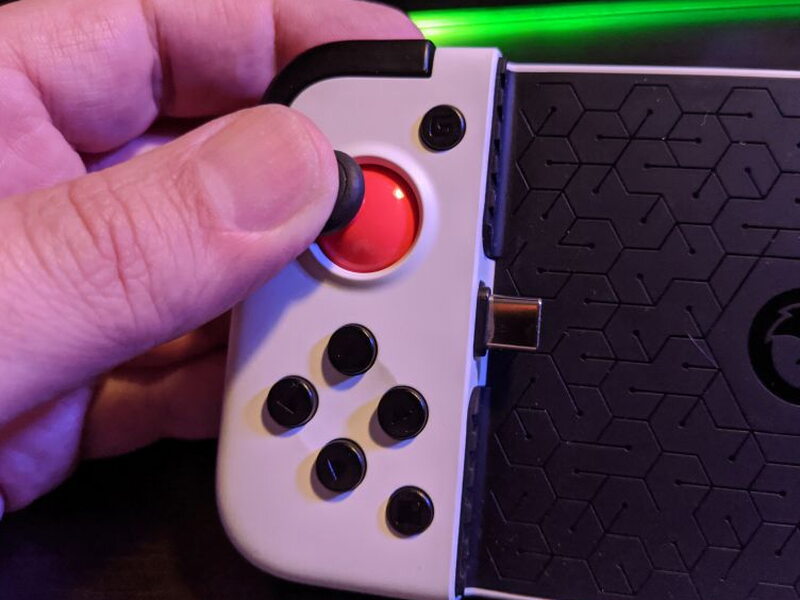
On the right side are the XYAB buttons, a clickable joystick, a home button, and an S button that acts as the Xbox Menu button. Two small indicator lights show connection and charging status.
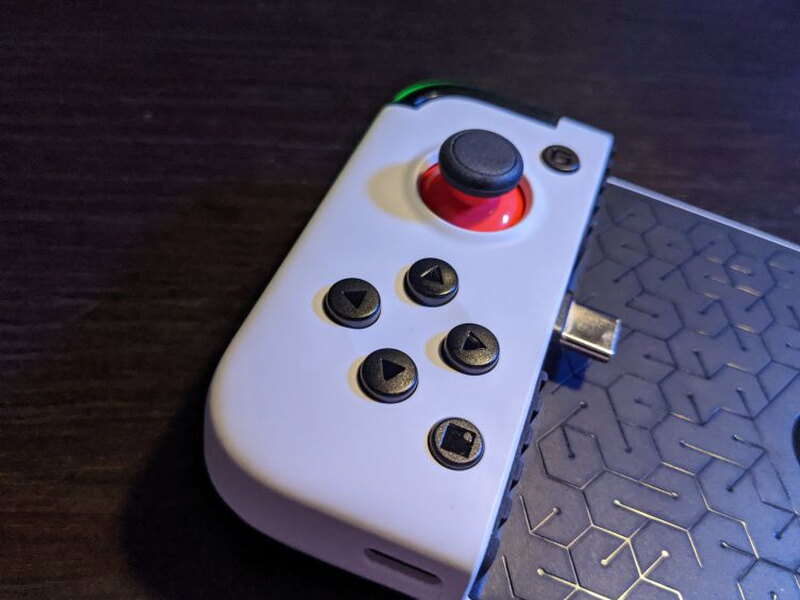
The left side has the second clickable joystick, the directional buttons, a G button for Xbox View, and a dedicated screenshot button. The screenshot button is a nice extra, but it cannot erase the biggest design issue on the opposite side.
The action buttons use a Y-X, B-A arrangement. That matches the Nintendo-style placement, but most cloud games and Xbox titles expect X-Y, A-B muscle memory. Because this wired model has no companion app for remapping, the only workaround is changing controls inside each game, when the game allows it.
The shoulder buttons look familiar, but they sit close together. In games that require several shoulder inputs at once, that tight spacing made it harder to keep a confident grip on the whole controller.
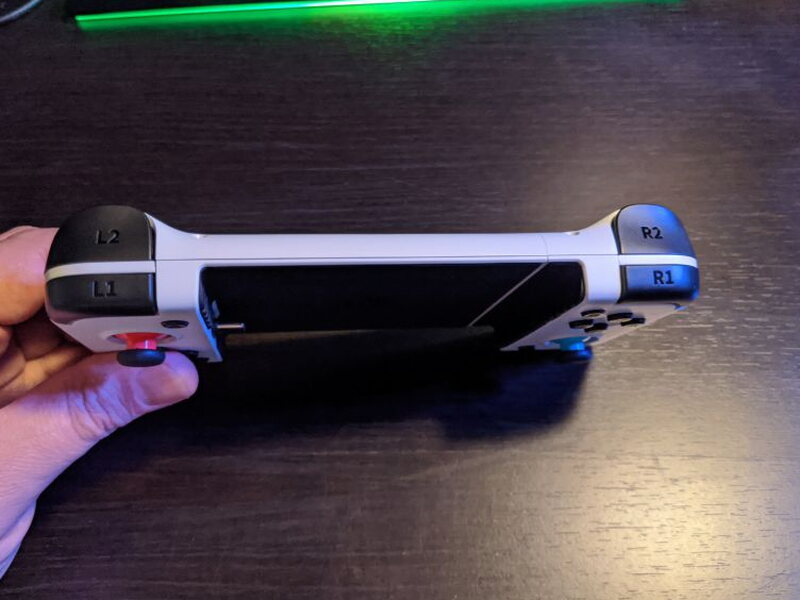
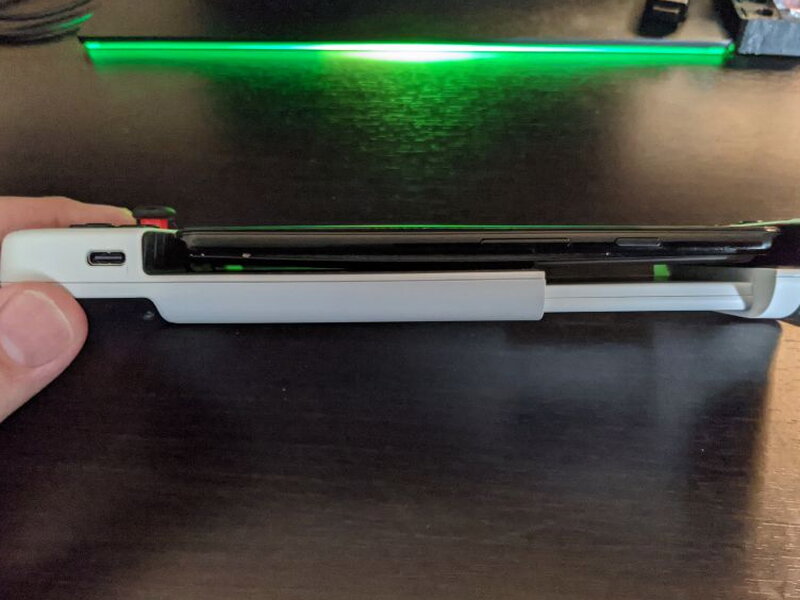
Along the bottom is a USB-C pass through charging port. Since the controller is wired and only draws a small amount of power, being able to charge while playing makes long sessions much easier.

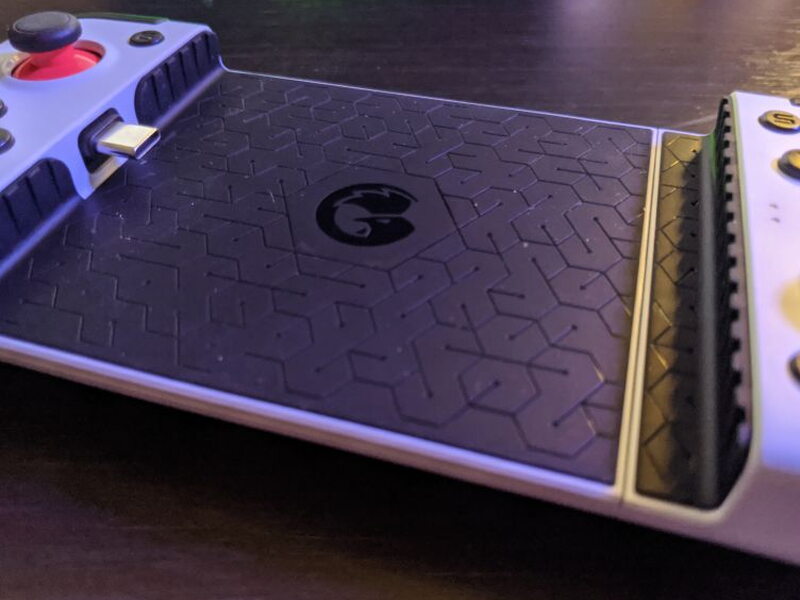
The phone connects to a USB-C plug inside the controller, but the plug is not fixed in place.

GameSir lets that connector pivot up to 51°. I love this detail because it reduces the stress on the phone’s charging port when sliding the phone in or pulling it out.

The inside surface is textured and rubberized, with small air channels cut into it to protect the phone and help with cooling while you play.
The joysticks click cleanly and respond well enough, but they also have too much play. In games that demand precision, that loose feel sometimes came across as mushy.
An internal spring lets the X2 stretch around phones up to 6.57 in / 167 mm long and .39 in / 1 cm thick.

On the back are two textured rubber grips. They are effective, and they helped keep the controller steady through longer sessions.

Playing Games
Once the X2 arrived, I immediately wanted to drop in my Android Pixel 3 and start playing. That first experience is one of the controller’s best arguments: there is no app to install, no pairing process, and no setup ritual. Plug in the phone and it works.
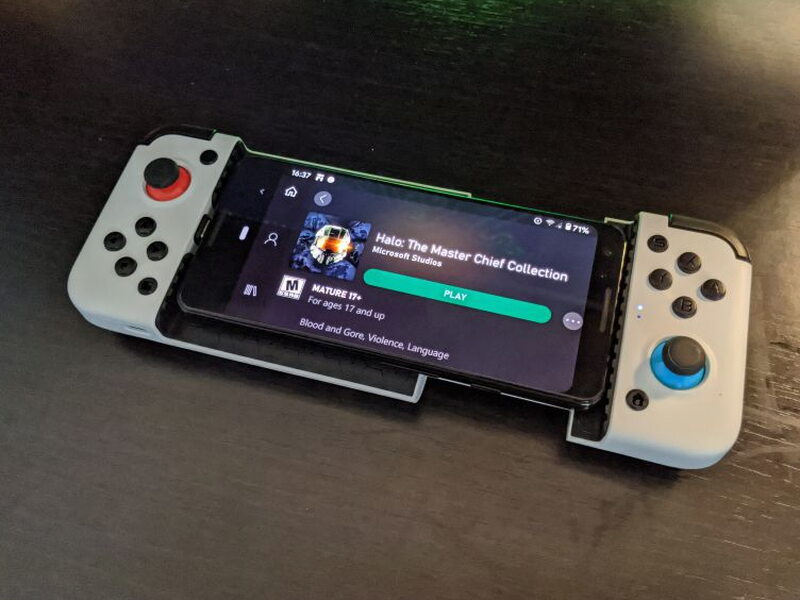
I tested it with first person shooters like Halo, driving games like Forza 4, and resource management games like Cities Skylines. Across all of them, the right side button layout kept getting in the way. Years of Xbox controller habits made menus and gameplay feel backwards, especially in Halo and Destiny 2.
Remapping controls inside a game helped only part of the time. Menus still caused trouble because B commonly means back in Xbox games, but on this controller it sits where my thumb expects A to be for action. I kept backing out when I meant to select and selecting when I meant to back out. In menu heavy games like Forza 4, that became extremely annoying.
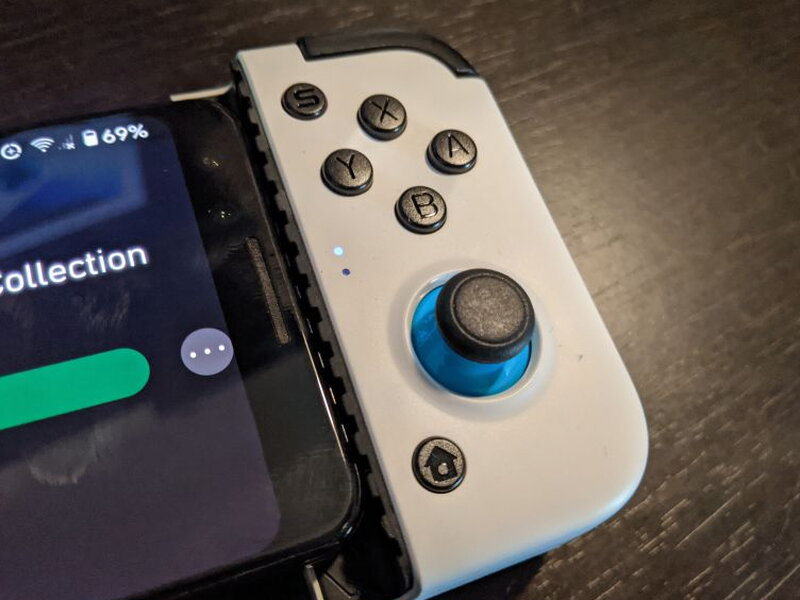
When I could get past that button confusion, the X2 performed reasonably well. The joystick looseness still mattered, though. I overcorrected while driving in Forza 4 and while steering my Sparrow in Destiny 2. Some games allow dead zone adjustments, but not every game does. Fast twitch titles exposed the controller’s weaknesses, while slower games such as Cities Skylines were much more enjoyable.

Comfort depends partly on the width of your phone. Add a large handset to the already wide controller, then combine that with the cramped shoulder buttons, and the X2 can feel wobbly when you need to hit sticks, triggers, and face buttons quickly.
Battery life is a bright spot. Even during long sessions without using pass through charging, the X2 barely affected my phone’s battery. The rear grips also stayed comfortable and secure. I still wish GameSir had included a 3.5mm headphone jack, because that would have made longer cloud gaming sessions more convenient.
In day to day use, I can see myself reaching for the GameSir X2 for puzzle games or resource management games. For shooters and racing games, it would not be my first choice.
What Works
- Plug and play setup is easy
- Pass through charging is useful
- The flexible Type-C plug is a smart design choice
What Does Not
- Questionable button layout is not configurable
- Joysticks have too much play
- Ergonomics make some games difficult to control
- A headphone jack would be great
Quick Questions
Q: Can the button layout be remapped?
A: Not through the controller itself. There’s no companion app for the wired model, so remapping only works if a specific game supports it internally.
Q: Does it support pass-through charging while gaming?
A: Yes, a USB-C pass-through port on the bottom lets the phone charge during play.
Q: Does it include a headphone jack?
A: No, there’s no 3.5mm headphone jack on the controller.
Q: What’s the maximum phone size it fits?
A: Phones up to 6.57 inches (167mm) long and 0.39 inches (1cm) thick.
Final Verdict
The GameSir X2 Type-C Mobile Gaming Controller makes the most sense for straightforward games that do not depend on fast reflexes or complex button combinations. I like the easy setup, low power draw, flexible USB-C connector, and pass through charging. At $69.99, though, the odd button layout, awkward shoulder reach, and loose joysticks keep it from being a universal recommendation. It is a solid controller for simpler titles or patient players who can adapt to its quirks, but demanding shooters and racers expose too many compromises.
Price: $69.99
Product Link: GameSir
You can also pick it up at Newegg for $71.49 or Walmart for $79.99.
Source: The sample of this product was provided by replace with the GameSir.


