REVIEW – The FIIL CANVIIS Pro wireless noise-cancelling headphones have some genuinely unique features and great sound quality, but between a spotty companion app and plenty of similarly featured cheaper options on the market, you might be better off waiting until the price comes down.
Note: This FIIL CANVIIS Pro set was provided free of charge by FIIL Audio for review. FIIL Audio did not have a final say on the review and did not preview it before publication.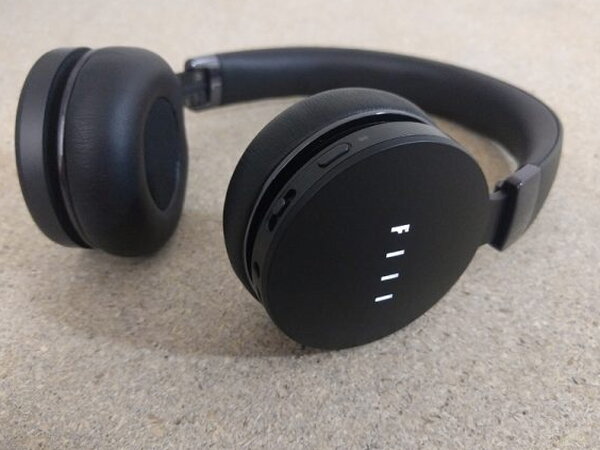
The Basics
The CANVIIS Pro is an on-ear wireless headphone built around a feature list that reaches well beyond noise cancelling: touch controls, voice commands, onboard music storage, and a companion app with room simulation and EQ presets. You can see where the price went the moment you look at the packaging and presentation, but not every one of those extra features earns its keep once you actually live with the headphones.
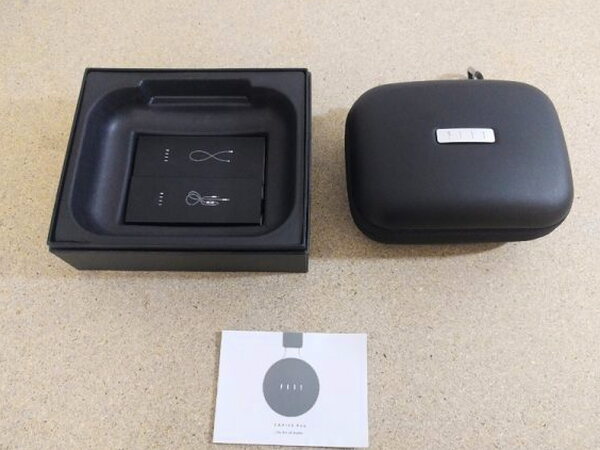
What You Get
- FIIL CANVIIS Pro headphones
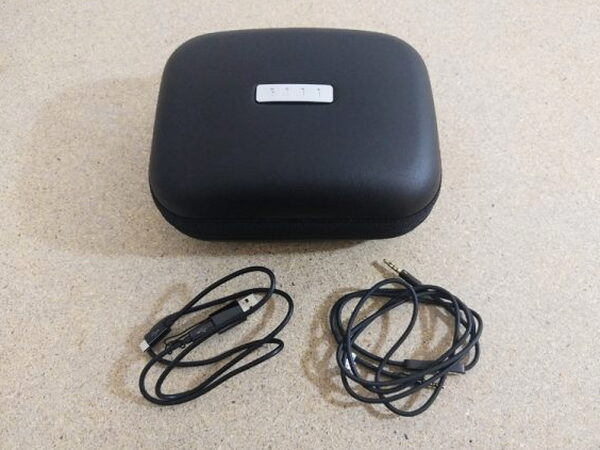
- Zippered carrying case with carabiner clip
- Audio cable with inline remote (Android/iOS switch)
- Charging cable, Micro-USB with USB-A adapter
- Instruction manual



By the Numbers
- Style: on-ear, wireless, active noise cancelling
- Onboard storage: 4GB internal memory for standalone playback
- Cables included: audio cable with inline remote, Micro-USB charging cable with USB-A adapter
- Noise cancelling modes: Noise-Cancelling, Monitor, Open, Wind (called MAF, or My Audio Filter)
- Companion app: Fiil+ (requires a Facebook, Twitter, or WeChat login)
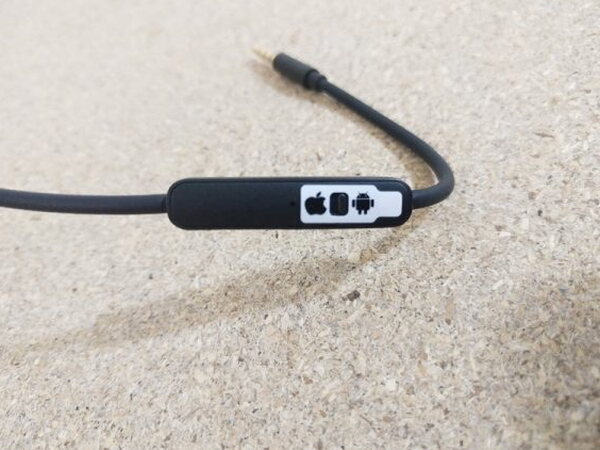
The first cable is an audio cable with inline controls that work on both Android and iOS. A small sticker and switch on the cable let you set it up for the right platform before using it. The inline controls handle calls, volume, and track skipping well, and that same cable lets you run the headphones wired with any audio source.
The second cable handles charging, with Micro-USB plugs on each end plus an attached USB-A adapter that clicks onto the Micro-USB plug so it can charge off a laptop or USB power supply. That same connection also mounts the headphones to a computer as storage for loading music onto the built-in 4GB of internal memory.


Case and Carry
The carabiner clipped to the carrying case is a nice touch, making it easy to fasten the case to a backpack. The headphones fold up into themselves so they slip into the case, or a coat pocket, more easily.


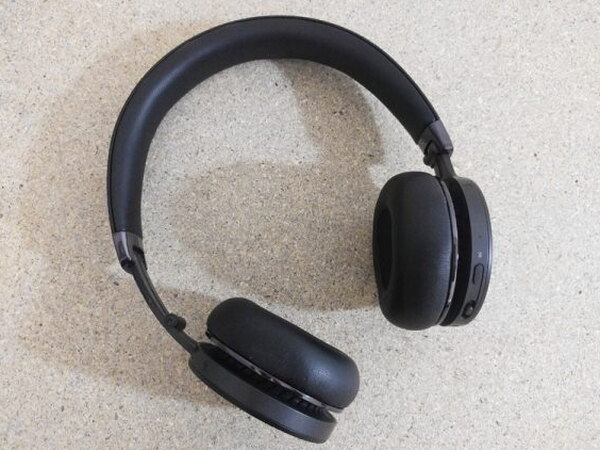
What let me down is that the earcups don’t rotate flat, which would make it more comfortable to wear them around your neck when they’re not in use.

Build and Design
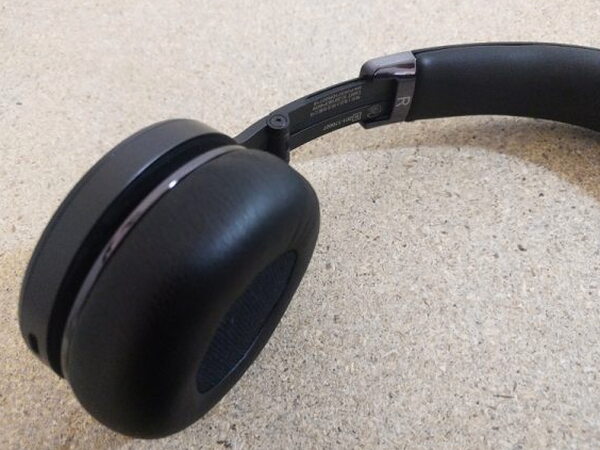
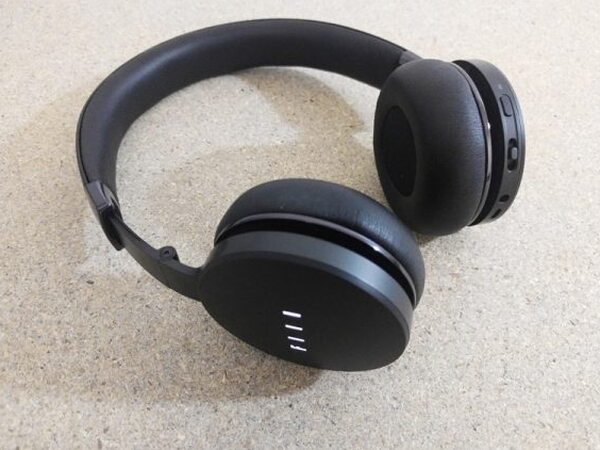
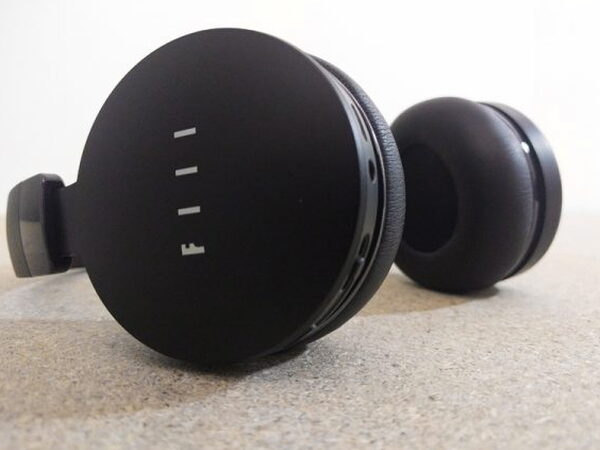
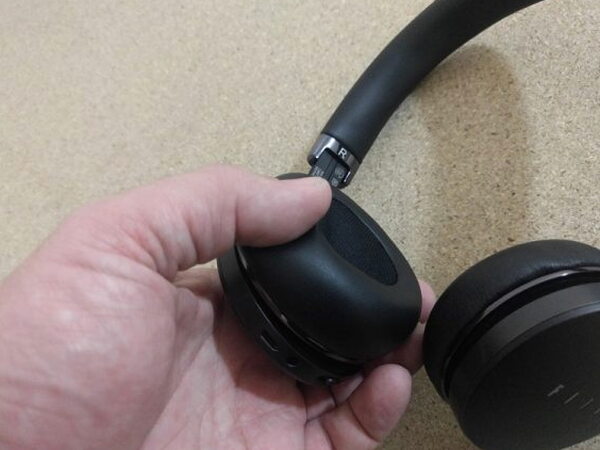
The CANVIIS Pro’s build quality is genuinely impressive. It has a satisfying heft, and the switches, buttons, and ports all feel ready for the wear of everyday use.
Fit and Comfort
Since the CANVIIS Pro is on-ear, how comfortable the earpieces are really makes or breaks long listening sessions. Both the earpieces and the headband use what FIIL calls smooth protein leather and memory foam, and they feel very comfortable in use. Hour-long stretches wearing them turned up no comfort complaints at all. If anything, the first thing felt after a long session was the band’s pressure on the ears rather than the earpieces themselves, but that’s just how on-ear headphones tend to go.

Controls, Voice, and Onboard Features
For controlling all its functions, the CANVIIS Pro gives you one button and one switch on the unit. The clean design looks nice, but cramming so many functions onto just two controls ends up feeling counterintuitive.
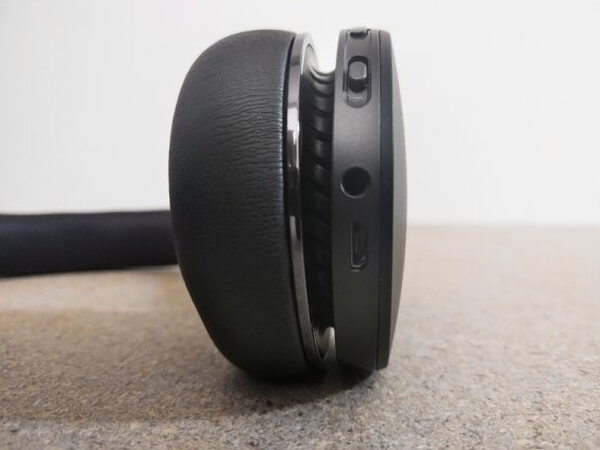
Take the limited voice control, which never managed to work right no matter how many times I tried it. Firing it up requires holding the Multi Function Button for exactly two seconds, which proved maddeningly hard to nail. Hold it too long and the unit powers off, not long enough and the track just pauses and plays. On the rare occasion I held it for exactly the right amount of time, the unit would only say “Hello” and then ignore every command after that.
This really is the CANVIIS Pro’s biggest downfall: FIIL crams too much into one unit, so none of it comes off well. The features that do work, though, are incredibly useful. The touch controls are a welcome addition, swiping across the side of the right earpiece skips forward or back through tracks, and sliding a hand up and down sets the volume. There’s also a “Smart-Sensor” auto-off feature that senses when the headphones come off, then pauses the music and drops into low-power mode, when it worked, it was great, but it didn’t trigger every time, so I’d pull the headphones off and then have to double-check whether auto-off actually kicked in.
The 4GB of onboard storage lets the CANVIIS Pro double as a standalone music player, which is a novel idea I never found a real use for. That skimpy 4GB makes deciding which songs to keep on the unit more of a hassle than the feature is worth, and the music player and playlist options are barebones at best, basically just a folder of files that will play if needed.
Noise Cancelling and Sound
Noise cancelling is one feature that worked really well and clearly improved the listening experience. Called My Audio Filter, or MAF, it generates a cancelling wave out of phase with the ambient noise to cancel it out. It works great, but it’s far more complicated than it needs to be. MAF has four setups: Noise-Cancelling mode kills all outside noise, Monitor mode blocks only low-frequency noise while letting some ambient sound through, Open mode lets in all ambient sound, and Wind mode blocks just the noise that shows up in windy conditions.
The catch is that the headset switch makes you cycle through every one of these modes, and good luck keeping track of which switch position triggers which mode. In real use, only Noise-Cancelling mode and Open mode ever come up. As a plain Bluetooth headset, the CANVIIS Pro does just fine: calls placed and taken on it came through perfectly clear on both ends, and a week of mixed use turned up solid battery life.
The Companion App
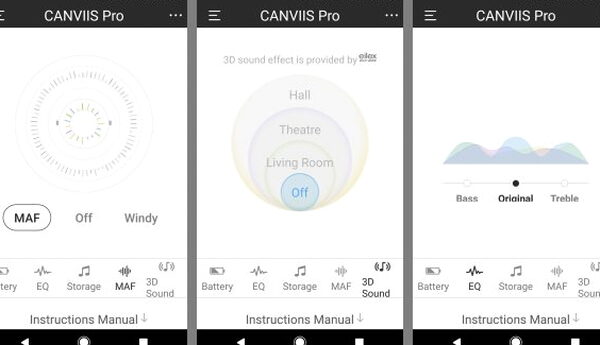
The app ships with no instructions on how to use it properly, so it’s a lot of poking around to figure out the options. Its EQ isn’t even adjustable and offers just three presets: Bass, Original, and Treble. There’s a setting to turn on the onboard storage, but that function never worked right in testing and kept mislabeling the tracks stored on the unit. Then there are the frustrating MAF controls, which start with three choices, MAF, Off, and Windy, but tapping the MAF icon reveals three more: Open, Monitor, and Noise-Cancelling, when all four options could just be laid out from the start.
The app also opens up a “3D Sound Effect” feature, another mostly pointless one that piles varying amounts of reverb onto music to mimic listening in a living room, theatre, or hall. None of those settings actually improve the experience unless reverb is exactly what someone’s after. On top of that, the app handles a few other throwaway functions, like toggling the logo light, tweaking the auto-off timing, and switching off the Smart Sensor.
The single worst thing about the Fiil+ app is that it requires a Facebook, Twitter, or WeChat account, with that app also installed on the phone, just to log in and unlock full functionality. Any app that forces a second app installation just to log in has already failed as a piece of software.
What Could Be Better
The Fiil+ app is the biggest weak point here: no onboard instructions, a broken storage-labeling feature, buried menu options, and a login wall that demands a separate social media app just to unlock full functionality. The voice control never worked reliably, the Smart Sensor auto-off is inconsistent, and cramming every function onto just one button and one switch makes basic operation more confusing than it should be for headphones at this price.
Quick Questions
Q: Does the companion app require a social media login?
A: Yes. The Fiil+ app requires logging in with a Facebook, Twitter, or WeChat account, with that app also installed on the phone.
Q: How much onboard storage does it have for standalone playback?
A: 4GB of internal memory.
Q: Did the voice control feature work reliably?
A: No. It never worked right in testing; the unit would sometimes only say “Hello” and then ignore every command after that.
Q: How many noise-cancelling modes does it have?
A: Four MAF (My Audio Filter) modes: Noise-Cancelling, Monitor, Open, and Wind.
Final Thoughts
The CANVIIS Pro’s sound quality, noise cancelling, and touch controls were genuinely enjoyable, but they’re overpriced and over-engineered in all the wrong ways, the app most of all. For the same money, higher-end models from Sony or Bose would serve better, and I would wait for a price drop before picking these up.
If you’re comparing options in this category, see The Best Wireless Earbuds and Headphones I’ve Tested for how this one stacks up against the others I’ve tested.
Price: Check current pricing at FIIL or Amazon
Where to buy: FIIL Audio or Amazon
What I like: Genuinely great sound quality, noise cancelling that works well once set to the right mode, comfortable for hour-long sessions, useful touch controls
What I don’t: Fiil+ app is a frustrating, poorly documented mess with a social media login wall, voice control never works reliably, too many features crammed onto too few physical controls


