
REVIEW – Filament is one of those quiet variables that can ruin a 3D print long after you think everything is dialed in. A roll that has absorbed moisture can turn a promising job into stringing, weak layers, bubbling, clumps, and eventually the dreaded bird’s nest of wasted plastic. Since every spool ships with desiccant for a reason, I wanted to see whether a dedicated dryer would make a real difference in my own prints. After several weeks with the Chitu Systems FilaPartner E1 Filament Dryer, it has raised my success rate enough that I now consider it a useful part of my printing setup. At $139, it is affordable, practical, and better thought out than I expected, even though a few details still need attention.
What the FilaPartner E1 Does
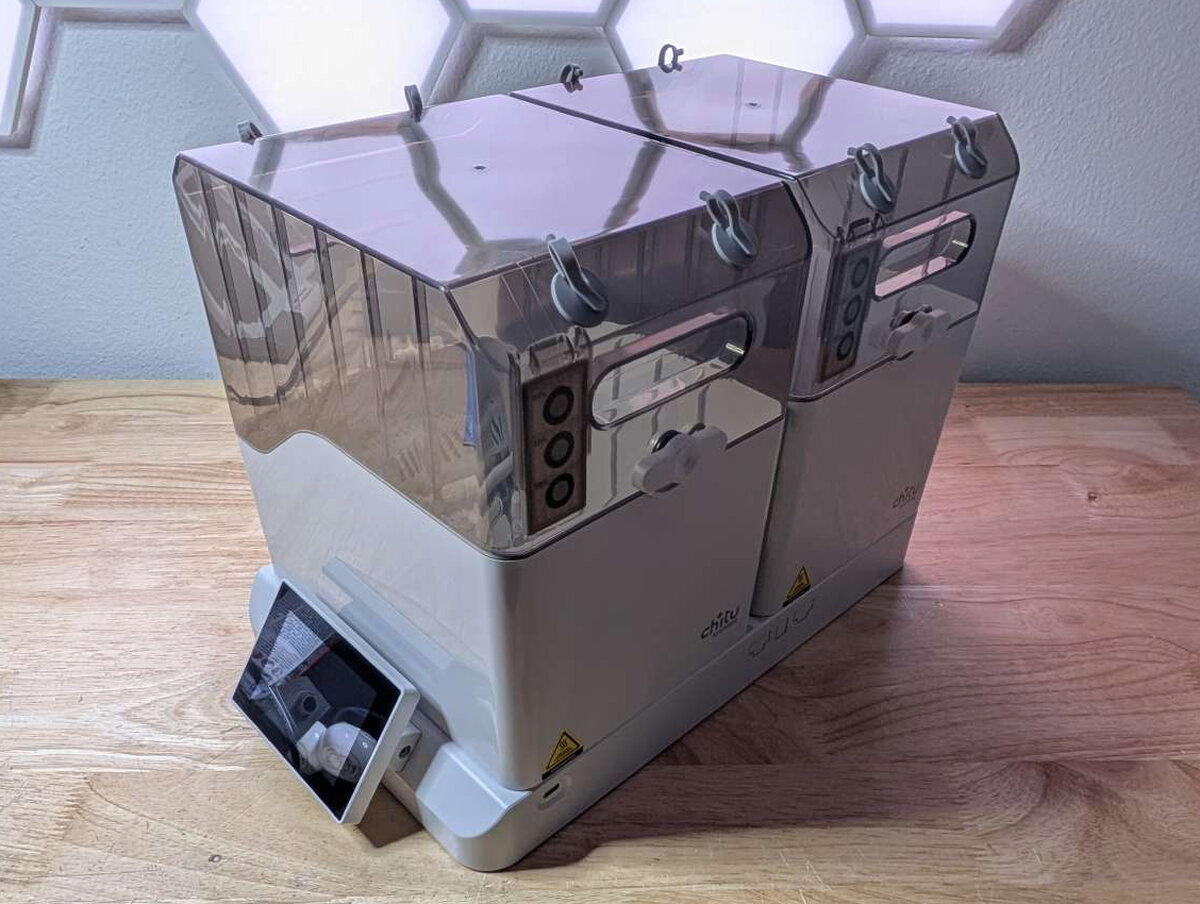
The Chitu Systems FilaPartner E1 is a sealed filament drying and storage system for up to four spools. Instead of drying one roll at a time, it uses two removable filament boxes, each holding two spools, with separate heat control and humidity monitoring for each box.

The packaging is simple but protective, which matters because the E1 includes large plastic boxes, tinted lids, rollers, and a touchscreen base that all need to arrive undamaged.

In the Box
Chitu includes everything needed to start drying filament and to feed filament from the boxes to a printer.
- Chitu Systems FilaPartner E1 Filament Dryer base
- Filament boxes x 2
- Magnetic sealing plates x 4
- Filament feed tubes x 4
- Power cable
- Quick start guide

Key Specifications
- Capacity: 4 spools total, 2 spools per filament box
- Independent temperature control for each box
- Temperature range: 35°F to 158°F (2°C to 70°C)
- Humidity monitoring in each box
- Touchscreen control panel with presets and timer
- Magnetic sealing plates for box covers
- Power: 110-240V AC, 50/60Hz
- Base dimensions: 12.6 x 9.8 x 5.1 in (320 x 250 x 130 mm)
- Box dimensions: 11 x 9 x 4.5 in (280 x 230 x 115 mm)
- Total weight: 8.6 lbs (3.9 kg)
Design and Construction
The E1 has a clean, appliance-like layout. The lower base contains the heating system and touchscreen, while the two filament boxes sit above it and receive heat through dedicated ports.
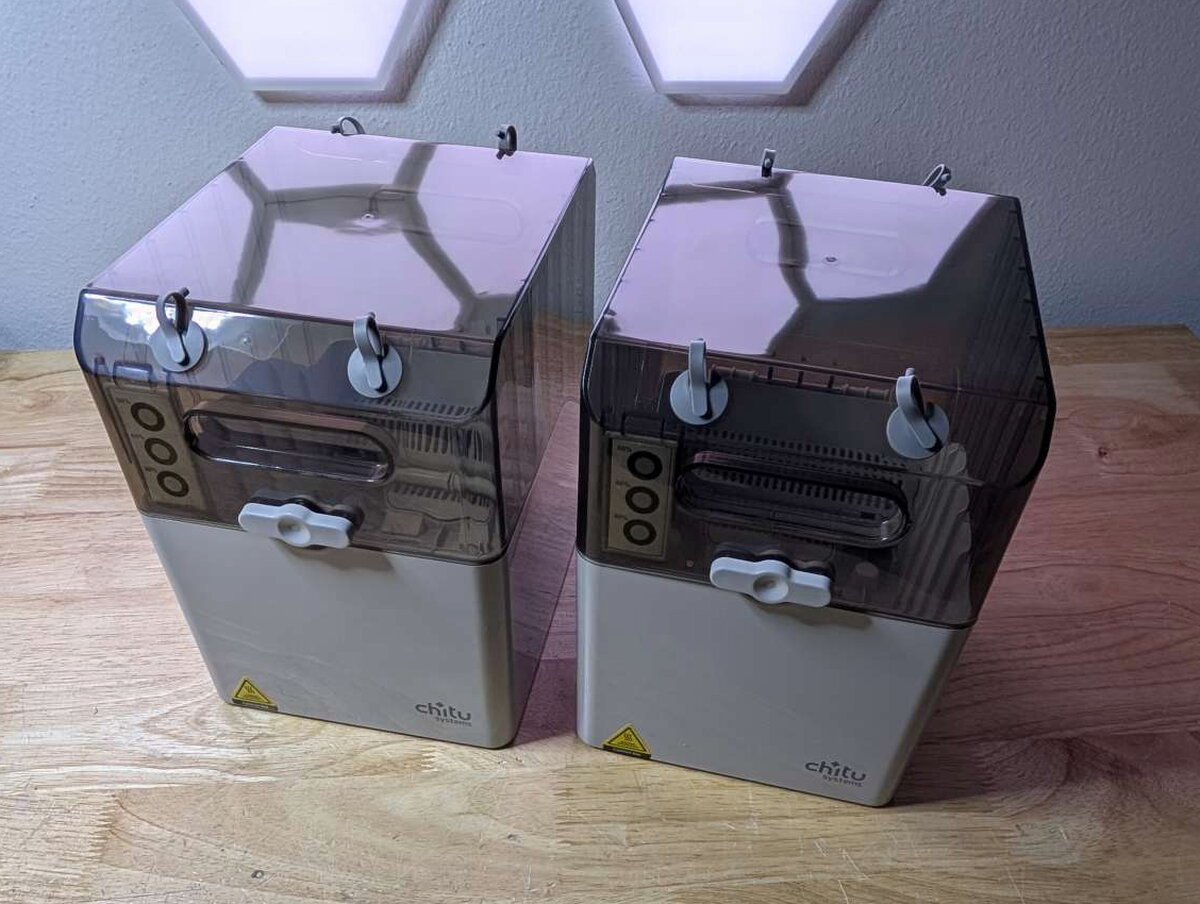
Most of the unit uses lightly textured grey ABS plastic. It feels sturdy enough for a workshop or hobby room, and the removable boxes make it easy to move dried filament away from the base for storage.
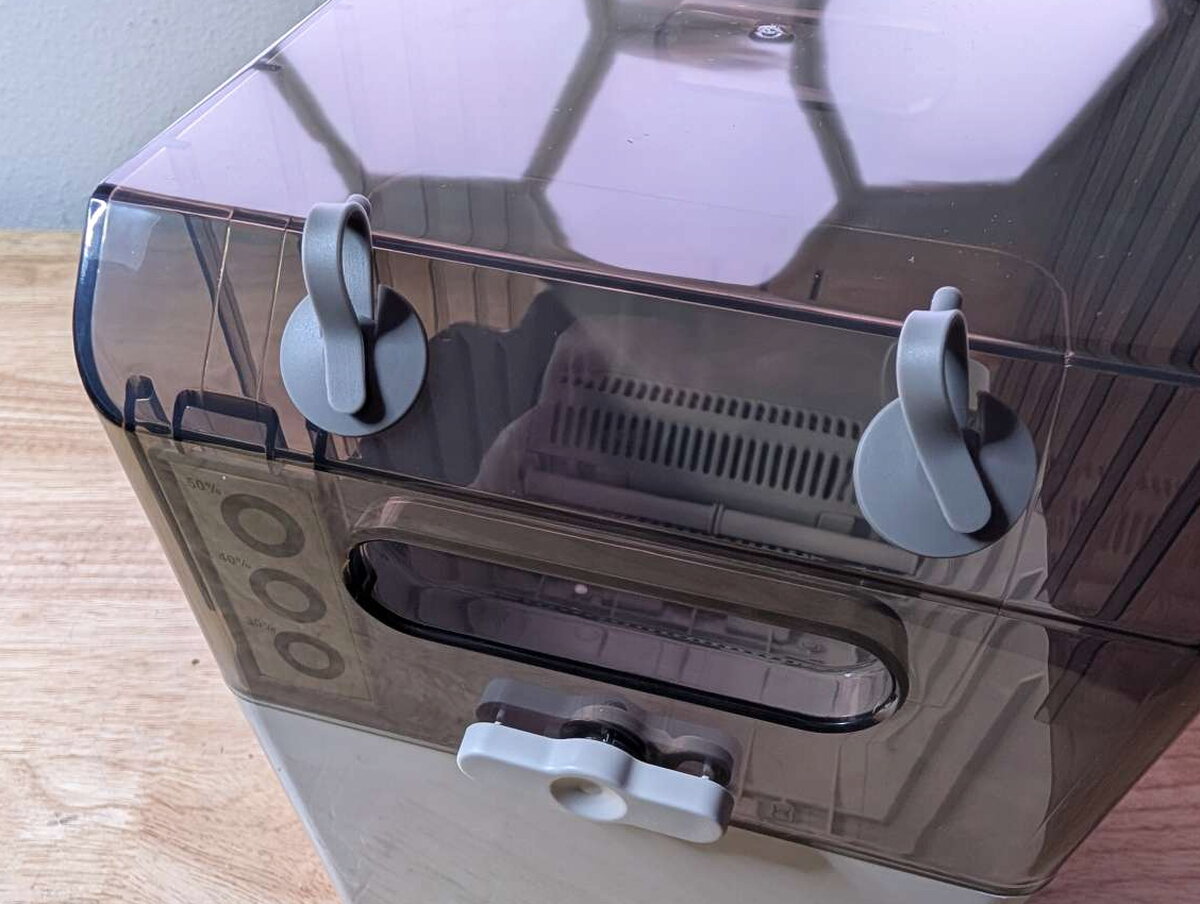
The tinted lids are useful in theory because you can check the remaining filament without opening the box. In practice, they are dark enough that it is still hard to judge a low spool unless the room is bright.

Each box has four rubber filament ports, two on each side, plus a locking latch and a stick-on humidity indicator. The layout gives you several routing options depending on printer placement.

The four feed tubes allow the E1 to work in-line while printing. They are helpful, but they are also one of the system’s weak spots. On longer prints, the tubes can shift or slip out of the ports, so I learned to check them before walking away.

Inside the boxes, Chitu provides a vented area for desiccant packs and an opening that connects the box to the heater below when the box is on the base.

The boxes lock into the base through the bottom ports during drying. When a box is off the base, the magnetic plates can seal those openings so the dried spools stay protected.

The magnetic plates are one of my favorite parts of the design. They make the filament boxes useful as storage containers after a drying cycle. I would like to own extra boxes for more rolls, but that would require a healthier gadget budget than mine currently allows.

Each box has four rollers, and the spools rotated freely and quietly during my tests.

The base has four heating ports and a touchscreen at the front. The two heating zones are labeled 1 and 2, matching the two filament boxes.

Because each box can be controlled independently, I could dry materials with different temperature needs at the same time, such as PLA in one box and nylon in the other.
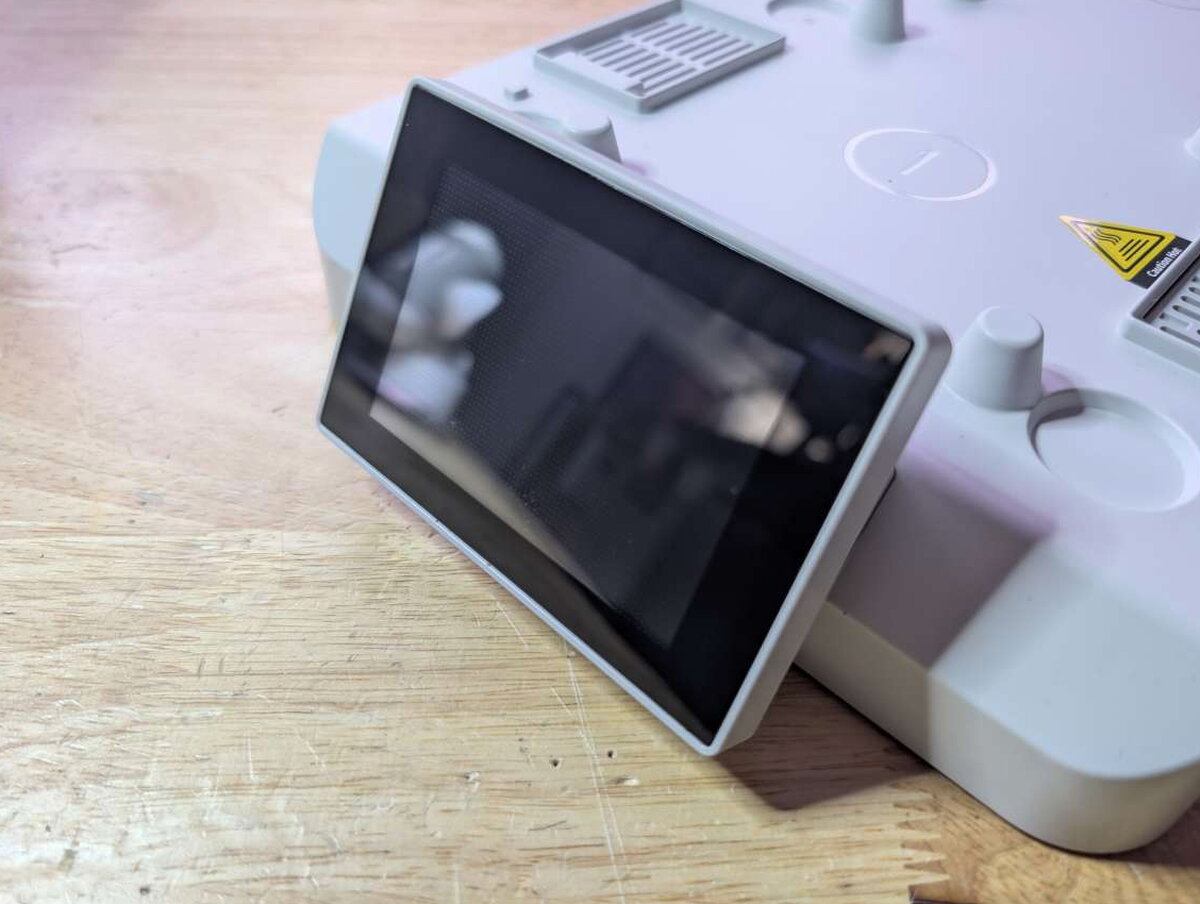
The touchscreen is easy to understand, but it is not especially sensitive. I sometimes needed firmer or repeated taps. Once I got used to that, the menus were straightforward.

The rear of the base holds the power switch and power input.

One side also has some odd inserts. I still have not figured out what they are meant to do.

That same side includes a USB-C port for firmware updates.

Setup and Controls
Setup is quick because the E1 is largely pre-assembled. Put the boxes on the base, remove the magnetic sealing plates from the vents, plug in the power cable, and choose a drying profile or manual settings.

The quick start guide was enough to get me going. Selecting a drying temperature and timer only took a few minutes.

The touchscreen lets you switch between box 1 and box 2. It shows the current box temperature, target temperature, humidity level, and remaining drying time. In normal use, my drying cycles took about four hours.

The settings menu includes options for automatic start when a box is placed on the base, silent mode, and labeling the boxes.

Using the E1 while printing requires more patience than basic drying. The tube path has to be positioned so it does not tug on the filament or loosen at the box port.
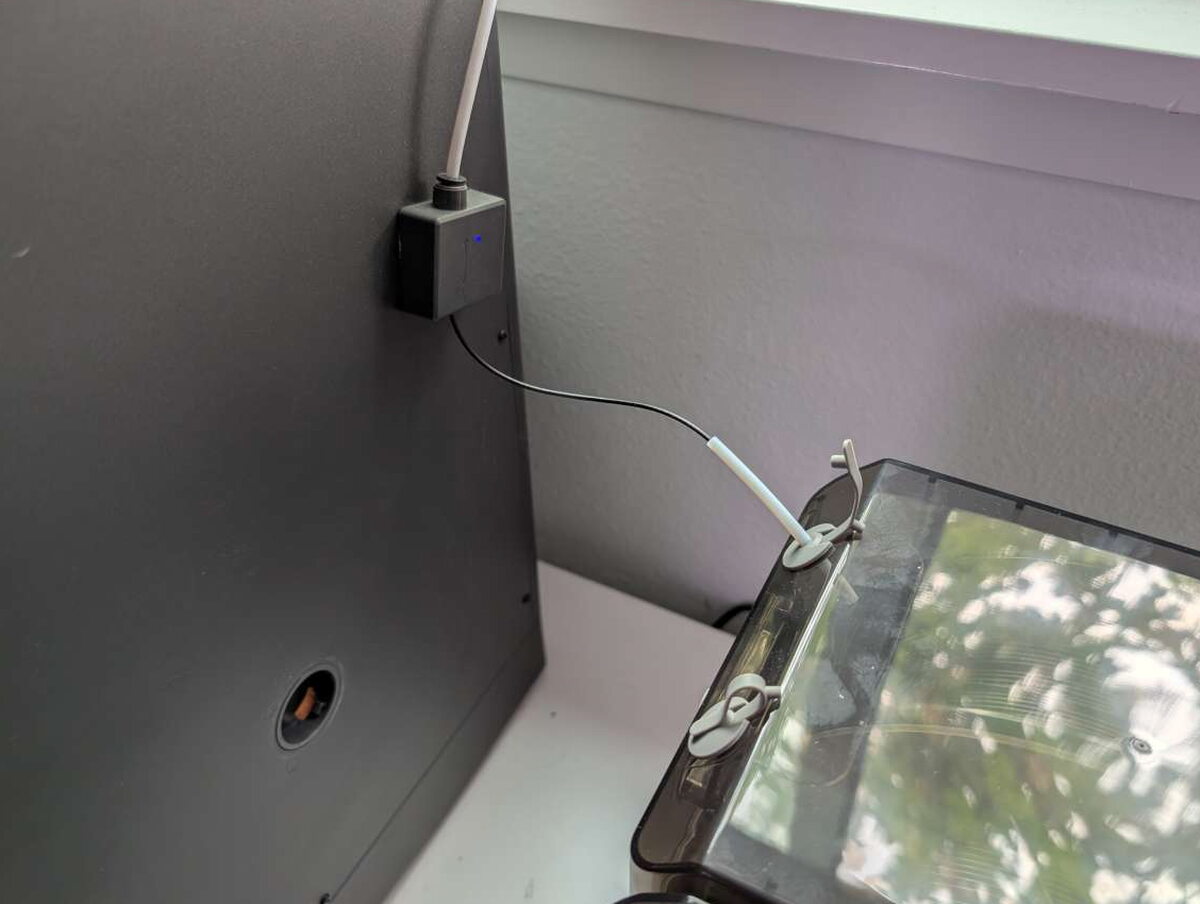
I tried routing the filament upward rather than over the top and had mixed results. The best arrangement depends heavily on the printer.

Printing Results
I used the E1 with PLA, PETG, PETG-CF, and PLA Silk. I also used it during long print runs with the Elegoo Centauri Carbon 3D printer I reviewed in March.

For each material, setting the correct drying temperature was simple, and each box finished its cycle in roughly four hours.

The biggest change was consistency. Filaments that had been giving me rough extrusion or weaker layers printed better after drying. PETG-CF benefited from a longer cycle at a higher temperature, and the final prints looked and felt stronger.

The humidity sensors helped me monitor the boxes, though I used the touchscreen readings more often once the boxes were on the base. After a drying cycle, I could leave spools sealed in the boxes for several days and still get good results without drying them again.
The two annoyances stayed consistent: the touchscreen sometimes needed extra pressure, and the tube connectors could move during long prints. Neither issue prevented the dryer from doing its job, but both are worth knowing about before you rely on it for an overnight print.
Overall, the E1 made my print results more predictable and helped keep stored spools in better condition.

Final Thoughts
The Chitu Systems FilaPartner E1 Filament Dryer is a useful, well-built way to dry and store filament. It holds up to four spools, gives each box independent temperature control, seals the boxes with magnetic plates, and improved the reliability of my prints with PLA, PETG, PETG-CF, and PLA Silk. I would like a more responsive touchscreen, clearer lids, and more secure tube connections, but those complaints are small compared with the benefit of fewer failed prints and less wasted filament. At $139, the E1 has earned a spot next to my Elegoo Centauri Carbon and Ender 3 Max Neo.
The Good
- Independent temperature control for each box
- Magnetic sealing plates keep spools airtight after drying
- Versatile configuration allows it to be used with multiple printers at once
Quick Questions
Q: How many spools can the FilaPartner E1 dry at once?
A: Up to 4 spools total, 2 per filament box, with independent temperature control for each box.
Q: Can different materials be dried at the same time?
A: Yes, since each box has its own temperature control, one box can run PLA while the other runs a different material like nylon.
Q: How long does a typical drying cycle take?
A: About four hours in this test.
Q: What’s the main complaint about the feed tubes?
A: They can shift or slip out of the box ports during longer prints, so they need to be checked periodically.
The Not So Good
- Touchscreen not very responsive
- Filament feed tubes sometimes shift out of the filament box port
- Tinted plastic makes it difficult to see when filament is running low
Price: $139
Product Link: Chitu Systems
Source: The sample of this product was provided for free by Chitu Systems. Chitu Systems did not have a final say on the review and did not preview the review before it was published.


