REVIEW – Cherry is the German company most keyboard nerds know by reputation alone, since half the mechanical keyboards on the market run on Cherry’s own MX switches without ever putting the Cherry name on the case. The MX Board Silent is Cherry actually selling a full keyboard of its own, built around a switch that promises the mechanical feel without the mechanical racket. Cherry sent one over to try, and I typed this entire review on it to find out whether the quiet trick was worth the price tag.
Note: This Cherry MX Board Silent was provided free of charge by Cherry for review. Cherry did not have a final say on the review and did not preview it before publication.
The Basics
The MX Board Silent is a full-size wired mechanical keyboard built around Cherry’s noise-optimized silent MX switches, the same mechanical feel the company is famous for, minus most of the clack. It ships in two switch options, Red or Black, both of which refer to the switch itself rather than the color of the keyboard. My review unit came fitted with the Black switches.
What You Get
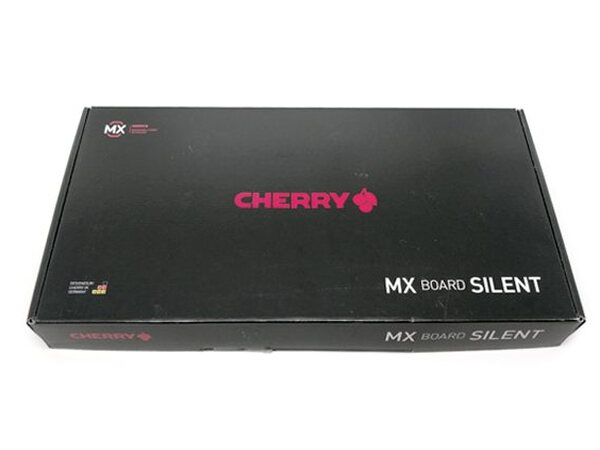
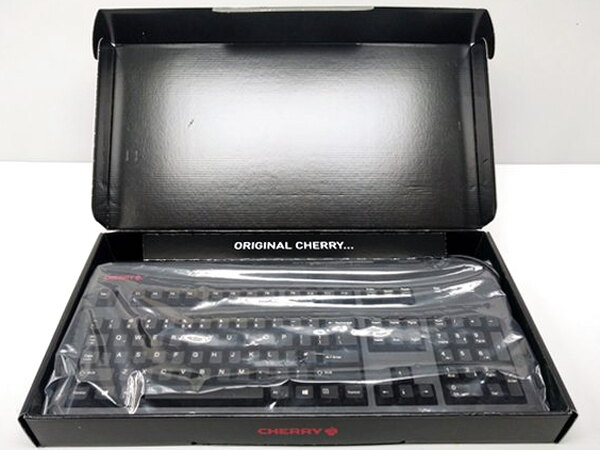
- Cherry MX Board Silent keyboard
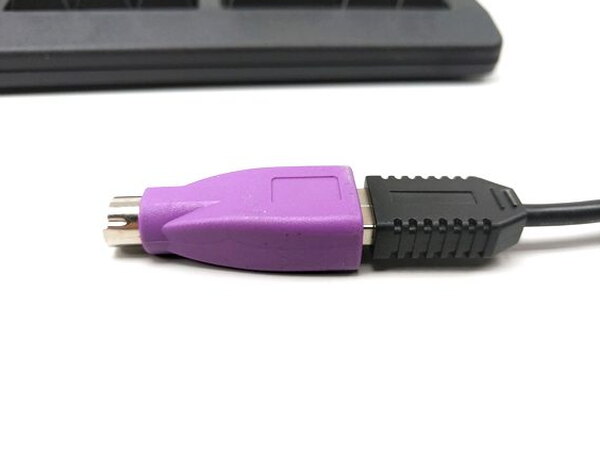
- USB to PS/2 adapter (pre-attached to the cable)
By the Numbers
- Model tested: G80-3494LTCEU-2
- Switch tested: Cherry MX Black Silent, 60 centinewtons actuation force
- Also available with: Cherry MX Red Silent, 45 centinewtons actuation force
- Platforms: PC, Mac
- Weight: 2.1 pounds
- Dimensions: 7.7 x 18.5 x 1.7 inches
- Number of keys: 104
- Colors: black or white
Design and Build
The first thing anyone will notice about this keyboard is its sheer size. At 7.7 by 18.5 inches, it is a genuinely large slab of plastic in an era when most peripherals are shrinking, and clearing enough desk space for it took some real furniture Tetris on my end. Both the keycaps and the keyboard’s body wear a textured matte finish that feels good under the fingertips, and the whole thing has the solid, no-flex build quality Cherry’s reputation would suggest.


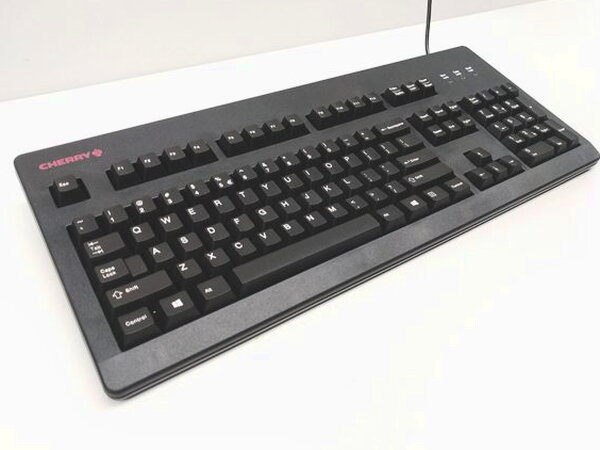
Given all that real estate, I expected at least a few media keys, some LED lighting controls, or a spare USB port or two built into the body. None of that is here. For a keyboard this large and this expensive, the feature list stops at the switches themselves.
Typing on the Silent Switches
The switches are the entire reason this keyboard exists, and on that front it delivers. Cherry describes the Silent switches as using a uniquely shaped rubber pad and an integrated two-component stem that cuts down the audible click at both the top and bottom of each keystroke. In practice, that means a real mechanical feel with a noticeably softer landing than a standard MX switch. They are not silent in any absolute sense, you can still hear them, but the volume drops enough that I would feel fine using this in a shared office without earning any dirty looks.


I personally like the sound a mechanical keyboard normally makes, so quieting it down took a little getting used to, but I can absolutely see why an open office full of coworkers would appreciate the difference. The keys themselves feel just slightly softer underfoot than a standard Cherry MX switch, though anyone already comfortable with mechanical keyboards will settle in fast.
Legs, Adapter, and Everyday Use
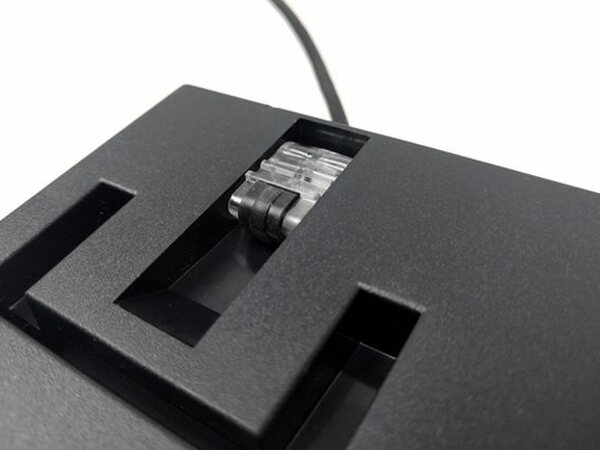
Flip the keyboard over and there are two fold-out legs for adjusting typing angle, though there is only the one height setting available. Locking them into place takes a firmer push than I expected, and skip that step and the legs will fold flat again the moment you nudge the keyboard forward while typing.

A USB to PS/2 adapter comes attached to the cable for anyone still running a PC that needs it, and it slips off cleanly if you never plan on using it.



What Could Be Better
The switches deliver exactly what they promise, but everything around them feels like an afterthought for a keyboard at this price. No media keys, no backlighting, no spare USB passthrough, and a body large enough that it should have room for all three. The single height setting and the legs that fold shut if bumped are small annoyances that a keyboard this expensive shouldn’t still have.
Quick Questions
Q: Does the keyboard have backlighting or media keys?
A: No. Despite the size and price, there’s no backlighting, media keys, or extra USB ports.
Q: Is it actually silent?
A: Not completely. It’s noticeably quieter than a standard mechanical switch, but you can still hear it, just soft enough that it wouldn’t draw dirty looks in a shared office.
Q: How many height settings does it have?
A: Just one. The fold-out legs offer a single height option.
Q: What switch options are available?
A: Cherry MX Black Silent (60 centinewtons) or Cherry MX Red Silent (45 centinewtons). The review unit tested the Black switches.
Final Thoughts
The Cherry MX Board Silent set out to prove that a mechanical keyboard could lose the noise without losing the feel, and on that one specific promise, it delivers completely. Typing away without worrying about annoying anyone nearby was genuinely great. But a keyboard this large, at this price, offering nothing beyond the switches themselves feels like a missed opportunity, especially with plenty of other mechanical boards on the market bundling in media controls and lighting for less.
If you’re comparing options in this category, see The Best Mechanical Keyboards I’ve Tested for how this one stacks up against the others I’ve tested.
Price: Check current pricing at Cherry or Amazon
Where to buy: Cherry or Amazon
What I like: Genuinely quieter than a standard mechanical switch without losing the tactile feel, solid build quality, USB to PS/2 adapter included
What I don’t: No media keys, backlighting, or extra USB ports despite the size and price, only one height setting, legs fold shut too easily if not locked


