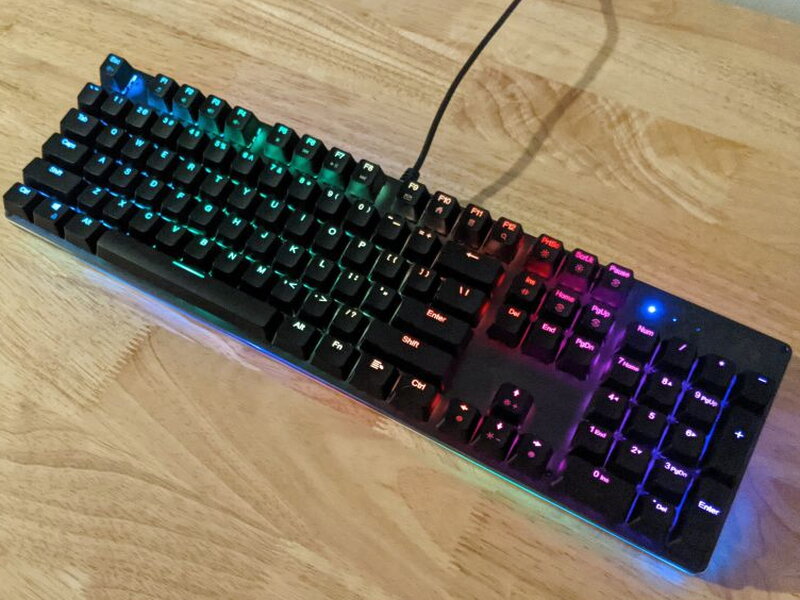
REVIEW – Working from home comes with plenty of small, low-grade headaches, and one of mine is sharing a single desk setup between work and play. I’m always hunting for peripherals reliable enough for the office but fun enough to scratch that #RGBlife itch gamers chase, and ideally without wrecking my budget in the process. The AUKEY KM-G12 Mechanical Gaming Keyboard turned out to be a solid way to live in both worlds at once.
The KM-G12 doesn’t scream “gamer” and would blend into an office desk just fine, yet it still carries plenty of the macro and RGB features gamers actually want. The AUKEY G-AIM software has real rough edges, and the KM-G12 can’t match pricier boards for customization, but at just over $40, this aluminum-framed RGB keyboard is a strong pick for anyone splitting time between work and gaming on a budget.
The Basics
Wired over USB, the KM-G12 is a mechanical gaming keyboard with customizable RGB backlighting, an aluminum alloy frame, and removable ABS keycaps. “Mechanical” here comes down to the key switches, the parts responsible for that signature click-clack gamers prize. The unit I tested ships with AUKEY (Outemu) Blue switches, though a Red-switch version is also available. Picking between them is a matter of taste: Blue switches are tactile and clicky, Red switches run linear and smooth.
What You Get
- AUKEY KM-G12 Mechanical Gaming Keyboard
- Keycap Removal Tool
- User Manual
By the Numbers
- Keyboard Layout: ANSI
- Number of Keys: 104
- Built-in Lighting: RGB Backlighting with 7 color and 12 lighting presets
- Keycap Material: ABS
- Key Switch Type: AUKEY (Outemu) Blue
- Key Switch Estimated Lifespan: 50 million keystrokes
- Actuator Travel: 4mm ± 0.2 mm
- Actuation Force: 54cN ± 20cN
- Input: DC 5V 200mA
- Interface: USB 2.0
- Operating System Compatibility: Windows, Mac OS, Linux
- Materials: Aluminum Alloy, ABS
- Cable Length: 5.25′ / 1.6m
- Dimensions: 17.1″ x 5″ x 1.5″/ 433 x 126 x 37mm
- Weight: 2.2lb / 1kg
Look and Feel
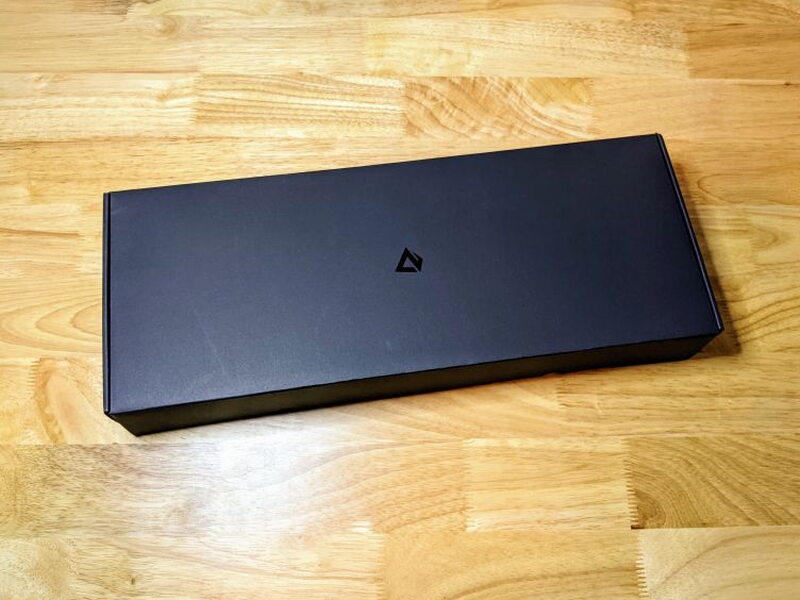
The KM-G12 shows up in a sharp-looking black box carrying nothing but the AUKEY logo, impressive presentation for a keyboard this cheap.
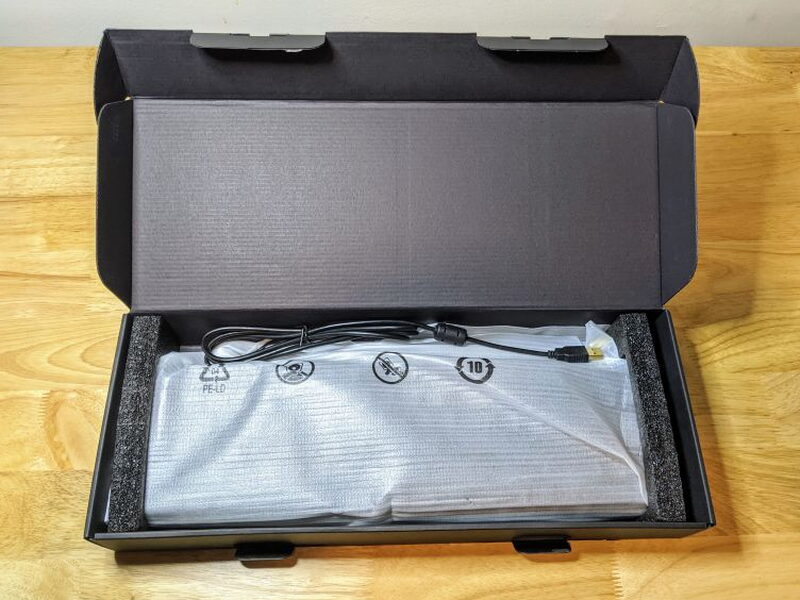
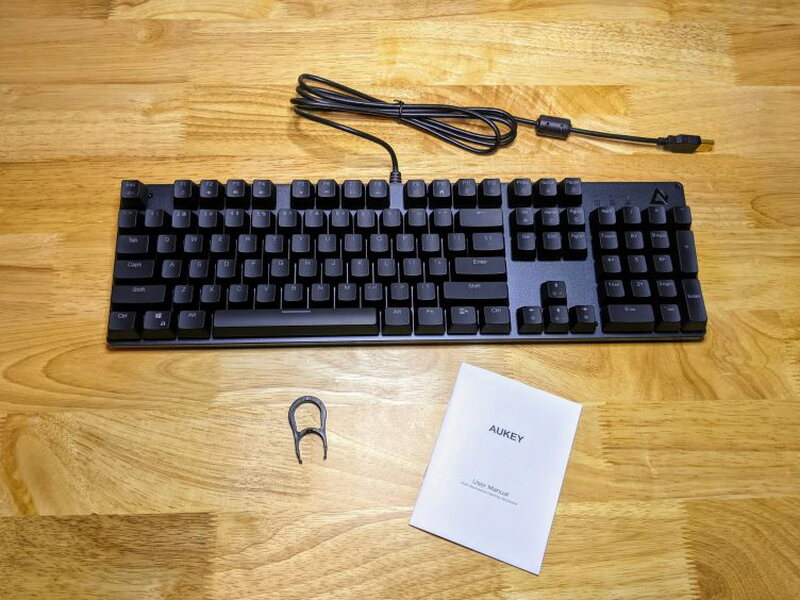
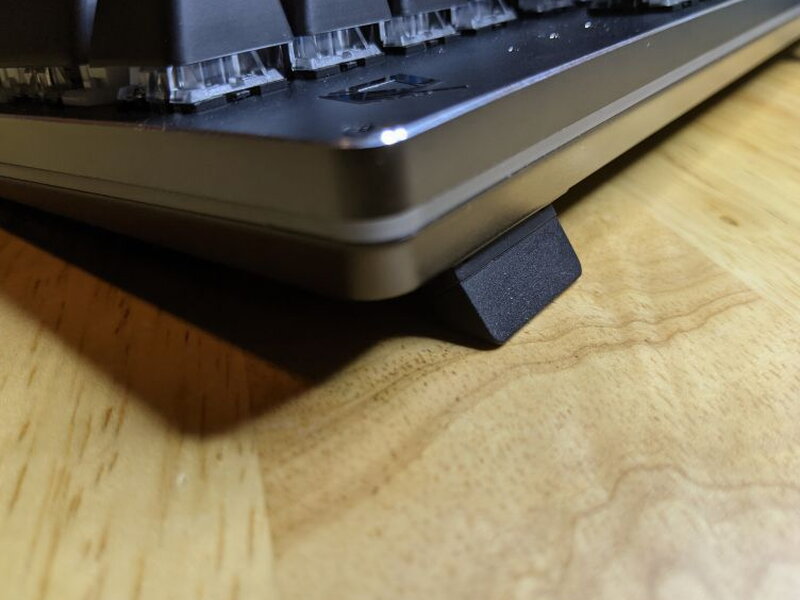
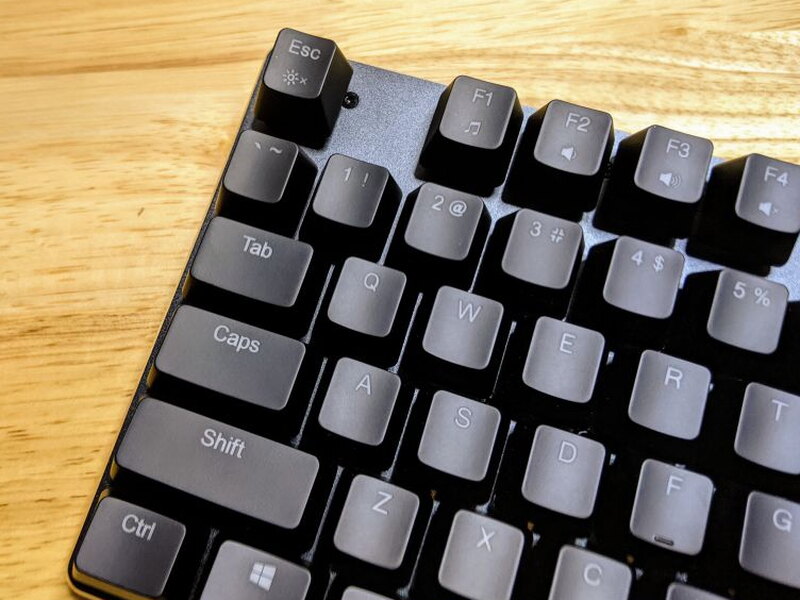
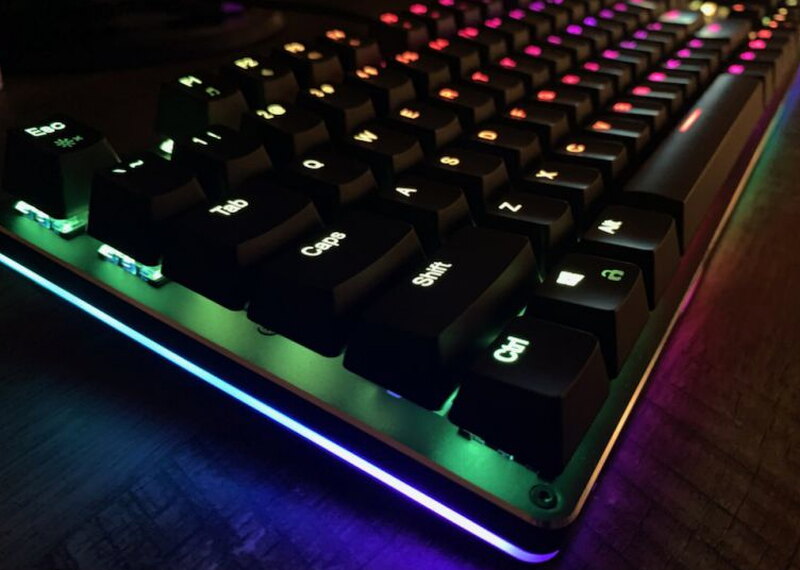
The build quality genuinely surprised me. Between the heft of the aluminum alloy body and how cleanly the RGB sidelights are worked in, everything about it hints at a pricier keyboard.
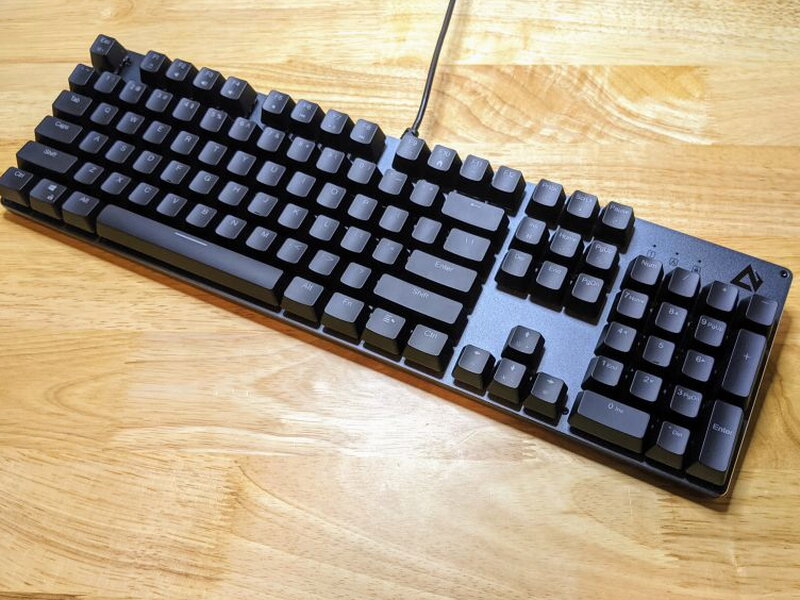
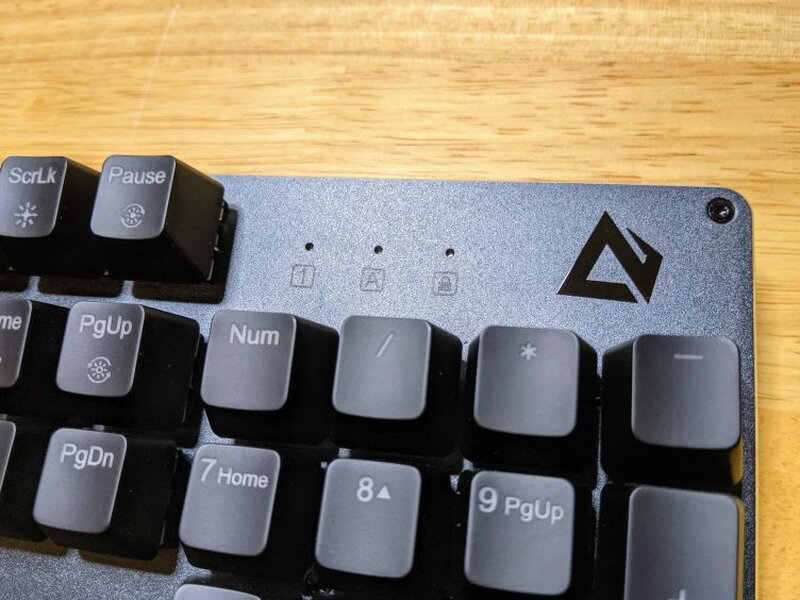
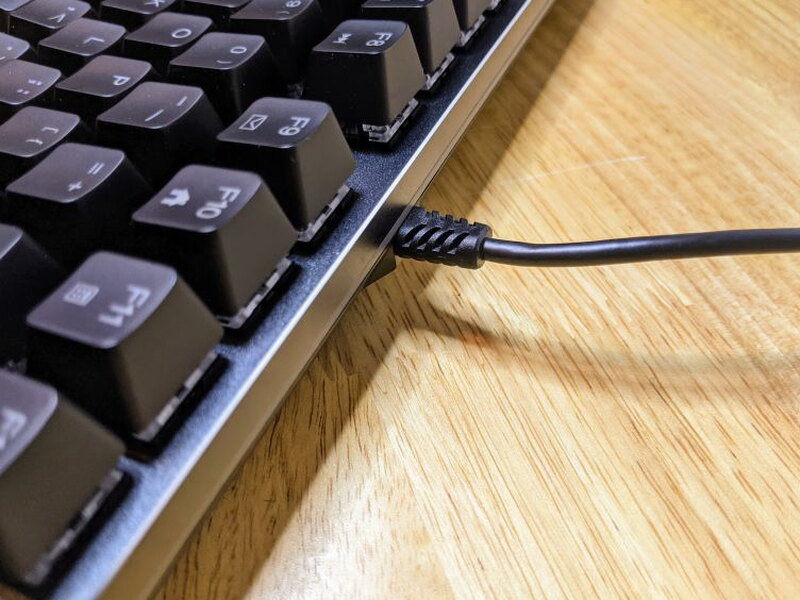
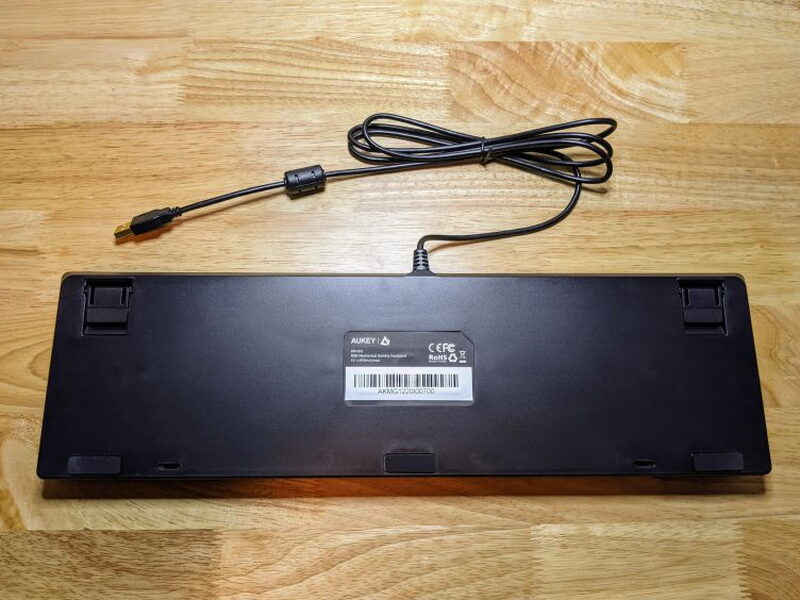
Take a lap around the board and there’s not much to find, since it has no USB ports of its own and its USB-A cord is hard-wired straight into the unit.
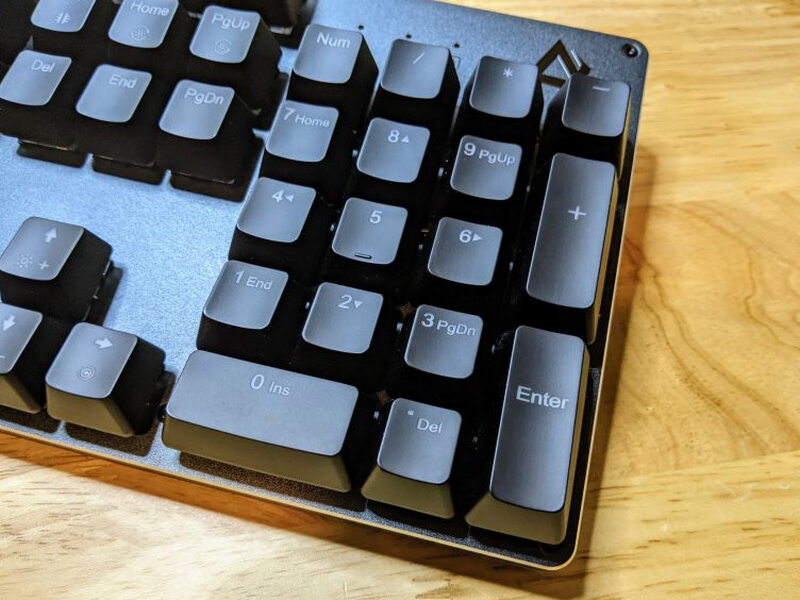
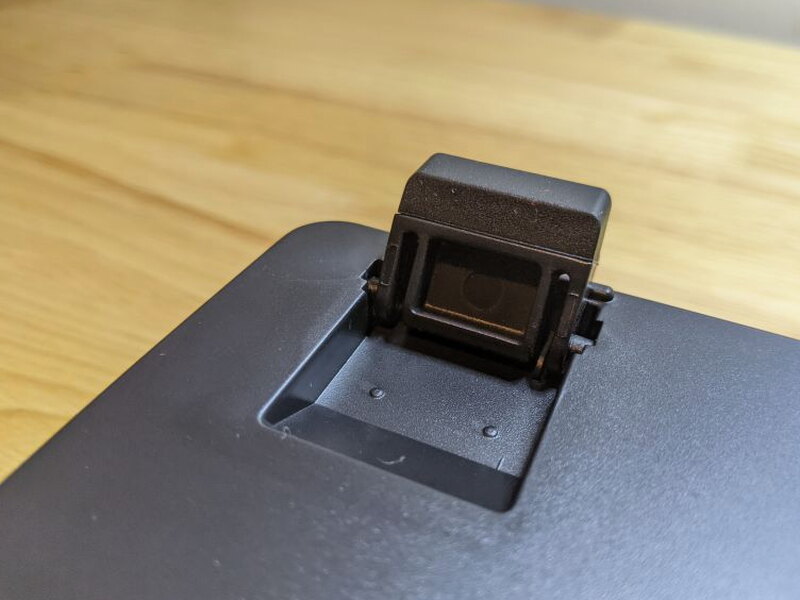
Flip it over and the bottom is textured matte plastic, with grippy rubber feet up front and two adjustable legs near the back that flip up and click into place to tilt the board at a steeper angle.
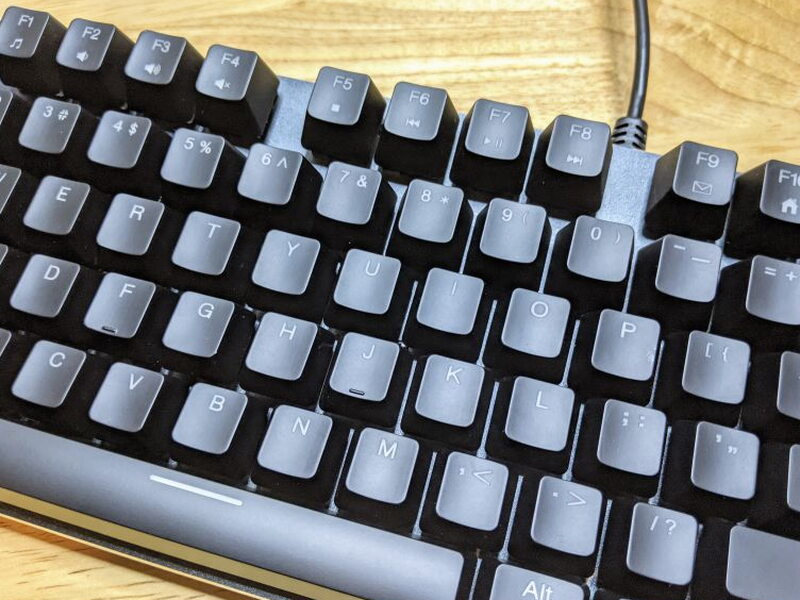
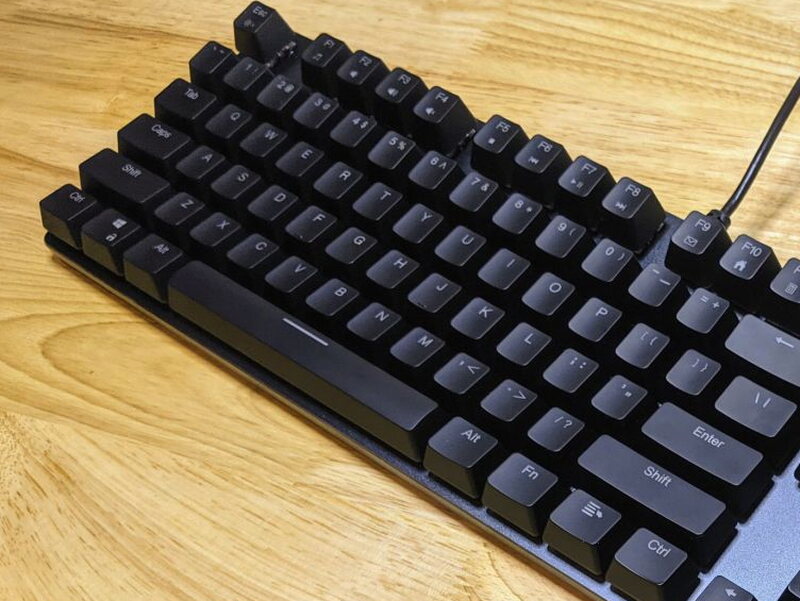
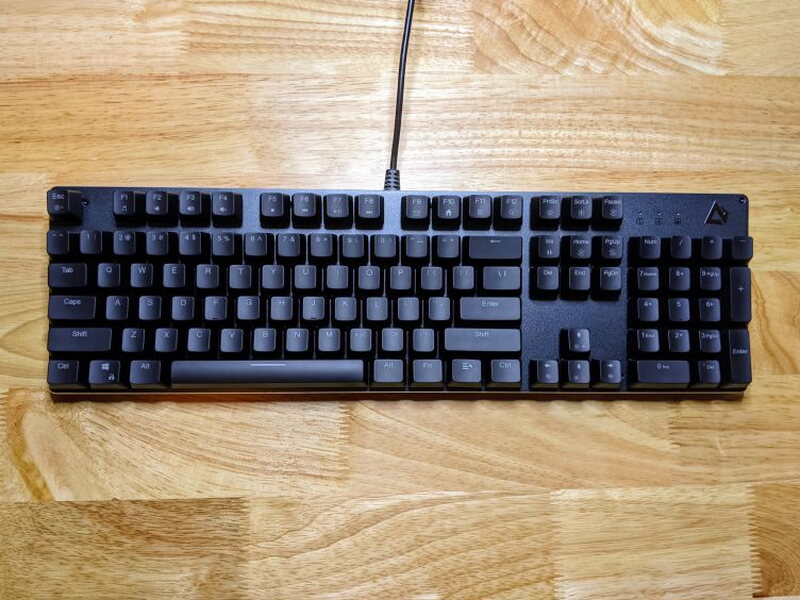
The ABS keycaps feel pleasantly smooth without turning slippery, and the look works for me too, understated enough to suit an office just fine.
Under the Keycaps
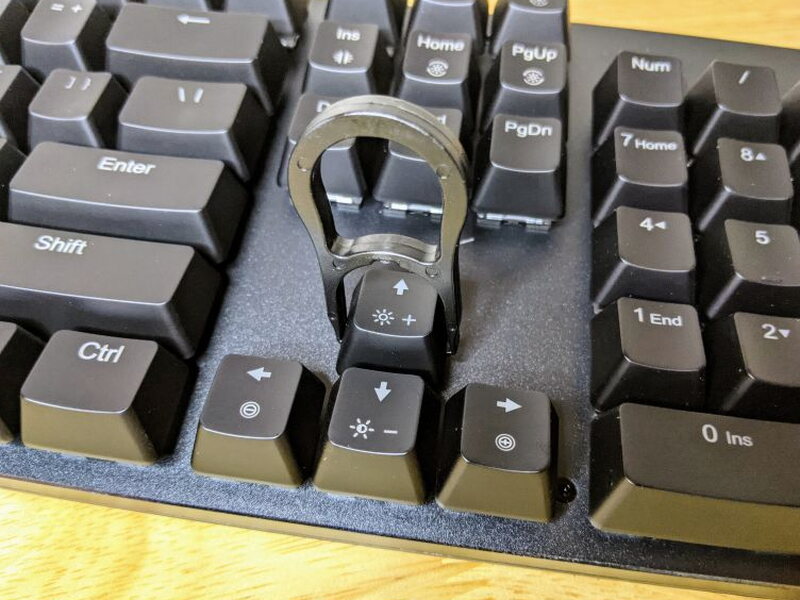
Grab the included keycap removal tool and you can pop the ABS keycaps off to swap in aftermarket ones, styling the KM-G12 however you like. Press down with the tool and it clicks as it grabs the keycap, then a gentle pull lifts it right off.
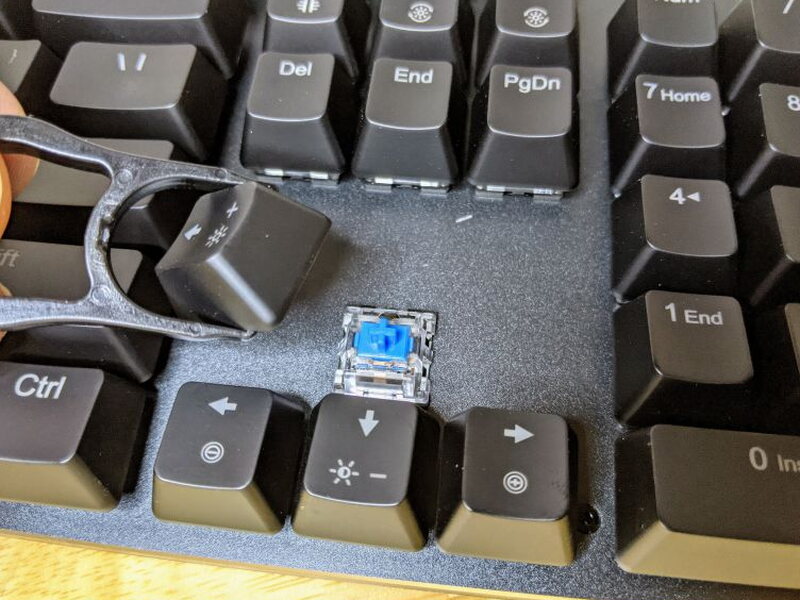
With a keycap off, you get a look at the AUKEY (Outemu) Blue switch, which imitates the classic and pricier benchmark for mechanical switches, the Cherry MX Blue from German peripheral maker Cherry. Outemu, a Chinese company much like AUKEY, produces these switches and focuses on wallet-friendly clones of Cherry’s designs.
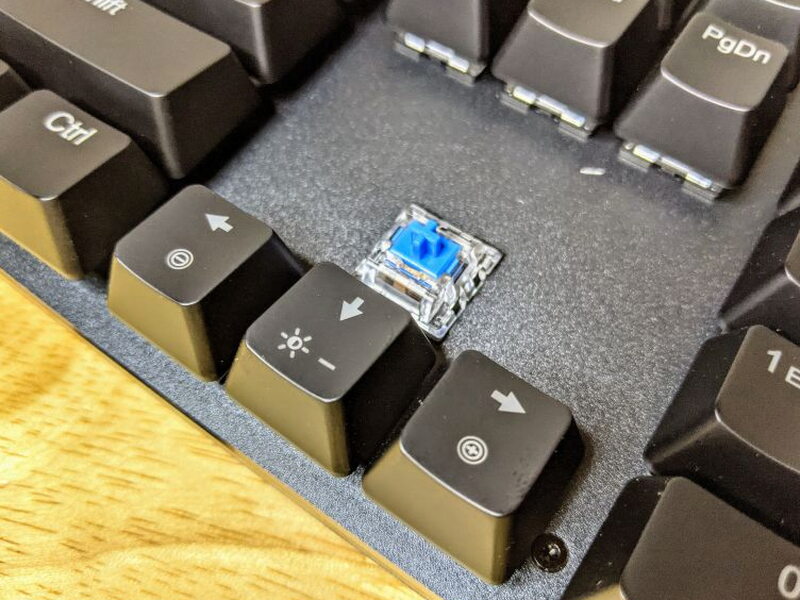
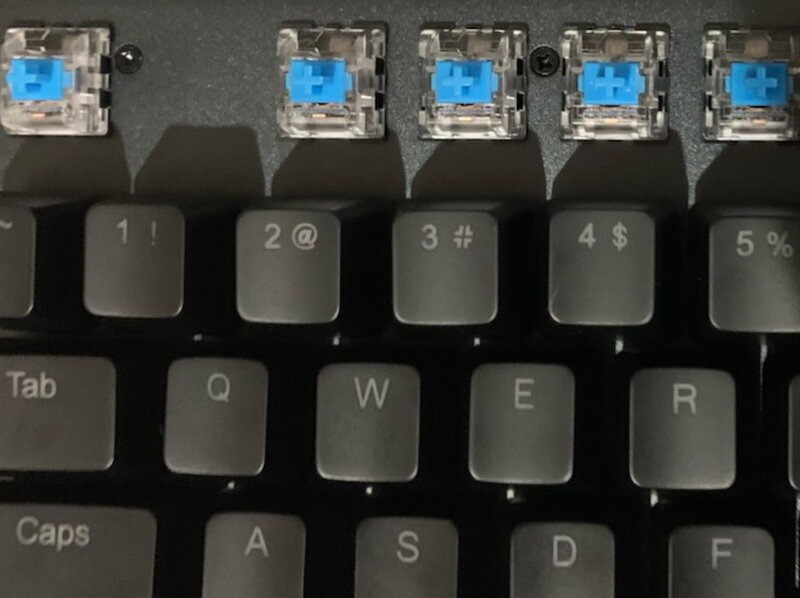
Outemu switches feel a touch looser and don’t match the long-haul durability of genuine Cherry switches, roughly 50 million keystrokes rated versus Cherry’s 100 million. Still, I think they’re perfectly fine, particularly since they help keep this keyboard’s price down. Beyond the switches themselves, the KM-G12 also has Full N-Key Rollover, meaning every key is scanned independently, so each keypress registers correctly no matter how many other keys you’re holding down at once. That matters for gamers who mash or fire off tons of keys simultaneously.
The RGB Show
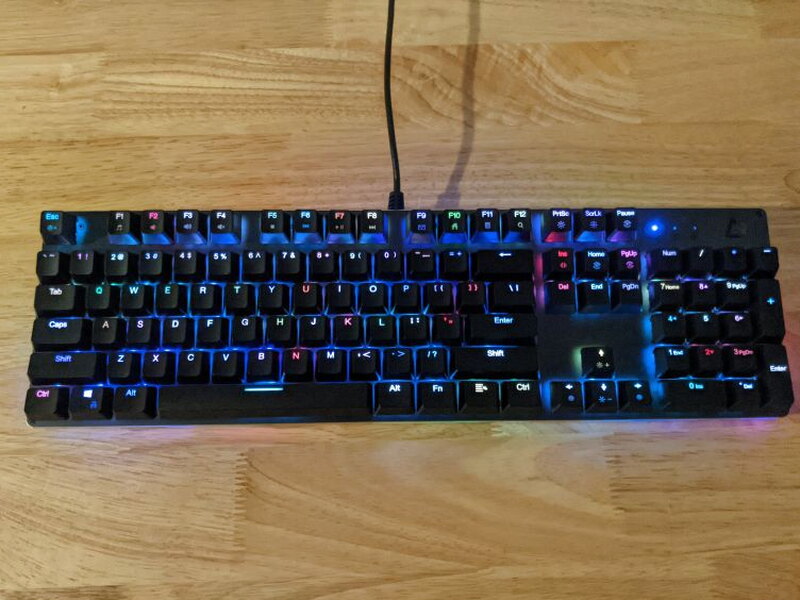
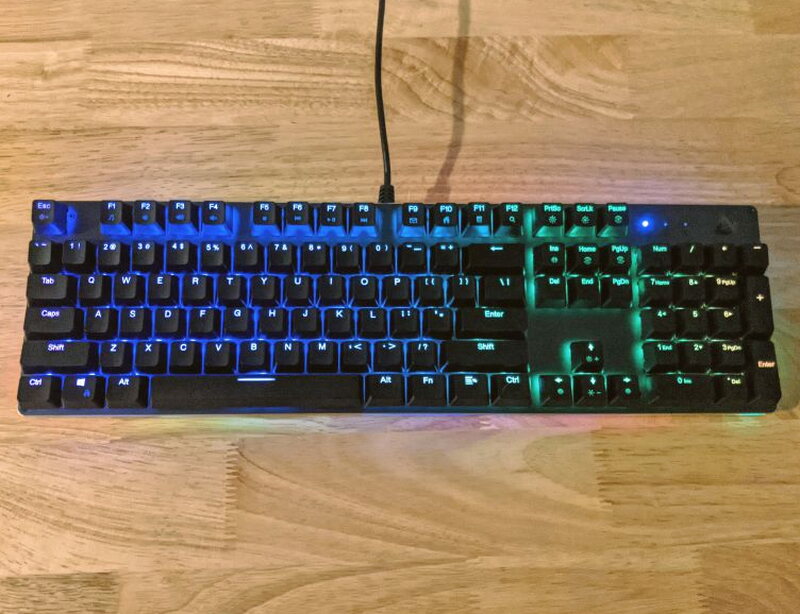
Now for the fun part. The RGB LEDs on the KM-G12 are seriously bright and quick to react, and every single key can show a color independent of the rest, opening the door to a lot of playful effects and full customization.
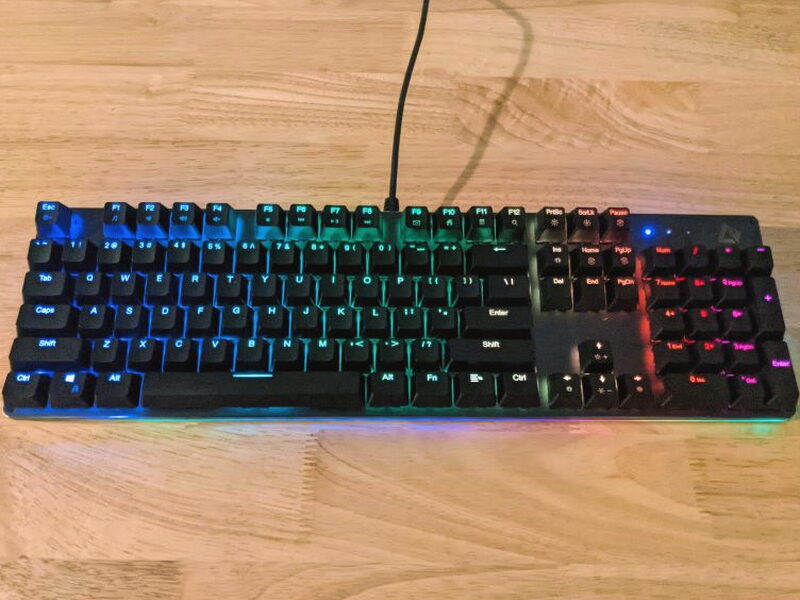
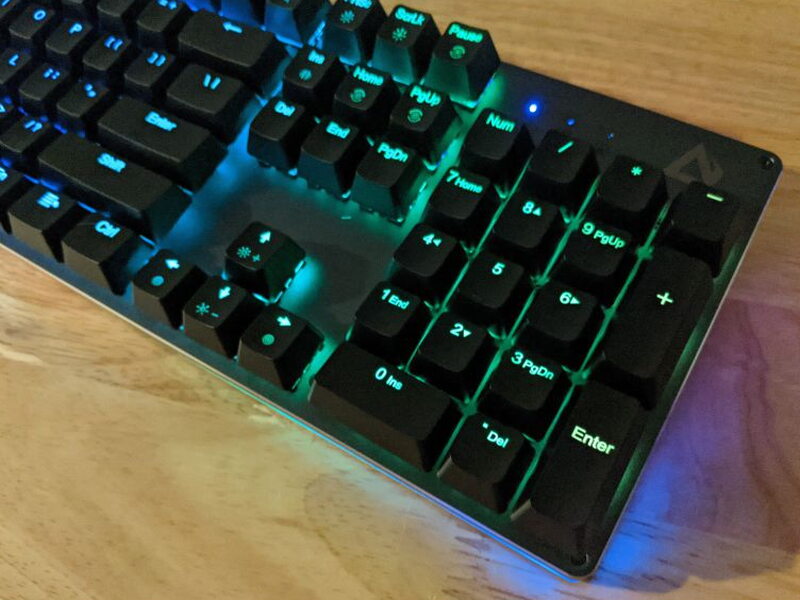
Tucked between the aluminum frame and the plastic underside sits a strip of LED sidelights that wraps the entire keyboard, a look you normally only find on costlier boards. Using either the function keys or the G-AIM software, you can flip through sidelight presets separately from whatever preset covers the main keys, or switch them off entirely, though they look sharp enough that I never wanted to.
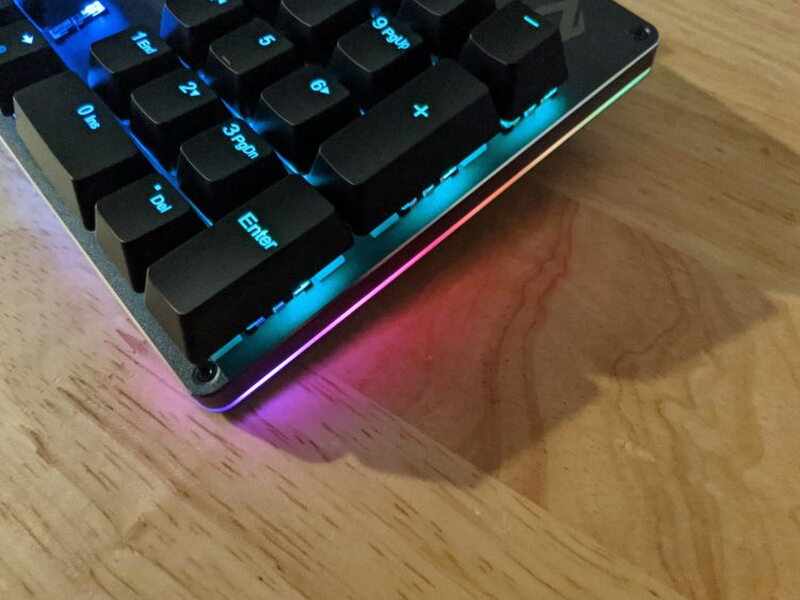
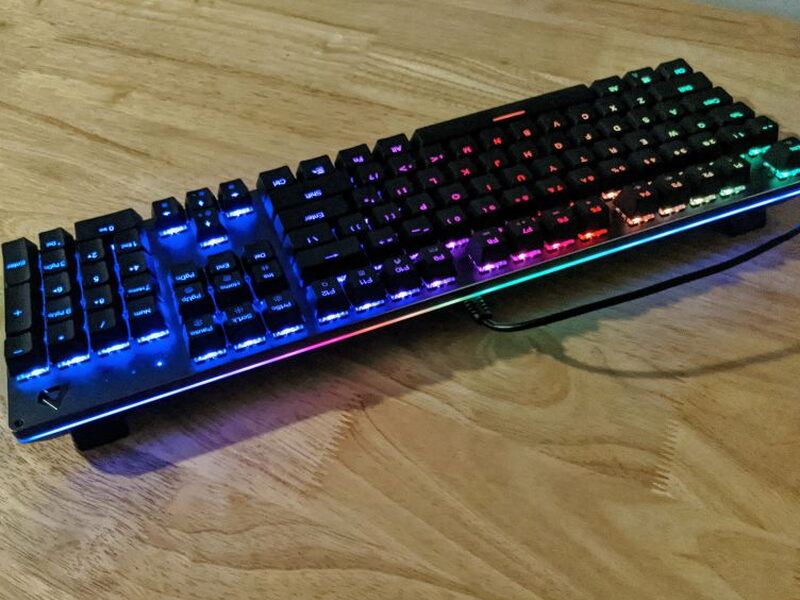
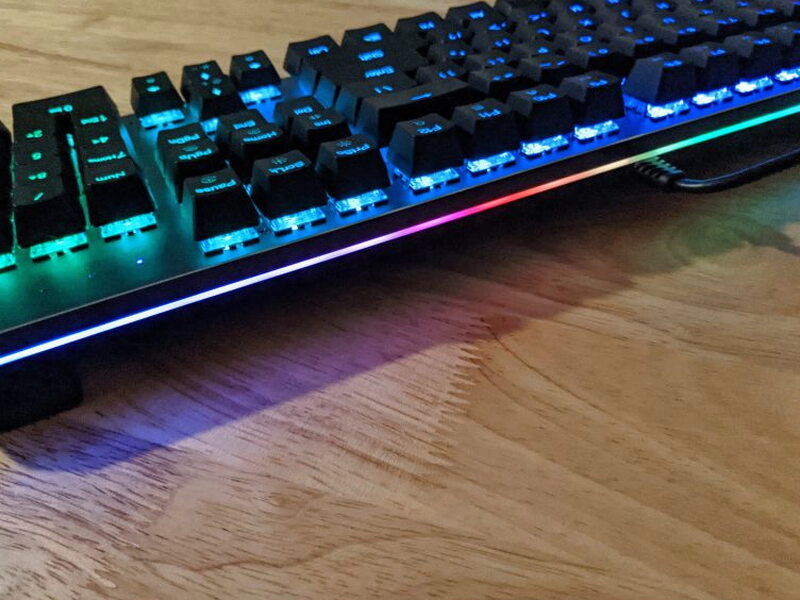
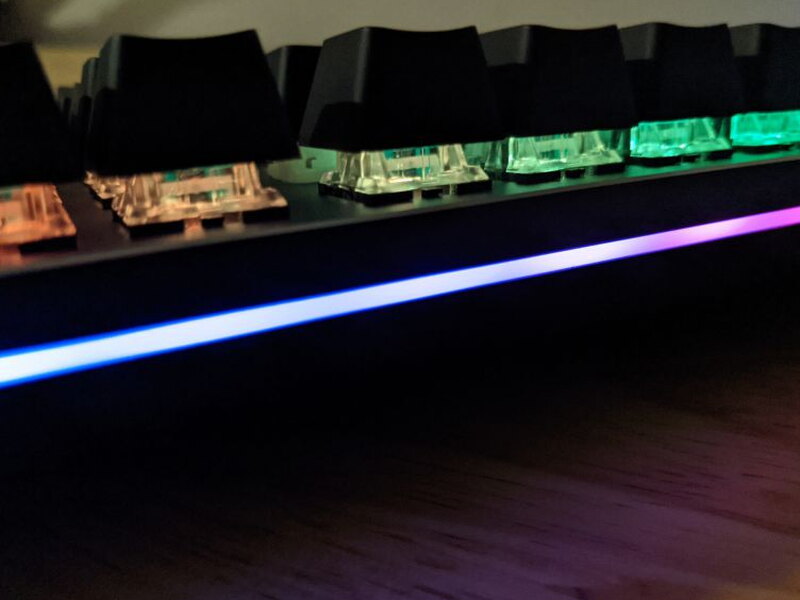
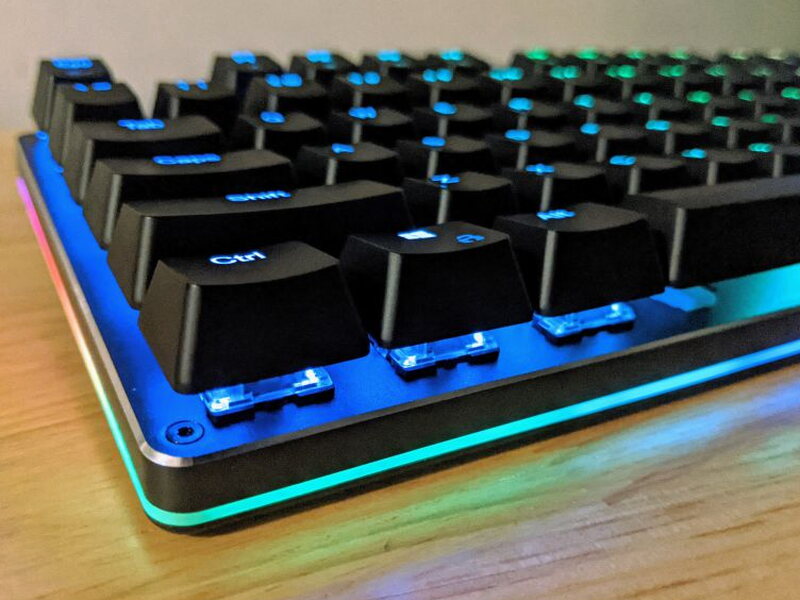
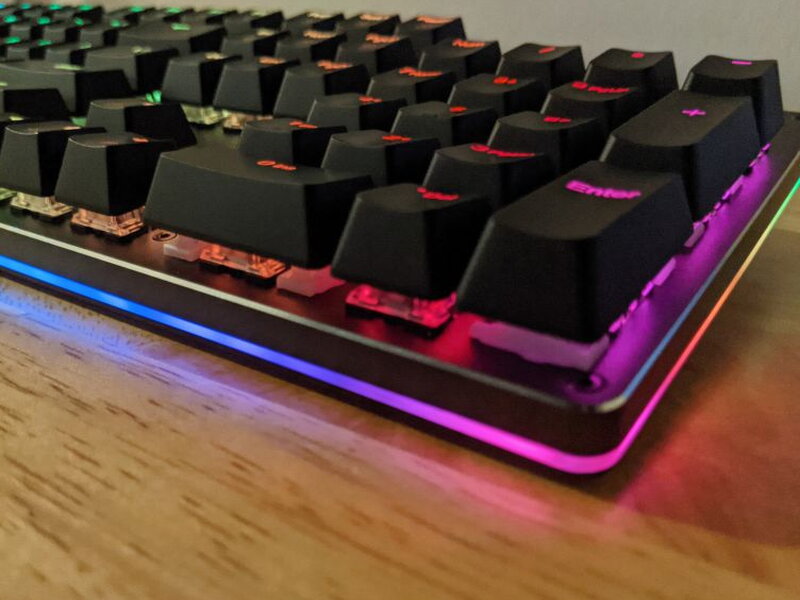
I’d say the sidelights alone push the KM-G12 past most other keyboards in its price bracket. Between them and the 104 individually addressable keys, the RGB presets on offer are playful and plentiful, even if getting comfortable with the controls takes a little patience.
Setting It Up: Function Keys vs. G-AIM Software
If the macro or RGB features aren’t your thing, getting started is as simple as plugging the KM-G12 into a USB port. Squeezing full value out of it, though, takes a bit more effort. There are two routes for configuring lighting and macros: the function keys, or the AUKEY G-AIM software, and each comes with its own headaches. The function keys only let you adjust keyboard and sidelight lighting; they can’t program macros. The G-AIM software handles both lighting and macros, but it’s clunky and far from intuitive, assuming you can even find a working link to download it.
Controlling lighting through the function keys follows fairly simple rules once you get the hang of it. The essentials: FN + PrtSc cycles through keyboard presets, FN + PgUp cycles through sidelight presets, and FN + ScrLk edits and saves custom setups. The full command list is below.
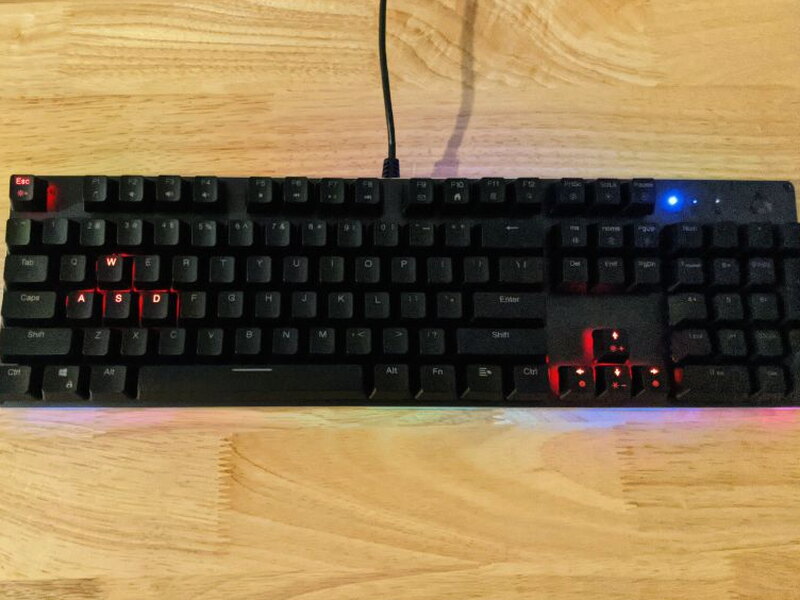
Press FN + ScrLk and the keyboard drops into setup mode as the three status lights start blinking. From there you shape the layout however you want, clicking a key repeatedly to cycle its color, then tapping FN + ScrLk again to save.
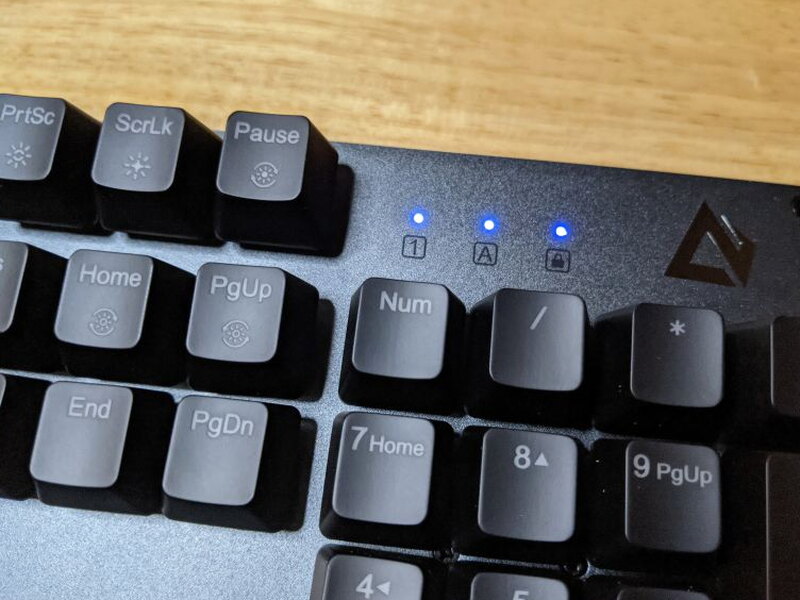
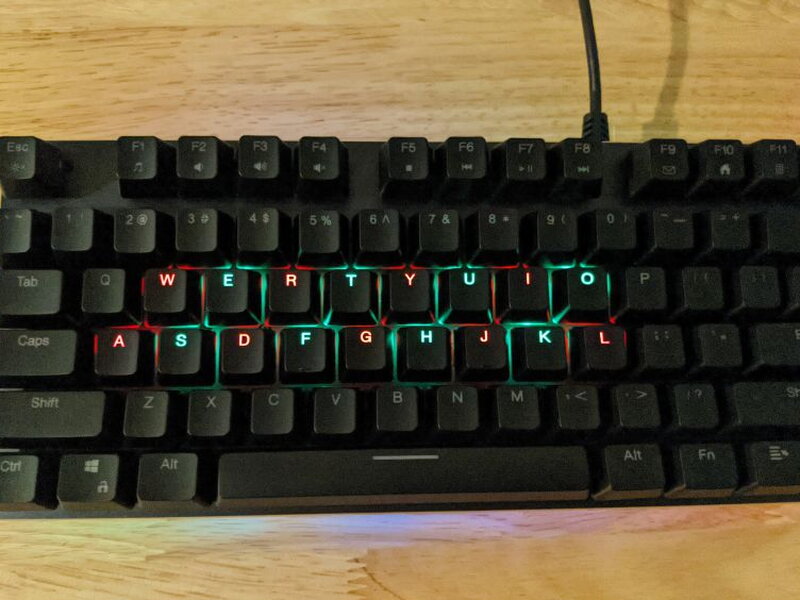
Programming every single key by hand is genuinely satisfying, even if it eats up time, and that level of control is exactly what certain gamers want. Mess something up, or just want a clean slate? Hold FN + Del for three seconds and every setting resets back to default.
Function Key Commands
- FN + F1: Open the media player
- FN + F2: Volume –
- FN + F3: Volume +
- FN + F4: Mute
- FN + F5: Stop
- FN + F6: Previous track
- FN + F7: Play / Pause
- FN + F8: Next track
- FN + F9: Open e-mail
- FN + F10: Open Internet browser
- FN + F11: Calculator
- FN + F12: Search
- FN + ↑: Brightness +
- FN + ↓: Brightness –
- FN + ←: Lighting effect speed –
- FN + →: Lighting effect speed +
- FN + PrtSc: Cycle through the 12 lighting effects
- FN + Home: Cycle through the 7 color settings
- FN + Ins: Turn off / cycle through the 3 sidelight effects
- FN + PgUp: Cycle through the 7 sidelight color settings
- FN + Pause: Cycle through the 5 gaming lighting effects (FPS, CF, COD, LOL, racing games)
- FN + ScrLk: Edit / save custom lighting effects
- FN + Esc: Turn lighting on / off
- FN + Windows: Windows key lock / unlock
- FN + Del: (Hold for 3 sec) Reset all keyboard settings
Now, about the G-AIM software. The link on AUKEY’s own site that’s supposed to lead you to it is dead as of this writing, a huge miss considering how often they reference it. You’re left hunting around the site for a link that just throws a 404 once you find it. I’m honestly not comfortable sharing the copy I eventually dug up, since I found it on a message board and don’t want to be the reason someone winds up with malware.
Whenever you do manage to get your hands on it, brace for disappointment. Between the clumsy interface and the loud color scheme, it’s not intuitive and barely walks you through anything.
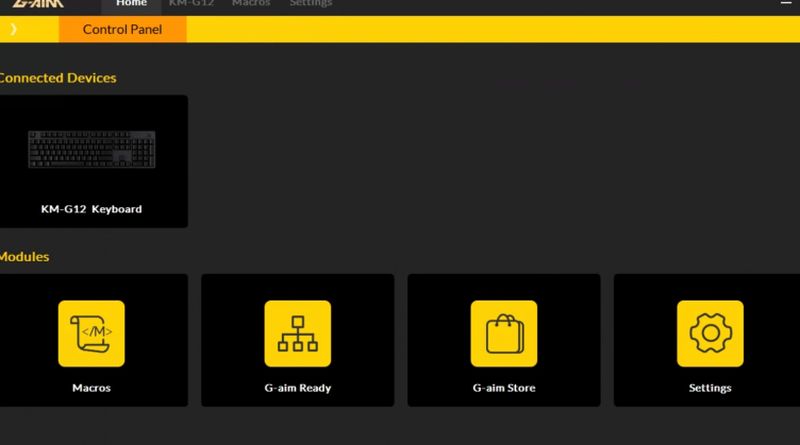
It took plenty of trial and error, but I eventually built and programmed a handful of basic gaming macros and tweaked a few lighting schemes.
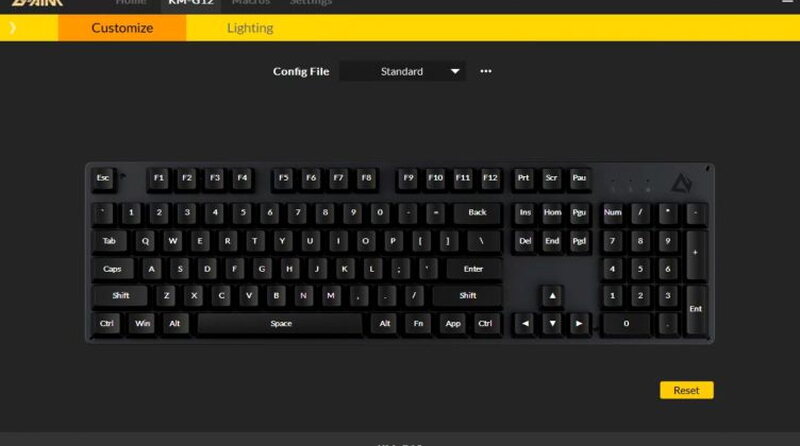
Honestly, I’d be fine skipping the macros entirely and leaning on the function keys for lighting. You can only expect so much from a keyboard at this price, but if AUKEY wants to promote G-AIM as a selling point, the least they could do is make it accessible.
Living With It
Over a few weeks I put the KM-G12 through all sorts of situations, and I genuinely loved how it felt and how quickly it reacted. The keys held their own against both my pricier Razer BlackWidow Elite and my Cherry MX boards. Gaming or working, it felt like the KM-G12 was punching above its weight. The one thing that nagged at me was reaching for an extra USB port every so often and coming up empty.
To cover every angle, I also handed the KM-G12 off to a 13-year-old hardcore gamer to really put it through its paces. After I showed him how to set it up, he dove straight in and started tailoring it to what he wanted. He thought the gaming presets were fine, though they could use some adjusting. Once dialed in, he ran the board through marathon sessions in Fortnite, Call of Duty: Warzone, and Rocket League, and it didn’t take him long to get comfortable tuning it to each game using both the function keys and the buggy G-AIM software.
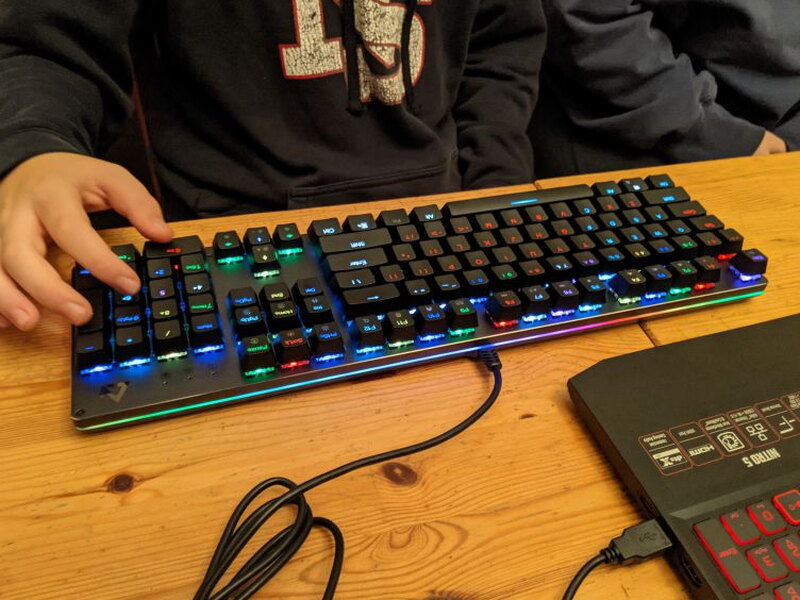
True to form as a gamer, he shared every complaint I had and added one more of his own: that gray was the only body color available.
When we weren’t deep in a gaming session, we both had fun swapping between the RGB presets. Here are clips of our three favorites.
That slow, snakeline crawl of the Tumbling preset really does it for me.
My gamer was all about how random the Rain preset felt.
And typing with the Ripple effect? Yeah, we both loved that one.
Having put the AUKEY KM-G12 through a thorough workout myself and then handed it to a hardcore gamer who ran it into the ground, I can genuinely say it lived up to what I hoped for.
The Good
- Sturdy aluminum alloy frame and grippy rubber feet
- Very affordable for feature-set
- Bright customizable RGB LEDs
The Not So Good
- AUKEY G-AIM software buggy and inconsistent
- No extra USB ports or dedicated media keys
- Can’t remove USB cord and would’ve preferred a braided cable
Quick Questions
Q: Can you swap the keycaps?
A: Yes, the included keycap removal tool pops the ABS keycaps off so you can install aftermarket ones.
Q: Where can you download the G-AIM software?
A: It’s genuinely hard to find – the official download link on AUKEY’s own site is dead, so getting a working copy took searching outside official channels.
Q: Does the keyboard have extra USB ports?
A: No, it has no USB ports of its own and its cable is hard-wired rather than detachable.
Q: What switch type does it use?
A: AUKEY (Outemu) Blue switches by default, a budget clone of Cherry MX Blue, rated for about 50 million keystrokes versus Cherry’s 100 million.
The Verdict
Dollar for dollar, the AUKEY KM-G12 Mechanical Gaming Keyboard is a really great board. At just over $40, this solid, aluminum-framed keyboard looks and feels like something that costs a lot more. Sure, there are a couple of design stumbles: no extra USB ports, no braided cable, and software that falls short. But given everything it offers in function and style, the KM-G12 is a smart pick for gamers, work-from-home folks, and hybrids who bounce between both, like me.
I’ve tested a handful of these by now. See The Best Mechanical Keyboards I’ve Tested for the full rundown.
Price: $42.49
Source: The sample of this product was provided by AUKEY


