
REVIEW – I already have cameras in every room of my apartment keeping tabs on my pup Addy, so I wasn’t exactly shopping for another security device. But when the chance came to try something with actual motorized movement, I couldn’t pass it up. The Arlo Essential Pan Tilt Smart Home Security Camera bolts pan and tilt onto the familiar Arlo formula, letting it follow motion and cover far more than a single fixed view ever could. My street in Seattle sees frequent vehicle break-ins, so a camera that could pivot between watching the road and my truck while still plugging into my existing Arlo setup sounded worth trying. At $39.99 it’s cheap for what it claims to do, and after living with it, I’ve come away impressed with only a few real caveats.
It’s a Wi-Fi connected indoor/outdoor 2K camera with 360-degree pan, 180-degree tilt, 12x zoom, motion tracking, two-way audio, and AI detection for people, vehicles, and packages.
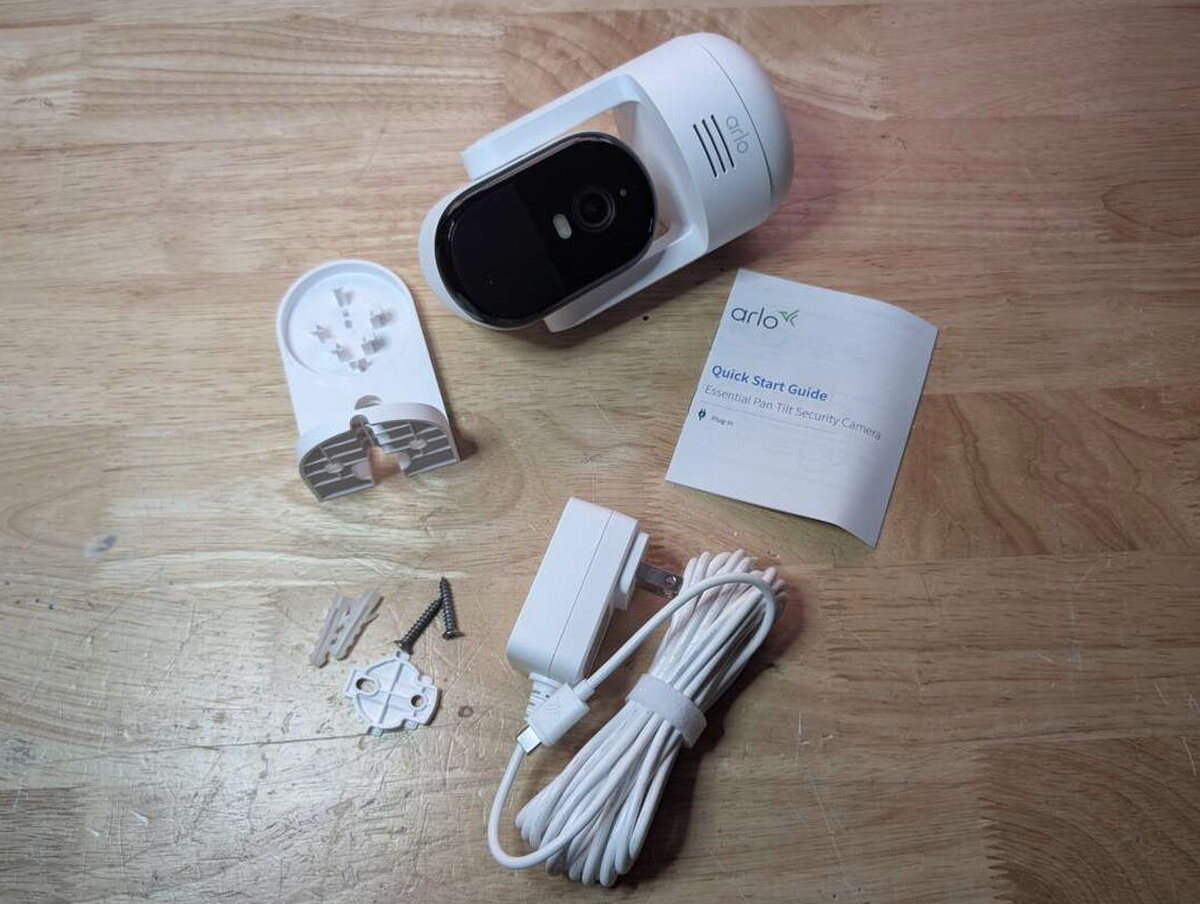
What’s in the Box
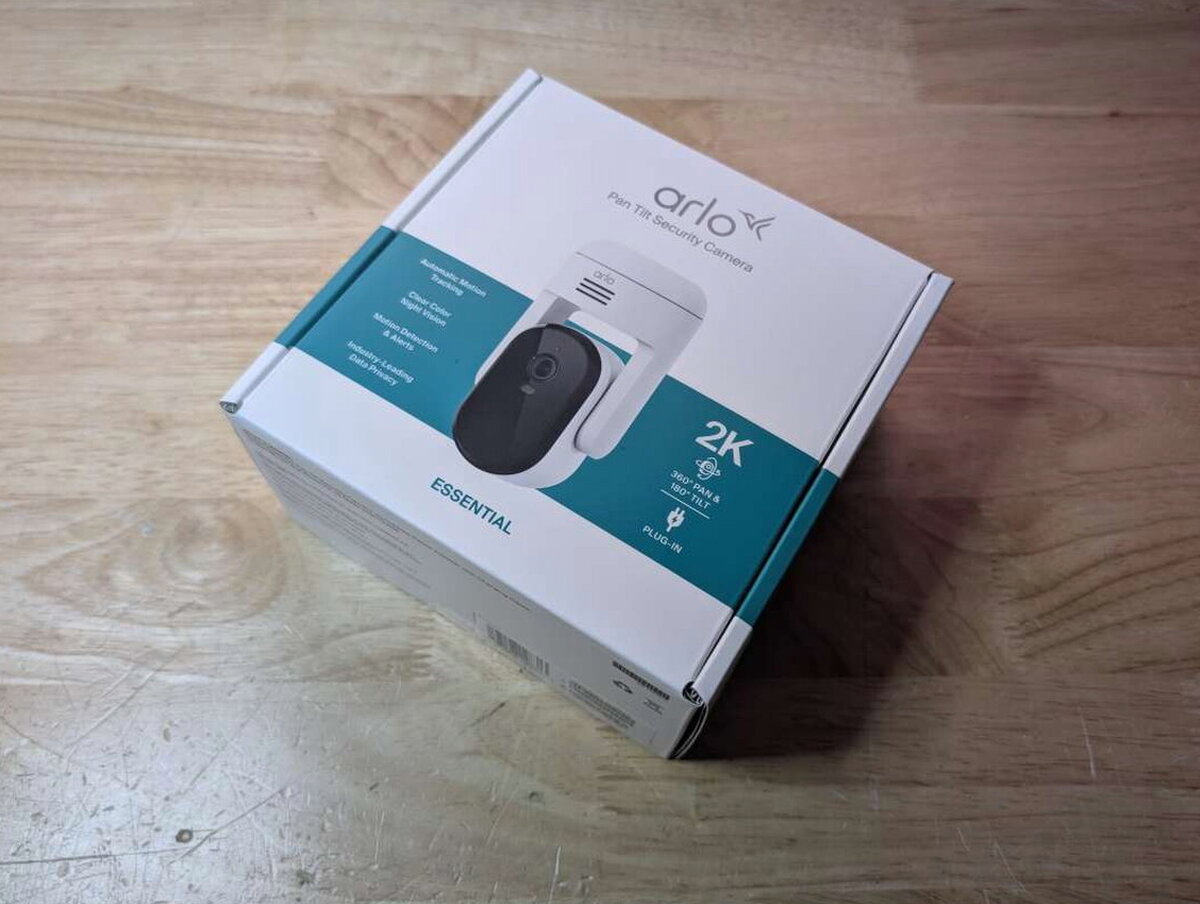

- Arlo Essential Pan Tilt Smart Home Security Camera
- 16 ft outdoor power cable
- Wall mount and screw kit
- Quick start guide
By the Numbers
- Power: Wired with included adapter
- Smart home compatibility: Alexa, Google Assistant, Apple HomeKit
- AI features (with Arlo Secure subscription): Person, vehicle, animal, and package detection
- Dimensions: 4.3 x 2.5 x 2.5 in (110 x 64 x 64 mm)
- Weight: 0.5 lb (240 g)
- Maximum Video Resolution: 2304 x 1296
- Image Sensor: 3 Megapixels
- Video Modes: 2k, 1080p, 720p
- Video Features: Color Night Vision
- Lens Field of View: 130-degree diagonal
- Mobility: 360° Pan & 180° Tilt Viewing
- Digital Zoom: 12x
- Spotlight: Yes
- Motion Detection: 1 PIR, 110° horizontal
- Night Vision: Color and IR B&W
- Audio: 2-Way Audio + Echo Cancellation
- Siren: Yes
- Connectivity: 2.4GHz & 5GHz
- Camera Mount Type: Wall & Ceiling
- Minimum Operating Temperature: -4° F (-20° C)
- Maximum Operating Temperature: 113° F (45° C)

Design
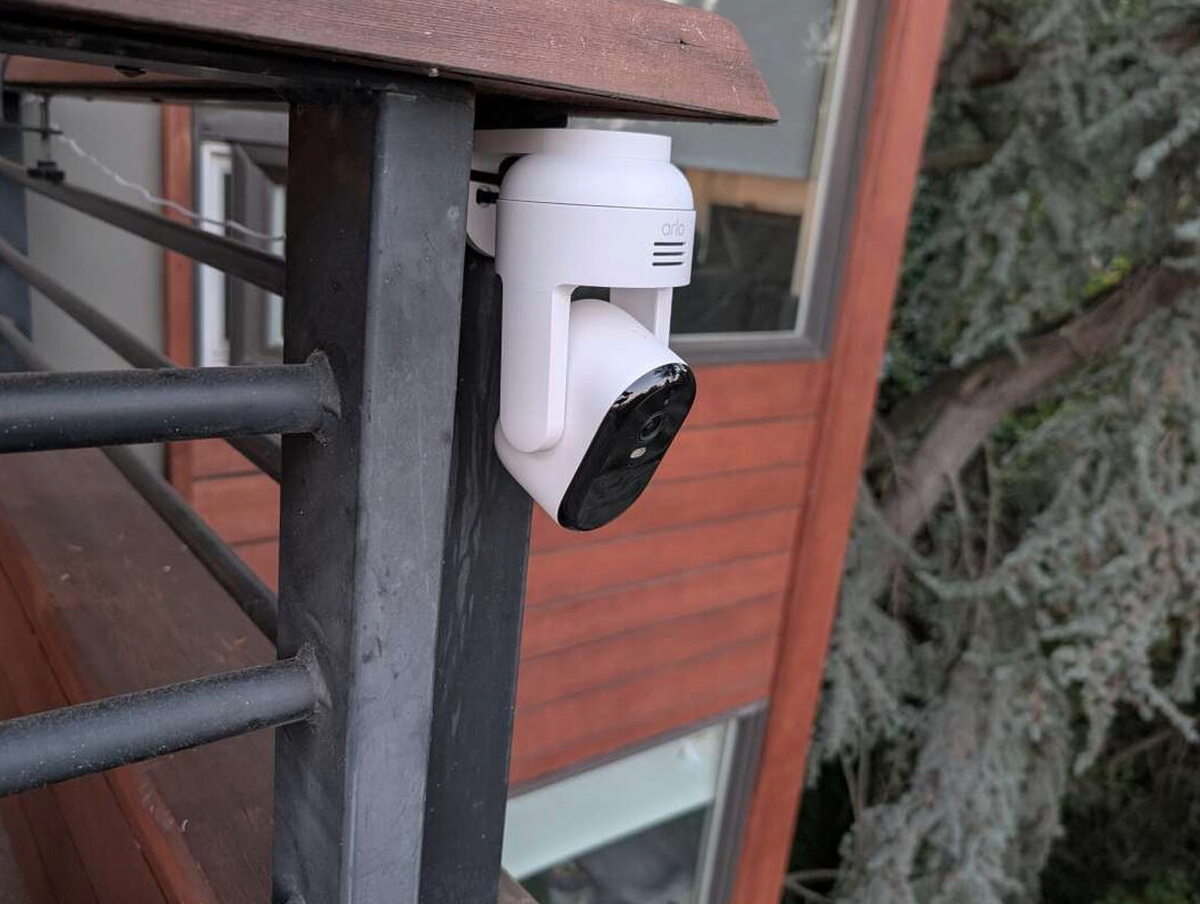
At first glance the Essential reads like a modern spin on a classic security camera: a matte white shell with a glossy black camera module in the middle that spins in every direction. It’s compact enough to sit on a desk without drawing attention, or you can hang it under a shelf or an outdoor ledge.



Because it’s wired rather than battery-powered, that 16-foot cable does most of the work of deciding where you can actually put this thing. It’s generous as these cables go, but it’s still a real constraint next to a battery camera you can stick almost anywhere.


That collar is also the mounting point. It clips onto the included wall bracket from underneath, and an L-shaped arm does the actual work of holding the whole assembly to a wall or ceiling.


Setting It Up
Setup is simple if you’re already in the Arlo ecosystem. Plug the USB-C cable into the camera and an outlet, and the LED blinks white once it’s ready to pair.

From there the rest happens in the Arlo app: tap the plus icon, choose the Essential Pan Tilt, link it to your account, and hand over your Wi-Fi details. Inside about a minute mine was online and streaming.

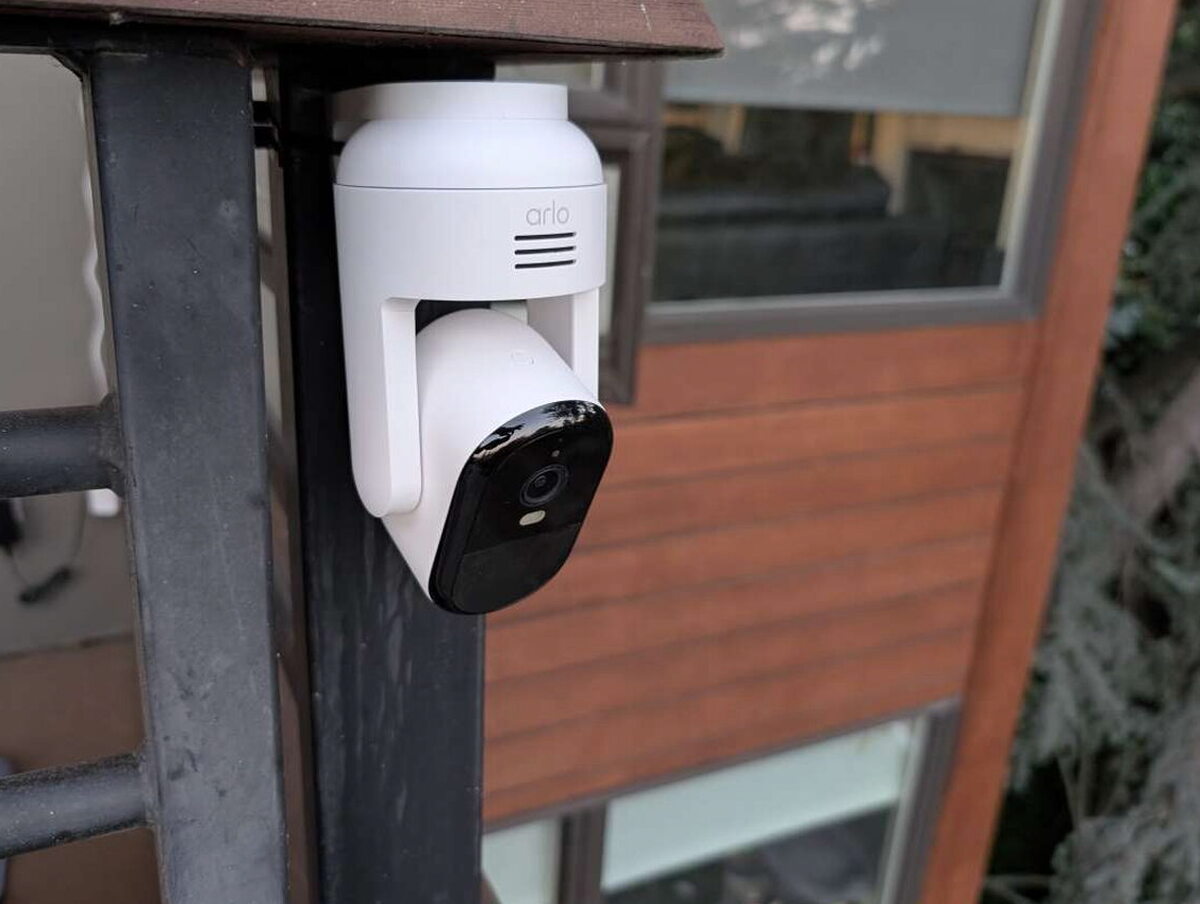
Calibration runs automatically, the camera spinning side to side and tilting up and down to map its own range of motion. Once that finishes, the app hands you a virtual joystick for manual pan and tilt control in real time. My main goal was watching the street, so I mounted mine on the corner of my balcony facing out, using the included wall plate and screws.

Pan, Tilt, and Picture Quality
What separates this from a lot of cameras in its price range is that it actually moves. A full 360 degrees of pan and 180 degrees of tilt means one mounting point can cover a whole room or a whole street, instead of needing multiple fixed cameras to do the same job.
Video quality backs that up. At 2K, zooming in on something like a license plate or a face still holds real detail, especially in daylight. My window faces east, so morning glare gets brutal, but the Essential Pan Tilt handled it without blowing out highlights or crushing shadows.


Night vision holds up just as well. Infrared illumination gives a clear, usable look at the street even in near-total darkness.

Smart AI Detection
Subscribe to Arlo Secure and the camera starts telling you what triggered a clip, not just that something moved. Person, vehicle, animal, or package, each gets its own label, which makes alerts genuinely more useful than a blanket motion ping. Skip the subscription and you still get notifications, live view, and a short window of cloud storage, but the AI is where the platform really comes alive.

The camera ships with a 30-day trial of Arlo Secure, which unlocks smart detection, advanced audio detection, 24/7 emergency response, 60 days of video history, and custom activity zones. After the trial, keeping those features costs $7.99 a month billed annually. That recurring fee won’t sit well with everyone, but the extra functionality is hard to give up once you’ve used it. Detection was accurate in my testing and rarely triggered a false alarm, and it reliably told a passing car apart from someone walking by on the sidewalk.

I set notifications for vehicles and people only, since I didn’t want a ping every time a raccoon wandered through. There’s also a beta Custom Detection feature that lets you teach the camera to flag specific objects or scenarios beyond the standard categories.

Checking In on Addy
The Essential Pan Tilt also packs two-way audio, and I gave it a try by talking to Addy through the app while I was out. She reacted like I was right there in the room. Sound came through clear on both ends, and the mic did a decent job cutting out background noise, which makes this just as good for checking on a dog as it is for security.
One Real Hiccup
The gap between this and my fixed-position Arlo cameras is obvious once it’s running. Panning across the street gave me coverage I never had before, and tilting let me glance down at the sidewalk without physically repositioning anything. The one snag is a bit of lag when panning quickly, the motor keeps pace but the live stream sometimes stalls for a beat before catching up. It’s not a dealbreaker, just something to expect if you’re trying to track fast movement in real time.
Sample Videos
The Verdict
All things considered, the Arlo Essential Pan Tilt Smart Home Security Camera adds a lot to my home camera network. It’s not flawless, but for $39.99 I get motorized coverage, smart AI alerts, and a seamless tie-in with my existing Arlo gear. If you’re already running Arlo cameras, this is a great upgrade for closing blind spots and adding tracking. Coming in fresh, it’s still a solid pick as long as you value wider coverage and smarter detection over ultra high resolution. Just plan on keeping it powered around the clock and accept that getting its full potential means paying for a subscription.
The Good
- Affordable price for a 2K camera with pan/tilt capability
- Easy integration with the Arlo app and platform
- AI great for identifying people and vehicles
Quick Questions
Q: Does the Arlo Essential Pan Tilt camera run on battery power?
A: No, it’s wired, using a 16-foot power cable, which limits placement compared to a battery-powered camera.
Q: Are AI detection features free?
A: Only during a 30-day trial; after that, smart detection and other AI features require an Arlo Secure subscription at $7.99 a month billed annually.
Q: How far can it pan and tilt?
A: A full 360 degrees of pan and 180 degrees of tilt from a single mounting point.
Q: Is there any lag when the camera moves quickly?
A: Yes, that’s a real limitation noted; the live stream can stall for a beat when panning quickly before catching back up.
The Not So Good
- Requires wired power, which limits placement
- Occasional lag in the live stream when panning quickly
- AI features locked behind an Arlo Secure subscription
Curious how this compares to the competition? I break it down in The Best Home Security Cameras I’ve Tested.
Price: $39.99
Product Link: Arlo
Source: The sample of this product was provided for free by Arlo. Arlo did not have a final say on the review and did not preview the review before it was published.


