
REVIEW – Acumen took a different route from the usual windshield dashcam. The XR10 Digital Rearview Mirror clips over the factory mirror, records the road ahead, adds a rear camera, and turns the mirror itself into a high definition touchscreen display. It is not the easiest install I have dealt with, and the rear camera design will not suit every vehicle without some creativity, but at $129 it is still a distinctive and feature packed way to add dashcam and backup camera functions to an older car.
Mirror, dashcam, and backup screen in one
The basic idea is simple: instead of adding another screen to the dashboard, the XR10 uses the rearview mirror location you already have. With the screen on, it can show either camera feed. With the screen off, it still works well enough as a normal mirror.

Acumen packages the unit in a polished box with a large product photo and feature illustrations across the side, so the setup is pretty clear before you even open it.

Everything in the box
The kit includes the pieces needed for a basic install, including recording storage and a card reader.
- XR10 Digital Rearview Mirror
- XR10 car charging power cable
- Rearview camera and cable
- Elastic mirror mounts
- 3M Adhesive and mounting screws
- Microfiber Cloth
- Memory Card
- Card Reader
- User Manual
- Wire mounting clips

Hardware walkaround
At a glance, the XR10 looks much like a standard rearview mirror, which is the point. It is also lighter than I expected considering how much tech is built into it.
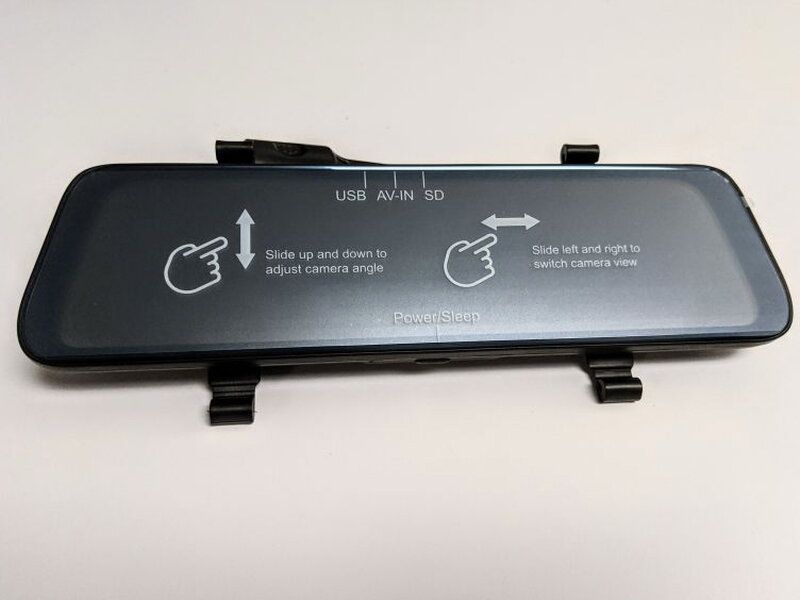
The build feels solid, with tidy seams and parts that fit together cleanly. Since the mirror is touch enabled, most interaction happens directly on the screen.

Across the top edge are connections for USB power, the rearview camera input, GPS input, and the micro SD card slot that stores the XR10 recordings and data.

The labeling is easy to read, and the ports are accessible while you are getting everything connected before the mirror is mounted.

Acumen includes a micro SD card with the XR10, which is a nice touch because the camera is ready to record without an extra storage purchase.
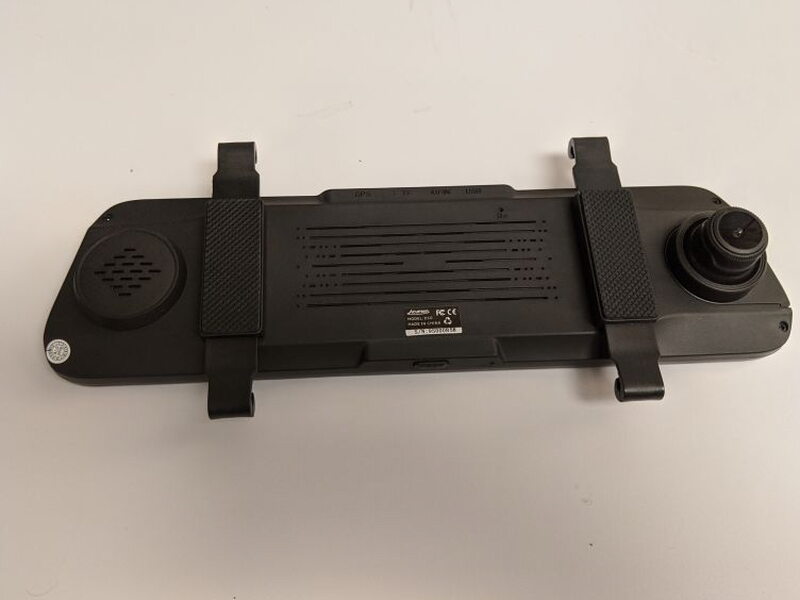
Flip the unit around and you can see the speaker, the mirror mounting brackets, and the forward facing camera module.

The speaker has more punch than I expected from a mirror add on, and it stayed crisp and clear during use.
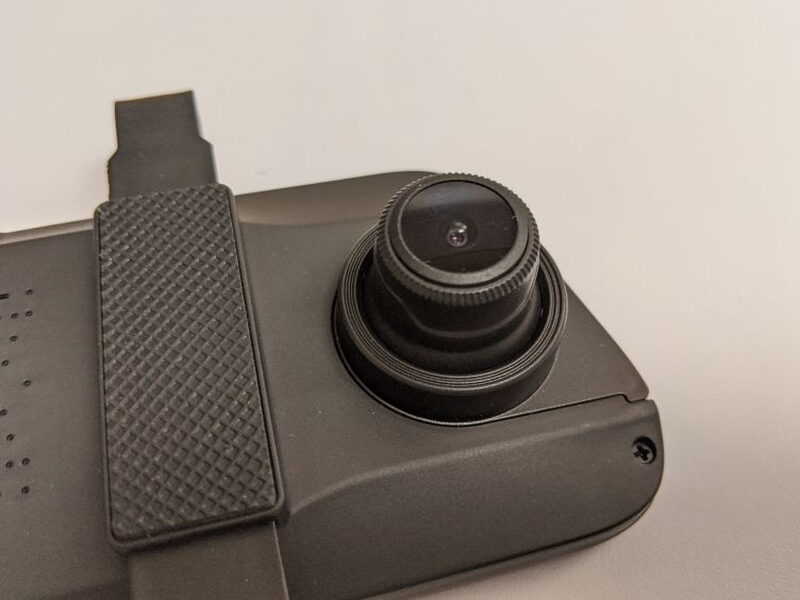
One smart design choice is the sliding front camera. It can extend out from the XR10 so the lens can see past the factory mirror that the unit is strapped over.

Each rubber bracket has a small hookend where the elastic mount attaches.

To install the main unit, you stretch the elastic around the vehicle mirror and connect it to the opposite hookend on the bracket.

The mount ends up snug, and Acumen includes different elastic bands so the XR10 can fit every kind of mirror.

There is also a small reset button on the back of the mirror, close to the center of the unit.

The bottom edge keeps the layout minimal, with the power button and microphone positioned where they are easy to reach.
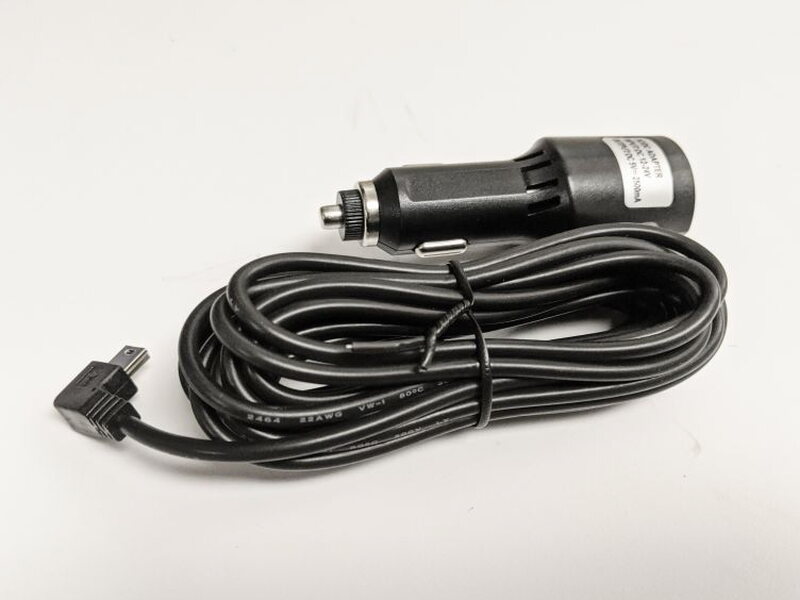
Power comes from the included cigarette lighter to mini USB cable. If you want a cleaner hardwired connection through the fusebox, Acumen sells that power cable separately.

The rearview camera is waterproof and comes attached to a tiny mounting bracket. You can secure it with the 3M adhesive strip or with the four small screws.

The rear camera shape is the biggest fitment catch. It is meant to sit under the lip of a license plate cover, and my Toyota FJ did not have the right setup for that. I was still able to make it work, but it took a workaround.

A small power lead branches from the rear camera cable and connects to the vehicle reverse lights. That connection lets the XR10 display parking guidelines when you shift into reverse.
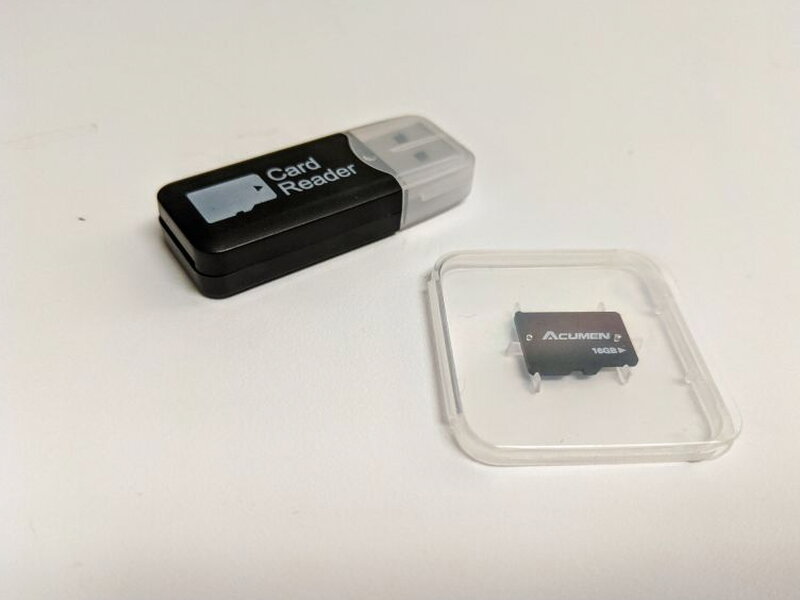
The USB card reader is a small extra, but it is genuinely useful when you want to pull footage from the included micro SD card.
Installation and setup
Mounting the mirror itself is simple. The time consuming part is routing and hiding the power cable and rear camera wiring through the length of the vehicle. For testing, I kept the wiring more exposed than I would for a permanent installation so I could get to everything easily.

On my FJ, I had to flip the rear camera mount to get a usable position. Once it was mounted that way, the view behind the vehicle was very good.

After the hardware is connected, the rest of the setup happens through the XR10 menus. A single tap on the screen brings up the navigation bar.

That bar gives quick access to the home menu, video playback, manual recording, snapshots, microphone mute, and file lock controls so important clips are not deleted.
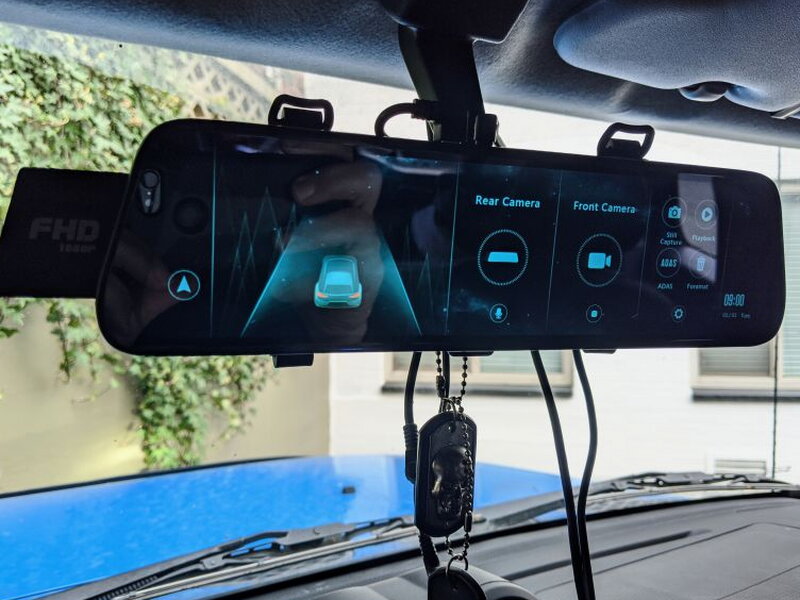
Inside the main menu you can change video resolution, browse files on the micro SD card, set the clock, and adjust other options. Both the front and rear cameras record 1080P video at 30 frames per second.

From the live view, a swipe changes the display from the rear camera to the front camera. Swipe again and the XR10 shows both camera views together.

Driving with it
I adjusted to using the XR10 faster than expected. The display stayed sharp even in bright sun, and because the rear camera is outside the vehicle, cargo and interior obstructions do not block the view. The rear camera has a 100° field of view, which helps with blind spots, especially in an FJ.

If you want to use the XR10 like a conventional mirror, pressing the power button turns off the screen. The reflective coating is not as good as a real mirror, but it is usable, including at night.
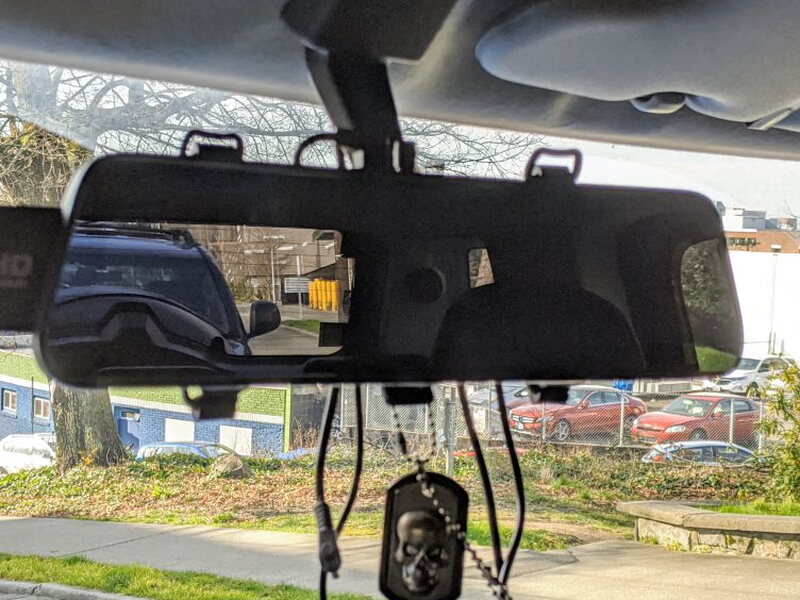
The XR10 records from both cameras at the same time. It automatically overwrites the oldest footage so recording can continue, and clips can be set to 1, 2, or 3 minute lengths. Parking mode watches the vehicle while it is off, then records and locks footage when it detects motion.
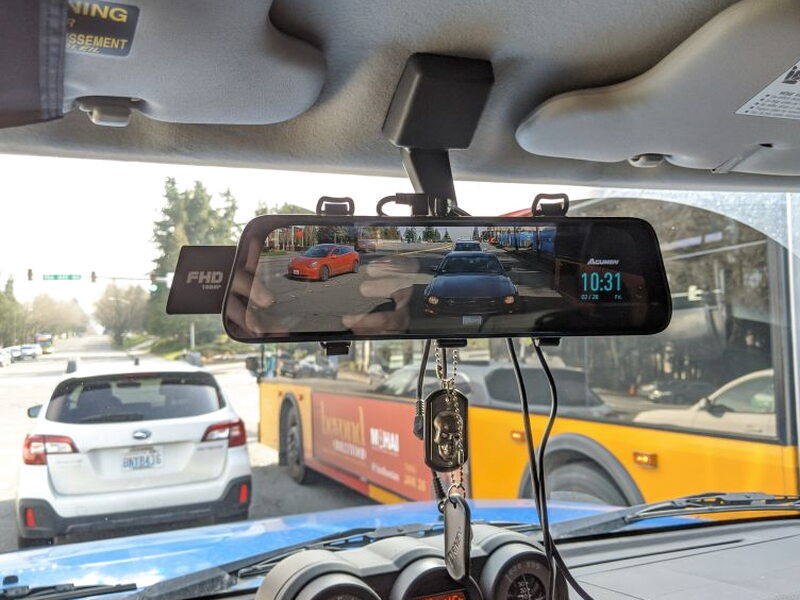
ADAS is the one feature I would not count on. It uses a visual algorithm to provide real time lane departure warnings when the vehicle drifts out of its lane, but in practice it mostly made the XR10 beep randomly. The idea is good, but I did not get much real world value from it.
What worked well
- Easy to use
- Video quality is outstanding
- Offers a lot of useful features
What could be better
- Instructions are lacking
- Should be able to flip video to help with other types of installs
- ADAS system is just noise
Quick Questions
Q: Is the ADAS lane-departure feature reliable?
A: No, it mostly triggered random beeps in testing rather than providing useful real-time lane warnings.
Q: Does it come with a memory card?
A: Yes, a micro SD card and USB card reader are both included.
Q: Will the rear camera fit any vehicle?
A: Not necessarily. It’s designed to sit under a license plate cover lip, and it needed a mounting workaround on the tester’s Toyota FJ Cruiser.
Q: What resolution do the cameras record?
A: Both the front and rear cameras record 1080p video at 30 frames per second.
Final thoughts
If the rear camera design works with your vehicle, the Acumen Digital Rear View Mirror is a strong alternative to a typical dashcam. My installation needed some fiddling, but I did get it working, so most people should be able to make it work too. For $129, the Acumen XR10 delivers a useful mix of dashcam recording, rear camera visibility, and newer car convenience for an older ride.
Price: $129
Product Link: Acumen
Source: The sample of this product was provided by Acumen


