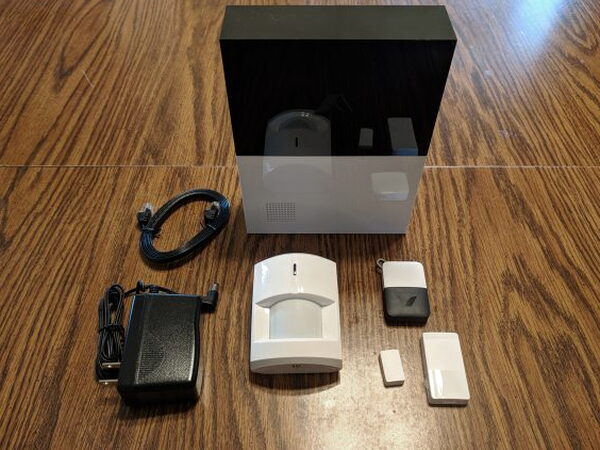
REVIEW – If you want a home security system that you can install yourself, expand later, and run without signing a monitoring contract, the Abode DIY Home Security System makes a very strong case for itself. It is an Internet connected mix of sensors, alarm hardware, app control, and optional services. The basic package was discussed as a $229.99 bargain, while the post’s price box lists $229.00. Either way, for a house or apartment that needs a practical layer of protection, I think Abode delivers a lot for the money.
A modular system instead of a locked down package
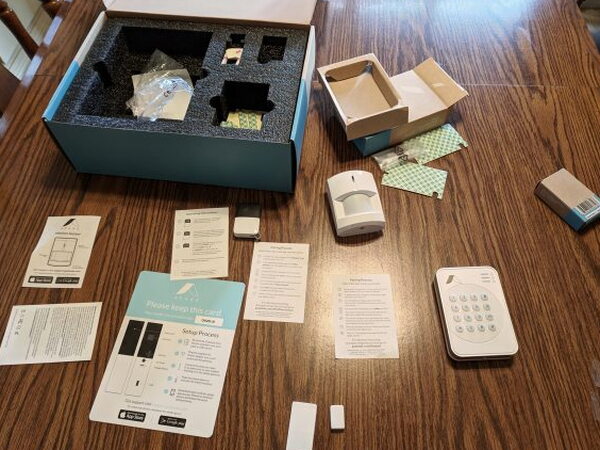
Abode is built around a Gateway that connects to your modem or router and then works with the mobile app and web dashboard. The Basic Abode System includes one Remote KeyFob, one Mini Door/Window Sensor, and one Motion Sensor. That starting point is intentionally simple. From there, you can add more cameras, sensors, alarms, and automation devices as your space or comfort level calls for it.
The low starting price does not mean the feature list feels stripped down. Battery backup, cellular connected monitoring support, and online cloud storage are all part of the broader Abode offering. Professional monitoring is available with no contract, and the choices are a free tier, a $10 monthly tier, and a $30 monthly tier. Abode also offers on demand monitoring for vacations or other times when you want extra help for a limited stretch, and the monthly plans can be paid annually for better savings.
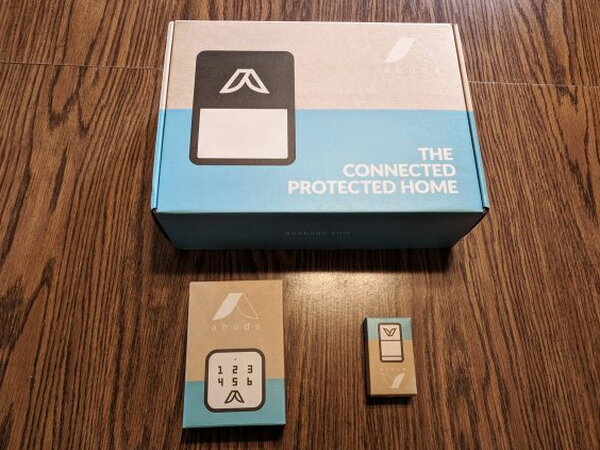
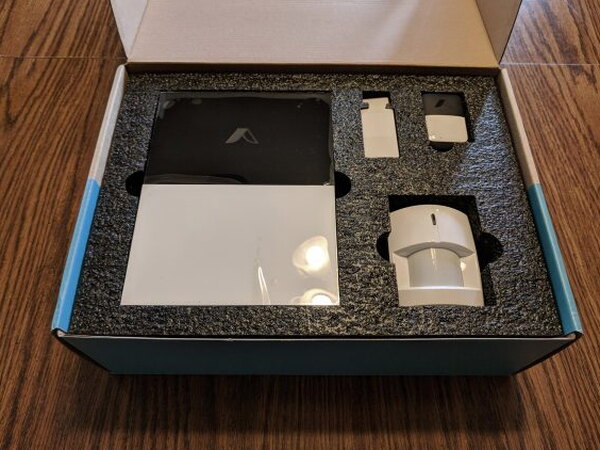
What comes in the basic kit
- 1 Abode Gateway
- 1 Mini Door/Window Sensor
- 1 Remote KeyFob
- 1 Motion Sensor
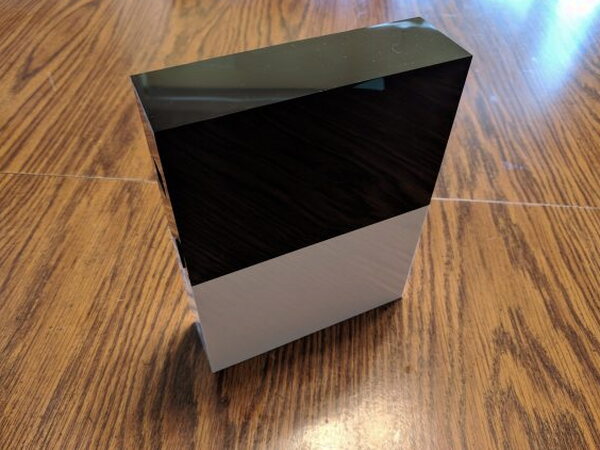
The Gateway runs the show
The Abode Gateway is both the brain and the voice of the system. It coordinates the connected devices and includes a built in 93db siren that can alert you when the alarm is triggered.
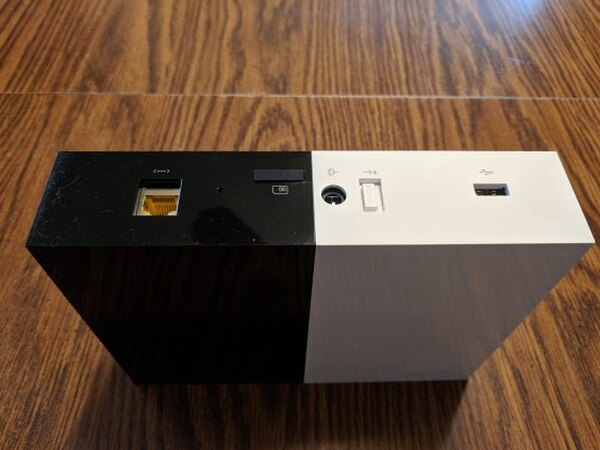
The rear of the Gateway has an Ethernet port, USB port, battery backup switch, SIM card slot, and power connection. Turn on the battery switch and the internal backup battery can keep the Gateway operating during a power outage. The SIM card slot supports the emergency cellular connection used with paid monitoring plans.
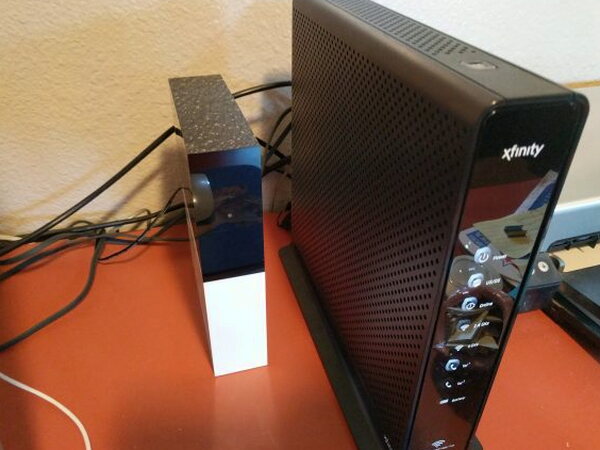
Setup starts by running an ethernet cable from the Gateway to your modem or router. Once it is on the network, the Gateway communicates with the Abode app and website. It does not depend on your Wifi network for the individual devices. Instead, Abode devices communicate with the Gateway over encrypted long range 433MHz, ZigBee, or Z-Wave wireless protocols.
Room to expand
The system can grow well beyond the pieces in the starter box. Abode sells water leak sensors, smoke alarm monitors, temperature and light sensors, and glass break or vibration sensors. Those modules use small long life batteries.
Abode also works with third party cameras and smart home platforms, including Alexa, Google Home, and Nest. Its compatibility with Z-Wave and ZigBee gear opens the door to products such as garage door openers, fire alarms, and smoke detectors. If you like to build custom automations, IFTTT adds another layer of flexibility.
Once the Gateway is connected, the Abode app handles the rest of the process. It walks you through the initial setup and also handles adding individual modules later. The app is available for Android and Apple iOS.
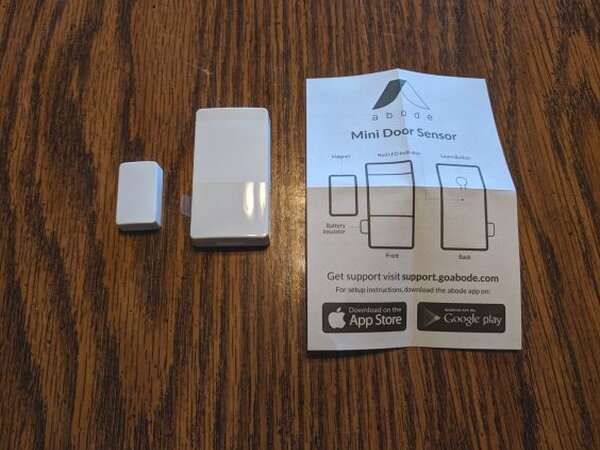
For this installation, the Basic Kit was joined by a second Mini Door Sensor and a Wireless Keypad. Every sensor I installed could be mounted with screws or double sided tape. I chose the tape because I wanted to test placement first and still be able to move modules later if a different spot made more sense.
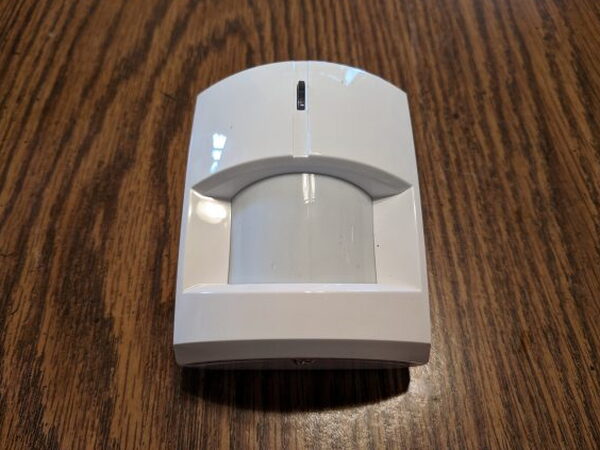
The included Motion Sensor uses passive infrared detection and can cover most rooms up to 39 feet with a 110° field of view. It can be mounted flat on a wall or placed in a corner, which makes it easier to find a useful position.
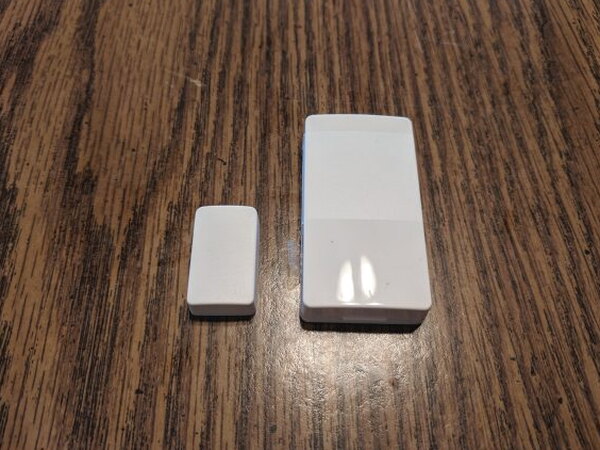
The Mini Door Sensors are just as useful on windows. Each side contains a magnet. When the door or window opens far enough to break the magnetic field, the sensor reports that change back to the Gateway.
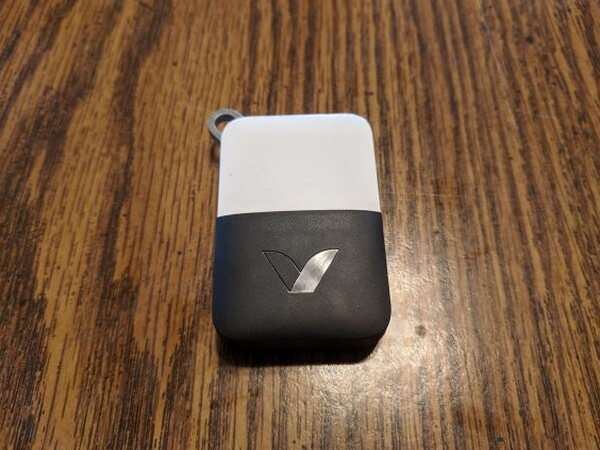
The Remote KeyFob feels much like a car alarm remote. It includes buttons for arming, disarming, and setting Home mode. A fourth button is reserved for future development, possibly for a panic function or a similar shortcut.
Installing and using the controls
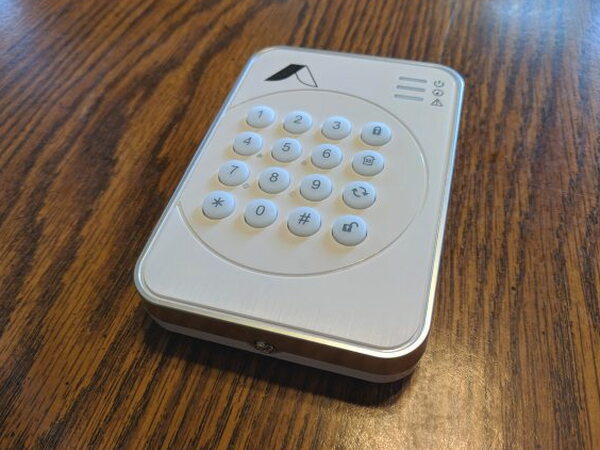
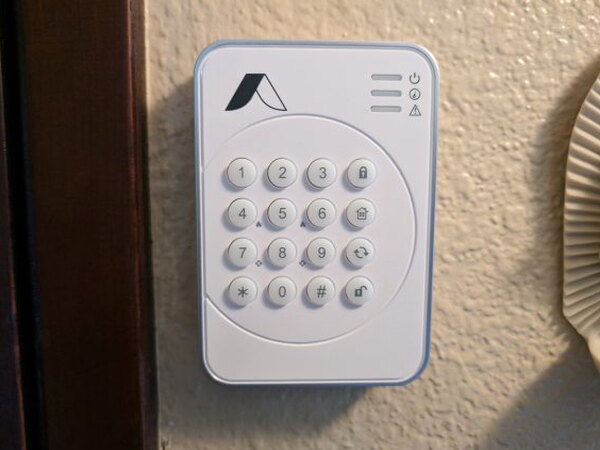
After I found the best locations, mounting the modules was easy. The Keypad was the simplest piece to place, and I mounted it by the main entrance. Through the Keypad and web app, you can create different PIN codes for different people in the household, which makes it possible to see who armed or disarmed the system and when. That tracking only works if each person keeps their own PIN private.
The system can be set to Away, Home, or Standby from the Keypad, KeyFob, or Abode app. Away arms every sensor inside and outside for times when you leave the property. Home arms only exterior sensors so the house is protected while people are still inside. Standby turns off the security sensors, although safety sensors such as fire alarms and water detectors remain active.
Paid monitoring plans also support a Duress PIN. If someone forces you to disarm the alarm at the Keypad, entering that code silently alerts the monitoring center.
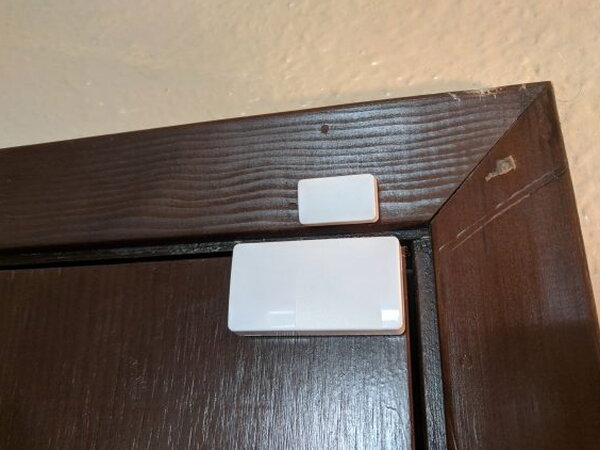
The Mini Door Sensors required more trial and error than the other pieces because our older house has several door frame styles. The sensors still worked well once I found the right mounting arrangements.
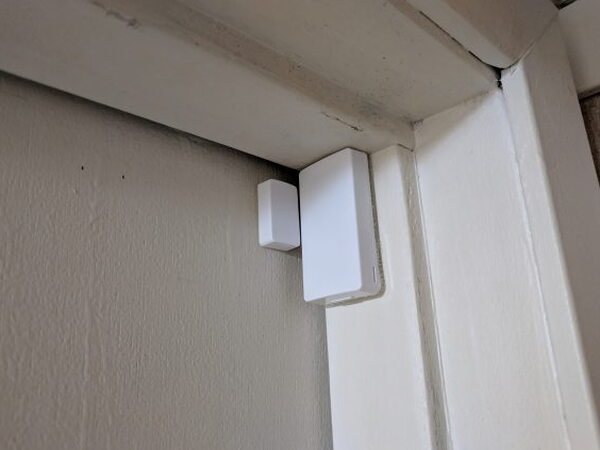
After that adjustment period, the door sensors tripped properly as the doors opened and closed.
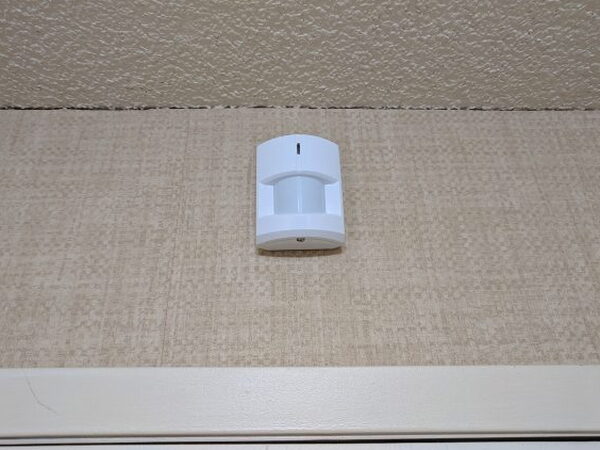
I especially liked the Motion Sensor’s placement flexibility. Being able to mount it flat on a wall or high in a corner makes it much easier to cover the area you care about.
Daily use
Once the Abode System was set up, it ran reliably from the start. The instructions were clear enough for both younger and older family members, and everyone quickly settled into the routine of using Away when leaving, Standby during the day, and Home overnight.
The Abode website let me create alerts and notifications so I could stay aware of system activity. Choosing one of the paid monitoring plans unlocks more customization. Our testing went well enough that we were already planning to add more Abode modules to the setup.
What worked well
- Super easy setup
- Very reliable
- Easy for all family members to understand
- No required monitoring contracts
- Modular design
- A large number of compatible smart home products
- Great customer support
- Not reliant on WiFi
What could be better
- It would be great if the Basic System came with a few Door/Window Sensors
- The website can be a little difficult to navigate if you are just looking for basic explanations of how the system works
Quick Questions
Q: Does Abode require a monitoring contract?
A: No. Professional monitoring is available with no contract, with a free tier plus $10 and $30 monthly paid tiers.
Q: Does the system depend on home WiFi to function?
A: No. Individual Abode devices communicate with the Gateway over long-range 433MHz, ZigBee, or Z-Wave, not WiFi; only the Gateway itself needs an Ethernet connection.
Q: What does the basic starter kit include?
A: One Gateway, one Mini Door/Window Sensor, one Remote KeyFob, and one Motion Sensor.
Q: Does it work with other smart home platforms?
A: Yes. It works with Alexa, Google Home, Nest, IFTTT, and Z-Wave/ZigBee compatible devices.
Verdict
I am a huge fan of the Abode DIY Home Security System, and I have recommended it to plenty of friends and family. It is reasonably priced, packed with useful features, and dependable in daily use. The modular design is the biggest win because you can keep the system simple or keep expanding it as your needs change.
I’ve tested a handful of these by now. See The Best Home Security Cameras I’ve Tested for the full rundown.
Price: $229.00
Product Link: Abode.
Source: The sample of this product was provided by Abode.


