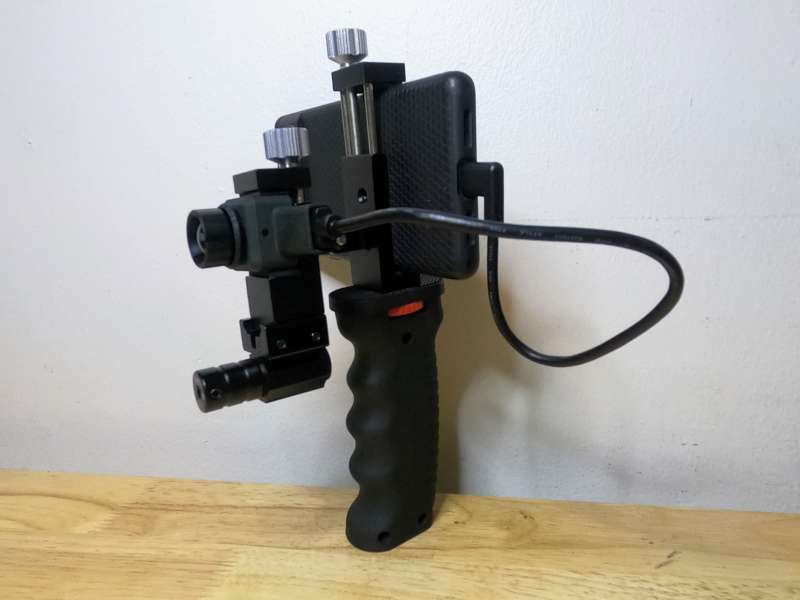
Whether you’re tracking game in the woods, scouting hotspots in a building, or pretending to be the Predator stalking your dog in your tiny apartment, seeing in the dark is pretty cool. While advanced thermal imaging devices can cost thousands of dollars, you can enjoy Predator Vision for a lot less if you’re willing to make some concessions. The InfiRay Xinfrared T2 Pro Thermal Monocular, priced at $419, utilizes thermal imaging to track heat signatures in complete darkness when connected to your Android or Apple phone. While the T2 Pro has some limitations and the included mounting kit is of little use, the technology works well and offers a lot of functionality for a reasonable price.
What is it?
The InfiRay Xinfrared T2 Pro Thermal Monocular is a small device that uses infrared thermal imaging to visually measure and track heat signatures. The T2 Pro is powered by a mobile phone, the model I reviewed supports Android phones while a different T2 Pro model works for Apple iPhones. The T2 Pro has a reported viewing distance of up to 1300m and a relatively low resolution of 256 x 192. The Xinfrared mobile application is required to operate the T2 Pro and is available for both the Android operating system and Apple’s iOS.
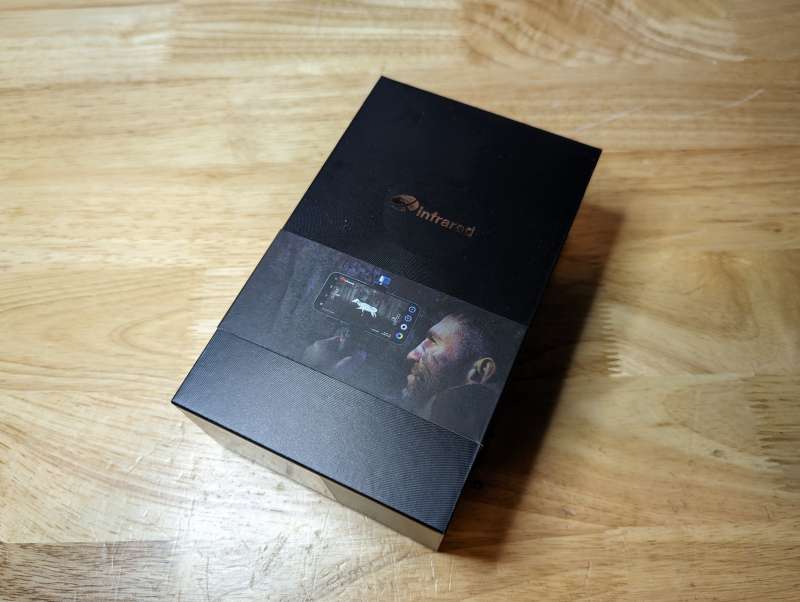
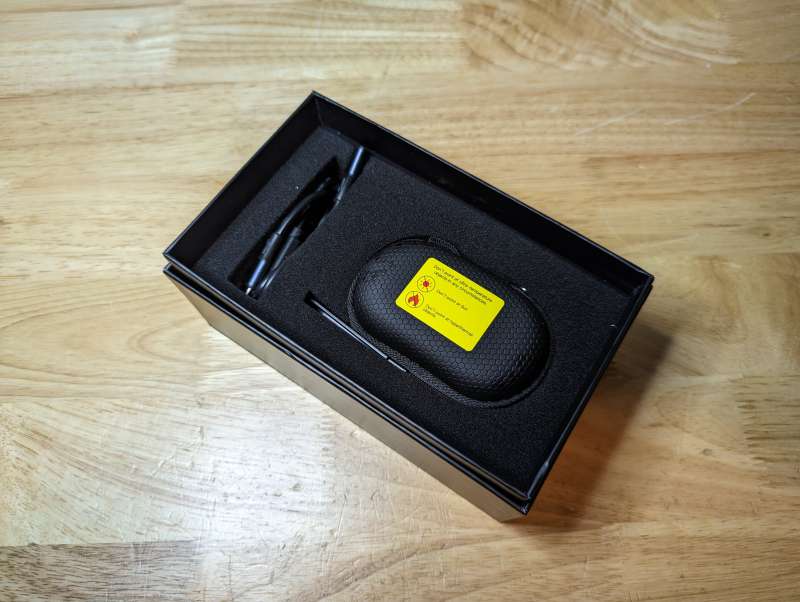
The T2 Pro ships in a very sturdy high-quality box with a dramatic photo of a hunter stalking his prey on the front. The unit is safely protected in its carrying case which is set inside of stiff foam.
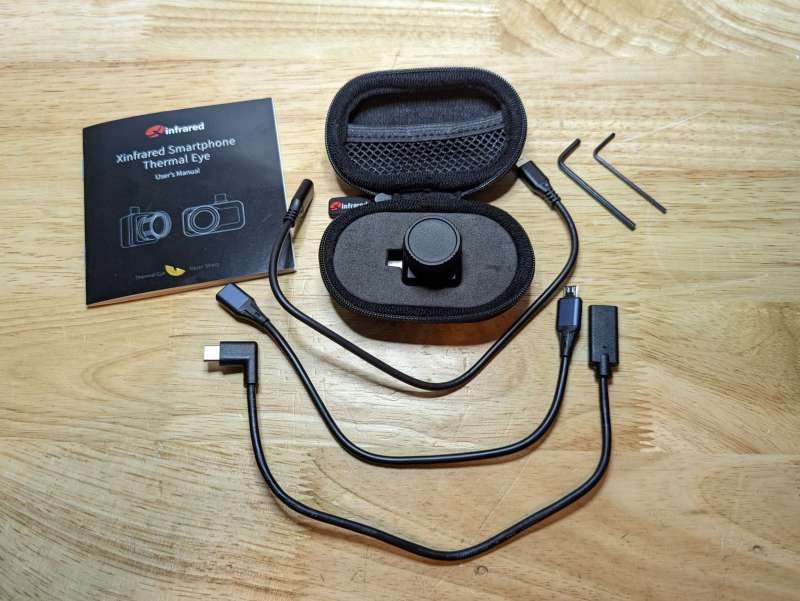
What’s in the box?
InfiRay Xinfrared T2 Pro Thermal Monocular
User Manual
USB Type-C Cable
Micro USB to USB Type-C Cable
Allen wrenches
Protective Case
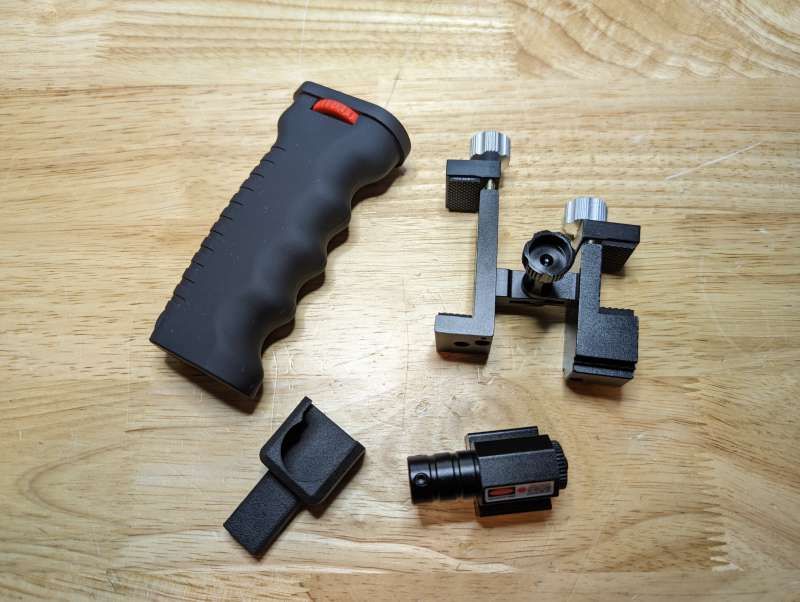
T2 Pro handle kit
Handle
Mounting Bracket
T2 Pro Protective Housing
Laser spotter (battery not included)
Hardware specs
Model: T2 Pro-Android
System Support: Android 6.0 and above
Interface: USB Type-C
Observing Distance: ≈ 1300m
Mobile App: Xinfrared
Resolution: 256×192
Pixel Pitch: 12μm
Spectral Band: 8~14μm
Water Resistance Level: IPX4
Focal length: 13.0mm
FOV: 13.6°×10.2°
Focus Mode: Manual
Magnification: 2X~15X continuous digital zoom
Frame rate: 25Hz
NETD: ≤50mk
MRTD: ≤500mK
Operating temperature -10℃~+50℃
Temperature Measurement Range: 0℃~+80℃
Power Consumption: <350mW
Unit Size: 1in. x 1in. x 1in. (26mm × 26mm × 26.6mm)
Unit Weight: <20g
Image Enhancement: Digital Detail Enhancement (DDE)
Reticle: Hot/cold spot tracking
Color palettes: Thermal Eye, Red Head, Black Hot, White Hot, Iron Red, Ninja
Cross cursor: Tracking and focusing
Design and features
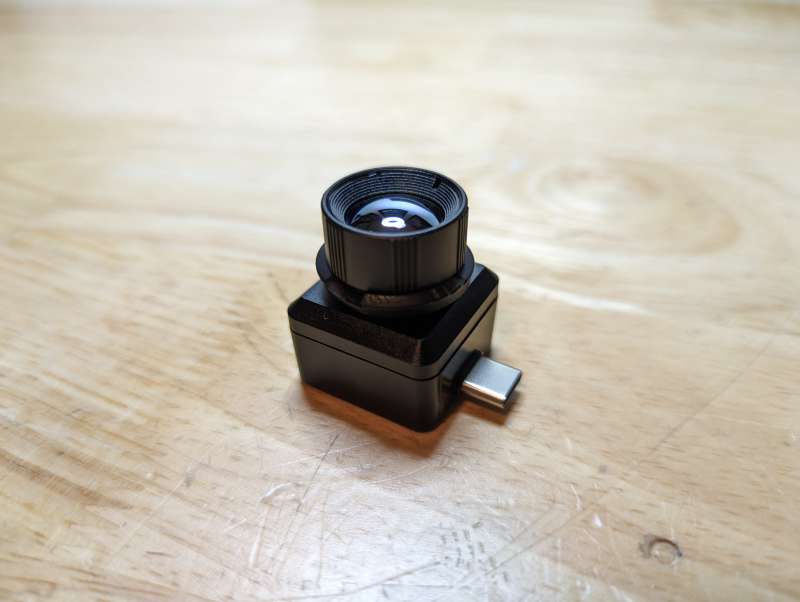
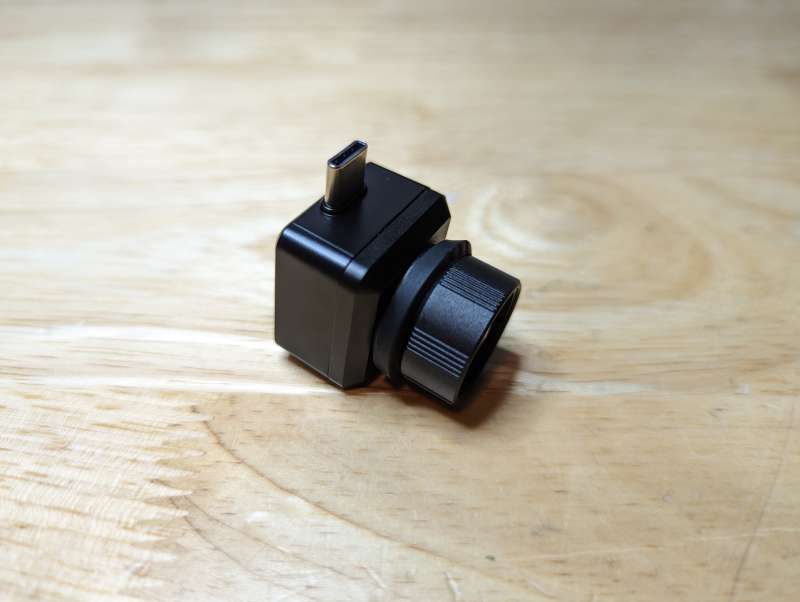
The T2 Pro may look like nothing more than a small camera lens with a USB-C plug attached to it but in reality, it’s a powerful thermal imager that offloads hardware necessities, like a screen and controls, to a smartphone.
AD
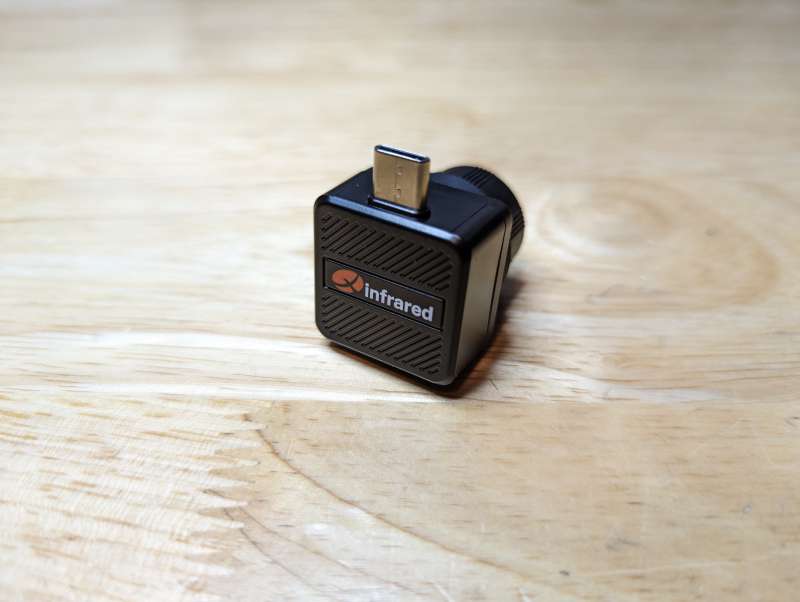
The body of the T2 Pro is made of hard plastic, smooth on the sides and textured on the back where the Xinfrared logo appears. The construction feels solid and the only fragile part of the unit would be the large glass lens, oh and also the lens cap.
The T2 Pro ships with an integrated lens cap but I was both shocked and disappointed with how quickly it broke. The cap is made of rubber and attached to a small rubber ring mounted on the lens. The second I removed the cap, the attachment to the ring broke with practically no effort at all.
AD
AD
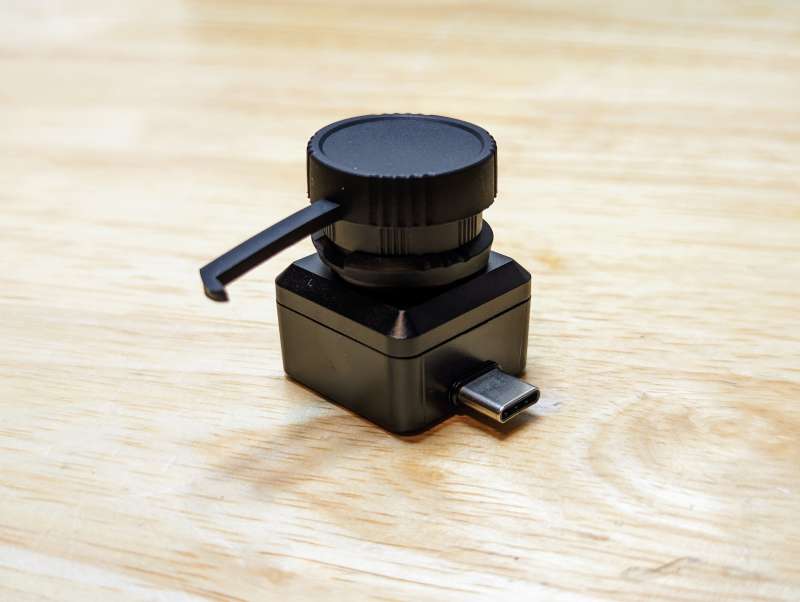
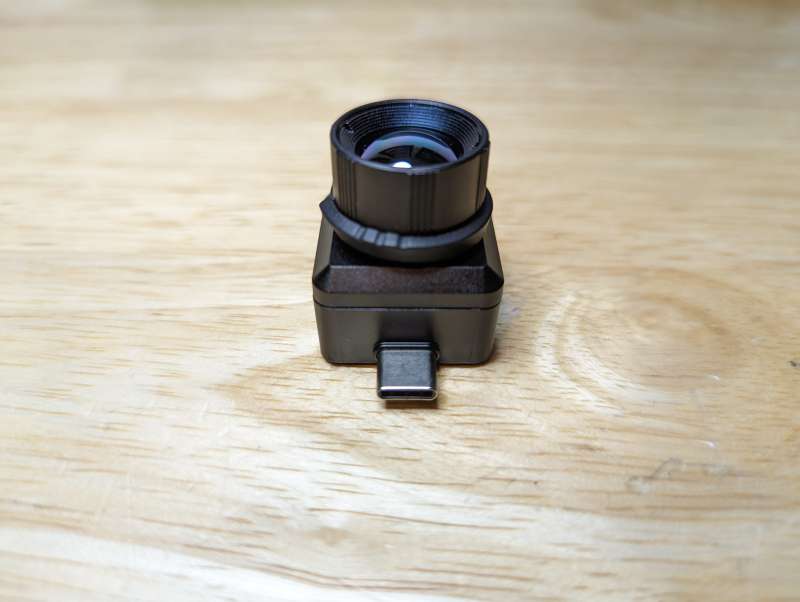
The lens is manually adjustable by gripping the T2 Pro’s base and twisting the lens covering until the image comes into focus on the screen. No doubt the T2 uses this manual focus to keep the size of the unit down to its roughly one-inch square form.
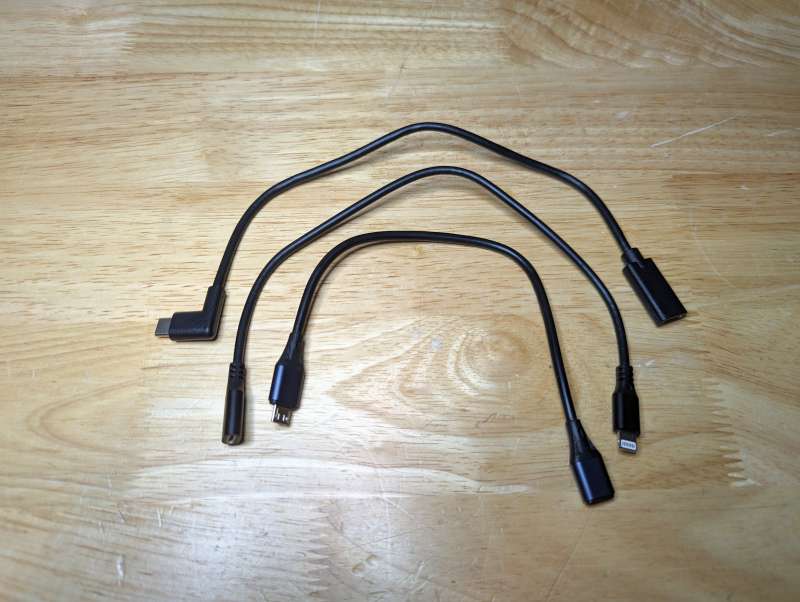
The T2 Pro ships with a USB-C to USB-C cable and a Micro USB to USB-C cable for using the unit with Android devices that don’t have a USB-C port. My unit also came with a small iPhone cable for some reason. The cables are only needed when using the mounting kit since the T2 can connect directly to the port on any Android phone with a USB-C port.
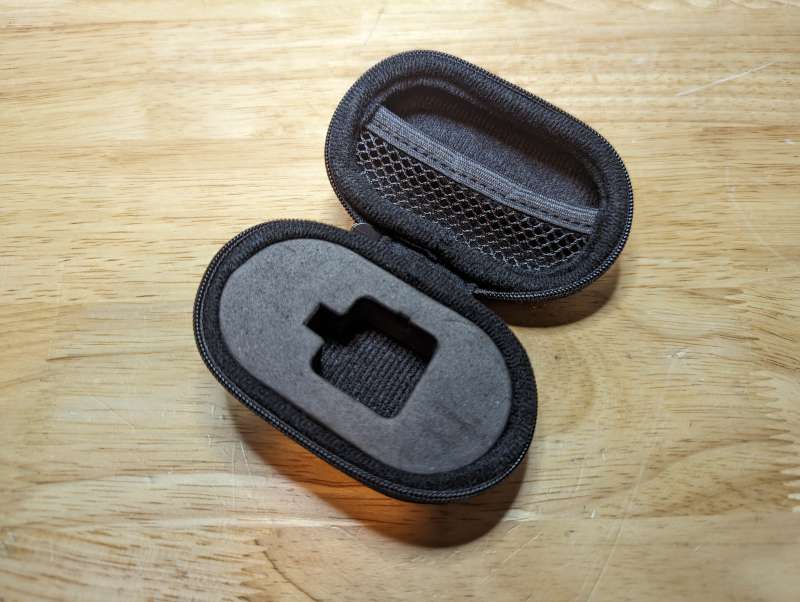
The carrying case for the T2 Pro is high quality and protects the camera by nestling it tightly in thick foam. The USB-C cable fits in the case as well.
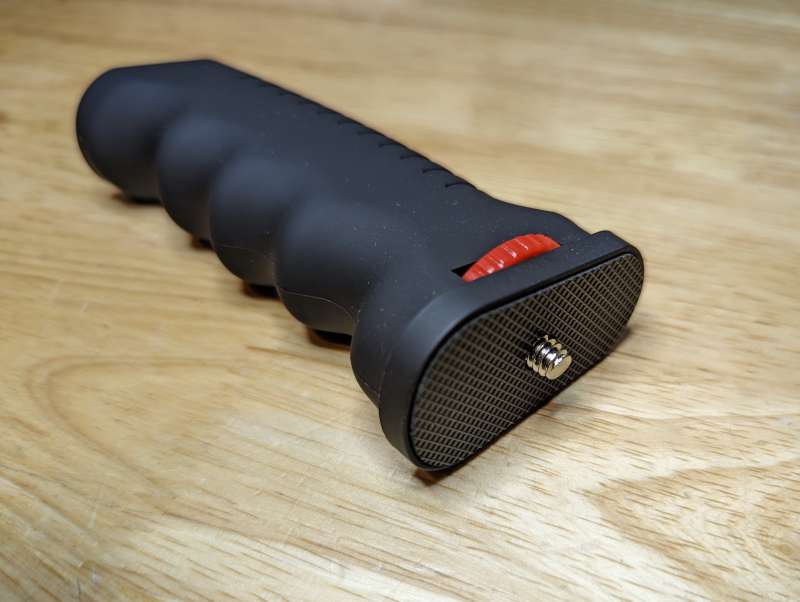
A mounting kit ships separately from the T2, the main component being the plastic handle with a standard 1/4″ camera mount.
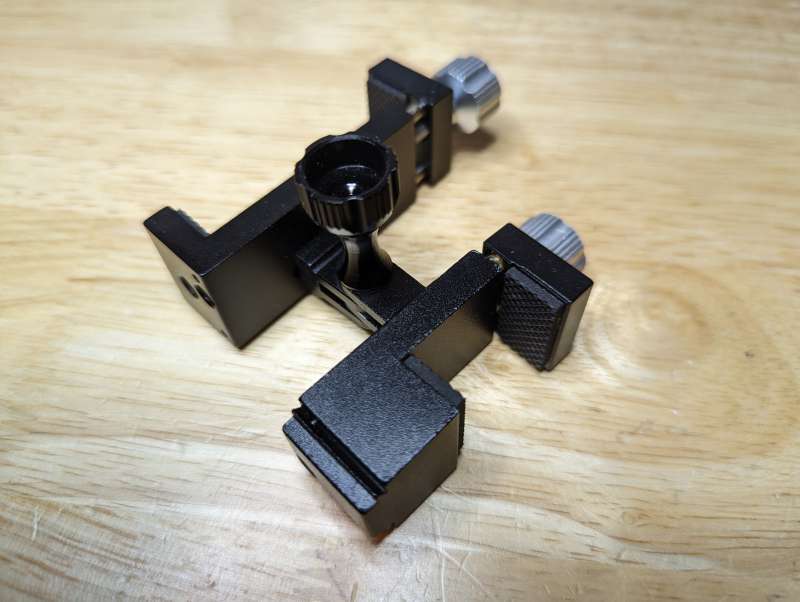
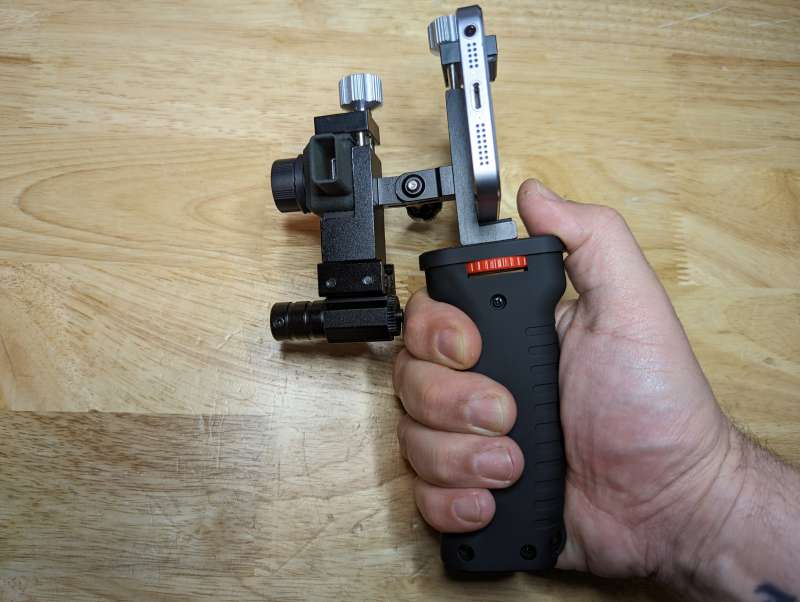
The kit also includes a custom aluminum dual bracket for holding the T2 Pro, an Android mobile phone and a small laser spotter.
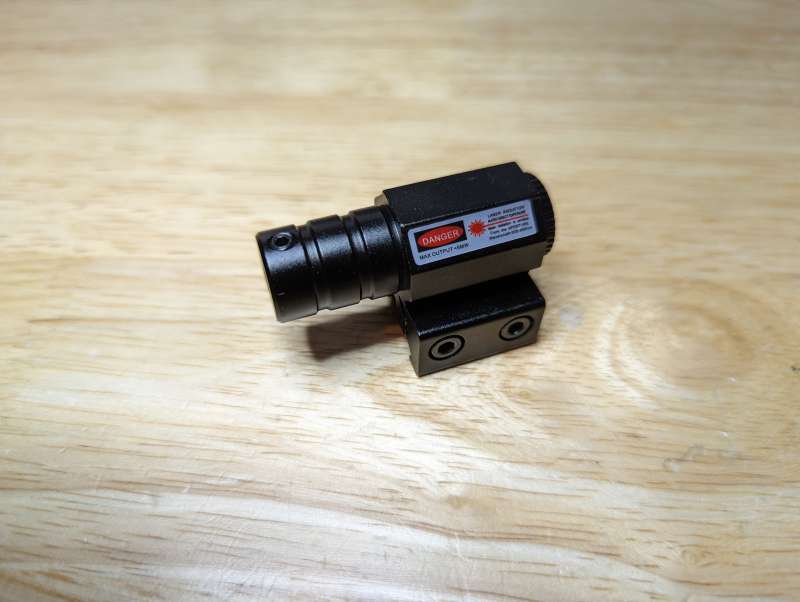
The laser is a small mountable unit with a small power switch on the back. The laser doesn’t include a battery.
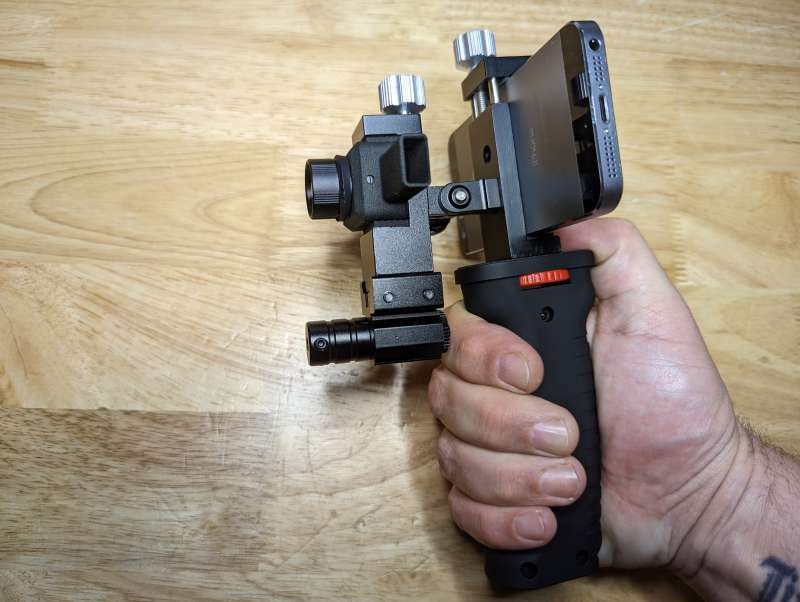
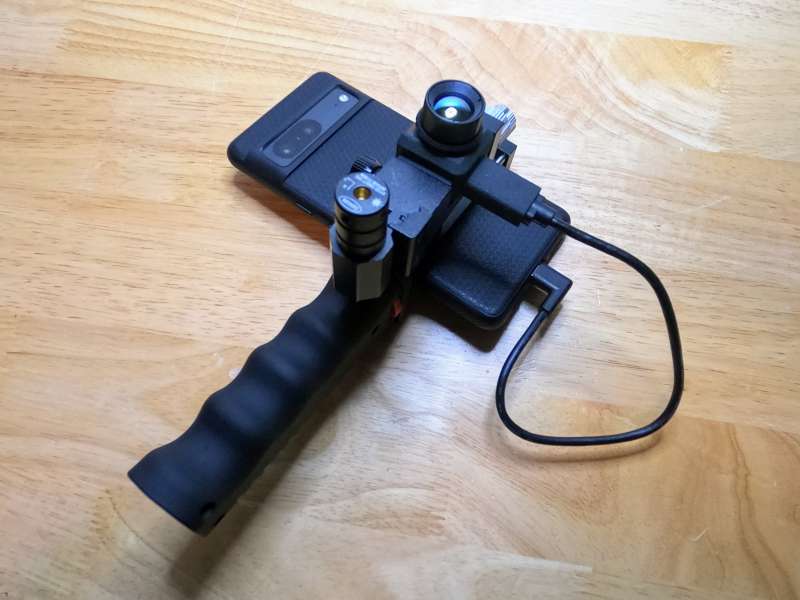
Once assembled the mounting kit looks and feels odd. I get what the goal of the kit is, but in practice it makes using the T2 more difficult than it needs to be. I go over using the kit more in the Performance section.
Setup
Besides installing the Xinfrared mobile application on your Android phone the only setup required is assembling the mounting kit. The mounting bracket has a small mount on one side with rubber padding for holding the T2 Pro.
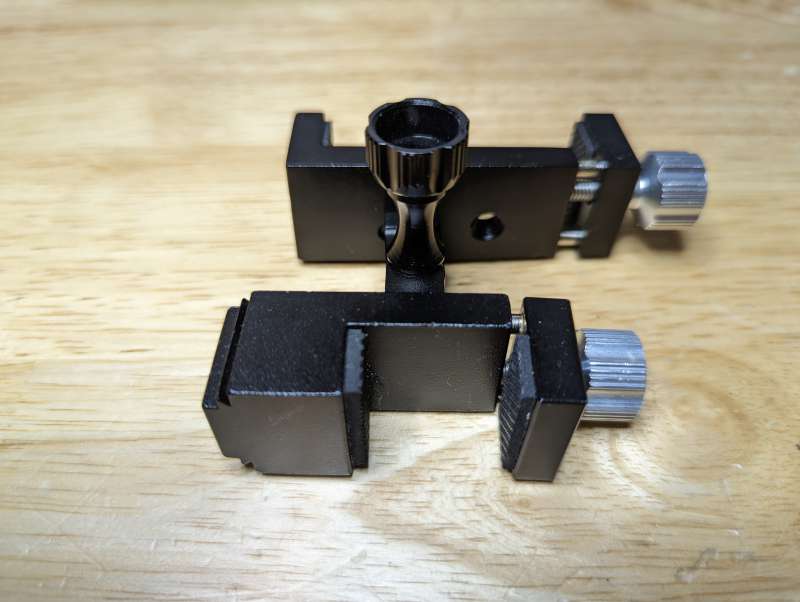
On the other side of the bracket is a larger mount for your Android phone.
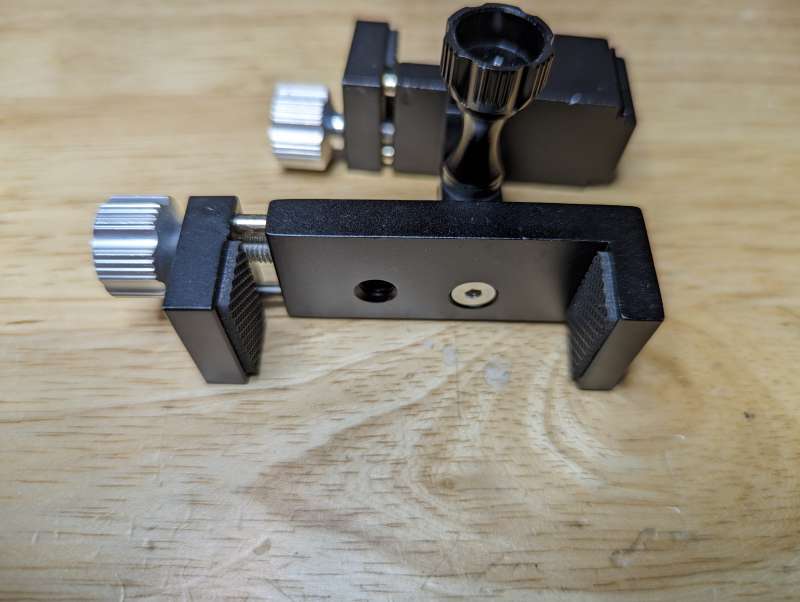
On the bottom of the phone mount are two 1/4″ holes for connecting the handle. These holes can also be used for mounting the bracket to a tripod or any other camera accessory with a 1/4″ bolt.
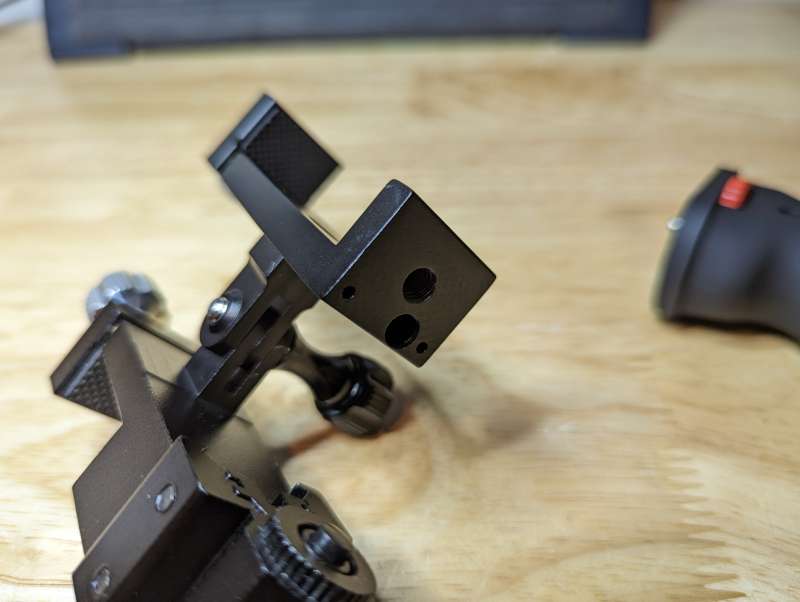
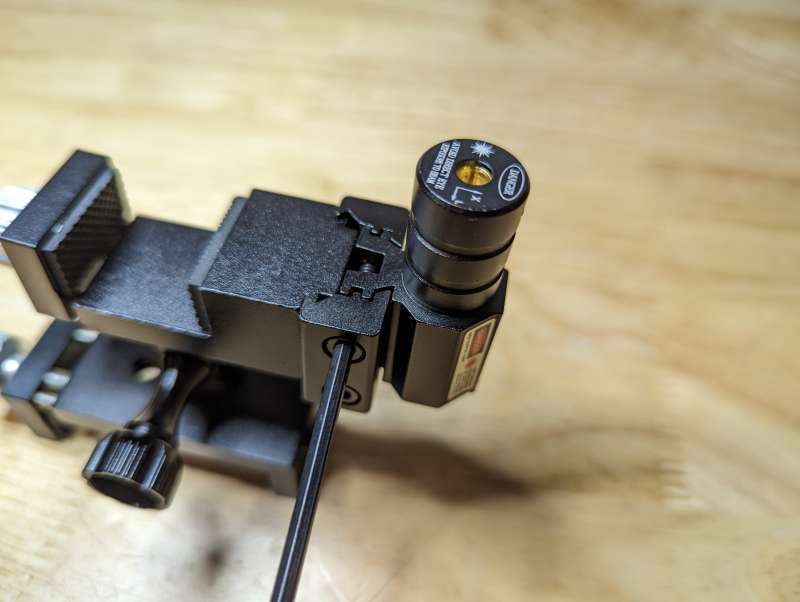
The laser has a small dovetail mount that can be adjusted with the included Allen wrench.
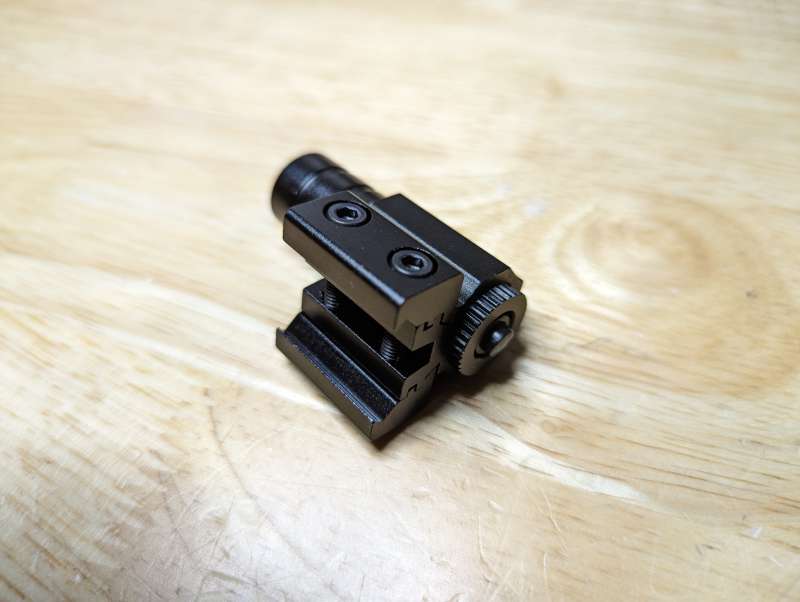
The laser fits perfectly on to the dovetail connection below where the T2 is held.
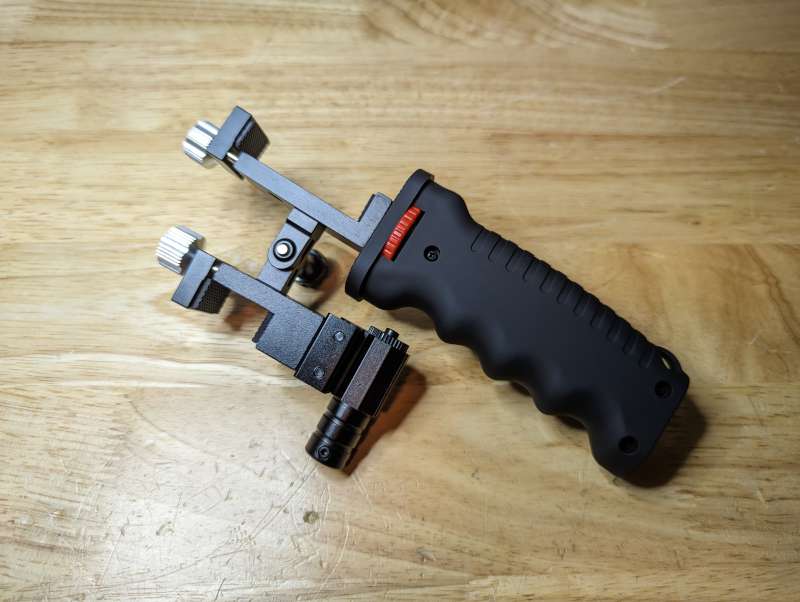
Once the mounting kit is assembled it’s ready to hold the T2 Pro and your phone.
To protect the T2 Pro a small 3D printed protective cover is included. The cover feels cheap and brittle and I’m not really sure how much it does to protect the T2 Pro.
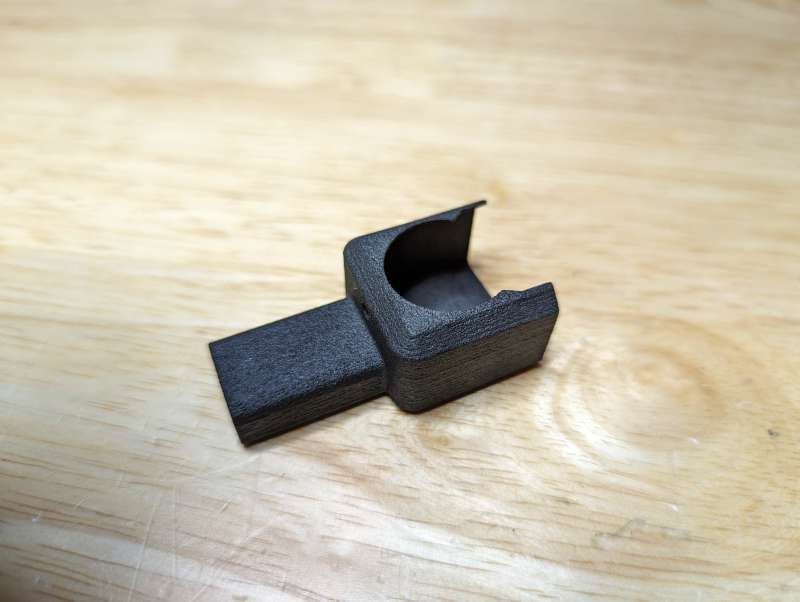
The T2 Pro slides into the cover with the USB-C plug fitting into the elongated port.
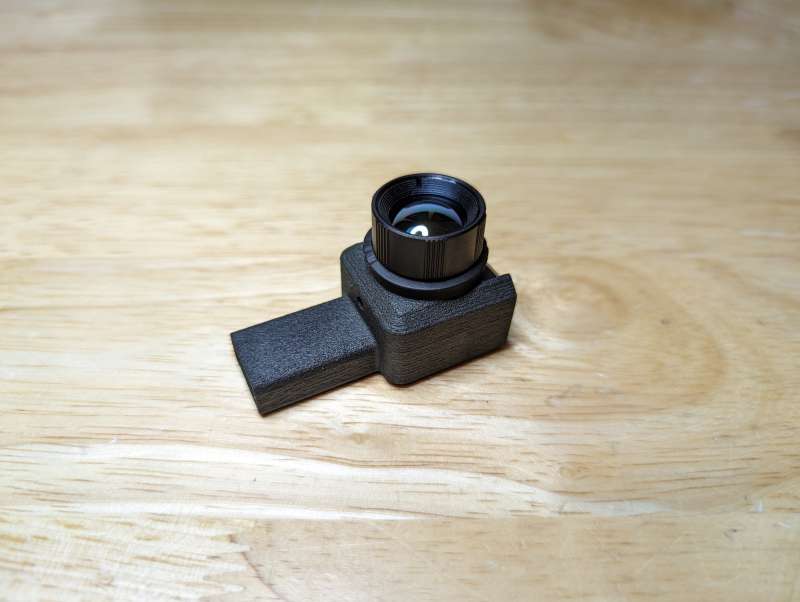
After placing the T2 Pro into the bracket it’s held in place by carefully tightening the aluminum adjustment knob.
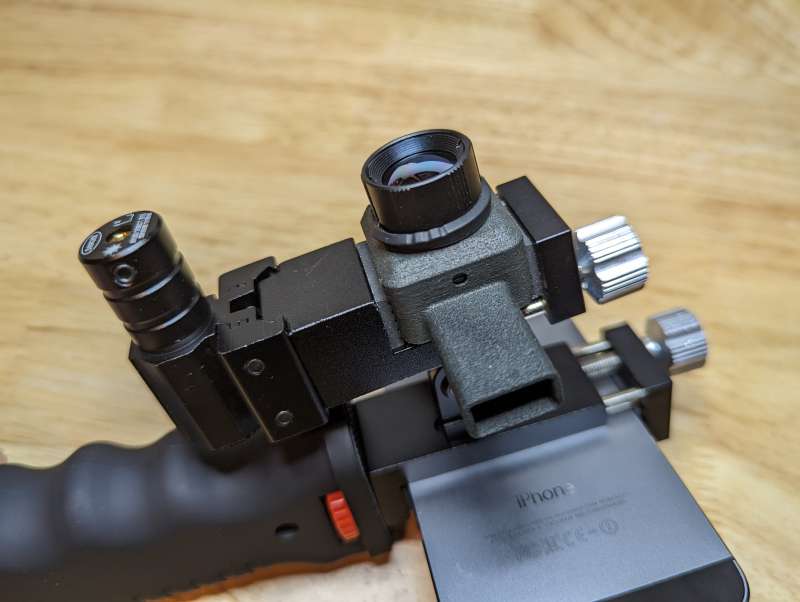
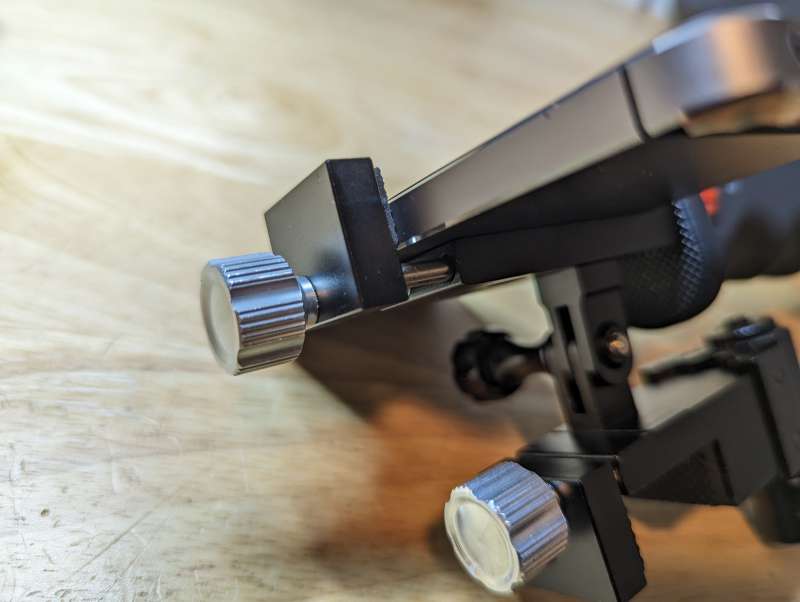
The same type of adjustment knob holds the phone in place on the other side of the bracket.
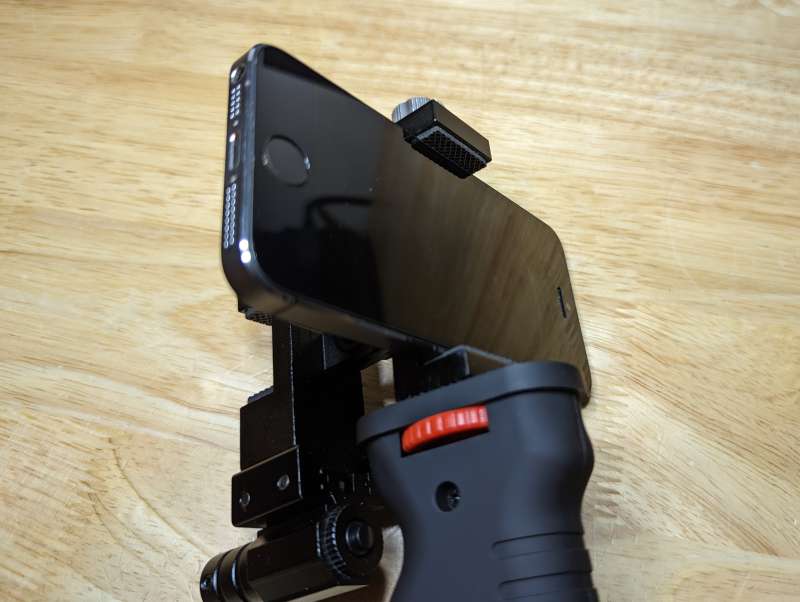
It took a few tries to find the best orientation for the phone and T2 Pro, I finally settled on the ports both facing to the left.
All that’s left is to connect the T2 Pro to the phone using the included USB-C cable and this awkward contraption is ready for the field.
Performance
I found that using the T2 Pro attached directly to my phone worked well for 90% of my tests. I’m already used to holding my phone up in landscape mode for taking photos or videos and the T2 Pro weighs practically nothing.
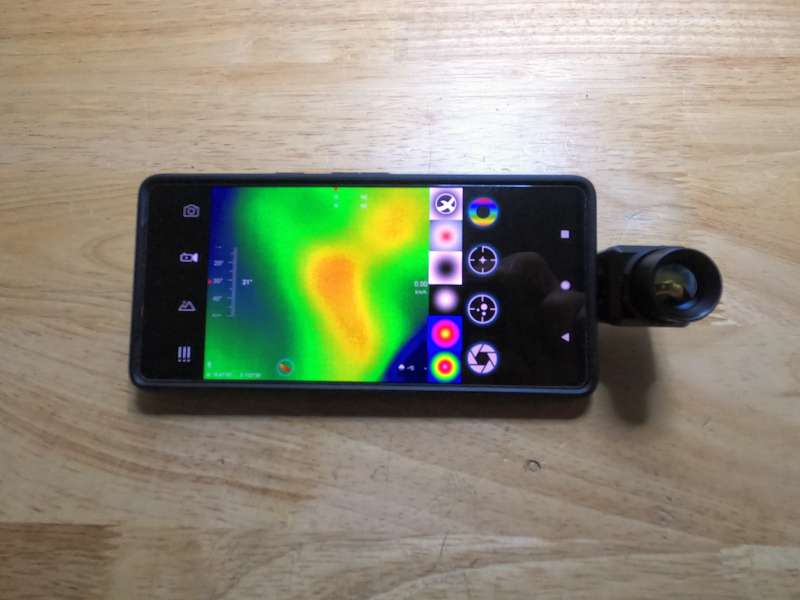
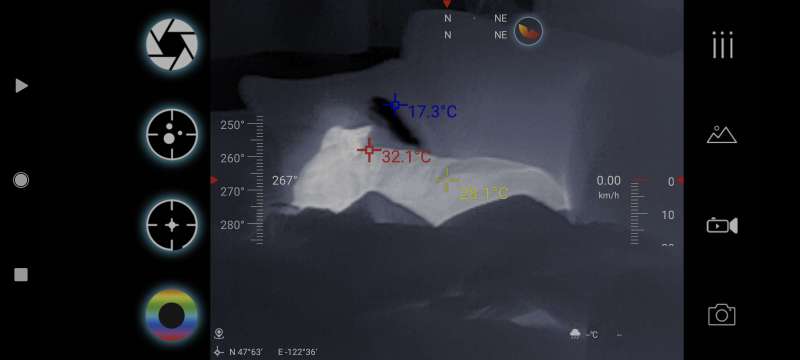
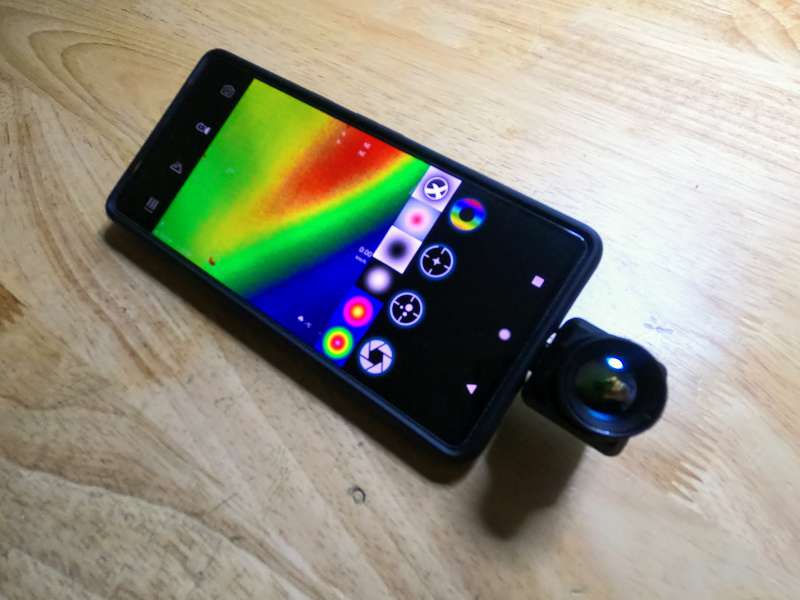
The app that runs the T2 Pro is ok, it’s not great, but it gets the job done. The icons aren’t clear as to what they do and I found myself repeatedly having to click and unclick them to figure out what they did.
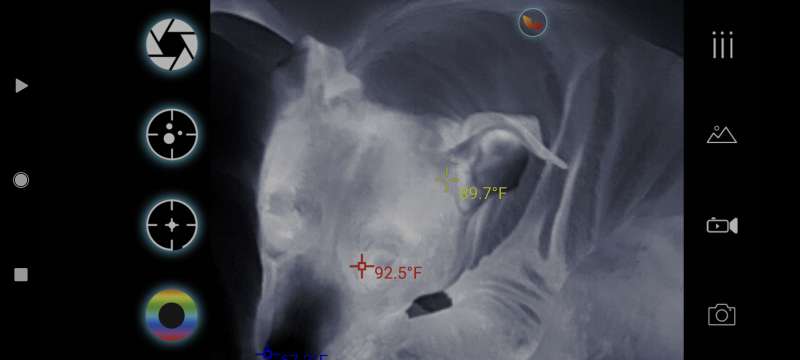
The options menu was a bit clearer and allows the user a lot of control over the T2 Pro like flipping or rotating the image, adding temperature tracking, or changing the units of measure.
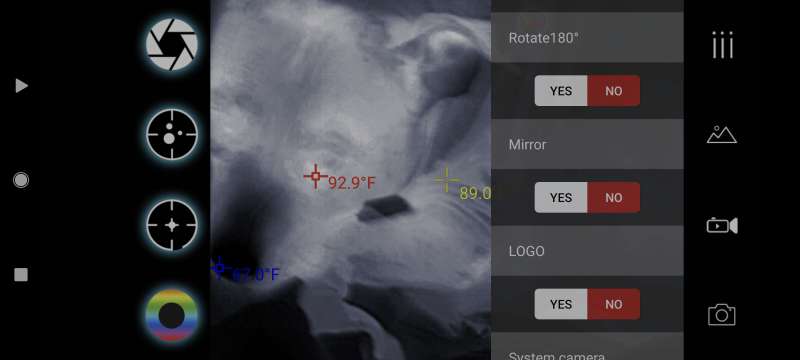
You can also add overlays like a compass, weather info, a speedometer, and a movable reticle.
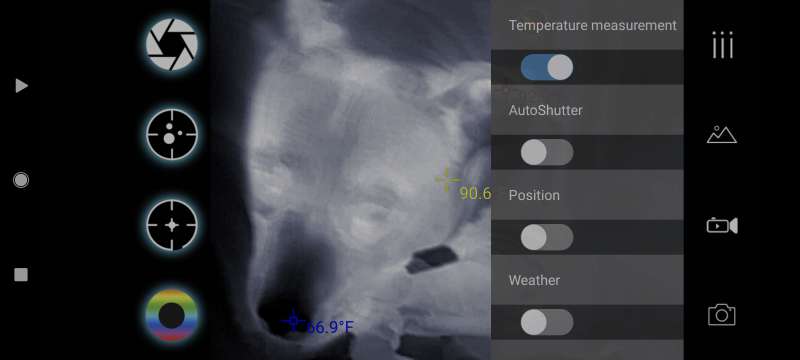
With all of the overlays the screen can become a bit crowded though and the app has a tendency to suddenly reset itself and forget its settings.
Using the app along with the T2 Pro in the mounting bracket quickly became frustrating because it was easier to just manipulate the phone as I normally would. The laser also doesn’t make any sense to me since it isn’t visible through the T2 Pro screen so I feel like it’s just an unneeded addition.
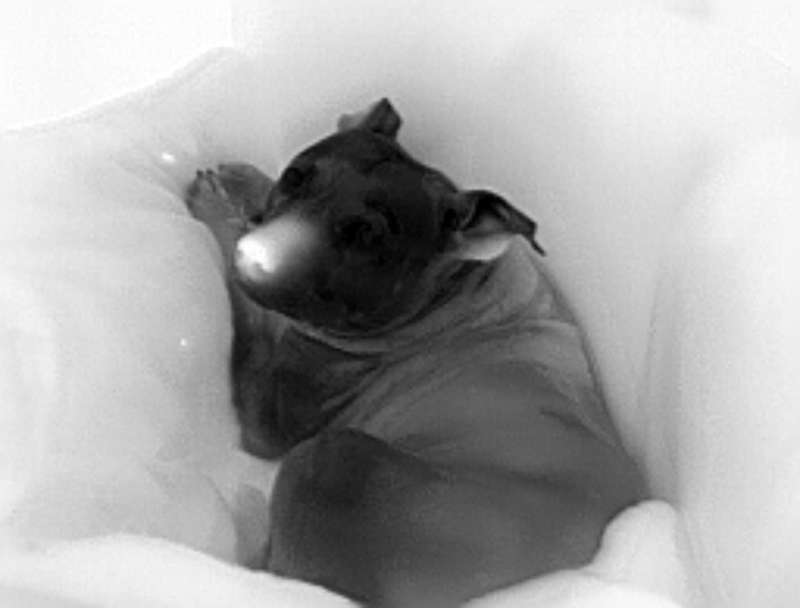
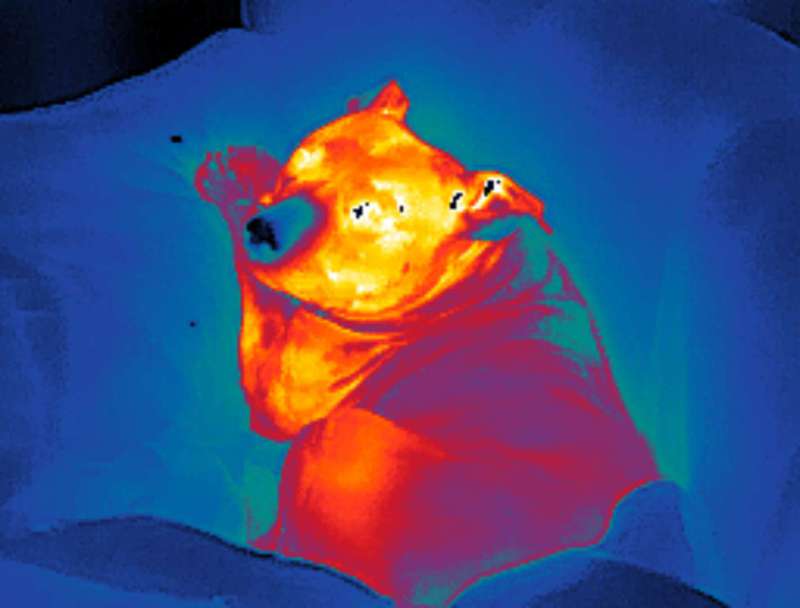
The best part of the T2 Pro is how well it performs at what it was designed for, detecting heat signatures. The app has six different color modes that help identify heat signatures, each mode makes the hot object a different color. The modes are Thermal Eye, White Hot, Black Hot, Red Head, Ninja, and Iron Red.
AD
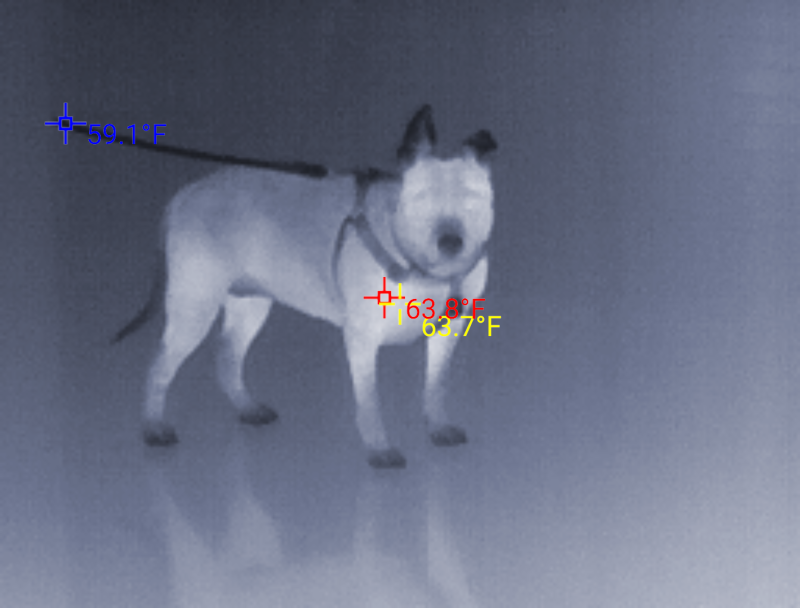
I tracked my favorite Norwegian Couch Hippo as she basked in her natural habitat using the different color modes.
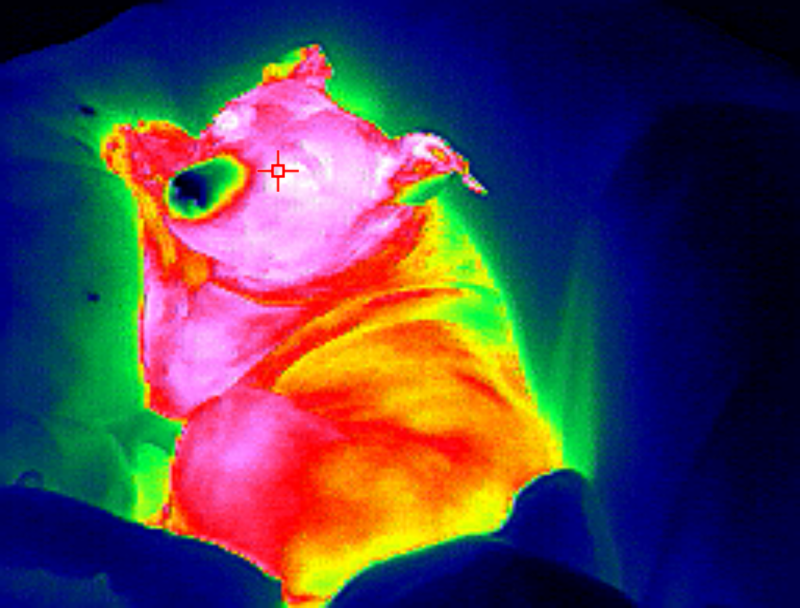 Thermal Eye
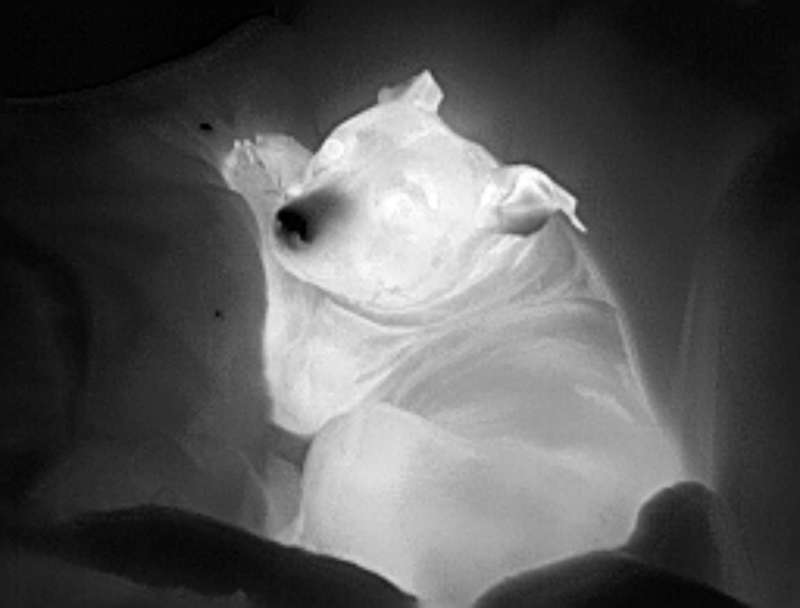 White Hot
 Black Hot
 Red Head
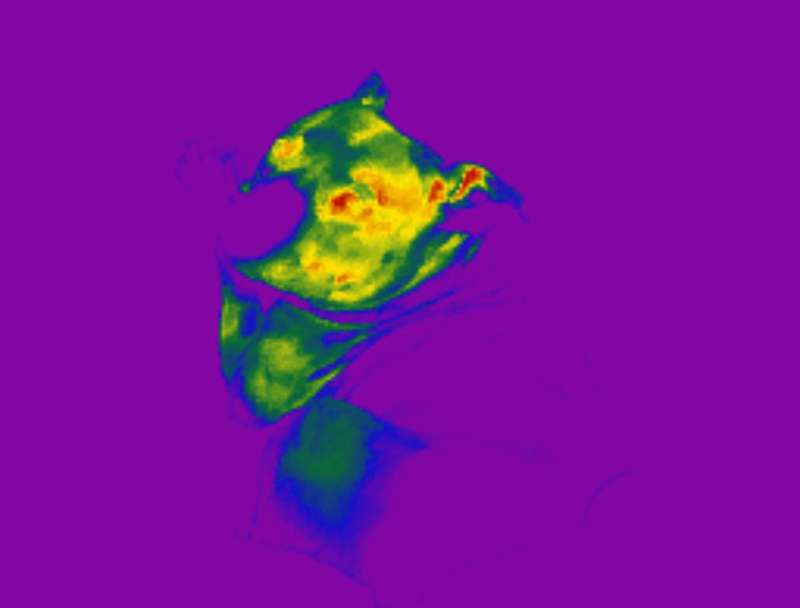 Ninja
Ninja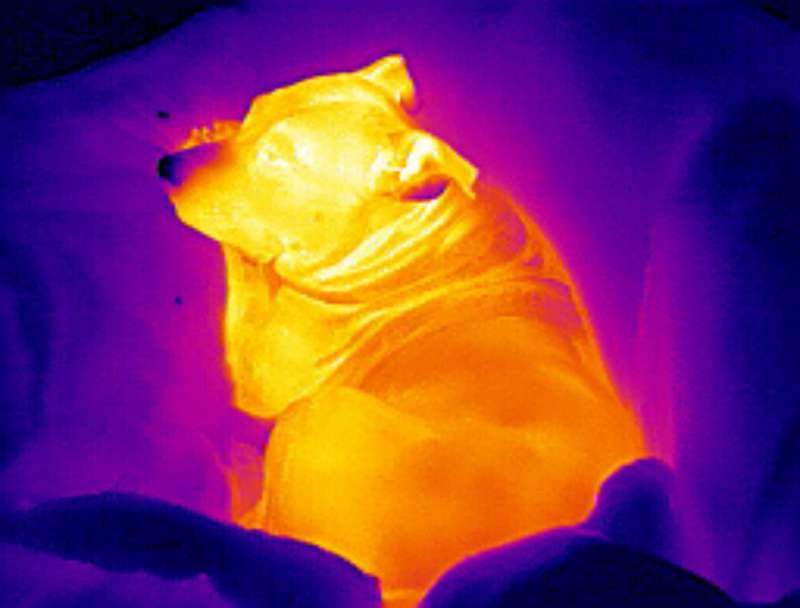 Iron Red
The app also allows for a picture-in-picture function which simultaneously displays what the phone camera sees with the T2 Pro’s image. This helps align the T2 Pro to capture what you want effectively since the focus on the T2 Pro has to be manually adjusted and defaults to an almost 2x zoom.
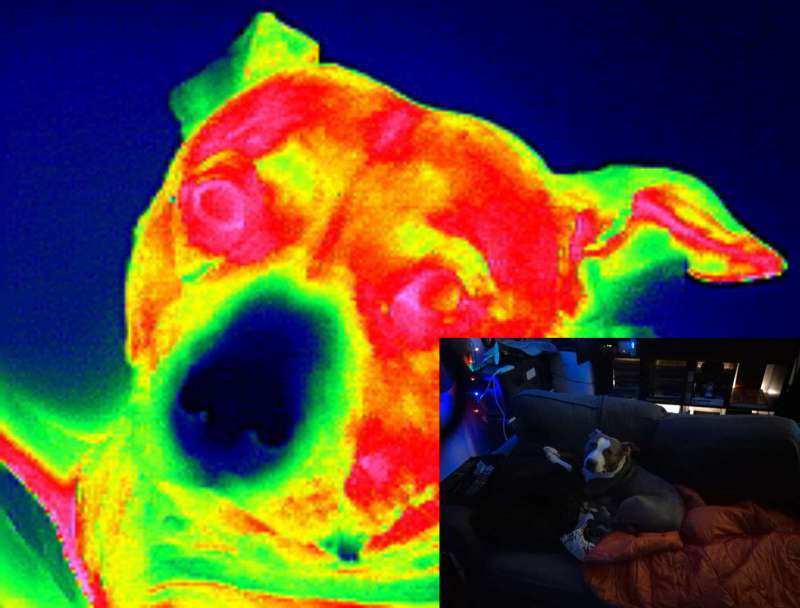
While the Predator colors of the Thermal Eye mode were cool to play with, I found that the White Hot mode was easiest to use when out and about. This mode was great for seeing areas affected by heat especially when coupled with the temperature tracking function.
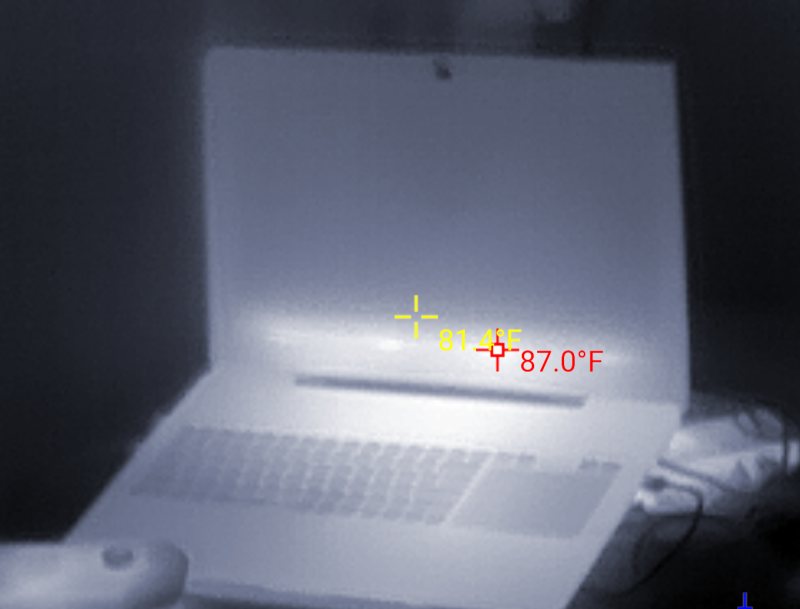
While the 2x zoom of the T2 Pro made it difficult to use in my small apartment, it was effective enough to see how it would be useful for home inspections or looking for electrical hotspots.
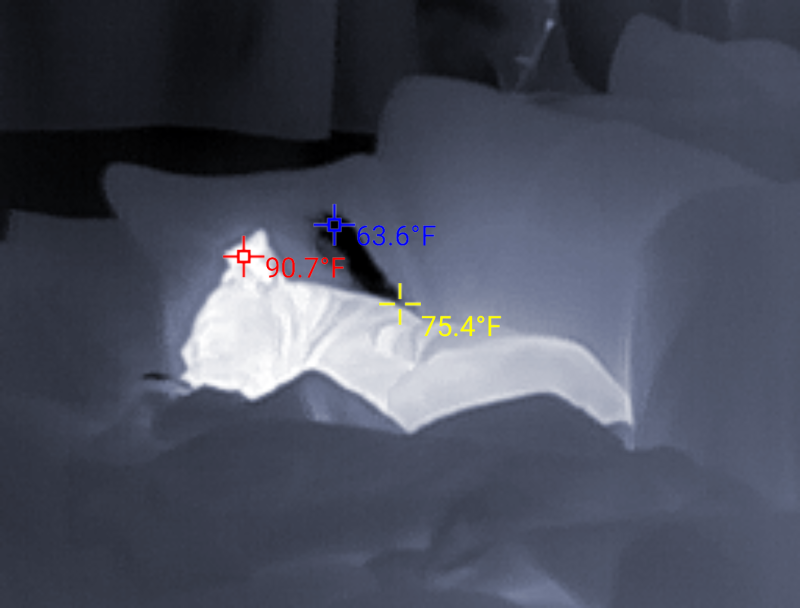
Once outside though the T2 Pro really excelled, spotting heat signatures at long ranges and successfully tracking objects I wouldn’t have seen if not for the device.
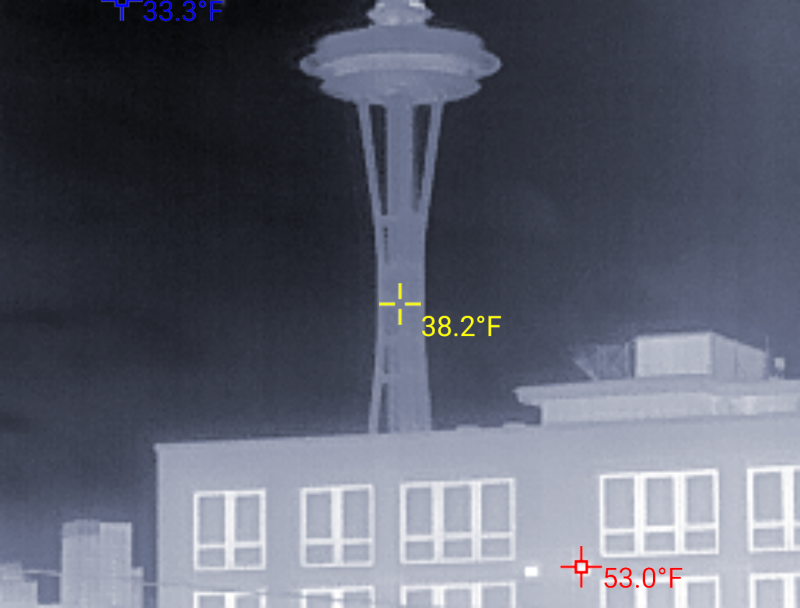
In complete darkness the T2 Pro was able to pick out people, animals, and vehicles easily.
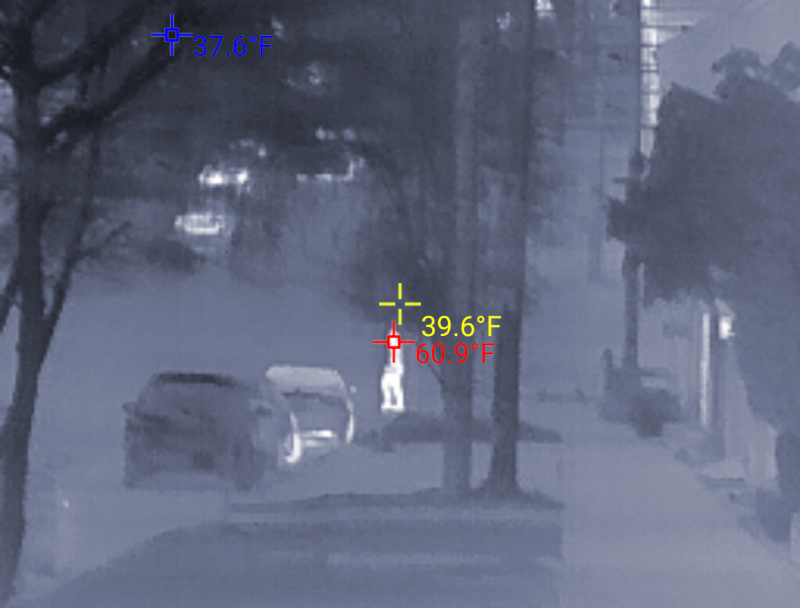
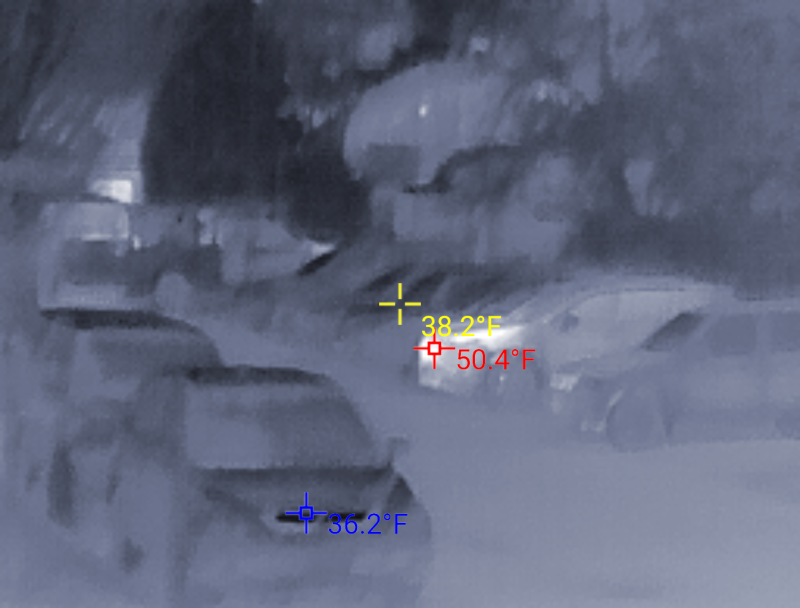
When looking at a row of parked cars the T2 Pro was able to identify one that was still warm from being used.
Walking farther and farther away from an electrical transformer the T2 Pro was able to maintain the temperature tracking.
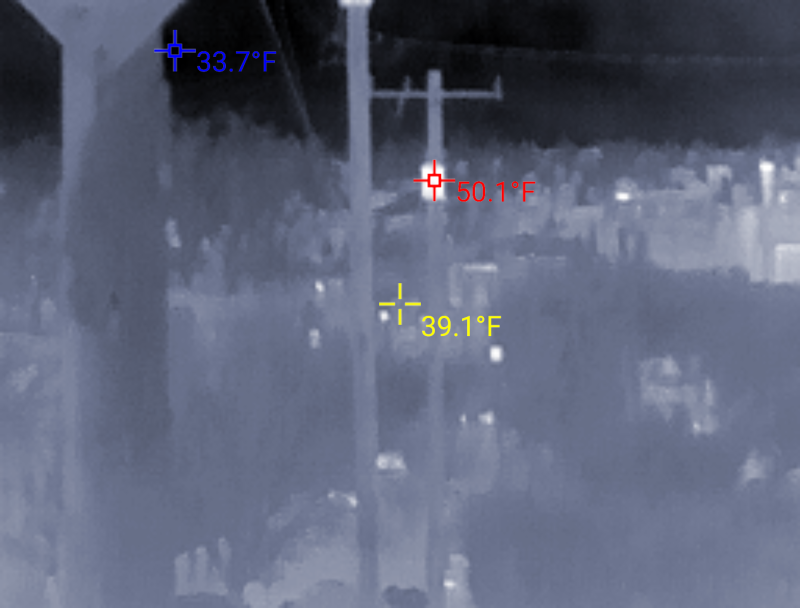
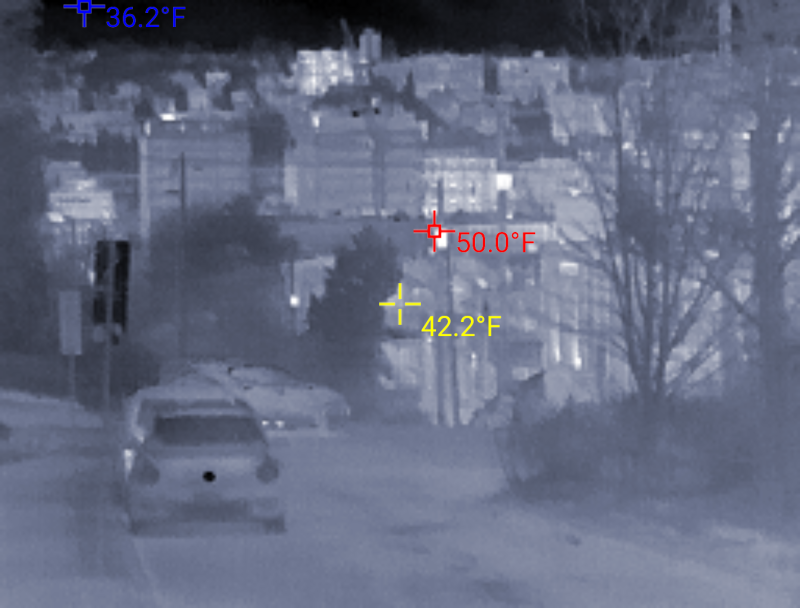
I’m not sure if the T2 Pro works effectively at the reported range of 1300m, but its range was pretty impressive.
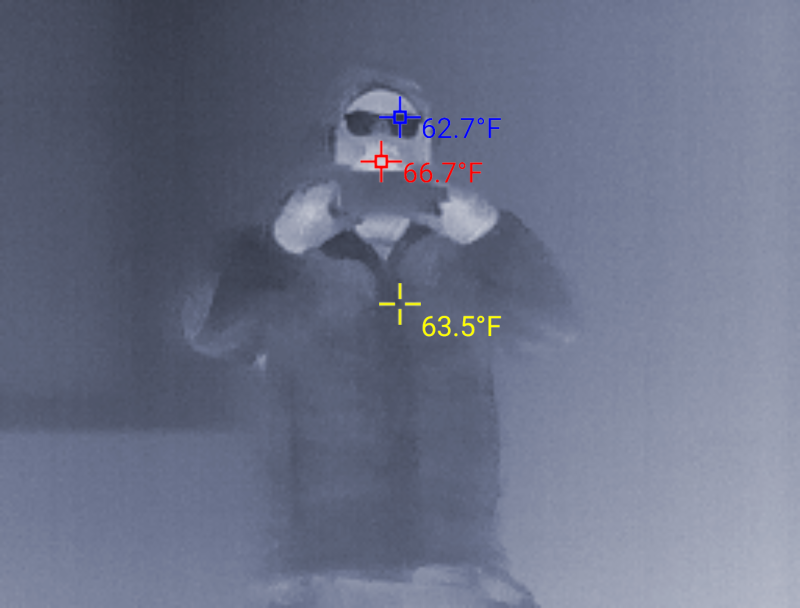
The T2 Pro can’t correctly determine temperatures via a mirror though if you were wondering,
But it’s still a lot of fun to take weird pictures of your cute dog.
Recording video with the T2 Pro is just as easy as taking photos although the app annoyingly breaks all the videos up into three-minute-long files. I recorded a pot of water heating up, boiling, and then cooling down to and sped up the thirty minutes of footage for viewing. I used a regular camera tripod for the mount and it worked well for stationary recording.
Overall, the T2 Pro does have some flaws, especially when it comes to the mounting kit, but it works well at detecting heat signatures and is easy to set up and use.
Pros
Device is truly plug and play
Lots of functionality in a small package
Inexpensive compared to more professional units
Cons
Handheld bracket unwieldy, laser is useless
Unit only compatible with Android, must buy different unit for iOS
Not a true monocular
Final thoughts
The InfiRay T2 Pro Thermal Monocular is a versatile and powerful little device suitable for various applications, such as hunting, search and rescue, home inspections, and security work. Despite the T2 Pro’s small size, the image quality is impressive taking into account the $419 price tag since more advanced thermal imaging devices cost many thousands of dollars. Although the included handheld bracket is cumbersome, it might be useful when mounted to a tripod or other base. Being able to record photos and videos from the T2 Pro via your phone is a bonus, especially since more expensive devices can’t record sound. While the T2 Pro isn’t a true monocular and does have some limitations, like low resolution and manual focus, it’s still a good low-cost option for someone who has a specific need for a thermal imaging device.
Price: $419
Where to buy: InfiRay
Source: The sample of this product was provided by InfiRay.
RATING: 3 stars